
Best Retail POS Systems NZ: The 2026 Guide for Small Businesses
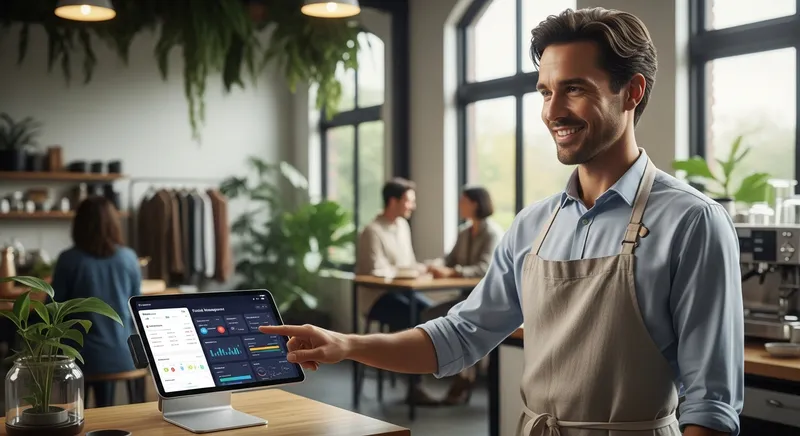
Choosing a point-of-sale (POS) system for your New Zealand business can feel like a high-stakes decision, filled with confusing options and technical jargon. You're likely juggling a clunky cash register, a separate EFTPOS terminal, and endless inventory spreadsheets, all while fearing you'll get locked into an expensive contract for the wrong system. It's a common fear, but you're not alone, and there is a clear path forward.
This guide is here to demystify the process for NZ's diverse small businesses—from gift shops and boutiques to cafes, restaurants, and beauty studios. We'll help you navigate the transition from legacy tills to a modern cloud-based POS system, an essential move for growth. Adopting digital tools like these is no longer a luxury; it's a necessity that, according to the Ministry of Business, Innovation and Employment (MBIE), is crucial for boosting productivity across Aotearoa.
Why Your POS is the Most Important Tool for Growth in 2026
Think of a modern POS system not as a cash register, but as the central hub of your entire business. It's the brain that connects your sales, inventory, customer data, and accounting in one place. In today's market, having this connected system is a significant competitive advantage.

Unfortunately, many New Zealand small businesses are missing out. A 2024 report highlighted that NZ SMBs lag behind their Asia-Pacific counterparts in digital adoption, which directly impacts their growth potential. Investing in the right technology isn't an expense; it's a direct investment in efficiency, smarter decision-making, and a loyal customer base. A great POS system gives you the tools to turn one-time visitors into your biggest growth driver by understanding what they buy and when.
The Non-Negotiable Features: A Checklist for NZ Businesses
When you start comparing options, the list of features can be overwhelming. Use this checklist to focus on the pillars that are non-negotiable for any modern NZ business.
1. Seamless EFTPOS Integration NZ: More Than Just 'PayWave'
A truly integrated EFTPOS solution means your POS system speaks directly to your payment terminal. This eliminates the need to manually enter the sale amount on the EFTPOS machine, which cuts transaction times and eradicates costly keying errors.
It's also a matter of compliance. Payments NZ manages the lifecycle of payment terminals, setting 'sunset dates' when older models must be retired for security reasons. A modern POS provider will ensure your hardware is always compliant.
Actionable Tip: When speaking to a POS provider, ask them specifically which New Zealand EFTPOS providers and banks they have certified integrations with. Avoid any system that requires you to manually enter amounts on a separate terminal. To understand the costs involved, see our complete EFTPOS vs. Stripe Fees NZ cost guide.
2. Cloud-Based POS vs. Legacy Systems: Why the Cloud Wins
A modern approach stores your data securely online, accessible from anywhere on devices like iPads or laptops for a monthly fee. This is a stark contrast to legacy systems, which require a large upfront investment and can only be accessed on-site.
The benefits of the cloud are undeniable. You can check sales reports from home, manage inventory on the go, and your software is updated automatically. Research shows that increased cloud adoption is directly linked to significant gains in business productivity.
| Feature | Cloud-Based POS | Legacy System |
|---|---|---|
| Upfront Cost | Low (monthly subscription) | High (server + software license) |
| Accessibility | Anywhere with internet | On-site only |
| Data Backup | Automatic, in the cloud | Manual, risk of data loss |
| Updates | Automatic & included | Manual & often costly |
| Hardware | Flexible (e.g., iPads) | Proprietary & expensive |
| Total Cost | More predictable & affordable | High TCO with hidden costs |
Actionable Tip: Don't just look at the upfront price. Calculate the Total Cost of Ownership (TCO) over three years. A cloud POS almost always proves far more affordable.
3. Smart Inventory Management for Retail & Hospitality
Effective inventory management is the difference between profit and loss. A POS with integrated inventory tracking saves countless hours of manual stocktakes and prevents you from running out of your best-selling items. Key features to look for include:
- Low-stock alerts
- Purchase order creation
- Tracking for product variants (e.g., sizes and colours)
- Ingredient-level tracking for cafes and restaurants
Actionable Tip: During a product demo, ask the provider to show you exactly how the system handles a product with multiple variations. This will quickly reveal how intuitive and powerful their inventory module really is.
4. Effortless Accounting with Xero POS Integration
As a New Zealand business owner, you likely use Xero. Manually reconciling your daily sales is a time-consuming and error-prone task. A POS system with a deep, native Xero integration is a game-changer.
Systems like Lazygrid automatically sync your daily sales totals, payment types, and invoices directly into your Xero account, saving you or your bookkeeper hours of work each month. Insights from Xero's Small Business reports consistently show that digitally connected businesses are more resilient and efficient.
Actionable Tip: Ask if the Xero integration is 'native' (built-in) or requires a third-party connector tool. Native integrations are almost always more reliable and easier to manage.
5. Tools to Manage Staff & Growth
A modern POS should also help you manage your team and scale your operations. Look for features like:
- Staff Management: Secure logins for each staff member with customisable permissions to control access to discounts, refunds, and reports.
- Multi-Location Management: The ability to oversee sales, inventory, and reporting across multiple stores from a single dashboard, which is essential for any growing business.
Finding the Best POS System for Your NZ Business Type
A one-size-fits-all approach doesn't work. The best POS system for a cafe is different from one for a beauty salon. Here's a breakdown of what to look for based on your industry.
For Cafes, Restaurants & Bars: Hospitality POS NZ
In hospitality, speed and efficiency are everything. Your POS needs to handle the pressure of a busy service with features designed to streamline operations from front-of-house to the kitchen.
- Critical Features:
- Table Management & QR Code Ordering: A visual floor plan to manage tables, combined with QR codes that let customers order and pay from their seats.
- Kitchen Display System (KDS): A digital screen that replaces paper tickets, sending orders directly to the kitchen for faster, more accurate preparation. Learn more in our guide to the Best KDS for NZ Restaurants.
- Self-Service Kiosk: An option for quick-service restaurants to reduce queues and increase average order value during peak hours.
- Order Modifiers & Bill Splitting: Easily handle custom requests ('no onion') and split bills between customers.
Actionable Tip: Choose a system with strong reporting on metrics like table turn times and average spend per customer. This data is gold for optimising your service.
For Boutiques, Gift Shops & Specialty Stores: Retail POS NZ
For retail, your POS must be a master of inventory and customer relationships, seamlessly connecting your physical and digital storefronts.
- Critical Features: Fast barcode scanning, robust management of product variants (size, colour, style), and a customer database for loyalty programs. Most importantly, look for a deep Shopify Integration to sync stock levels, products, and sales between your online and in-store channels.
According to Retail NZ, customers increasingly expect innovative and convenient payment options, making a modern omnichannel POS essential.
Actionable Tip: Ensure the system can create, accept, and track both physical and digital gift cards seamlessly across your in-store and online channels.
For Beauty, Massage & Wellness: Appointment-Based POS
If your business runs on appointments, a simple till isn't enough. Your POS must be an all-in-one business management tool.
- Critical Features: An integrated booking calendar is the most important feature. Look for one that includes client history, automated appointment reminders via SMS/email, and staff/resource scheduling. An integration with Reserve with Google allows clients to book you directly from Google Search and Maps, making you instantly discoverable.
Actionable Tip: Check if the system's automated reminders are customisable. Sending a friendly reminder 24 hours before an appointment is one of the most effective ways to reduce costly no-shows. A smart booking system can even help you implement a waitlist strategy to turn cancellations into revenue.
For Food Trucks & Market Stalls: Mobile POS NZ
For a business on the move, your POS needs to be agile, reliable, and tough.
- Critical Features: The system must run on a mobile device like an iPad or iPhone with long battery life. An offline mode is absolutely essential for trading in locations with unreliable internet. Look for compact, durable hardware and the ability to process payments quickly.
Actionable Tip: When evaluating hardware, ask about its durability. Can the printer and cash drawer withstand the bumps and temperature changes of a mobile environment?
Making the Switch: A 5-Step Migration Guide
Moving to a new system can feel daunting, but a structured approach makes it manageable.
- Data Prep & Export: Work with your new provider to export your existing product list and customer database into a format that can be easily imported.
- Hardware Setup & Testing: Set up your new iPad, EFTPOS terminal, and printers. Run test transactions to ensure everything communicates correctly.
- Staff Training: This is the most critical step. Schedule dedicated time to train your team. A good POS is intuitive, so this shouldn't take long.
- Go-Live Day: Choose a typically quiet day (like a Tuesday morning) to make the official switch. Have the support number for your POS provider handy.
- Post-Launch Support: Lean on your provider's support team for the first few weeks. The best providers offer local, NZ-based support to help you fine-tune settings and answer any questions that come up.
Actionable Tip: To build confidence, try running your old and new POS systems in parallel for a few hours. Process sales on both. This confirms the new system is working perfectly before you fully commit. For a transparent breakdown of what to expect, see our guide on how much a POS system really costs in NZ.
Conclusion: Your Next Step to a Smarter Business
Choosing the best retail POS system for your small business in NZ doesn't have to be a source of stress. By focusing on the fundamentals—seamless EFTPOS and Xero integration, cloud-based flexibility, and features tailored to your specific industry—you can confidently select a tool that acts as a true growth engine.
A modern POS will save you time, slash administrative errors, and provide the critical data you need to make smarter, more profitable decisions. You'll move from guessing to knowing, freeing you up to focus on what you do best: serving your customers.
Ready to see what a modern, all-in-one POS system can do for your business? Book a no-obligation demo to see how a system designed for NZ businesses works in practice.
Frequently Asked Questions
How much does a POS system cost in NZ?
The cost of a POS system in New Zealand is typically broken into two parts: monthly software fees and one-off hardware costs. Software subscriptions can range from around $50 per month for a basic plan to over $200 for advanced, multi-location features, with providers like Lazygrid offering scalable plans to fit your stage of growth. Hardware costs (iPads, printers, EFTPOS terminals) can range from $1,000 to $3,000+ for a complete setup. Remember that payment processing fees are a separate, ongoing cost. For a complete breakdown, see our transparent 2026 price guide.
Is Square POS fully available in New Zealand?
While Square offers some services in New Zealand, its in-person payment processing can be complex. Unlike local providers with certified integrations, Square may not connect seamlessly with the NZ EFTPOS network for all transaction types. This can lead to workarounds and a less-than-ideal customer experience. Businesses should prioritise providers who offer certified, direct integration with NZ banks and payment networks for maximum reliability.
What's the best POS system for a very small business or startup?
For a startup, the best POS system prioritises affordability, ease of use, and scalability. A cloud-based system that runs on an iPad is the ideal choice, as it dramatically lowers the initial hardware investment. Look for a provider that offers an entry-level plan with core features like reliable EFTPOS integration and simple inventory tracking. The most important factor is choosing a system that can grow with you, allowing you to add more advanced features like online ordering or loyalty programs as your business expands.
Can I use my existing iPad for a POS system?
Yes, in most cases, you can. A major advantage of modern cloud-based POS systems is that they are designed to run on standard consumer hardware. Providers develop their applications to work on recent models of the Apple iPad. This approach saves you from buying expensive, proprietary hardware and allows you to get started with a device you may already own. Before committing, simply check with the POS provider to ensure your specific iPad model and its operating system version are supported.
Do I need a POS with online ordering integration?
Yes, for most hospitality and many retail businesses, it's essential. The key is to find a POS that offers commission-free online ordering. Third-party delivery apps can take 15-35% of every sale, destroying your profit margins. A POS with a native, commission-free system allows customers to order directly from you, feeding orders straight into your kitchen workflow and letting you keep 100% of the revenue and your customer data. It's the only sustainable way to grow your online sales channel. Learn how to ditch the fees with our guide to commission-free online ordering.