
Speed Up Your Service, Delight Your Cafe Customers
Streamline your cafe operations with our intuitive POS system. Take orders faster, manage your menu, and build customer loyalty — all from your iPad.


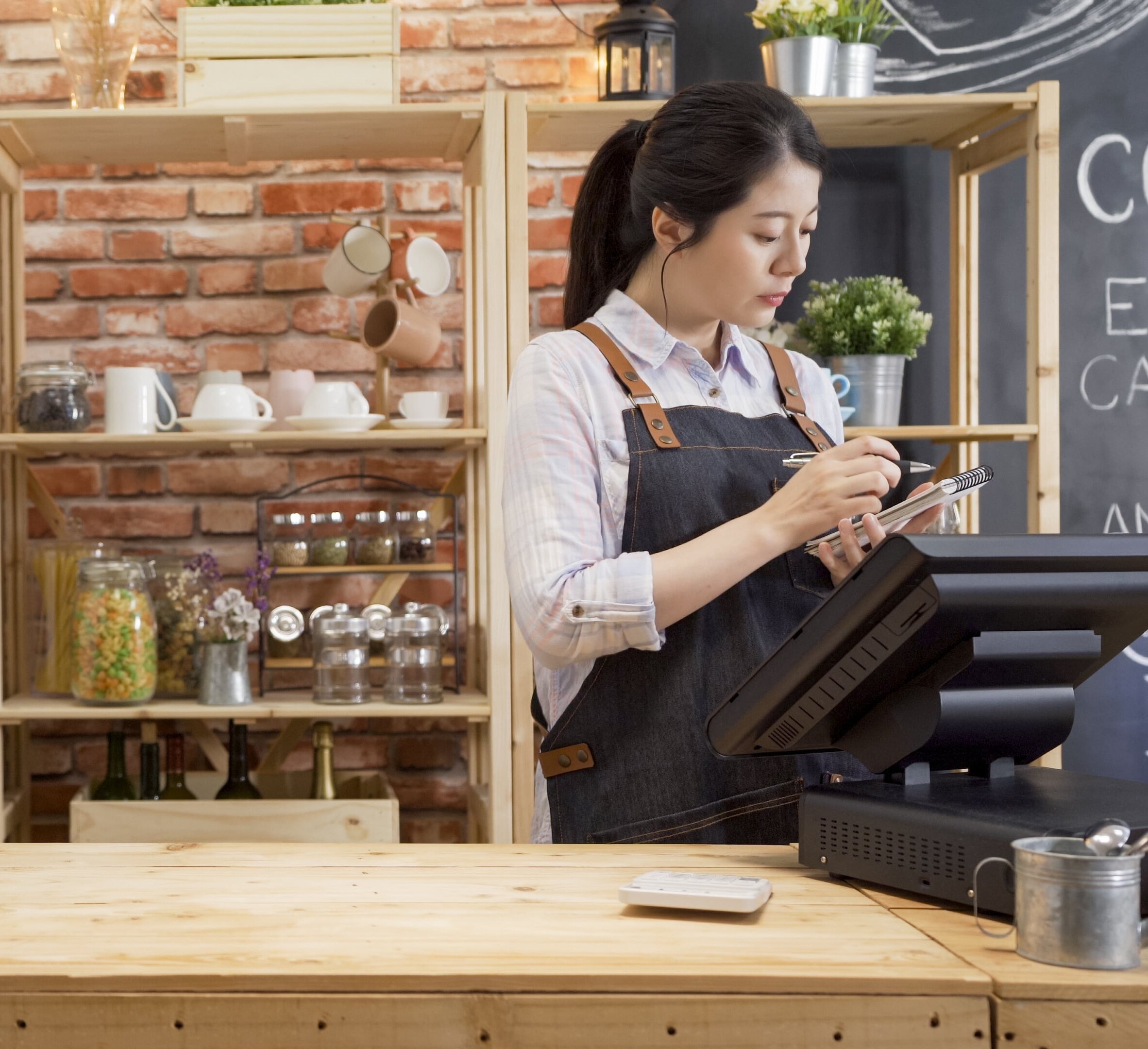
Why Lazygrid
The Cafe POS System Built for New Zealand
Running a cafe in New Zealand means dealing with morning rushes, complex coffee orders, and tight margins. You need a point of sale system that keeps up — not one that slows you down.
Whether you're running a busy coffee shop in Wellington's Cuba Street, a neighbourhood cafe in Auckland's Ponsonby, or a beachside spot in Mount Maunganui, Lazygrid POS gives you the tools to serve more customers, reduce wait times, and grow your business.
Unlike generic POS systems designed for overseas markets, Lazygrid is built for the way New Zealand cafes actually work — from flat white customisations and cabinet food tracking to direct EFTPOS integration with Windcave, Verifone, and Shift4. No workarounds, no compromises.
Features
Everything Your Cafe Needs in One System
From the first flat white to the last close-of-day report
Quick Service Ordering
Tap-based ordering designed for speed. Handle the morning rush with customisable quick-access buttons for your most popular drinks and food items. Add modifiers like milk type, size, and extras in one tap.
Smart Menu Management
Build your menu with categories, modifiers, and variations. Set up coffee sizes, milk options (including oat, almond, and soy), and seasonal specials. Update prices across all channels instantly.
Customer Loyalty
Turn one-time visitors into regulars with built-in loyalty programmes. Offer digital stamp cards, reward points, or custom promotions. Track customer preferences to personalise their experience.
Online Ordering
Let customers order ahead and skip the queue. Online orders flow directly into your POS — no separate tablet needed. Perfect for busy morning commuters who want their coffee ready on arrival.
Kitchen & Bar Printing
Automatically route drink orders to the barista station and food orders to the kitchen printer. No more shouting across the counter or lost dockets. Reduce errors and speed up service.
Sales Analytics
Understand your peak hours, best-selling items, and revenue trends. Daily, weekly, and monthly reports help you make data-driven decisions — from staffing schedules to menu pricing.
How It Works
Get Your Cafe Running in 3 Simple Steps
Sign Up & Set Up Your Menu
Download Lazygrid on your iPad, create your account, and build your cafe menu. Add categories (hot drinks, cold drinks, cabinet food, etc.), set prices, and configure modifiers. Most cafes complete this in under two hours.
Connect Your Hardware
Pair your EFTPOS terminal (Windcave, Verifone, or Shift4), connect your receipt printer via Ethernet, and set up kitchen/bar printers if needed. Lazygrid works with standard thermal printers — no proprietary hardware required.
Start Serving Customers
You're ready to go. Take orders, process payments, and let Lazygrid handle the rest — from kitchen dockets to end-of-day reports. Enable online ordering and QR code ordering whenever you're ready to expand.
Built for NZ
Designed for New Zealand Cafes
Not a generic international POS with NZ bolted on — built from the ground up for local businesses
🔗 Local EFTPOS Integration
Direct integration with Windcave, EFTPOS NZ (Verifone), and Shift4. Payments sync automatically with your POS — no manual reconciliation at end of day. Supports contactless, Visa, Mastercard, and EFTPOS.
🧾 GST-Ready Receipts
GST is calculated automatically and displayed on every receipt. End-of-day and period reports break down GST for easy BAS and tax filing. One less thing to worry about at tax time.
💰 NZD Pricing, No Surprises
Our plans are priced in New Zealand dollars. No USD conversion fees, no exchange rate surprises. From $24/month — less than the cost of a few coffees a day.
🤝 Wellington-Based Support
Our team is based in Wellington. We understand the NZ cafe scene, the regulations, and the challenges. Get responsive support in your timezone, not from an overseas call centre.
Use Cases
How Cafes Use Lazygrid Every Day
☕ Morning Rush Management
The 7-9am rush can make or break your day. Lazygrid's quick-access buttons and QR code ordering let you process more orders without adding staff. Customers ordering ahead via your online store means their coffee is ready when they walk in.
Kitchen and bar printing ensures every order reaches the right station instantly — no bottlenecks, no confusion.
🥐 Cabinet & Retail Sales
Selling cabinet food, baked goods, or retail items alongside your coffee? Lazygrid handles mixed orders seamlessly. Track inventory, set different tax rates for eat-in vs. takeaway, and manage your full product range from one system.
📱 Growing Your Customer Base
With built-in customer management, you can track regulars, offer loyalty rewards, and run targeted promotions. Send digital vouchers for birthdays, create happy hour specials, or launch a "buy 9, get 1 free" coffee card — all from within the system.
Learn More About Running a Successful Cafe
How to Get More Google Reviews for Your Business
Build a consistent, policy-safe review process that turns customer feedback into a stronger local reputation.
Kiosk Psychology: 4 Reasons Customers Spend Up to 30% More
Discover why self-service kiosks encourage customers to spend more and how it can boost your cafe's average order value.
Escape High Commissions: Direct Online Ordering in NZ
Learn how to save thousands by switching from third-party delivery apps to your own branded online ordering system.
How to Open a Cafe in NZ: 13-Step Checklist for 2026
Everything you need to know about starting a cafe in New Zealand — from licensing to choosing the right POS system.
POS Features Checklist 2026: Must-Haves for Cafes
The essential features every modern cafe POS system should have. Use this checklist before choosing your next system.
FAQ
Common Questions About Cafe POS Systems
What makes Lazygrid different from other cafe POS systems in NZ?
Can I use my existing iPad as a cafe POS terminal?
How does QR code ordering work in a cafe setting?
Do I need internet for the POS to work?
How long does it take to set up Lazygrid for my cafe?
Can Lazygrid handle both dine-in and takeaway orders?
Plans & Pricing
Choose the Right Plan for Your Cafe
Start with Lite for a small coffee shop, or go Standard for a full-service cafe
Lite
- ✓POS counter sales
- ✓QR Code Ordering
- ✓Customer management
- ✓Remote setup assistance
- ✓Email support
Standard
- ✓Everything from Lite
- ✓2 Staff accounts
- ✓Gift Vouchers
- ✓Kitchen & Bar Printing
- ✓Reservations & Bookings
- ✓Integrated Online Ordering
Premium
- ✓Everything from Standard
- ✓Unlimited Staff accounts
- ✓Custom Branded Website
- ✓Reserve with Google
- ✓QR Table Ordering
- ✓Marketing & Promotions
- ✓Customer Loyalty Program
Ready to boost your cafe's efficiency?
Join the many cafes already using Lazygrid to streamline their operations. Start your 7-day free trial — no credit card required.