
Run the kitchen from one live queue.
Counter, online, QR and kiosk orders stay visible together—complete with live changes, kitchen timers and a clear Ready handoff.
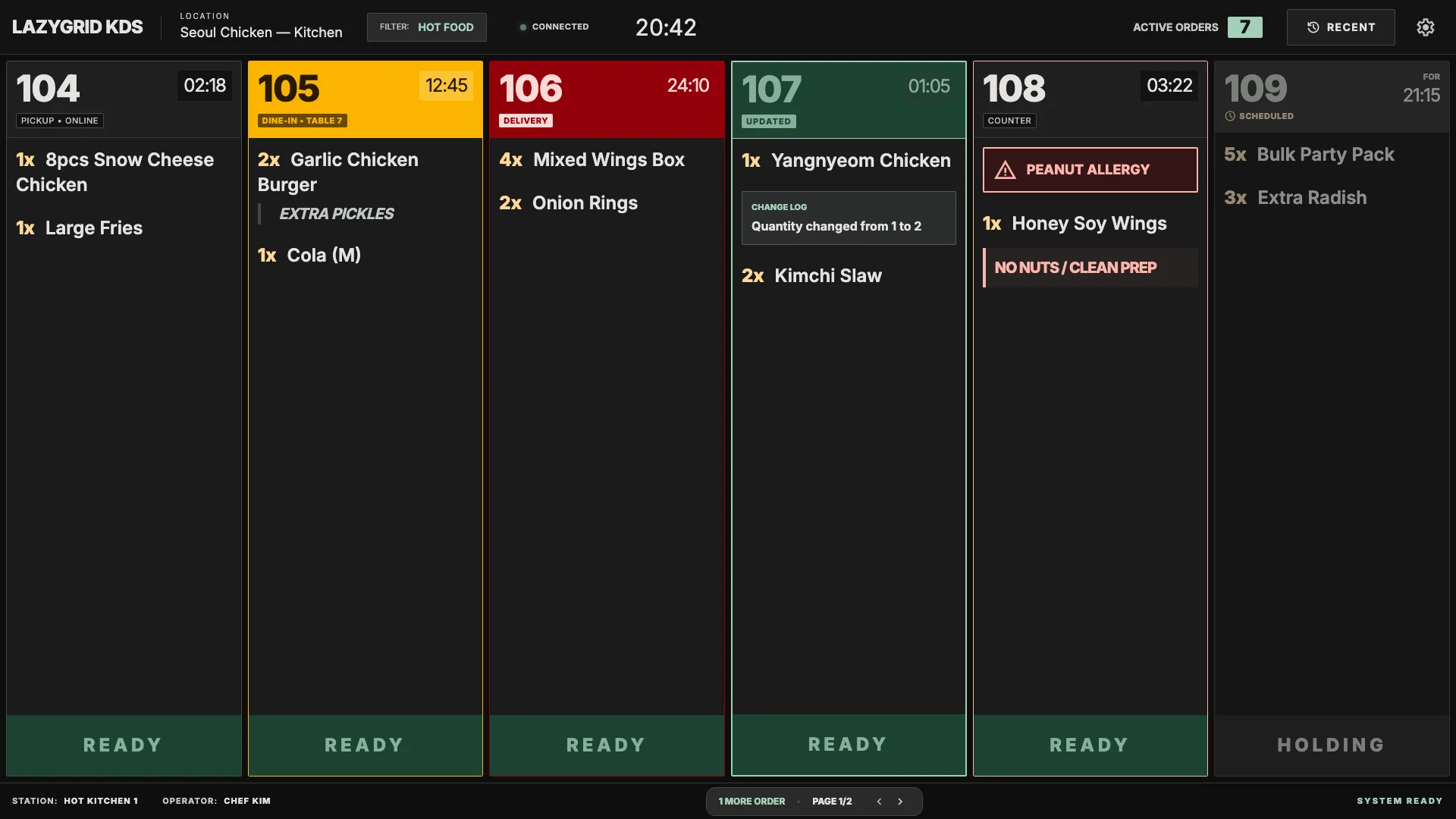
One queue
Every supported order channel
Live changes
Updates replace stale paper
Kitchen timing
Warning and overdue states
Ready sync
A clear handoff back to the team
Why KDS
Paper tells you what was ordered. KDS tells you what is happening now.
See the whole rush
Everyone sees the same prioritised queue instead of tracking whichever docket is currently in hand.
Catch changes
Added items, changed quantities, kitchen notes, allergies and cancellations remain visible after the original order.
Protect service time
Continuous timers and colour states make ageing work obvious before a delayed ticket becomes a customer complaint.
Recover cleanly
Undo and Recall give the pass a safe way to recover from an accidental Ready action without recreating the order.
A simpler kitchen flow
From confirmed order to customer handoff.
Confirmed orders appear automatically, without adding another kitchen submission step or forcing staff to tap at every production stage.
- 01
Orders arrive automatically
Confirmed orders from your counter, QR ordering, website and kiosk flow into one kitchen queue.
- 02
Items route to the right view
Use your existing category groups to show hot food, drinks or other products on the right display.
- 03
The kitchen works by order number
Match the large Lazygrid order number to the box, tray or carrier moving through your kitchen.
- 04
The pass marks it ready
One tap at packing or handoff updates the live order status, with Undo and Recall when needed.
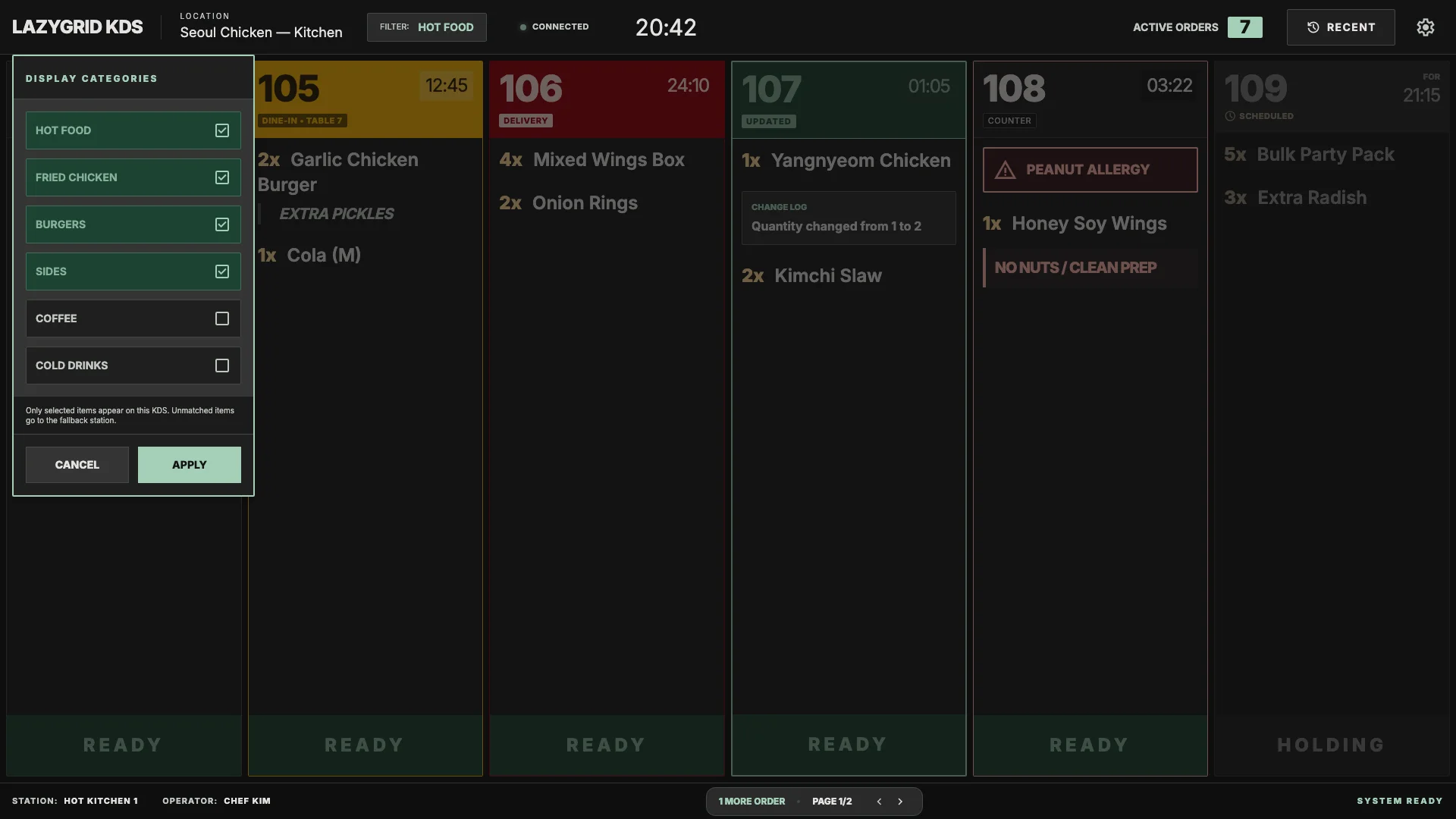
Category routing
Show each station only what it needs.
A hot-food screen does not need to show every coffee. Route products using your Lazygrid category groups, with a fallback that prevents unmatched items from disappearing.
- ✓ KDS, printer, or both
Keep the right output for each production area. - ✓ Shared cloud configuration
Routing stays consistent across your devices. - ✓ One-screen friendly
Start with one central display and expand only when useful.
Confident handoff
Ready when the whole order is ready.
The pass clears a completed order with one large action. A short Undo window and Recent list keep recovery close without cluttering the active queue.
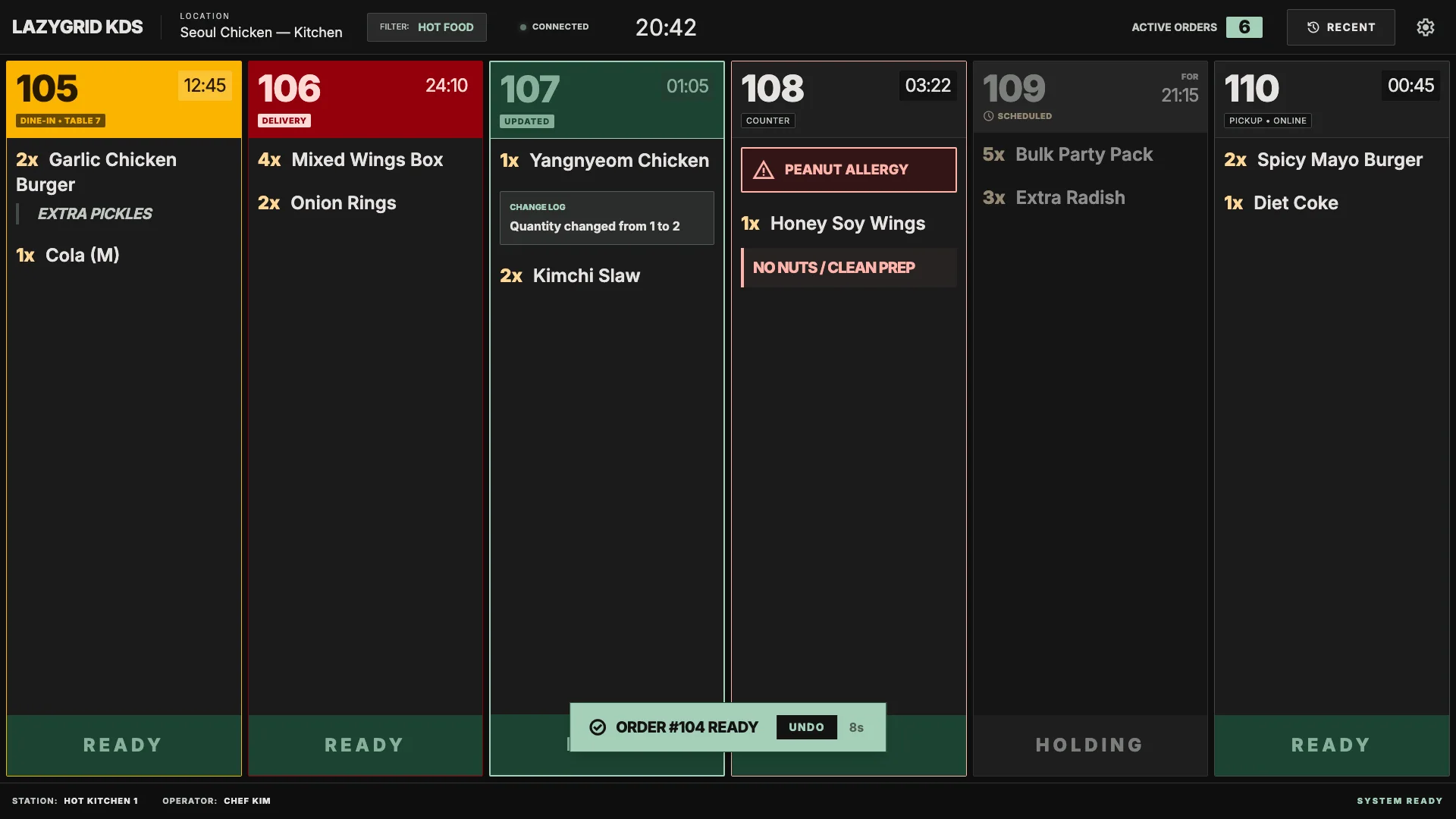
Ready + Undo
Clear the pass quickly and recover immediately from a mistaken tap.
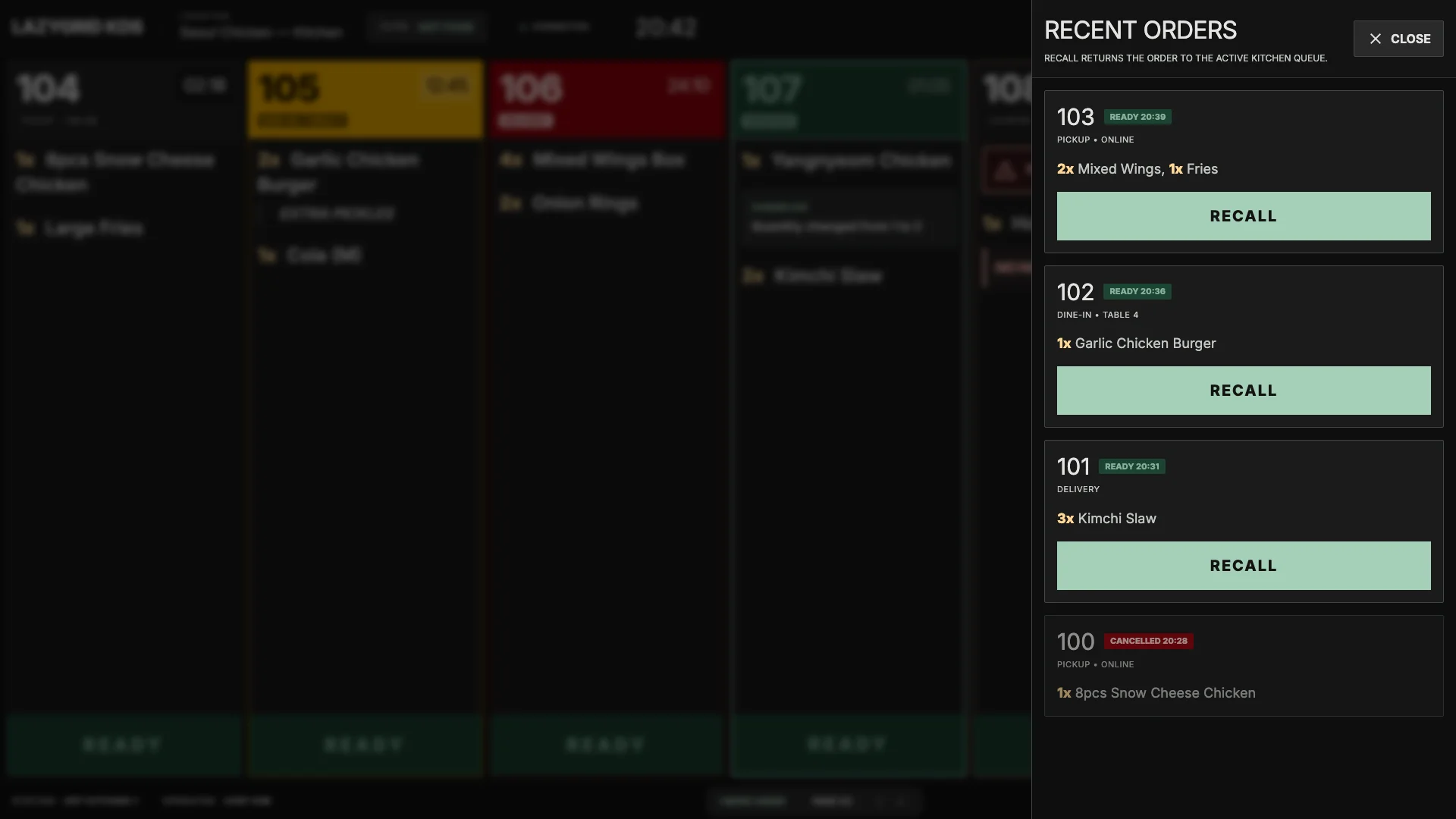
Recent + Recall
Bring a completed ticket back when the kitchen needs another look.
Fit it to your kitchen
Display where it helps. Print where it helps.
KDS does not force every station into the same workflow. Keep a coffee docket, run hot food on screen, or use both during the transition.
KDS
Live production queue
Ideal for shared visibility, changing orders, kitchen timers and Ready handoff.
Printer
Physical docket
Useful where the ticket needs to travel physically or a station prefers a simple printout.
Both
A practical hybrid
Combine a central KDS with selected prints or labels for physical traceability.
Questions
Kitchen Display System FAQ
Does Lazygrid KDS replace our kitchen printers?
It can replace selected kitchen dockets, or work alongside your existing printers. Products can be routed to KDS, printer, or both, depending on how each part of your kitchen operates.
Do staff need to tap the screen at every cooking step?
No. In the standard single-screen workflow, the KDS stays visible to the kitchen while the order number travels with the box or tray. The packing or pass position only taps Ready when the complete order is assembled.
Can the screen show only certain products?
Yes. Category-group filters let a kitchen screen show hot food while coffee or cold drinks continue to another KDS, a printer, or both.
What happens when an order changes?
Changes, additions, notes and cancellations update in the live queue and are highlighted so the kitchen does not keep working from an outdated paper docket.
Can it handle dine-in, pickup and delivery together?
Yes. Lazygrid KDS brings supported order channels into one queue while clearly showing the source and fulfilment type on every ticket.
What hardware does it use?
The standard setup uses a large Android touch display designed to remain readable across a busy kitchen. Our team will recommend the screen and mounting setup for your space.
Bring the kitchen into focus
See how Lazygrid KDS fits your service.
Tell us how orders move through your kitchen. We will recommend the screen, routing and printer setup for your operation.
Talk to our KDS team