
Online ordering connected to your POS
One menu. Every online order straight into service.
Manage the menu in Lazygrid, let customers order for pickup or DoorDash Delivery, and send confirmed orders automatically to the POS and the right printers.
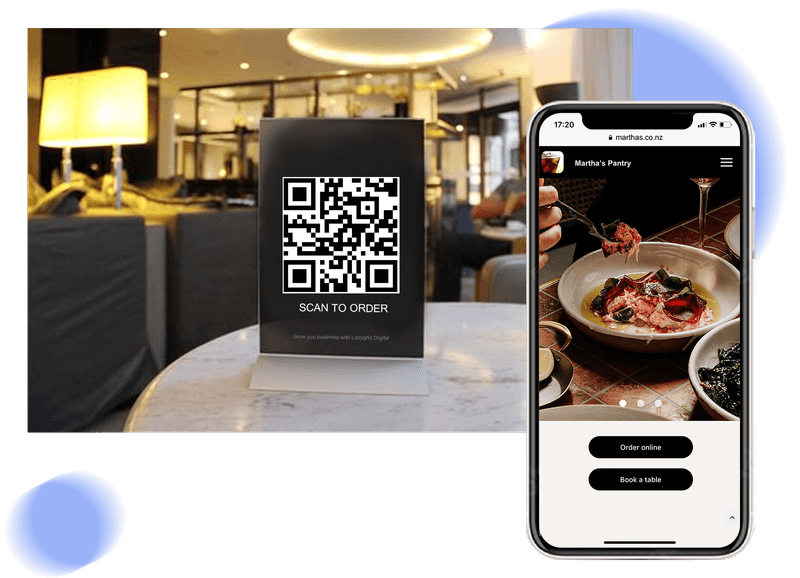
Confirmed order
Synced into Lazygrid POS
Menu
Managed once in POS
Orders
Synced automatically
Production
Printed and routed
Fulfilment
Pickup or DoorDash
From menu to handover
A complete order path, without another tablet.
The online channel uses the same operational foundation as the counter: one menu, one order record and your configured printing flow.
- 01
Manage one menu
Products, prices and availability are maintained centrally in Lazygrid POS.
- 02
Customer orders
They choose pickup or an available delivery option and complete the order in their browser.
- 03
Order syncs to POS
The confirmed order appears automatically for staff—there is nothing to retype from another screen.
- 04
Printing is routed
The order can print automatically, with items split between configured production printers.
- 05
Team updates status
Staff move the order through confirmation, ready and complete from the Lazygrid order view.
What staff see in Lazygrid
The online order arrives ready to work.
Staff can see new web orders, open the details and move each order through the service statuses customers expect.
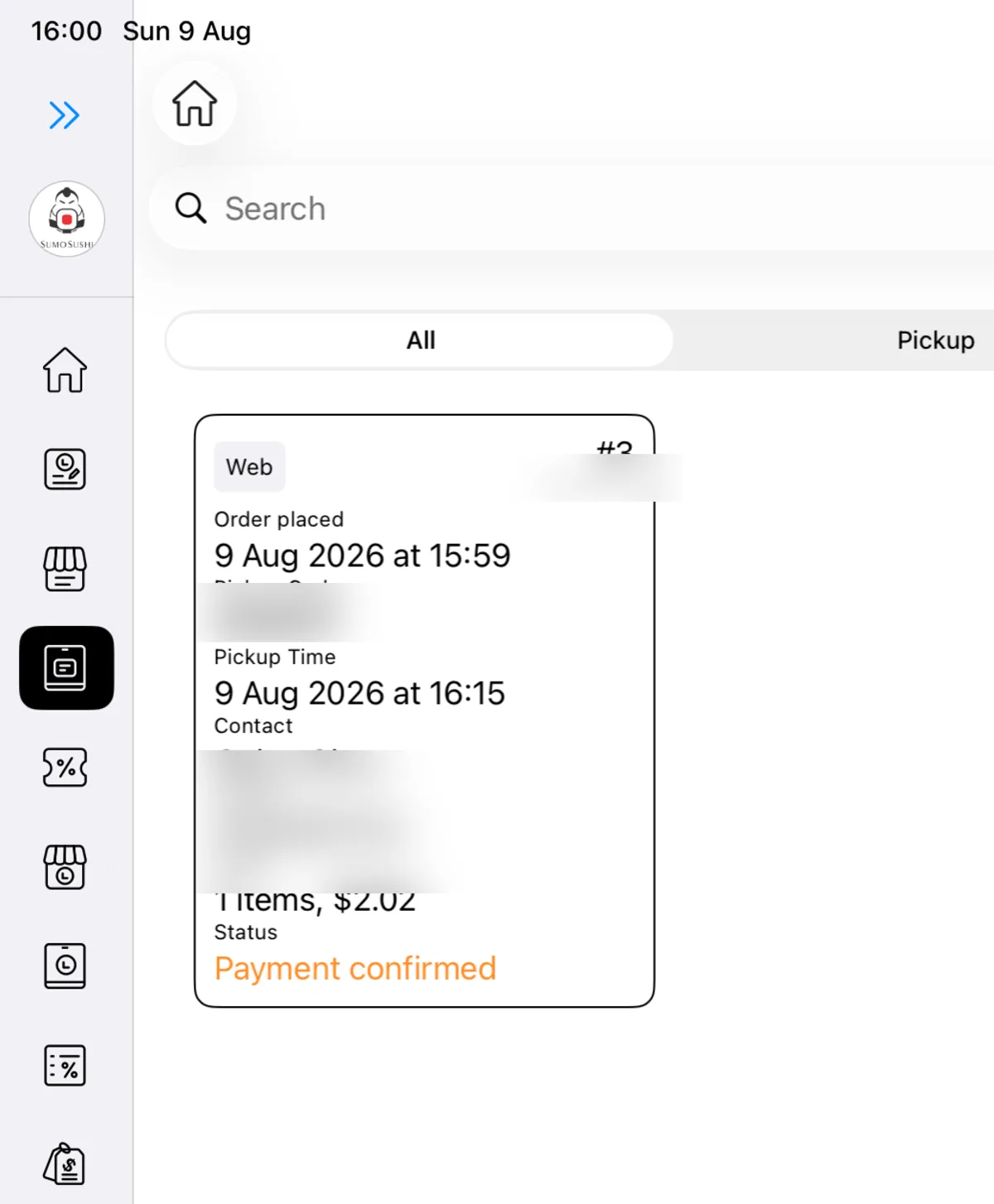
Incoming orders
Web orders appear with fulfilment, timing and payment status. Customer details are hidden in this marketing image.
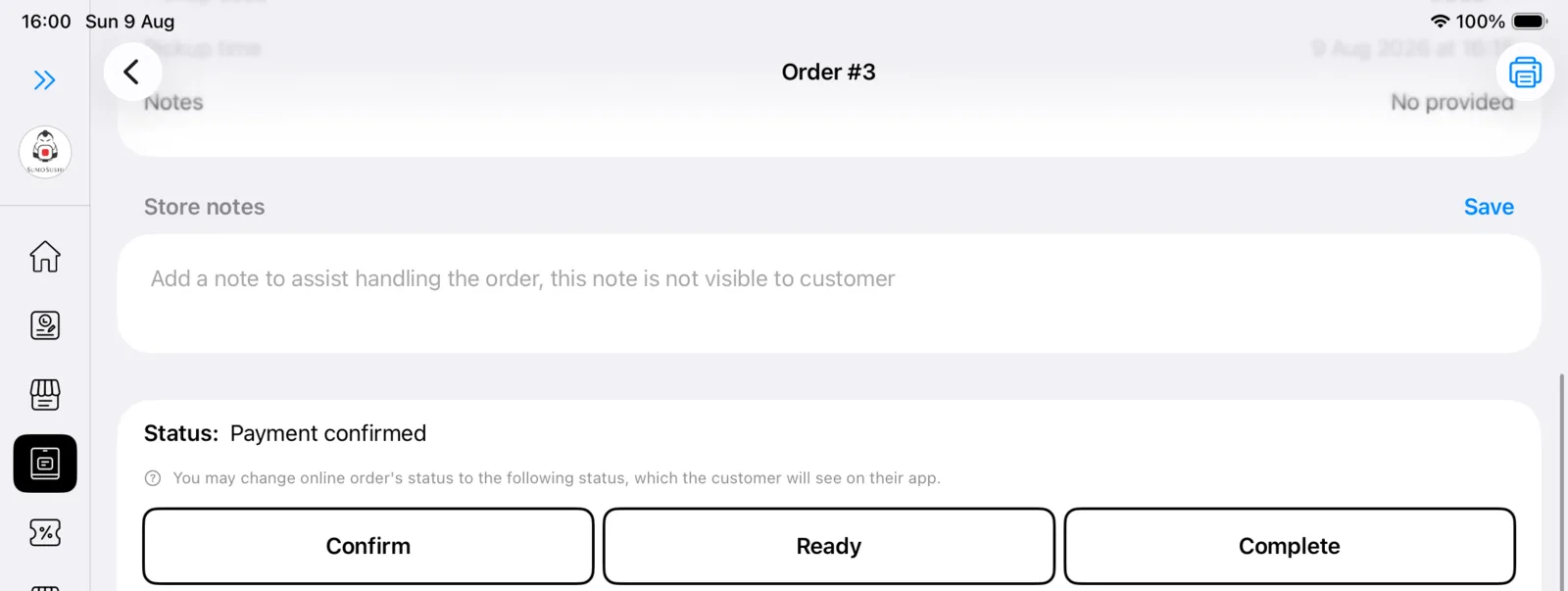
Order status in one view
Confirm, mark ready and complete the order from the same POS workflow.
Printing that follows the order
Print automatically—or split work by station.
A confirmed online order can print without staff pressing another button. When your venue has multiple production areas, items can be routed to the configured printer for that category or station.
Explore receipt and kitchen printingFulfilment choices
Pickup
Customers choose an available pickup time and the team manages preparation and handover from POS.
DoorDash Delivery
Connect delivery for eligible orders while staff continue working from the Lazygrid order screen.
Questions
Before online ordering goes live.
Do customers need to download an app?
No. Customers open your online ordering site in their browser, browse the menu and place an order without installing an app.
Where is the online menu managed?
The menu is managed centrally in Lazygrid POS. Product, price and availability updates flow through to the ordering experience without maintaining a separate marketplace menu.
Where do online orders appear?
Confirmed orders sync automatically into Lazygrid POS alongside your in-store workflow. Staff can open the order, update its status and prepare it without retyping it from another device.
Can online orders print automatically?
Yes. Online orders can print automatically, and items can be routed to different printers based on your configured production areas or categories.
Can we offer pickup and delivery?
Yes. Lazygrid supports pickup and can connect DoorDash Delivery for businesses that want a delivery option.
Can customers customise products?
Yes. Available sizes, choices and modifiers can be shown with the product so customers place the order exactly as you have configured it.
Bring online orders into the same service flow
Tell us how pickup, delivery and production work at your venue. We will map the right Lazygrid setup.