
Cloud POS for NZ Small Businesses: Cut Admin, Boost Sales
Introduction
Your EFTPOS terminal and your Xero account have never spoken to each other. Every month-end, that silence costs you hours.
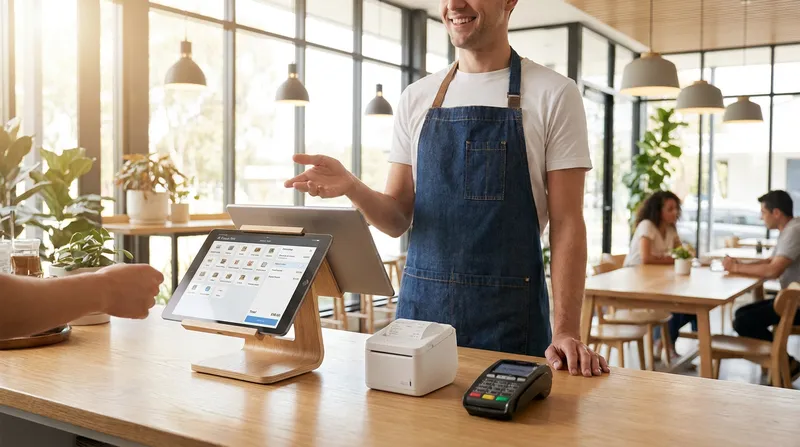
Running a hospitality or retail business in New Zealand comes with unique challenges. For many owners of restaurants, cafes, salons, and food trucks, two major fears keep them awake at night. First, there is the dread of a sudden internet outage halting sales during the busy Friday lunch rush. Second, there is the administrative nightmare of manually reconciling non-integrated EFTPOS machines with Xero.
If you are relying on outdated cash registers or generic global software that does not understand the local market, you are likely losing time and money. As we look toward the 2026 and 2027 industry landscapes, a modern cloud POS system NZ businesses can rely on is no longer a luxury. It is an operational necessity.
In this comprehensive guide, we will explore how upgrading your technology can eliminate these headaches. You will learn the exact hardware costs in NZD, discover custom setup blueprints for your specific business type, and find out how to run your business from anywhere using a reliable cloud-based point of sale.
What is a Cloud-Based POS System?
Traditional point-of-sale systems store your business data on a physical server hidden in a back office. If that server crashes, your data disappears. A cloud-based POS system changes this entirely by storing your data securely on remote servers accessed via the internet.
According to IBM, cloud computing offers greater flexibility and scalability than traditional on-premises infrastructure, enabling remote work by making data and applications accessible from anywhere. For a cafe or salon owner, this means you can check your real-time business reporting POS dashboard from your phone while relaxing at home or picking up supplies.
Actionable Tip: Audit your current system today. If you cannot access your live sales data from your smartphone right now, you are using outdated technology that is slowing your growth.
The Hybrid Advantage: Keeping Your NZ Business Running Offline
Many US-centric competitors fail to address a critical reality for New Zealand businesses: our internet connections can occasionally be unreliable, especially for rural cafes or mobile food trucks.
This is where the "hybrid advantage" comes into play. The best POS for small business NZ operators will feature a robust offline mode. If your broadband drops out, an iPad POS system for hospitality should allow your staff to continue taking orders, printing kitchen tickets, and accepting cash payments without interruption. Once the connection is restored, the system automatically syncs all data back to the cloud.
Actionable Tip: Always ask your software provider how their offline mode functions. Test it by physically turning off your Wi-Fi router during a slow period to ensure your staff know exactly how to handle an outage.
Top Benefits of Cloud POS for Restaurants and Cafes
Upgrading to remote restaurant management software offers benefits that go far beyond simply ringing up sales. Research from the U.S. Small Business Administration validates that mobile POS software can effectively turn a smartphone or tablet into a retail POS system, allowing businesses to accept transactions remotely and expand operations.
Here are the top advantages for local operators:
- Mobility and Tableside Ordering: Staff can take an iPad directly to the table, reducing order errors and speeding up service.
- Reduced Upfront Costs: Instead of spending $5,000 on proprietary hardware, you can use commercially available Apple devices. Check out our guide on the Best iPhone POS Systems NZ (2026): The Ultimate Guide for Cafes & Retail - Lazygrid Blog to see how affordable this can be.
- Automatic Updates: Cloud software updates automatically, ensuring you always have the latest features and security patches without paying for expensive IT callouts.
Actionable Tip: Track your average table turnaround time. Implement tableside ordering for one week and measure the difference in speed and order accuracy.
Essential Features to Look For in Your POS Software
Not all systems are created equal. When evaluating a cafe POS system, New Zealand operators should look for these non-negotiable features:
1. Kitchen Display System (KDS) Integration
Say goodbye to lost paper tickets and illegible handwriting. A digital KDS routes orders directly from the counter to the appropriate kitchen station, color-coding them by urgency. If you want to dive deeper into this setup, read our KDS Setup Guide NZ: Your 7-Step Plan for a Smarter Kitchen - Lazygrid Blog.
2. QR Code Table Ordering System
Allowing customers to scan a code, browse a digital menu, and pay from their phones reduces counter congestion and increases average order values by up to 30% (as suggested by industry studies). For more insights, explore the 7 Best QR Ordering Systems for NZ Restaurants (2027 Guide) - Lazygrid Blog.
3. Commission-Free Online Ordering
Stop losing your profit margins to third-party delivery apps. A modern POS includes a built-in online ordering system, allowing customers to order directly from your website or social media profiles without hefty commission fees.
4. Self-Service Kiosks
For quick-service restaurants, self-service kiosks drastically reduce queue times and free up your staff to focus on food preparation rather than manual order taking.
5. Vouchers, Gift Cards, and Loyalty Programmes
Move away from easily lost paper certificates and digital stamp cards. Integrated digital vouchers, gift cards, and points-based rewards sync with your customer management database, allowing you to track spending habits and send targeted promotions to your regulars.
6. "Reserve with Google" Integration
For salons and restaurants taking reservations, capturing intent-driven bookings directly from Google Maps is a major competitive advantage. This feature allows customers to book an appointment or table the moment they find your business online.
7. Multi-Location Management
If you plan to expand from one food truck to a fleet, or open a second cafe branch, you need centralized management. A multi-location dashboard lets you update menus, track inventory, and compare performance across all sites from a single login.
Actionable Tip: Make a checklist of your top three operational bottlenecks (like slow kitchen communication or long queues). Only evaluate POS providers that offer built-in features to solve those specific problems.
Demystifying EFTPOS and Xero Integration
One of the biggest gaps in global POS offerings is their failure to integrate smoothly with the local New Zealand financial ecosystem. Manually typing sale amounts into a standalone EFTPOS terminal leads to human error. Manually reconciling those daily totals in Xero leads to accountant fees.
Integrated EFTPOS POS systems solve this instantly. When you finalize a sale on the iPad, the exact amount is pushed directly to your EFTPOS NZ certified terminal.
Furthermore, accurate accounting is vital. As noted by NetSuite, POS integration automates transaction data flows throughout core business systems to shorten the lag between sales activity and operational response, cutting down on costly manual work. A restaurant POS with Xero integration automatically syncs your end-of-day sales, categorizes your revenue, and handles GST calculations perfectly.
Experts at Restaurant365 agree, stating that POS integration seamlessly centralizes key data collection about daily sales and labor, eliminating manual POS data entry and reducing general ledger input errors. For local tax compliance advice, review our NZ Hospitality Tax Guide 2026: GST, Payroll (PAYE) & Key Deductions for Restaurants, Cafes & Food Trucks - Lazygrid Blog.
Actionable Tip: Contact your EFTPOS provider (like Windcave or Verifone) and confirm exactly which cloud POS platforms they natively support before signing any software contracts.
Custom Blueprints: The Exact Setup for Food Trucks, Salons, and Restaurants
Generic advice does not help when you are trying to build out your counter space. Here are custom blueprints tailored for specific New Zealand business models:
The Mobile POS for Food Trucks
Food trucks lack space and reliable power. You need a compact, resilient setup.
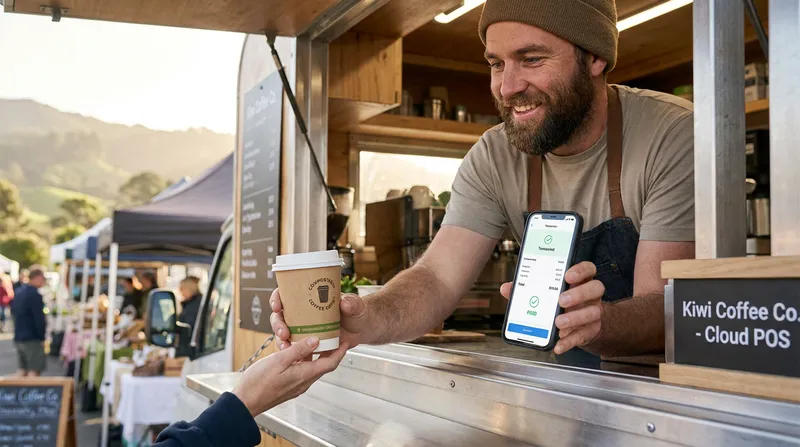
- Hardware: 1x iPad Mini or iPhone, 1x Bluetooth receipt printer, 1x mobile EFTPOS terminal with a built-in SIM card.
- Software Plan: Lazygrid Lite ($24/month) featuring offline mode and quick-service workflows.
- Pro Tip: Use an online ordering link on your Instagram so customers can pre-order before they arrive at your location.
The Salon and Spa POS Software NZ Setup
Massage shops and beauty salons need to manage time and people, not just transactions.
- Hardware: 1x standard iPad (64GB) at the reception desk, 1x sleek cash drawer.
- Software Plan: Lazygrid Standard ($59/month) featuring the integrated booking system, automated SMS reminders to reduce no-shows, and digital gift vouchers.
- Pro Tip: Enable the "Reserve with Google" integration so clients can book directly from Google Maps with zero friction.
The High-Volume Cafe and Restaurant Setup
Full-service venues require robust communication between the front of house and the kitchen.
- Hardware: 2x iPads for the front counter, 1x iPad for the KDS in the kitchen, 2x Ethernet EPSON thermal printers for backup.
- Software Plan: Lazygrid Premium ($149/month) featuring QR code table ordering, advanced table management, and multi-location capabilities if you plan to expand.
- Pro Tip: Use the real-time analytics dashboard to identify your slowest-moving menu items and replace them to boost profit margins.
Actionable Tip: Measure your physical counter space before purchasing hardware. Ensure you have the necessary power outlets and ethernet ports (if using wired printers) configured for your specific blueprint.
Hardware Requirements and True Costs in NZD
Many global POS providers hide their hardware costs or lock you into expensive, proprietary machines that cost thousands to replace if they break. A modern cloud system should allow you to use standard, off-the-shelf Apple devices.
Here is a transparent breakdown of what you should expect to pay for hardware in New Zealand:
- Starter Package (Approx. $999 GST exclusive): Includes an iPad 64GB, a reliable Xprinter wireless printer, and a secure cash drawer. Perfect for a single-location cafe or retail shop.
- Standard Package (Approx. $1,999 GST exclusive): Includes two iPads, two printers, and a cash drawer. Ideal for a busy restaurant needing a front counter and a dedicated kitchen station.
Software Pricing Comparison
To make comparing options easier, here is a breakdown of our software plans:
| Plan | Monthly Cost (NZD) | Best For | Key Features |
|---|---|---|---|
| Lite | $24 | Food Trucks & Solo Operators | Offline mode, quick-service workflows |
| Standard | $59 | Salons & Retail | Booking system, SMS reminders, digital vouchers |
| Premium | $149 | Full-Service Restaurants | QR ordering, KDS, multi-location management |
For a complete breakdown of our features and plans, visit the Lazygrid Pricing Page. For a deeper dive into industry pricing, read Restaurant POS Systems NZ: A 2027 Cost & Pricing Guide - Lazygrid Blog.
Actionable Tip: Never sign a long-term hardware lease without calculating the total cost of ownership over 36 months. Buying standard iPads upfront is almost always more cost-effective.
Choosing the Best POS for Your Small Business
Selecting the right system comes down to finding a partner that understands the New Zealand market. Global giants often provide generic support and fail to integrate with local payment networks. Local legacy providers often lack the modern cloud features needed to run online ordering and loyalty programs seamlessly.
Look for a platform that offers transparent pricing, does not lock you into proprietary hardware, and provides responsive local support. If you are currently comparing options, you might find our article Looking for Toast POS in NZ? 2027 Comparison & Best Restaurant, Cafe & Salon Alternatives - Lazygrid Blog incredibly helpful.
Actionable Tip: Request a live demo from your top two software choices. Ask them specifically to demonstrate how to split a bill, how to process a refund, and how to apply a loyalty discount. If it takes more than three taps, the system is too complicated.
Frequently Asked Questions
What happens to my cloud POS system if the internet goes down in New Zealand?
A high-quality cloud POS system NZ businesses use will feature a robust offline mode. If your broadband connection drops, you can continue taking orders, printing kitchen tickets, and accepting cash payments. Once your internet is restored, the system automatically syncs all your local data back to the cloud, ensuring no sales are lost.
Does this POS software integrate directly with New Zealand EFTPOS providers?
Yes, but you must ensure the provider is EFTPOS NZ certified. This certification guarantees seamless communication between your iPad and local terminals from providers like Windcave or Verifone. Integrated EFTPOS eliminates manual double-entry, speeds up checkout times, and drastically reduces human error during busy shifts.
How much does a cloud POS system cost per month in NZD?
Software subscriptions typically range from $24 per month for basic setups (ideal for food trucks or solo operators) to $149 per month for premium features (like QR code table ordering and advanced Kitchen Display Systems) suited for full-service restaurants. Hardware is an additional upfront cost, but using standard Apple iPads keeps this highly affordable.
Can I use my existing iPad or hardware with a new cloud POS?
Absolutely. Modern cloud systems are designed to operate on standard, off-the-shelf Apple devices running iPadOS 15 or later. You do not need to purchase expensive, locked-down proprietary hardware, which saves you thousands of dollars in initial setup costs and makes replacing broken screens incredibly easy.
Does the POS sync automatically with Xero for easy GST returns?
Yes. A direct restaurant POS with Xero integration pushes your daily sales data straight into your accounting software. It automatically categorizes your revenue, handles GST calculations perfectly, and saves you or your accountant hours of manual data entry at the end of the month.
What is the best POS system for a food truck with limited space?
An iPhone or iPad Mini paired with a Bluetooth printer and a mobile EFTPOS terminal offers the perfect solution. This compact setup provides the essential mobility, offline capability, and space-saving design required to operate efficiently in a cramped food truck environment.
How do I set up a Kitchen Display System (KDS) for my restaurant?
Setting up a KDS is straightforward. You simply mount an iPad in your kitchen and connect it to your local POS network via Wi-Fi. Orders entered at the front counter instantly appear on the kitchen screen, color-coded by wait time and course, which keeps your chefs organized and eliminates lost paper tickets.
Conclusion
Transitioning to a cloud POS system NZ operators trust is the fastest way to modernize your business, reduce staff stress, and increase your profit margins. By choosing a system with robust offline capabilities, seamless Xero and EFTPOS integration, and hardware flexibility, you can finally focus on what matters most: delivering exceptional experiences to your customers.
Ready to take control of your business operations? Book a free 15-minute demo with our NZ-based team to explore how a localized, modern system can transform your day-to-day workflow and help you run your business from anywhere.