
How Much Does a POS System Really Cost in NZ? (A Transparent 2026 Price Guide)
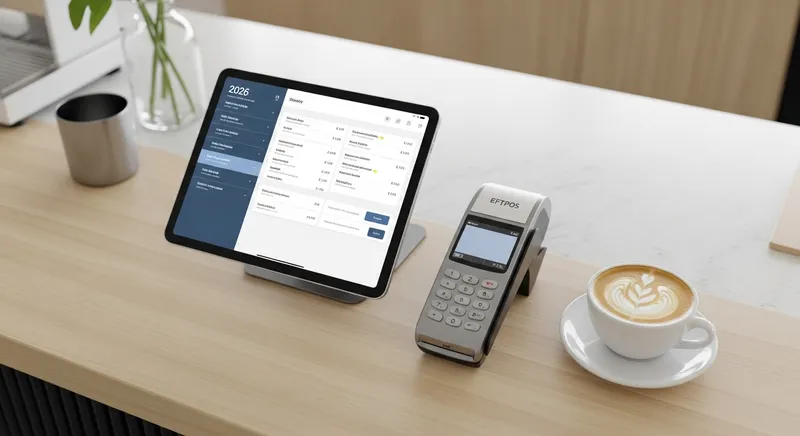
As a New Zealand business owner, you've likely asked this question with a knot in your stomach: "How much is a new POS system really going to cost me?" You're tired of vague estimates, pushy sales calls, and the lingering fear that hidden fees are waiting to eat into your hard-earned profits. The core frustration for owners of cafes, restaurants, and retail shops isn't just the price tag; it's the complete lack of transparency.
Competitors are great at showing you their monthly software fee, but they're less forthcoming about the total, all-in cost your business will actually pay each month. This guide changes that.
We are pulling back the curtain on POS system pricing in New Zealand for 2026. Here, you will find a no-nonsense, transparent breakdown of every cost component: software, hardware, payment processing, and the hidden fees that are rarely discussed. By the end, you'll be able to confidently calculate the Total Cost of Ownership (TCO) for any system and make the best financial decision for your business.
The Three Core Costs of Any POS System
When budgeting for a Point of Sale system, the price can be broken down into three main categories. Understanding each one is the first step to avoiding unexpected bills.
1. POS Software Fees (The Monthly Subscription)
This is the most advertised cost. It's the recurring fee you pay for using the POS software—the brain of your operation. In 2026, most modern systems are cloud-based and operate on a Software-as-a-Service (SaaS) model.
- Pricing Models: Fees are typically charged monthly or annually (often with a discount for paying upfront). They can be structured per location, per register/terminal, or based on feature tiers.
- Typical NZ Cost for 2026: Expect to pay anywhere from $24 to $150+ per month for a single location. Basic plans for a solo operator (like our Lite plan) are at the lower end, while multi-function plans for full-service restaurants with features like our integrated
Booking SystemandLoyalty Programmeare at the higher end.
Actionable Tip: Scrutinise what's included in each tier. A 'cheaper' plan might lack essential features like a Kitchen Display System (KDS) or advanced reporting, forcing you into an expensive upgrade later. A comprehensive POS Features Checklist can help you identify your must-haves upfront.
2. POS Hardware Costs (The Upfront Investment)
This is the physical equipment you need to run the software and take payments. For a modern iPad-based system, this is significantly cheaper than the bulky, proprietary terminals of the past.
- Essential Hardware:
- Tablet/Device: iPad or iPhone. You may be able to use a device you already own.
- EFTPOS Terminal: To accept card payments.
- Receipt Printer: For printing customer receipts and kitchen dockets.
- Cash Drawer: If you handle cash.
- Optional Hardware: Barcode scanners, customer-facing displays, or self-service kiosks.
- Typical NZ Cost: A basic hardware bundle (iPad stand, printer, cash drawer) can range from $900 to $2,000. Some providers offer leasing options to reduce the upfront cost.
Actionable Tip: Ask if the hardware is proprietary. Can you reuse your printer or cash drawer if you switch POS providers? Opting for standard, non-proprietary hardware gives you more flexibility and lowers long-term costs.
3. Payment Processing Fees (The Cost of Getting Paid)
This is the most complex and often most significant ongoing cost. For every card transaction you process, a small percentage is taken as a fee. According to the government's business.govt.nz portal, offering flexible payment methods is crucial for Kiwi businesses, making these fees a necessary cost of doing business.
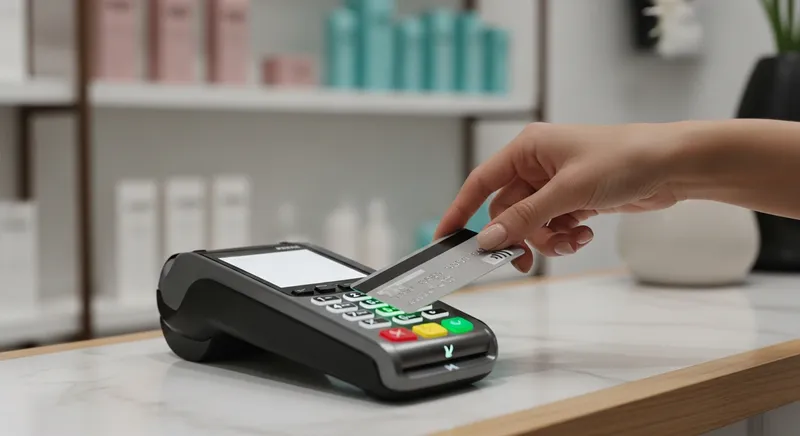
Decoding Payment Processing Fees in New Zealand
Understanding how you're charged for payments is critical to controlling your costs. Thanks to new regulations championed by the Commerce Commission New Zealand, the wholesale 'interchange' fees that banks charge each other have been capped. This move is designed to save Kiwi businesses, but how those savings are passed on to you depends on your provider's pricing model.
Here are the common models in NZ:
| Fee Model | How It Works | Best For | Potential Downside |
|---|---|---|---|
| Flat Rate | A single, fixed percentage for all card transactions (e.g., 2.5% + $0.00). | Businesses with low average transaction values (e.g., cafes) and those who value simplicity. | Can be very expensive for businesses with higher average sales, as you overpay on low-cost debit transactions. |
| Subscription + Lower Rate | You pay a monthly fee for your POS software, which gives you access to a lower, custom processing rate. | Growing businesses and those with a higher volume of transactions. The monthly fee is offset by significant savings on transaction costs. | Requires enough transaction volume to justify the software subscription fee. |
| Interchange++ | A transparent model where you pay the true wholesale interchange cost plus a fixed margin for the bank and processor. | High-volume businesses that want maximum transparency and the lowest possible rates on debit transactions. | Can be complex to understand, with varying rates for different card types. |
Which Processing Model Saves You Money? A 2026 Example
To illustrate the impact, let's compare two common models for different business types.
| Business Profile | Monthly Turnover | Model A: 'Free' POS + 2.5% Flat Rate | Model B: $59/mo POS + 1.7% Rate |
|---|---|---|---|
| Local Cafe | $15,000 | $0 + (15,000 * 0.025) = $375 | $59 + (15,000 * 0.017) = $314 |
| Full-Service Restaurant | $40,000 | $0 + (40,000 * 0.025) = $1,000 | $149 + (40,000 * 0.016) = $789 |
As you can see, a 'free' POS with a high flat rate quickly becomes more expensive than paying a software subscription for a lower processing rate.
Actionable Tip: Don't just accept the default rate. Calculate your effective rate by dividing your total monthly processing fees by your total monthly card sales. If this number is over 2%, you may be paying too much. As advice from Retail NZ suggests, understanding these fees is key to improving your profitability.
Uncovering the Hidden Costs Competitors Don't Talk About
This is where many business owners get caught out. The advertised price is rarely the final price. Here are the hidden costs to investigate before you sign any contract.
- Setup, Installation, and Training Fees: Is there a one-off fee to get you started? Is on-site setup extra?
- Support and Maintenance: Is 24/7 phone support included, or is it an extra monthly fee? Is support based in New Zealand?
- Integration Costs: Does connecting to other software like Xero cost extra per month?
- Contract Lock-in and Early Termination Fees (ETFs): Are you being locked into a 2-3 year contract? ETFs can cost thousands.
- Surcharging Fairness: If you surcharge, be aware of what's fair. Research from Consumer NZ indicates that surcharges above 2% for credit or 0.7% for contactless debit could be seen as excessive.
Red Flags to Watch For
- Contracts longer than 12 months with high early termination fees.
- Proprietary hardware that cannot be used with other software.
- High, non-negotiable flat processing rates tied to 'free' software.
- Extra monthly fees for basic integrations or 24/7 support.
- Support teams based overseas, leading to long wait times.
A Realistic Cost Breakdown for Your NZ Business Type
Your business is unique. Here are some realistic cost scenarios for 2026.
Scenario 1: The Local Cafe or Food Truck
- Priorities: Speed, mobility, low startup cost, and encouraging repeat business.
- Key Features: iPad/iPhone compatibility with offline mode, fast payments, and an integrated
Loyalty Programme. - Estimated Monthly Cost:
- Software: $59 (Lazygrid Standard Plan with loyalty and
Online Ordering) - Payment Processing (on $15k monthly turnover @ 1.7%): $255
- Total Estimated Monthly Cost: ~$314 + GST
- Software: $59 (Lazygrid Standard Plan with loyalty and
- First-Year Snapshot: ~$4,668 + GST (includes 12 months of service) + ~$900 for a basic hardware bundle.
Scenario 2: The Full-Service Restaurant
- Priorities: Order accuracy, table management, reservation handling, and kitchen efficiency.
- Key Features: A visual
Table Managementsystem, an integratedBooking System, and a reliableKitchen Display System (KDS). - Estimated Monthly Cost:
- Software: $149 (Lazygrid Premium Plan with bookings, table management, and
Reserve with Google) - Payment Processing (on $40k monthly turnover @ 1.6%): $640
- Total Estimated Monthly Cost: ~$789 + GST
- Software: $149 (Lazygrid Premium Plan with bookings, table management, and
- First-Year Snapshot: ~$9,468 + GST (includes 12 months of service) + ~$1,800 for a multi-terminal hardware setup.
Scenario 3: The Salon or Service Business
- Priorities: Easy appointment scheduling, reducing no-shows, and managing client relationships.
- Key Features: An online
Booking Systemwith automated reminders and Customer Management (CRM) to track client history. - Estimated Monthly Cost:
- Software: $59 (Lazygrid Standard Plan with bookings and vouchers)
- Payment Processing (on $10k monthly turnover @ 1.7%): $170
- Total Estimated Monthly Cost: ~$229 + GST
- First-Year Snapshot: ~$2,748 + GST (includes 12 months of service) + ~$750 for a simple hardware setup.
Calculating Your Total Cost of Ownership (TCO) Over 3 Years
To truly compare POS systems, you must calculate the Total Cost of Ownership (TCO) over a 3-year period. This reveals the real long-term investment beyond the initial sticker price.
Use this framework to calculate your own TCO:
1. Upfront Hardware Cost:
- Cost of iPads, printers, cash drawers, terminals = $_______
2. Total Software Cost (36 Months):
- Monthly Software Fee x 36 = $_______
3. Total Payment Processing Cost (36 Months):
- (Estimated Monthly Turnover x Processing Rate %) x 36 = $_______
4. Total Hidden Costs (36 Months):
- (Monthly Support Fees + Integration Fees) x 36 = $_______
Your 3-Year TCO = (1 + 2 + 3 + 4)
Running this calculation for two or three different providers will give you a true, apples-to-apples comparison of the real cost to your business.
Frequently Asked Questions
What are the main hidden fees of a POS system?
The biggest hidden fees often come from payment processing and contracts. Look for setup fees, extra charges for premium support (especially local NZ support), monthly fees for crucial integrations, and high early termination fees if you're in a multi-year contract. Always ask for a full schedule of fees.
Is an iPad POS system cheaper than a traditional terminal?
Yes, almost always. The upfront hardware cost for an iPad-based system is significantly lower. A traditional, all-in-one terminal can cost $3,000-$5,000+, whereas a new iPad, stand, printer, and cash drawer can be purchased for under $1,500. Furthermore, iPad systems benefit from continuous software updates, whereas traditional terminals often have outdated software.
Are there any 'free' POS systems in New Zealand?
While some providers advertise 'free' POS software, these companies make their money by locking you into their payment processing at a high, non-negotiable flat rate. As our example table shows, this model quickly becomes far more expensive than paying a monthly software fee for lower, more competitive processing rates.
What are the cheapest EFTPOS fees for a small business in NZ?
There is no single 'cheapest' provider, as it depends on your average sale value and monthly turnover. The best approach is to get quotes based on your specific business profile. The recent regulations from the Commerce Commission have lowered the underlying costs, so be sure to negotiate for a competitive rate.
What's the difference between POS and EFTPOS?
EFTPOS (Electronic Funds Transfer at Point of Sale) specifically refers to the device and network used to process card payments. A POS (Point of Sale) system is the complete ecosystem that runs your business. It uses the EFTPOS terminal to take payments, but it also handles orders, inventory, customer data, reporting, and more. Think of the POS as the central brain and the EFTPOS terminal as one of its essential tools.
The Bottom Line: Invest in Value, Not Just Price
Choosing a POS system is one of the most important technology decisions you'll make. The cheapest option on paper is often the most expensive in the long run due to high processing fees, missing features, and poor support.
Instead of focusing only on the monthly fee, focus on the total value. A system that helps you increase revenue through commission-free online ordering, boost repeat visits with a loyalty program, and save hours of admin time is an investment, not an expense.
At Lazygrid, we believe in 100% transparency. We're a New Zealand-based company building solutions specifically for local businesses. Our pricing is clear, our support is local, and our platform is designed to help you grow.
Ready to see what a truly transparent POS system looks like for your business? Book a free, 15-minute consultation with our Wellington-based team to get a personalized quote with no hidden fees.