
How to Get Bookings on Google in NZ (2026): A Complete Guide for Salons & Restaurants
How to Get Bookings on Google in NZ (2026): A Complete Guide for Salons & Restaurants
As a New Zealand business owner, you are likely short on time and focused on providing the best service, not becoming a tech expert. You know customers are searching for you on Google, but figuring out how to turn those searches into actual, confirmed bookings can feel confusing. You might be worried about complex software, hidden costs, or high commissions eating into your hard-earned profits.
If you're feeling overwhelmed, you are not alone. This is the core challenge for thousands of Kiwi salon, restaurant, and service business owners.
This guide cuts through the noise. We will provide a simple, step-by-step process tailored specifically for businesses in New Zealand. We will demystify the two main paths to getting a booking button on your Google Business Profile, explain the pros and cons of each, and show you how to choose the most cost-effective solution. By the end of this article, you will have a clear action plan to turn your Google Business Profile into a powerful, 24/7 booking machine that works for you, even while you sleep.
Why Getting Bookings Directly From Google is a Game-Changer
Your Google Business Profile (GBP) is one of the most powerful free marketing tools available. In fact, the New Zealand government's own portal, business.govt.nz, highlights GBP as a key tool for attracting customers on Google Search and Maps. But a profile is just a listing; a profile with a booking button is a conversion tool.
When a customer searches for "haircut in Christchurch" or "best cafe in Wellington," they have high intent. They are ready to act. Adding a booking button removes friction, allowing them to book directly from the search results. This convenience is critical. According to industry data, businesses that add appointment links to their Google Business Profile can see a 27% higher conversion rate from their profile traffic.
For example, a Wellington cafe using 'Reserve with Google' saw 40% of its weekend bookings come directly through its Google profile within three months of activation. It is the difference between a potential customer browsing and a confirmed customer on your schedule.
The Two Paths to a Booking Button on Google: A Clear Breakdown
This is where most of the confusion comes from. There are two fundamentally different ways to enable bookings on your Google profile. Understanding the difference is the key to choosing the right strategy for your business.
Path 1: The Simple Appointment Link (Manual)
This is the most basic method. You simply add a URL (a web address) to a specific field in your Google Business Profile. When a customer clicks the "Appointments" or "Website" button, they are taken to that URL.
Path 2: The Integrated Booking Button ('Reserve with Google')
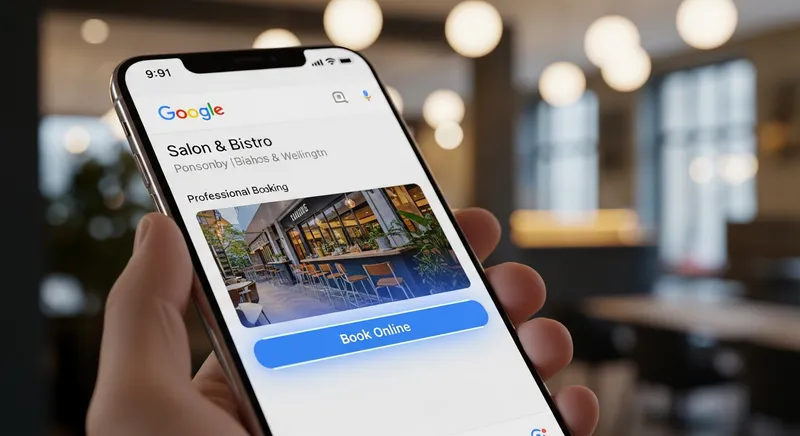
This is an advanced integration where Google partners with third-party scheduling software companies. This method adds a prominent "Book," "Reserve a table," or "Order online" button directly to your profile. The key difference, as noted by local SEO experts at Whitespark, is that the entire booking process happens within the Google interface. The customer never leaves Google Search or Maps, which significantly increases the chance they will complete the booking.
| Feature | Path 1: Manual Link | Path 2: 'Reserve with Google' Integration |
|---|---|---|
| Cost | Free | Requires a paid subscription to a partner software |
| Customer Experience | Redirects user away from Google | Seamless booking within Google Search & Maps |
| Conversion Rate | Lower | Higher, due to less friction |
| Setup | 5-minute manual setup | Connect via partner software; button appears in days |
| Button Appearance | Standard "Appointments" or "Website" link | Prominent, blue "Book" or "Reserve a table" button |
| Requirements | A mobile-friendly booking page URL | Subscription to a Google-approved partner software |
Actionable Tip: Start with Path 1 today, as it's better than nothing. While you do that, investigate Path 2 for a long-term, more professional solution.
Path 1: How to Add a Manual Appointment Link (The 5-Minute Setup)
This is your quick win. You can do this right now. The goal is to give customers at least one way to book online, even if it's not perfectly integrated.
- Log in to your Google Business Profile Manager.
- Select your business and click on "Edit profile."
- Go to the 'Contact' tab. Scroll down until you see "Booking link." (Note: Google sometimes changes these labels. It may also appear under 'Website' options.)
- Add your URL. This should be a direct link to the booking page on your website, your online ordering page, or the booking page provided by your scheduling software.
Actionable Tip: Do not link to your homepage. This forces the customer to search for your booking page, adding friction. Create a dedicated, easy-to-use booking page on your website and link directly to it. For example: www.yourkaferestaurant.co.nz/book-a-table.
Path 2: Unlocking 'Reserve with Google' for a Seamless Experience
This is the professional standard. To get the official, integrated booking button, Google's own official support page explains that you must use a supported third-party scheduling provider. You cannot enable this feature on your own.
When a business uses a 'Reserve with Google' partner, the booking process becomes incredibly smooth. A customer clicks "Book," chooses a service and time, and confirms, all without leaving the search result. Google even pre-fills their name and email, making it a one-click process.
How to get started:
- Check your current software: Does your current POS system or scheduling software partner with 'Reserve with Google'? Check their website or ask their support team. Lazygrid's premium plan, for example, includes full Reserve with Google integration.
- Find a partner: If your current software doesn't integrate, you'll need to find one that does. Google maintains a list of partners, and you can also search for "Google booking partners NZ."
- Sign up and connect: Once you sign up with a partner like Lazygrid, you'll connect your Google Business Profile within their software. According to Google, it can take up to a week for the booking button to appear on your profile after you've set it up with a partner.
This integration is a core part of a modern online booking system for small business NZ and is essential for competing effectively.
Choosing the Right Booking System for Your NZ Business
Whether you're starting with a manual link or aiming for full integration, you need a good booking system on the back end. The market is full of options, but for NZ businesses, there are specific things to look for.
Key Features to Demand:
- Automated Reminders (SMS/Email): This is the single most effective tool for reducing no-shows.
- NZ-Based Support: When things go wrong during a busy service, you need local support that understands your hours and your business.
- Correct Pricing & GST: The system must handle NZD and GST correctly on all invoices and reports.
- EFTPOS Integration: For a seamless payment process, your POS and booking system should work together. Consider options beyond just international players like Toast POS in NZ? Why a Local EFTPOS-Integrated System is a Smarter Choice for 2026 - Lazygrid Blog.
- Customer Database (CRM) & Privacy: The system should save customer details, allowing you to build relationships and market to them later, all while complying with the NZ Privacy Act. This is key for creating effective digital loyalty programmes.
- Clear Pricing: Understand the true cost. Partner software fees typically range from $59-$149/month depending on features. Look for transparent pricing without hidden setup fees or transaction commissions. A resource like this POS system cost worksheet can be invaluable.
Actionable Tip: Create a simple checklist with these features. When you evaluate a booking system, ask them directly if they offer each point. Don't be swayed by a flashy interface alone; focus on the core tools that will save you time and make you money.
A Step-by-Step Guide to Optimising Your Entire Profile for More Bookings
A booking button is only effective if your profile is attractive and informative. As Google's own guide for restaurants shows, a complete profile is essential for ranking and conversions.
- Services: Don't just say you're a "salon." List every single service: "Women's Cut & Blow-dry," "Men's Buzz Cut," "Full Head of Foils." Add descriptions and prices. This helps you show up in more specific searches.
- Photos: Add high-quality, recent photos of your work, your premises, your team, and your happy customers. Show people what they can expect.
- Google Posts: Use this free feature to post weekly updates. Announce last-minute availability, promote a new service, or offer a special booking discount. Think of it as a free billboard on your profile.
- Q&A Feature: Proactively add your own questions and answers. "Do you offer vegan options?" "Yes, we have a full vegan menu! You can reserve a table via the button on our profile." This preempts customer calls and directs them to book.
- Reviews: Actively ask for reviews and respond to every single one, positive or negative. It shows you care and builds trust with potential bookers.
Optimising your services and menu is crucial. For detailed strategies, see our NZ Menu Engineering Guide: Boost Restaurant & Salon Profits - Lazygrid Blog.
Pro Tip: Once you've mastered your profile and bookings, consider Google's Local Services Ads. These paid ads appear at the very top of search results and feature a "Google Guaranteed" badge, providing an even higher level of trust and visibility for service-based businesses.
Industry-Specific Tips for Salons, Restaurants, and Food Trucks
For Restaurants & Cafes: The 'Reserve a Table' button is your goal. Ensure your booking system can manage table layouts, waitlists, and party sizes. When combined with a modern KDS for NZ Restaurants, booking data flows seamlessly to your kitchen, helping staff prepare for confirmed reservations and manage capacity.
For Salons, Barbers & Massage Shops: The 'Book' button is for you. Your system must allow booking by specific staff members and service duration. This is vital for managing your team's schedule, avoiding double bookings, and ultimately plays a key role in retaining your valuable staff.
For Food Trucks: While walk-ups are key, a booking button can be used creatively. Use it for pre-orders at a specific location to manage queues or to take bookings for private catering gigs. Since you operate in various locations, often with spotty internet, a system with a reliable mobile EFTPOS for food trucks that has offline payment capabilities is non-negotiable.
Conclusion: From Profile to Profit
Getting bookings from Google is no longer a luxury for NZ businesses; it's a fundamental part of a modern marketing strategy. By understanding the two clear paths - the simple manual link and the powerful 'Reserve with Google' integration - you can take control of your online presence.
Start today by adding a manual link to your booking page. It's a five-minute task that can immediately capture more customers. Then, create a plan to graduate to a fully integrated solution. By partnering with a supportive, NZ-focused provider, you can transform your Google Business Profile from a simple listing into an automated, commission-free booking engine that drives real growth for your salon, restaurant, or service business.
If you're looking for an all-in-one POS with a fully integrated, New Zealand-supported 'Reserve with Google' system, explore Lazygrid's booking and reservation features. It's designed by Kiwis, for Kiwis, to make technology work for you.
Frequently Asked Questions
Do I have to pay to get a booking button on Google?
No, not necessarily. You can add a manual Appointment Link to your profile for free. This link sends customers to your website's booking page. However, to get the more prominent, integrated Bookings button (via 'Reserve with Google'), you need to subscribe to a scheduling software that is an official Google partner, which typically involves a monthly fee. Lazygrid's premium plan includes this integration.
What is the difference between an 'Appointment Link' and Google's 'Bookings' feature?
The key difference is the user experience. An Appointment Link is a standard hyperlink that takes the customer away from Google to an external website to complete their booking. The Bookings feature (from 'Reserve with Google' partners) is a special integration that allows the customer to see services, view schedules, and confirm their appointment without ever leaving the Google Search or Maps page. This seamless process leads to higher conversion rates.
How do I get a 'Reserve a Table' button for my restaurant?
To get the official 'Reserve a Table' button, your restaurant must use a reservation system that is a certified 'Reserve with Google' partner. You cannot enable this directly yourself. First, choose a partner system that fits your needs (like Lazygrid). Then, within that system's dashboard, you will connect your Google Business Profile. Once connected, Google will automatically add the button to your profile.
Can I get bookings directly through Google without a website?
Yes, this is a major benefit of using a 'Reserve with Google' integrated partner. Because the entire booking process happens within Google's interface, customers can book with you even if you don't have a website. The booking is managed by your scheduling software, making it a perfect solution for businesses that rely solely on their Google Profile and social media for their online presence.
How long does it take for the booking button to appear on my profile?
For a manual Appointment Link, the change is usually visible within minutes of you adding the URL to your profile. For the integrated Bookings button via a 'Reserve with Google' partner, Google advises it can take up to a week for the integration to be fully processed and for the button to appear on your public profile after you've set it up with your chosen software provider.
What are the best free booking systems for small businesses in NZ?
Several platforms offer 'freemium' booking tools, but they often come with significant limitations, such as a cap on monthly bookings, no SMS reminders, or holding back key features. While a free tool can be a starting point, NZ businesses often find they quickly outgrow them. A better approach is to look for an affordable, all-in-one system like Lazygrid that combines bookings with your POS, as the long-term value and time savings far outweigh the small monthly cost of a limited, free tool.