
KDS for NZ Restaurants: Cut Costs & Boost Speed in 2026
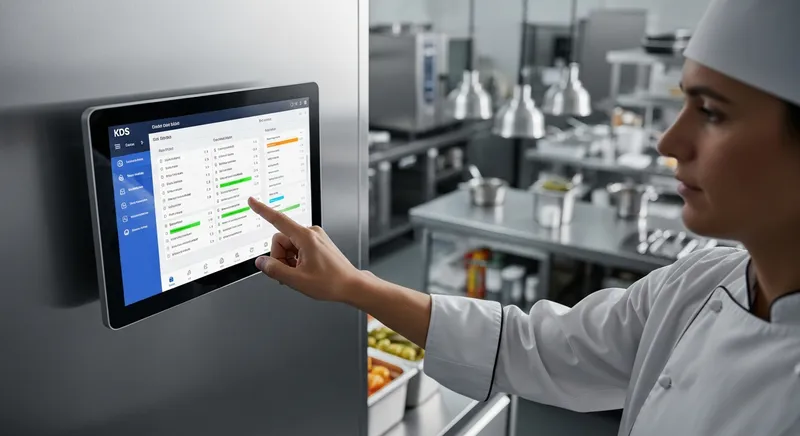
Think a digital Kitchen Display System (KDS) is a luxury reserved for large, big-city restaurant chains with deep pockets? Think again. For many New Zealand cafe, restaurant, and food truck owners, the idea of investing in new technology can feel daunting, especially when you're already grappling with tight margins and rising operational costs. You might worry that a KDS is too expensive, too complex, and simply not for you.
This guide is here to challenge that perception. In 2026, a KDS is not a luxury; it's an accessible, scalable, and essential tool for survival and growth in New Zealand's competitive hospitality landscape. The industry is facing significant financial pressure, with the Restaurant Association of New Zealand reporting that while sales are growing slightly, these gains are being eroded by substantial cost increases. In this environment, efficiency is paramount.
Whether you run a bustling cafe in Ponsonby, a fine-dining establishment in Wellington, or a food truck in Queenstown, this guide will show you how a KDS can be implemented affordably to cut costs, reduce errors, and streamline your entire operation.
What is a Kitchen Display System (KDS)? (And Why Paper Is Costing You Money)
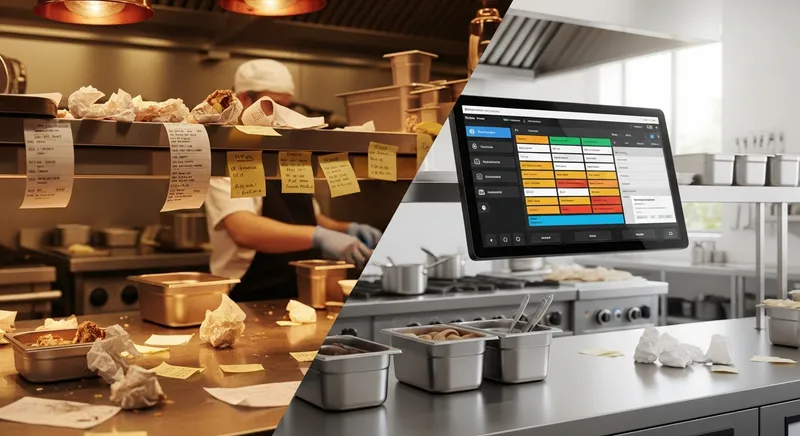
A Kitchen Display System is a digital screen that replaces paper order tickets in a kitchen. Instead of printers churning out dockets, orders placed through your Point of Sale (POS) system appear instantly on one or more screens located at different prep stations. Chefs can view, manage, and complete orders with a simple tap on the screen or a press of a bump bar.
This is a stark contrast to the traditional paper-based system, which is fraught with problems:
- Lost or Damaged Tickets: Paper gets lost, smudged by grease, or falls off the line during a chaotic service.
- Illegible Handwriting: Poorly written modifications lead to mistakes and frustrated chefs.
- Increased Food Waste: Every incorrect order due to a misread ticket is food and money in the bin. Tackling this is critical, and it aligns with the broader goal of reducing food waste, a key area of research for institutions like the University of Otago's Food Waste Innovation Research Theme.
- No Data: You have no idea how long an order is taking. You can't track efficiency or identify bottlenecks.
A KDS solves these problems by creating a single source of truth for your kitchen, directly connecting your front-of-house to your back-of-house with perfect clarity.
How Does a KDS Work? A Day in the Life of a Digital Order
To understand the impact, let's walk through the journey of an order in different NZ hospitality settings. This simple process is powered by a modern, cloud-based POS system.
Scenario 1: The Busy Auckland Café
- Order: A customer orders a flat white and an avocado toast with a 'no feta' modification at the counter.
- POS to KDS: The cashier enters the order into the Lazygrid POS on an iPad. Instantly, the flat white appears on the barista's KDS screen, and the avocado toast (with the 'no feta' note clearly highlighted in red) appears on the food prep screen.
- Preparation: The barista and chef start immediately. They don't need to wait for a docket or shout across the kitchen.
- Bump: Once the coffee is made, the barista taps 'Complete' on their screen. The chef does the same for the toast. The order is fulfilled, and the front-of-house staff are notified to serve the customer.
Scenario 2: The Queenstown Food Truck
- Order: A customer uses a self-service kiosk to order a burger and fries during a busy lunch rush.
- POS to KDS: The order is sent directly to the single KDS screen inside the truck, bypassing the need for a staff member to take the order manually.
- Preparation: The chef sees the order appear at the top of the queue, color-coded to show how long it has been waiting.
- Bump: The chef completes the order and taps 'Bump'. The customer's order number is automatically displayed on an outward-facing screen, letting them know it's ready for collection. This is a game-changer for many quick-service restaurants and food trucks.
The Real-World Benefits of a KDS for Your NZ Business
Adopting a KDS isn't just about getting new screens; it's about solving some of the biggest challenges in the hospitality industry.
- Increased Speed and Productivity: Orders are transmitted instantly, shaving precious seconds off every single ticket. This adds up to faster table turnover and the ability to serve more customers during peak hours. This boost in productivity is vital, especially as research shows the hospitality sector has been outperforming the national average in productivity gains.
- Drastically Reduced Errors & Food Waste: Clear, digital tickets eliminate errors from miscommunication. This means less food is wasted, directly improving your bottom line. For example, Wellington restaurant The Basin reduced ticket errors by over 80% and saved an estimated $400 per month in wasted food within their first month of using a KDS.
- Improved Staff Morale and Retention: A quieter, more organized kitchen is a less stressful work environment. By reducing chaos and frustration, a KDS can contribute to a better workplace culture. This is incredibly important in a market where, according to research from MBIE and AUT, over a third of hospitality workers intend to leave their jobs within a year. Better systems are a key part of retaining valuable staff.
- Powerful Data and Analytics: A KDS tracks how long every order and every item takes to prepare. You can identify bottlenecks, optimize your menu for speed, and make data-driven decisions to improve your entire operation. This is a core part of effective menu engineering to boost profits.
KDS vs. Kitchen Printers: An Honest Comparison
| Feature | Kitchen Display System (KDS) | Traditional Kitchen Printer |
|---|---|---|
| Upfront Cost | Moderate (can be very low with BYOD) | Low to Moderate |
| Running Costs | Minimal (electricity) | High (paper rolls, ink/ribbons, maintenance) |
| Speed | Instantaneous | Delayed by printing time |
| Accuracy | High (clear, digital text and mods) | Low (illegible handwriting, smudges) |
| Data Tracking | Excellent (tracks ticket times, item times) | None |
| Durability | High (screens are durable, no moving parts) | Low (prone to jams, heat, and grease damage) |
| Updates | Easy (order changes appear instantly) | Impossible (new ticket must be printed) |
| Environment | Paperless and eco-friendly | Creates constant paper waste |
While a printer might seem cheaper initially, the ongoing costs of paper and ink, combined with the financial impact of errors and waste, mean a KDS often delivers a far superior return on investment.
The Big Question: Kitchen Display System Cost NZ (2026 Breakdown)
This is where we address the core pain point: cost. A KDS is not a one-size-fits-all expense. It's scalable to your budget. For a detailed breakdown of what to expect, check our full guide on POS system costs in NZ.
Here's how you can approach it based on your business size:
The 'Scrappy Start-Up' KDS: Under $100
Yes, it's possible. If you are on a tight budget, you can get started with a KDS for less than the cost of a few cases of beer.
- Hardware: Use a second-hand tablet (iPad or Android) or even an old laptop you already own.
- Software: Choose a cloud-based POS like Lazygrid, where the KDS functionality runs in a web browser. No special app is needed.
- Mounting: A simple, budget-friendly tablet mount for a wall or shelf.
- Total Cost: The price of a mount and your monthly POS software subscription. You can be up and running digitally for under $100.
The Small Café / Food Truck KDS: Bring Your Own Device (BYOD)
This is the most popular route for small to medium businesses.
- Hardware: Use an existing iPad or purchase a standard one. They are reliable, and your staff already knows how to use them.
- Software: A subscription to a service like Lazygrid's Standard Plan gives you KDS features, online ordering, and more for a predictable monthly fee. Lazygrid's browser-based KDS runs on any iPad or tablet, making the BYOD approach simple and reliable.
- Total Cost: The cost of an iPad (if you don't have one) and the monthly software fee.
The Full Restaurant KDS: A Multi-Station Setup
For larger restaurants needing multiple stations (e.g., grill, fryer, pass), a more robust setup is ideal.
- Hardware: Two or three commercial-grade touch screens designed for harsh kitchen environments. These are often bundled with POS hardware packages.
- Software: A premium POS plan like Lazygrid's that allows for advanced features like routing specific items to specific screens.
- Total Cost: This involves a higher upfront hardware investment but provides maximum efficiency for complex operations.
Choosing Your KDS Hardware: Screen Size & Kitchen Layout
Selecting the right hardware is key to maximizing KDS benefits. It's not just about the screen, but where you put it.
- Screen Size: A 10-12 inch tablet is perfect for a single station like a food truck or a cafe's coffee bar. For a main kitchen line, a 15-17 inch screen provides better visibility for multiple chefs. A large 21+ inch screen is ideal for an expediter or pass station, giving a complete overview of all orders.
- Placement: Position screens away from direct heat and steam sources (like deep fryers or dishwashers) to ensure longevity. Mount them at eye-level for the station's primary user to reduce neck strain and improve visibility during a busy service.
Essential KDS Features for NZ Hospitality Businesses
When choosing a system, look for these key features:
- Seamless POS Integration: The KDS must work flawlessly with your POS. Lazygrid's KDS is fully integrated, ensuring every order, modification, and void is communicated instantly.
- What to look for: A single-platform solution where the POS and KDS are built by the same company, eliminating integration headaches.
- Real-Time, Color-Coded Orders: Orders should appear instantly and change color based on how long they've been waiting (e.g., green for new, yellow for warning, red for late).
- What to look for: The ability to customize the time thresholds for each color based on your service speed goals.
- Order Timers and Analytics: Track your kitchen's performance to identify bottlenecks and reward efficient team members.
- What to look for: Reports that show average prep times by item, station, and time of day.
- Custom Order Routing: The ability to send different parts of an order to different screens (e.g., drinks to the bar KDS, mains to the kitchen KDS) is crucial for organization.
- What to look for: Flexible rules that allow you to route items based on category, labels, or even specific keywords.
- Offline Functionality: Your KDS should continue to function on the local network even if your internet connection drops.
- What to look for: Confirmation that orders taken at the POS will still appear on the KDS if the internet goes down, and will sync back to the cloud once restored.
Getting Your Team Onboard: KDS Staff Training Best Practices
A new system is only as good as the team using it. Smooth adoption is crucial.
- Involve Chefs in Setup: Ask your kitchen team for input on screen placement and order routing rules. They know the kitchen's flow best.
- Run a Mock Service: Before going live, run a few dozen test orders through the system during a quiet period. This lets staff practice bumping tickets and get comfortable with the interface without the pressure of real customers.
- Create a Simple Cheat Sheet: A one-page guide with screenshots showing how to perform key actions (like bumping, recalling, or viewing all-day summaries) can be a lifesaver during the first few services.
- Focus on the 'Why': Explain how the KDS will make their jobs easier: less shouting, fewer mistakes to fix, and a calmer kitchen. When staff understand the benefits for them, they are more likely to embrace the change.
Future-Proofing Your Kitchen with Lazygrid
Adopting a KDS is more than just a kitchen upgrade; it's the foundational step in building a modern, efficient, and profitable hospitality business. It's the central nervous system that connects all other aspects of your operation.
Once your kitchen is digitized with Lazygrid's KDS, you unlock the ability to seamlessly integrate other powerful tools. For instance, a Ponsonby cafe using Lazygrid KDS can add online ordering in under an hour; new orders flow directly to their existing kitchen screen with zero additional setup or manual entry.
- Online Ordering: Orders from your website flow directly to the KDS.
- Self-Service Kiosks: Customer-placed orders appear on the KDS instantly, freeing up staff.
- Table Management & Reservations: Connect your restaurant booking system to your kitchen flow, allowing for better pacing of tables.
This integrated ecosystem, as highlighted by industry publications like Restaurant & Café Magazine, is the future of hospitality. It allows you to create a smooth, data-driven operation that can adapt to challenges and grow sustainably.
Your Next Step: From Paper Chaos to Digital Clarity
The move from paper to a digital KDS is one of the highest-impact, highest-ROI decisions a modern hospitality owner in New Zealand can make. It's affordable, scalable, and directly addresses the core challenges of cost control, efficiency, and staff satisfaction.
Stop letting lost tickets, costly errors, and kitchen chaos eat into your profits. It's time to embrace a smarter way of working.
Ready to see a KDS in action? Lazygrid's cloud-based KDS works on devices you may already own. See how it can fit your unique operation.
Frequently Asked Questions
How much does a KDS system cost in NZ?
The cost is highly scalable. A basic setup using a tablet you already own and browser-based software can cost under $100 for a mount and the monthly POS subscription. A typical single-screen setup using a new iPad might cost around $700-$900 upfront plus software fees. A multi-screen, commercial-grade hardware setup for a large restaurant can cost several thousand dollars. The key is that you can start small and expand as you grow. Want a personalized cost estimate? Our team can walk you through options that fit your specific setup.
Can I use an iPad or Android tablet as a KDS?
Yes, absolutely. Most modern, cloud-based POS systems like Lazygrid are designed to be hardware-agnostic. You can run the KDS interface in a web browser on almost any current iPad, Android tablet, or even a laptop. This 'Bring Your Own Device' (BYOD) approach is the most cost-effective way to get started and is fully supported by Lazygrid's flexible platform.
What is the difference between a KDS and a kitchen printer?
A kitchen printer simply prints a paper copy of an order. A KDS is an interactive system. With a KDS, you get real-time order tracking, on-screen timers, color-coded urgency alerts, and the ability for chefs to 'bump' or complete orders from the screen. It provides data and two-way communication that printers cannot, leading to a more efficient and less wasteful kitchen.
Do I need special hardware for a KDS?
No, you don't necessarily need special hardware. As mentioned, a standard tablet is often sufficient, especially for smaller operations. For high-volume, harsh kitchen environments (with high heat, steam, and grease), investing in a commercial-grade, purpose-built KDS screen and a 'bump bar' for navigation is recommended for longevity and durability, but it is not a requirement to get started. You can always upgrade your hardware later as your business grows.
How can a KDS help my small cafe or food truck?
For small operations, a KDS provides three huge advantages: 1) Speed: It gets orders from the counter to the kitchen instantly, which is critical for handling the morning coffee rush or a festival lunch queue. 2) Space: It eliminates bulky, noisy printers in a tight space. 3) Accuracy: It ensures every modification is captured perfectly, reducing waste and keeping customers happy, which is vital for building a loyal following.