
POS System Cost NZ (2026): A Worksheet for True Price & Hidden Fees
As a New Zealand business owner, you're likely overwhelmed by the complexity and lack of transparency in POS system pricing. You see offers for "free" systems and low monthly fees, but you have a nagging fear of being locked into a contract with escalating hidden charges, especially around payment processing. The core problem is that it feels impossible to compare providers apples-to-apples and calculate the true, long-term cost of a system for your cafe, restaurant, or retail shop.
This guide cuts through the marketing noise. We will provide a clear framework and worksheet to calculate the Total Cost of Ownership (TCO) for any POS system in New Zealand. You will learn how to spot hidden fees, understand the complex world of payment processing, and make a financially sound decision that supports your business's growth for years to come.
The 'Free' POS Trap: Why $0/Month Can Cost You More
Several large international providers market "free" POS software with no monthly subscription fees. For a new business, this sounds incredibly appealing. However, this model is often more expensive in the long run, especially as your sales grow. These companies waive a monthly fee but typically charge a higher, flat-rate transaction fee on every single sale.
Let's look at a simple example for a Kiwi cafe with a monthly turnover of $30,000:
- Cafe A uses a 'Free' POS (e.g., Square): Their fee is a flat 1.6% on every transaction.
- Monthly Payment Cost: $30,000 * 1.6% = $480
- Cafe B uses a Subscription POS (e.g., Lazygrid): They pay a $59/month software fee and have a lower blended transaction rate of 1.2% through a traditional merchant facility.
- Monthly Payment Cost: ($30,000 * 1.2%) + $59 = $360 + $59 = $419
In this scenario, the 'free' system is already $61 more expensive per month, or $732 per year. As your sales volume increases, this gap widens significantly. While a flat rate offers simplicity, analysis from industry sources consistently shows that payment processing is the single largest ongoing cost, making it the most important area to optimize.
Actionable Tip: Don't be swayed by a $0 monthly fee. Calculate your estimated monthly payment processing costs for any provider you consider. This is often the largest part of your total cost.
The Three Core Components of POS System Cost
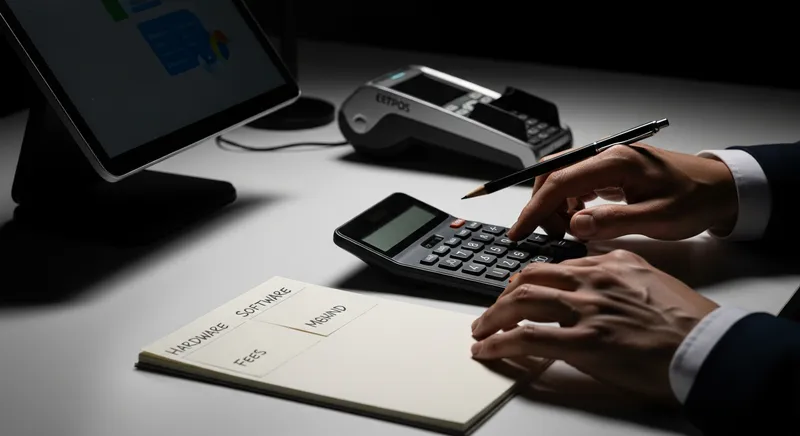
To accurately budget, you must break down the price into three distinct categories: Hardware, Software, and Payment Processing. The sticker price rarely tells the whole story.
1. POS Hardware Costs: Upfront vs. Ongoing
Your hardware is the physical interface for your business. Costs here can be a one-time purchase, a lease, or even zero if you can use your own device.
- Proprietary Terminals: These are all-in-one units sold by the POS company (common with legacy systems or US-based providers like Toast). They can be sleek, but they create hardware lock-in. If you decide to switch software providers, the hardware often becomes a useless, expensive paperweight.
- iPad or Tablet-Based Systems: This is the modern standard for cloud POS systems. You can often use an iPad you already own or purchase one off the shelf. This dramatically lowers the upfront cost and gives you flexibility. A system like Lazygrid POS runs on standard iPads and iPhones, meaning you're not tied to expensive, proprietary equipment.
- Peripherals: Don't forget the other necessary components:
- EFTPOS Terminal: Leased or purchased from your bank or a third-party provider.
- Receipt Printer: $300 - $500
- Cash Drawer: $150 - $250
- Barcode Scanner (for retail): $100 - $400
If upfront hardware costs are a barrier, ask about leasing options or bundled packages. Some providers offer hardware from a set monthly price, spreading the cost over time.
Landmark research from IBM and IDC on Total Cost of Ownership found that even if a system has a higher initial purchase price, its TCO can be significantly lower over five years due to better reliability and lower operating costs. Investing in flexible, reliable hardware pays off.
Actionable Tip: Ask potential providers: "If I switch away from your software in two years, can I still use this hardware with another system?" If the answer is no, you are buying into a higher-risk, locked-in ecosystem.
2. POS Software Fees: The Monthly Subscription
This is the fee for using the software that runs your business. Most modern cloud-based systems charge a monthly subscription (SaaS - Software as a Service). This model is beneficial as it includes regular updates, security patches, and support.
Software plans are typically tiered:
- Basic/Lite: Covers fundamental transaction processing. Ideal for a small food truck or market stall. See our guide for mobile EFTPOS for more on this.
- Standard: Often includes more advanced features like online ordering, basic inventory, and staff management.
- Premium/Pro: Unlocks the full suite of tools, such as advanced loyalty programs, multi-location management, detailed analytics, and integrations like a restaurant booking system.
Leading industry analysts at Gartner note the market is moving towards unified commerce platforms where all your tools work together seamlessly. A key weakness of 'free' plans is that critical features like online ordering or loyalty often require upgrading to a paid tier anyway, negating the initial savings.
Actionable Tip: Before you shop, make a list of your business's "must-have" features (e.g., table management, ingredient-level inventory) versus "nice-to-have" features. Compare this list against the features included in each provider's pricing tiers.
3. Payment Processing Fees: The Biggest Hidden Cost
This is the most complex and critical component of your POS cost. Every time you accept a card or contactless payment, you pay a fee. In New Zealand, these fees are becoming more transparent thanks to new regulations.
According to the Commerce Commission New Zealand, their work to cap interchange fees is expected to save Kiwi businesses over $100 million annually. Understanding this system is key to not overpaying.
There are two main pricing models:
- Flat Rate: A single, simple percentage for all card transactions (e.g., 1.6%). This is easy to understand but is often more expensive, as it's calculated to cover the provider's costs for even the most expensive types of cards (like premium rewards credit cards).
- Interchange-Plus: A more transparent model where you pay the true cost of the interchange fee for that specific card type, plus a small, fixed margin for the processor. This is typically more cost-effective for businesses with higher volumes or a good mix of EFTPOS and credit transactions.
Data from Payments NZ shows that while 67% of Kiwis still prefer physical cards, 28% will now actively avoid making a contactless payment if they see a surcharge. This makes it crucial to manage your fees effectively so you don't have to pass on excessive costs to customers. For more on compliance, see our NZ Hospitality Compliance Guide.
Actionable Tip: Request a full schedule of fees from any payment provider. For Interchange-Plus quotes, ask for the specific margin. For Flat Rate quotes, calculate your "effective rate" by dividing the total fees you'd pay by your total sales volume to compare offers accurately.
Calculate Your True Cost: A 3-Year TCO Worksheet
To truly compare POS systems, you must calculate the Total Cost of Ownership over a realistic timeframe, such as three years. This prevents a low upfront cost from masking high long-term expenses.
Use this simple worksheet. Get quotes from your top 3 providers and fill in the blanks for each.
| Cost Component | Provider A (e.g., 'Free') | Provider B (e.g., Subscription) | Provider C |
|---|---|---|---|
| 1. Upfront Hardware Cost | $ | $ | $ |
| 2. Monthly Software Fee | $ | $ | $ |
| Software Cost over 36 months (Fee x 36) | $ | $ | $ |
| 3. Est. Monthly Card Sales | $ | $ | $ |
| Est. Payment Processing Rate | % | % | % |
| Processing Cost over 36 months | $ | $ | $ |
| 4. Other Fees (Setup, etc.) | $ | $ | $ |
| TOTAL 3-YEAR COST | $ | $ | $ |
This exercise will quickly reveal the true financial leader. A system with a $1,500 upfront cost and lower monthly fees may be thousands of dollars cheaper over three years than a "free" system with high processing rates.
Beyond the Price Tag: Hidden Costs & Critical Factors
Beyond the core three, be vigilant for other potential costs and factors that impact your bottom line.
Contract Lock-In & Exit Costs: This is a major risk. Some providers lock you into multi-year contracts with hefty penalties for early termination. Before signing, ask: "What is the minimum contract term?", "What are the fees if I need to cancel early?", and "Can I easily export my customer and sales data if I decide to leave?" A flexible, month-to-month contract is always preferable.
System Reliability & Offline Mode: What happens when your internet goes down? A system that stops working means lost sales and frustrated customers. A reliable POS with a robust offline mode, like Lazygrid, allows you to keep processing sales even during an outage. This reliability significantly reduces your true cost of ownership by preventing revenue loss.
Setup, Installation & Training Fees: Is on-site setup included or an extra charge?
Support Costs: Is 24/7 phone support included, or is it email-only? What is the cost for emergency support?
Integration Fees: Will you be charged extra to connect your POS to your accounting software (like Xero) or other tools?
PCI Compliance Fees: A fee for ensuring you meet payment security standards. This should typically be included.
Future-Proofing Your Investment: The '2026' in our title is a reminder to think ahead. By then, trends like AI-driven sales analytics and new payment methods will be more common. Choosing a flexible, cloud-based system that receives regular updates ensures your business is ready for the future, rather than being stuck with outdated technology.
Actionable Tip: Get everything in writing. Ask for a written quote that explicitly lists all one-time and recurring fees, and pay close attention to the terms and conditions regarding contract length and cancellation.
Industry-Specific Needs: What to Look For
The best POS system is one that meets the unique demands of your industry.
For Restaurants & Cafes
Your system must be built for the speed of hospitality. Look for features like a visual table manager, split-billing, and a dedicated Kitchen Display System (KDS) to eliminate paper tickets and reduce errors. A 2022 report from the Restaurant Association of New Zealand found customers strongly prefer ordering directly from a restaurant's own website over third-party apps. A POS with integrated online ordering allows you to capture this demand, avoid high commission fees, and own the customer relationship.
For Retail Shops
Inventory management is paramount. Your POS should offer features like barcode scanning, supplier management, low-stock alerts, and integration with your e-commerce platform. As noted by Retail NZ, seamless, integrated payment solutions are a key factor in providing a positive customer experience and managing costs.
For Service Businesses (Salons, Spas, Massage)
Your focus is on appointment management. A great POS for your business will have an integrated booking calendar, automated SMS/email reminders to reduce no-shows, customer history tracking, and the ability to sell gift cards and service packages.
Conclusion: Investing in Clarity and Growth
Choosing a POS system is one of the most important technology decisions you will make. The right system is a hub for growth, providing data to increase your average order value and tools to build customer loyalty.
Don't be tempted by a deceptively low sticker price. By using the Total Cost of Ownership worksheet, you can look beyond the initial quote and understand the true financial impact over the long term. Focus on transparency, flexibility, and finding a partner whose pricing model aligns with your growth.
Ready to see the true math for your business? Book a free, 15-minute pricing audit with our NZ-based team for a personalized quote, or check out our transparent plans designed for Kiwi businesses.
Frequently Asked Questions
How much does a POS system truly cost in NZ?
The true cost varies widely based on your business needs. It can range from under $100 per month for a simple software-only setup on your own iPad, to over $5,000 in upfront hardware and setup for a complex, multi-terminal restaurant. The most significant ongoing cost is always payment processing, which can be hundreds or thousands of dollars per month depending on your sales volume and fee structure.
What are the main hidden fees of a POS system?
Beyond the advertised hardware and software price, watch for: high payment processing rates (the biggest 'hidden' cost), fees for additional support, charges for integrating with other software (like accounting), PCI compliance fees, and early termination penalties if you're in a lock-in contract. Always ask for a full schedule of fees in writing.
Is a 'free' POS system really free?
No. The software may have a $0 monthly subscription fee, but you pay for it through higher, non-negotiable payment processing fees (e.g., a flat 1.6% - 2.2% on every transaction). This model can be more expensive than a subscription-based POS once your monthly turnover exceeds about $10,000 - $15,000.
What are typical EFTPOS and credit card transaction fees in NZ?
Fees in New Zealand are complex. A 'flat rate' offered by providers like Square is simple at around 1.6%, but often costly. A more traditional 'Interchange-plus' rate from a bank varies per card type but can result in a lower blended rate, often between 0.8% and 1.4% for a typical hospitality business. Thanks to Commerce Commission regulation, these underlying costs are becoming more transparent.
Can I use my own iPad or tablet for a POS system?
Yes, most modern, cloud-based POS providers in New Zealand (including Lazygrid) are designed to run on standard iPads or Android tablets. This is a huge advantage as it lowers your upfront hardware cost and prevents 'hardware lock-in', where the equipment becomes useless if you switch software providers. Always confirm compatibility before you commit.
What happens if I want to switch POS systems later?
This is a critical question. With flexible providers, you should be able to export your customer and sales data. If you are using non-proprietary hardware like an iPad, you can often reuse it with a new software provider. Beware of systems that use proprietary hardware or have long-term contracts with steep cancellation fees, as these make switching difficult and expensive.
How do I calculate the total cost of ownership for a POS system?
To calculate the true cost, you must project expenses over at least a 3-year period. Use the TCO worksheet in this article: sum the total upfront hardware cost, the total software subscription fees over 36 months, and the total estimated payment processing fees over 36 months. This gives you a true apples-to-apples comparison.