
Square KDS vs Integrated Kitchen Systems: NZ 2027 Guide
Who This Guide Is For: This guide is for New Zealand cafe and restaurant owners currently using or evaluating Square KDS, or any bolt-on kitchen display app, who want to eliminate sync delays, reduce operational costs, and boost kitchen speed.
The Friday Night Rush: Why Your Kitchen Tech Stack Matters
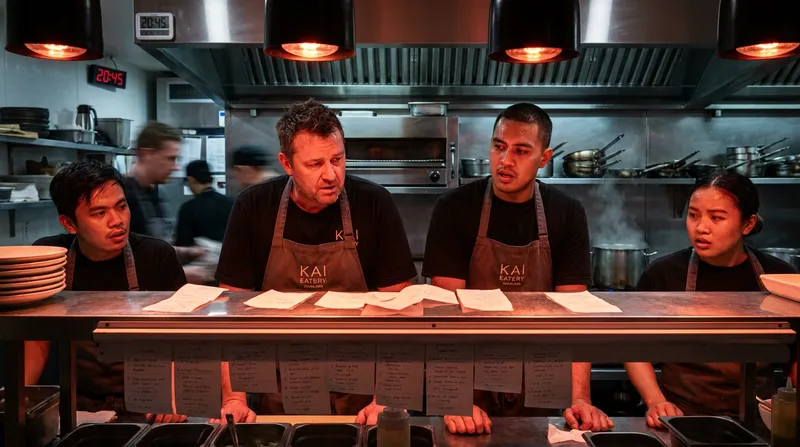
Picture this familiar scenario. It is 7:00 PM on a Friday night, and your restaurant is completely packed. The front-of-house staff are firing orders through the Point of Sale system as fast as they can, but the kitchen is falling behind. Suddenly, a table complains that their main courses have not arrived. You check the system, only to realize the order never made it to the kitchen display.
Restaurant owners across New Zealand are losing money and suffering reputational damage because of dropped tickets and delayed syncs between their POS and a bolt-on Kitchen Display System (KDS) app. These syncing failures cause absolute chaos during peak hospitality rushes. If you are frustrated by paying multiple monthly subscriptions for a disjointed tech stack that fails when you need it most, you are not alone.
This guide will break down the critical differences between standalone KDS apps and fully integrated POS ecosystems, helping you choose the best back of house restaurant technology to keep your kitchen running smoothly.
The Real Cost of Replacing Kitchen Paper Tickets
Before diving into digital systems, we must address the hidden financial and operational costs of traditional paper printer rolls. Many hospitality business owners view paper dockets as a cheap, reliable standard. However, the reality is far more expensive.
First, there is the hard cost of consumables. Buying boxes of thermal printer paper month after month adds up to thousands of dollars annually for a busy cafe or restaurant. Second, there is the operational cost of human error. Illegible handwriting, lost dockets, and tickets falling off the rail lead directly to food waste and painfully slow service. When a chef has to walk to the front counter to clarify an order, you lose valuable preparation time.
According to operational insights from WebstaurantStore, replacing traditional paper tickets with digital displays helps reduce errors, enhances communication between kitchen staff and servers, and increases overall productivity while saving on long-term paper costs.
For a complete breakdown on how to upgrade your hardware without disrupting service, read our guide on KDS Printers NZ: Your Guide to a Bulletproof Hybrid Kitchen Setup (2027).
Actionable Tip: Calculate your exact paper ticket costs. Review your supplier invoices for the last twelve months and add up your total spend on printer rolls and ink ribbons. You will likely find that a digital screen pays for itself in less than a year.
Standalone KDS vs Integrated POS: Understanding the Difference
When evaluating restaurant POS and KDS integration, you will encounter two main types of setups. The first is a standalone or bolt-on app. This is a third-party application (like Square's KDS) that connects to your main POS system via an Application Programming Interface (API). The second is a native, integrated POS ecosystem where the POS and the KDS are built into the exact same software platform.
The distinction is crucial for your operational efficiency. Digital solutions are recognized as essential for streamlining back-end operations across the hospitality sector, helping businesses run efficiently while allowing staff to focus on front-of-house personal service, as highlighted by the Restaurant Association of New Zealand in their recent dining trends reports.
However, not all digital solutions are created equal. Managing multiple software subscriptions for one venue creates technical debt. You end up paying a monthly fee to your POS provider, another fee to your KDS provider, and potentially a third fee to an integration software just to make them talk to each other.
The Hidden Dangers of Bolt-on KDS Apps During Peak Hours
The biggest risk of using a cloud-based kitchen display screen from a third-party vendor is API syncing delays. An API is essentially a digital bridge that carries data from your POS to your KDS. During a slow Tuesday lunch, this bridge works fine. During a Friday night rush, that bridge can become congested.
Imagine a busy food truck operating at a local weekend festival. The internet connection drops for just thirty seconds. The front-of-house staff continue taking orders offline, but because the KDS is a separate bolt-on app, the API bridge collapses. When the Wi-Fi reconnects, the orders sync out of order, or worse, they drop completely.
This creates a troubleshooting nightmare. If your kitchen screen goes down, you have to call your POS provider. They will likely blame the KDS provider. When you call the KDS provider, they will blame the POS provider. Meanwhile, your customers are waiting for their food.
To learn more about optimizing your specific hardware setup, check out Streamline Your NZ Restaurant: Carbon 8 & KDS Guide.
Why Native Integrated KDS Ecosystems Outperform Bolt-On Apps
A native integrated KDS operates on a single source of truth. Because the front-of-house POS and the back-of-house KDS are part of the exact same software code, there is no API bridge to collapse. This is exactly why we built Lazygrid with a fully integrated KDS.
When a server taps "Send to Kitchen" on an integrated system like Lazygrid, the order appears on the kitchen screen instantly, with zero sync delays. This instant communication is the hallmark of the best kitchen display systems NZ has to offer.
Furthermore, using a native ecosystem means you only have one vendor to call. If something goes wrong, you have a single support team responsible for finding the solution, eliminating the frustrating blame game between different tech companies.
Actionable Tip: If you are currently using a bolt-on KDS, monitor your ticket times during your next busy shift. Note any discrepancies between the time an order was placed on the POS and the time it appeared on the kitchen screen.
Square Restaurant POS Alternatives for NZ Venues
While global giants like Square offer popular entry-level solutions, they often fall short for growing New Zealand hospitality businesses. The primary issue is a lack of crucial local integrations.
Many international POS systems struggle to provide seamless connections to New Zealand-specific payment gateways like EFTPOS NZ and Windcave. When your payment terminal does not integrate smoothly with your POS and kitchen routing software, your staff have to manually enter transaction amounts, leading to costly human errors.
The Hospitality Business New Zealand publication frequently highlights that local digital transformation is critical for survival in the current economic climate, noting that businesses must embrace future technology to offset rising operating costs.
Another major factor is customer support. If your back of house restaurant technology fails at 8:00 PM on a Saturday, you cannot afford to wait 24 hours for an email reply from an international support desk. You need local, 24/7 New Zealand support from a team that understands the local hospitality landscape.
Feature Comparison: Square KDS vs Lazygrid Integrated System
To help you visualize the difference, here is a breakdown of how a bolt-on app compares to a native, all-in-one system:
| Feature | Square KDS (Bolt-On) | Lazygrid (Integrated) |
|---|---|---|
| System Architecture | API-reliant connection | Native, unified ecosystem |
| NZ EFTPOS Integration | Limited local options | Deep integration (Windcave, EFTPOS NZ) |
| Offline Capabilities | KDS syncing fails offline | LAN sync keeps the kitchen running |
| Customer Support | Global, ticket-based | 24/7 Local New Zealand support |
| Pricing Model | Multiple subscriptions | All-in-one tier |
For a detailed comparison of local options, read our comprehensive review: Looking for Toast POS in NZ? 2027 Comparison & Best Restaurant, Cafe & Salon Alternatives.
Actionable Tip: Audit your current tech stack. List every software subscription you pay for monthly (POS, KDS, online ordering, reservations). If you are paying more than three different vendors, it is time to look for an all-in-one alternative.
Must-Have Features in a Modern Kitchen Display System
A basic digital screen is just a monitor. A modern KDS is a smart kitchen manager. Demand in the New Zealand foodservice market is recovering rapidly, with digital ordering increasing kitchen volume significantly, according to market analysis by Mordor Intelligence. To handle this increased volume, your system must have advanced capabilities.
If you are evaluating new software, make sure you review our Best Cloud POS Systems for NZ Restaurants: A 2027 Buyer's Guide to ensure you get these essential features.
Smart Kitchen Order Routing and Omnichannel Integration
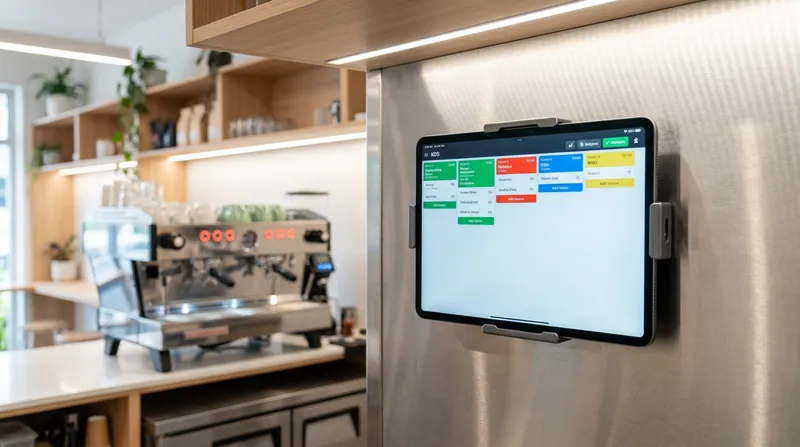
Smart kitchen order routing software is non-negotiable for multi-station kitchens. This feature automatically sends specific items to specific preparation stations. For example, drink orders route immediately to the barista or bar screen, while hot food routes to the grill station, and cold food routes to the prep station.
Crucially, a native system like Lazygrid allows orders from every channel to feed directly into this routing. Whether a customer orders from a self-service kiosk, directly through your branded online ordering page, or uses a digital voucher at the counter, the ticket goes straight to the correct kitchen station without any manual entry.
You can also integrate this routing with customer-facing technology. Learn how in our 7 Best QR Ordering Systems for NZ Restaurants (2027 Guide).
Prep Time Tracking and Loyalty Data
A premium KDS acts as prep time tracking software. It records exactly how long each ticket takes from the moment it is fired to the moment the chef bumps it off the screen.
When combined with an integrated loyalty programme, this data becomes incredibly powerful. You can track how long your most valuable VIP customers are waiting for their food, allowing you to prioritize service and protect your best relationships. It also helps you identify specific menu items that slow down your service, so you can adjust your prep strategy for the lunch rush.
Actionable Tip: Use your KDS analytics to run a "Slow Movers" report this week. Identify the top three dishes that take the longest to prepare and hold a brief meeting with your head chef to discuss ways to streamline their preparation.
Kitchen Display System Cost in NZ: A 2027 Breakdown
Understanding the kitchen display system cost involves looking at both upfront hardware investments and ongoing software subscriptions.
First, consider the hardware. You can opt for dedicated, commercial-grade KDS screens, which are highly durable but come with a higher upfront cost (often $1,000 to $2,000 per screen). Alternatively, many cloud-based systems allow you to use standard iPads enclosed in heavy-duty, heat-resistant cases. This iPad approach dramatically lowers your initial capital expenditure to around $500 to $800 per station.
Next, look at the software costs. This is where the integrated ecosystem proves its financial worth. If you use a bolt-on app, you might pay $100 per month for your POS, plus an additional $50 per month for the KDS app, plus $30 per month for an integration tool. That equals $2,160 per year.
A fully integrated cloud-based system like Lazygrid Premium includes the KDS functionality within a single tier at just $149 per month. This complete suite covers your POS, KDS, online ordering, self-service kiosks, and loyalty programs under one roof. This single subscription model provides better stability and results in a substantially lower total cost of ownership.
For a deeper dive into pricing models across the country, check out our Restaurant POS Systems NZ: A 2027 Cost & Pricing Guide.
Actionable Tip: Request a transparent quote from any potential POS vendor that explicitly lists the cost of adding a KDS screen. Ensure there are no hidden "per-screen" monthly licensing fees.
Kitchen Screen Monitor Setup: Getting Started
Setting up your kitchen screen monitor setup does not have to be an IT nightmare. With cloud-based systems, deployment is highly accessible for standard business owners.
First, choose the right hardware. For food trucks and small cafes, an iPad Pro in a rugged case is usually sufficient. For large, high-volume restaurant kitchens, you may want a dedicated monitor with a physical bump bar, as touchscreens can become unresponsive if chefs have greasy or wet hands.
Physical placement is critical. Mount the screens at eye level, away from direct heat sources like deep fryers or open flames. Ensure the mounting brackets are securely fastened to the wall or stainless steel shelving to prevent accidental damage during a busy shift.
Finally, do not neglect staff training. Run a mock service before going live. Have your front-of-house team fire test orders while the kitchen staff practice reading the digital tickets, routing the items, and bumping the orders off the screen.
For step-by-step installation instructions, follow our KDS Setup Guide NZ: Your 7-Step Plan for a Smarter Kitchen.
Conclusion: Future-Proof Your Back of House Operations
Relying on disjointed bolt-on apps and chaotic paper tickets is holding your hospitality business back. By upgrading to a fully integrated POS and KDS ecosystem, you eliminate API syncing delays, reduce costly human errors, and gain complete control over your kitchen's workflow.
We highly encourage you to audit your current tech stack, calculate your monthly paper ticket costs, and evaluate the hidden expenses of managing multiple software subscriptions. Future-proofing your business means choosing technology that works seamlessly together.
Ready to see how an integrated system can transform your venue? Start your Lazygrid free trial today to experience a KDS that eliminates sync delays, or read more about our solutions in Cloud POS for NZ Small Businesses: Cut Admin, Boost Sales to take the next step toward a stress-free kitchen.
Frequently Asked Questions
How much does a kitchen display system cost in NZ?
Costs vary based on your hardware choices (iPads versus dedicated commercial screens) and software subscriptions. However, integrated systems like Lazygrid save you money overall compared to paying for a standalone POS and a separate KDS subscription. Expect to invest between $500 and $1,500 upfront for hardware per station.
Can I use an iPad as a kitchen display screen?
Yes, iPads are incredibly popular for their responsive touch capabilities and lower upfront costs. However, they require heavy-duty, heat-resistant, and splash-proof cases to survive the harsh environment of a commercial kitchen.
What is the best alternative to Square POS for NZ restaurants?
The best alternatives are cloud-based systems built specifically with local New Zealand integrations. Look for platforms offering seamless connections to local EFTPOS providers (like Windcave or EFTPOS NZ) and robust, 24/7 local customer support.
Do I need Wi-Fi for my kitchen display system to work?
While cloud-based systems rely on the internet for off-site reporting and online ordering, the best integrated systems offer robust offline modes. This keeps the POS and KDS communicating over your local area network (LAN) even if the external internet connection drops.
How hard is it to switch from paper tickets to a digital KDS?
The transition is very straightforward with proper staff training. It usually takes kitchen staff just two or three shifts to adjust to the new workflow. Once they experience the organization and clarity of digital routing, they rarely want to return to chaotic paper dockets.