
5 Best POS Systems for NZ Cafes: A Guide to Handling the Morning Rush (2026)
Introduction: Turn Your NZ Cafe's Morning Chaos into Cashflow
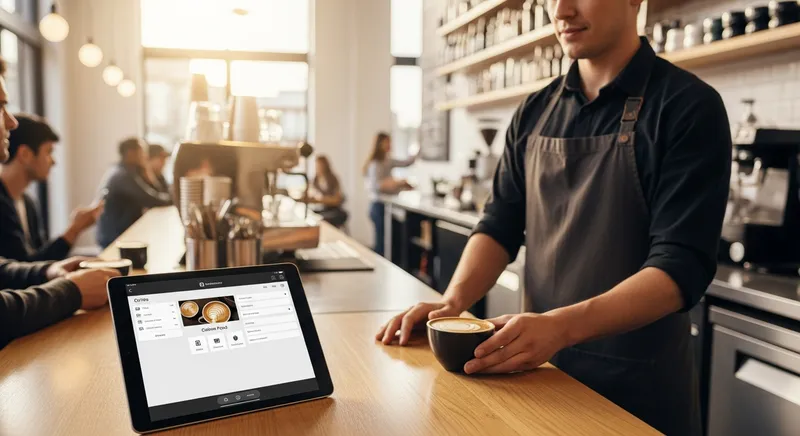
It's 8 AM on a Tuesday. The queue is snaking out the door, the grinder is screaming, and your barista is calling out names while trying to remember three complex orders at once. This is the morning rush: the most stressful, and most profitable, hour of your day. But with every customer who glances at the long line and walks away, you're leaving money on the table.
What if you could turn that chaos into controlled, efficient cashflow? The secret isn't just hiring more staff; it's empowering your team with the right tools. A modern Point of Sale (POS) system is not just a digital till- it's the central nervous system of your cafe. This guide cuts through the marketing noise to analyze the best POS systems for NZ cafes with a single focus: proving how the right features can help you serve more customers, faster, and maximize your revenue when it matters most.
Why a Slow POS is Costing You More Than Just Time
A clunky, slow POS system is a silent profit killer. When your EFTPOS terminal isn't integrated, every transaction requires manual entry, adding 10-15 seconds per customer. If you serve 100 customers in the morning rush, that's over 20 minutes of wasted time where you could have served another dozen people.
Add in mistakes from handwritten dockets and time spent clarifying complex orders, and the true cost becomes clear. These bottlenecks don't just frustrate customers; they directly impact your bottom line. Academic research has shown that optimizing service time can significantly increase revenue. One study published in the Industrial Engineering Letters journal found that simply speeding up the payment process could allow a restaurant to serve three extra tables during a peak hour. For a cafe, that translates directly to more coffees sold. Many of these operational challenges are common across the industry, and as you'll see, the right cloud POS system solves these key restaurant problems for NZ owners.
The 'Morning Rush' Checklist: 5 Must-Have POS Features for NZ Cafes
To conquer the morning rush, you need a POS system built for speed and accuracy. Before you look at any brand, evaluate them against this checklist. These five features are the difference between chaos and control during your busiest hours.
1. Lightning-Fast Order Entry & Modifiers
During a rush, your till is your team's primary tool. A complicated interface that requires multiple taps to add a simple modifier like 'almond milk' or 'extra hot' is a critical bottleneck. You need a system that is intuitive and visual, allowing a new staff member to become proficient in hours, not days. The best POS systems for high-volume cafes have easily customisable interfaces and one-tap modifiers for common coffee orders, which drastically reduces the chance of human error and keeps the queue moving.
2. Fully Integrated EFTPOS & Contactless Payments
Manually keying in the purchase amount from your till to a separate EFTPOS terminal is a recipe for mistakes and delays. A fully integrated system sends the total directly to the payment terminal, saving time and eliminating costly reconciliation errors. With the use of digital wallets like Apple Pay and Google Pay on the rise- now the go-to for 15% of New Zealanders according to Payments NZ- offering seamless, fast tap-and-go payments is no longer a luxury, but a customer expectation.
3. Seamless Kitchen Display System (KDS) Integration
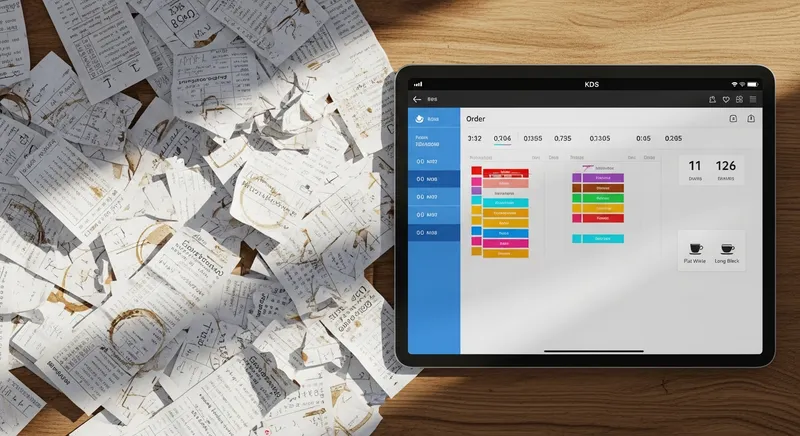
Paper dockets are a classic source of cafe chaos. They get lost, stained, and are often illegible. A Kitchen Display System (KDS) replaces paper tickets with a digital screen that displays orders instantly and clearly for your baristas. Research on restaurant automation highlights that a KDS streamlines processes and increases overall efficiency. It's the critical link that connects your front-of-house to your back-of-house, tracking how long each coffee takes and ensuring orders are made in the correct sequence.
4. Built-in Online Ordering & Click-and-Collect
The best way to shorten your queue is to let customers skip it entirely. A POS with built-in online ordering allows your regulars to place and pay for their morning coffee before they even leave home. This not only improves their experience but also frees up your staff to serve in-store customers. This aligns with a key trend identified by Ringa Hora, NZ's workforce development council, which notes the growing integration of technology into the customer experience. For this to be truly efficient, it must be integrated directly into your POS, not managed on a separate, clunky tablet. If you're looking for options, there are some excellent commission-free online ordering systems for NZ businesses.
5. Integrated Loyalty & Scan-and-Go
Fumbling with paper stamp cards slows down every transaction. A digital loyalty program, integrated into the POS, automatically tracks customer purchases and rewards. It's faster for both the customer and the cashier. Some advanced systems even allow customers to scan a QR code at their table to order and pay, completely bypassing the main counter. This not only busts queues but also helps you build a valuable customer database, a key part of any modern NZ gift card and loyalty strategy.
Foundations for a Faster Rush: 3 Tips to Implement Now
A fast POS is your foundation, but true mastery of the morning rush involves your whole operation. Fix these three areas before you even install new software.
- Optimize Your Cafe Layout: Think of your workflow as a production line. Is there a clear path from the till, to the coffee machine, to the pickup counter? Minimize the number of steps your staff need to take. This kind of operational planning is a core part of any good NZ restaurant business plan.
- Smart Staff Training: Don't just train staff on how to use the POS; train them on why. Show them how using modifiers correctly prevents mistakes down the line. Run practice drills for the busiest periods so they build muscle memory and confidence.
- Prep Like a Pro: The rush is won or lost before it begins. Ensure milk jugs are full, coffee beans are in the hopper, and lids are stocked. Any task that can be done before 7 AM is a task that won't slow you down at 8 AM.
Reviewed: The 5 Best POS Systems for a High-Volume NZ Cafe (2026)
We analyzed the top POS systems available in New Zealand against our 'Morning Rush Checklist'. Here's how they stack up for a busy cafe environment. Many of these systems are ideal for various setups, including as a POS system for NZ QSR & Takeaway businesses.
1. Lazygrid POS
- Best For: High-volume cafes focused on maximising peak-hour throughput and efficiency.
- The Rush-Hour Verdict: Lazygrid is designed from the ground up to solve the morning rush problem. Its interface is incredibly fast, with one-tap modifiers for complex coffee orders. The system shines with its deeply integrated ecosystem, including a seamless KDS, built-in commission-free online ordering, and a digital loyalty program. Users report serving up to 15 more customers per hour during peak periods. The ability to have customers order ahead or use QR codes at the table makes it a powerful tool for queue-busting.
- NZ-Specifics: Offers certified integrated EFTPOS NZ terminals and robust Xero integration, which is critical for NZ businesses, a sector that Xero's Small Business Insights shows is steadily growing.
- Hardware & Setup: Runs on standard iPads, making it affordable to set up. Free trial available.
2. Lightspeed (K-Series)
- Best For: Established cafes or multi-location groups needing powerful inventory and analytics.
- The Rush-Hour Verdict: Lightspeed Restaurant (K-Series) is a hospitality powerhouse. Its order entry is fast and flexible, and its KDS integration is top-notch. It handles complex table service and takeaway workflows with ease. While its online ordering and loyalty features are robust, they can sometimes feel like separate modules rather than a single, unified system, occasionally requiring more setup.
- NZ-Specifics: Strong NZ presence with multiple integrated EFTPOS options and excellent Xero integration. It's a popular choice for a reason.
- Hardware & Setup: Primarily iPad-based. Professional setup is recommended for complex menus or multi-site rollouts.
3. Square for Restaurants
- Best For: New cafes, food trucks, or businesses wanting ultimate simplicity and all-in-one payment processing.
- The Rush-Hour Verdict: Square's biggest strength is its simplicity and beautiful interface. It's incredibly easy to set up and use, making staff training a breeze. For a standard coffee rush, it's very effective. However, for extremely high-volume or complex operations, it can be less flexible than more hospitality-dedicated systems. Its KDS is effective, and its integrated online store is a major plus.
- NZ-Specifics: Square handles its own payment processing, which simplifies setup but offers less choice in EFTPOS providers. Its Xero integration is solid.
- Hardware & Setup: Offers its own sleek hardware (Square Terminal, Register) but also runs on iPads. Known for easy DIY setup.
4. PosPro
- Best For: Cafes looking for a local NZ provider with hands-on setup and support.
- The Rush-Hour Verdict: PosPro often bundles hardware and software, providing a complete, tailored solution. Their systems are reliable and built for the rigours of hospitality. The interface may not always be as sleek as modern cloud-native platforms, but it is functional and fast. They offer strong KDS and loyalty options, making them a solid choice for managing a busy floor.
- NZ-Specifics: As an NZ-based company, their understanding of local requirements like EFTPOS integration and GST is second to none. Support is local and responsive.
- Hardware & Setup: Provides a range of hardware options, often Windows-based terminals. Typically includes on-site installation and training.
5. SwiftPOS
- Best For: Large venues, clubs, or complex cafes needing enterprise-level control and customisation.
- The Rush-Hour Verdict: SwiftPOS is a veteran in the NZ POS market, known for its power and reliability. It can handle virtually any scenario you throw at it, with extensive features for order routing, promotions, and member management. This power comes with complexity; it typically requires professional installation and more extensive training. For a straightforward cafe, it might be overkill, but for a high-volume operation with unique needs, it's a formidable tool.
- NZ-Specifics: Deeply entrenched in the NZ hospitality scene with a wide range of hardware and EFTPOS integrations. It's a system built for serious, long-term business.
- Hardware & Setup: Runs on Windows-based terminals. Almost always requires professional installation and configuration by a certified reseller.
Comparison Table: Which Fast POS is Right for Your Cafe?
| Feature | Lazygrid | Lightspeed (K) | Square | PosPro | SwiftPOS |
|---|---|---|---|---|---|
| Best For | Peak-hour speed & efficiency | Advanced inventory & reporting | Simplicity & new cafes | Local NZ support & setup | Enterprise features & control |
| Morning Rush Score* | Excellent | Very Good | Good | Good | Very Good |
| Integrated EFTPOS | ✅ Yes (Multiple) | ✅ Yes (Multiple) | ✅ Yes (Square only) | ✅ Yes (Multiple) | ✅ Yes (Multiple) |
| Integrated KDS | ✅ Yes | ✅ Yes | ✅ Yes | ✅ Yes | ✅ Yes |
| Online Ordering | ✅ Yes (Built-in) | ✅ Yes (Module) | ✅ Yes (Built-in) | ✅ Yes (Partner) | ✅ Yes (Module) |
| Xero Integration | ✅ Yes | ✅ Yes | ✅ Yes | ✅ Yes | ✅ Yes |
| Price Guide | $$ | $$$ | $ | $$ | $$$$ |
Morning Rush Score: Based on order entry speed, EFTPOS integration quality, KDS capabilities, and queue-busting features like online ordering. Price Guide (Software): $ = under $60/mo; $$ = $60-$100/mo; $$$ = $100-$150/mo; $$$$ = $150+/mo (per terminal).
Quick Decision Guide
Still not sure? Here's a simple breakdown:
- Choose Lazygrid if: Your absolute priority is speed and efficiency during peak hours.
- Choose Lightspeed if: You have multiple locations or need advanced inventory and reporting.
- Choose Square if: You're a new business and want maximum simplicity and easy setup.
Conclusion: Your POS is Your Partner in Profit
Surviving the morning rush shouldn't feel like a battle you fight every day. By viewing your POS system as a strategic investment in efficiency, you can transform peak-hour chaos into your most reliable source of revenue. A fast, intuitive system empowers your staff, reduces costly errors, and creates a smoother experience for your customers.
Remember to look for the five key features: lightning-fast order entry, fully integrated EFTPOS, a seamless KDS, built-in online ordering, and a digital loyalty program. The right combination of these tools will not only get you through the morning rush but will help you thrive in it. Ready to see the difference? Explore how Lazygrid's queue-busting features can transform your cafe.
Frequently Asked Questions
What is the best POS system for a small cafe in NZ?
There's no single 'best' POS, as the ideal system depends on your cafe's specific needs. For a new or lower-volume cafe where simplicity is key, Square is an excellent starting point. However, if your primary challenge is managing a busy morning rush, you should prioritize a hospitality-focused system like Lazygrid or Lightspeed, which are designed for speed under pressure.
How much does a POS system cost in NZ?
POS system pricing in New Zealand has a few components:
- Software Subscription: This is a monthly fee, typically ranging from $50 to $150 per month for each terminal or device.
- Hardware: A basic package with an iPad, printer, and cash drawer can start around $1,000, while more extensive setups can run into several thousand dollars.
- Payment Processing Fees: These are transaction-based fees, usually a small percentage of each sale. Always clarify these rates upfront.
Be sure to ask providers about any one-off setup fees or training costs.
Do I really need a Kitchen Display System (KDS) for my small cafe?
If your biggest headache is communication errors, lost dockets, or bottlenecks between your counter and your barista, then yes, a KDS is a worthwhile investment. It directly replaces unreliable paper dockets with a clear, timed, and organized digital queue. The result is fewer mistakes, less food waste, reduced staff stress, and faster service for your customers.
What's the main difference between Lightspeed and Square for a cafe?
The choice often comes down to simplicity versus power.
- Square is known for its exceptional simplicity. Its hardware is sleek, the software is intuitive, and payment processing is built-in, making it perfect for new cafes that want to get started quickly.
- Lightspeed offers a more powerful and granular feature set. It provides advanced inventory management, detailed reporting, and more customization, which is ideal for established, high-volume cafes or those planning to expand.
How does a POS system integrate with Xero?
A quality POS integration with Xero automates your end-of-day accounting. Instead of manually entering sales figures, the POS system automatically 'pushes' a summary of your daily sales and payment types directly into your Xero account. This saves hours of admin work and dramatically reduces the risk of human error, making GST returns and financial reporting faster and more accurate.