
All-in-One POS NZ: The Guide to Unifying Your Business
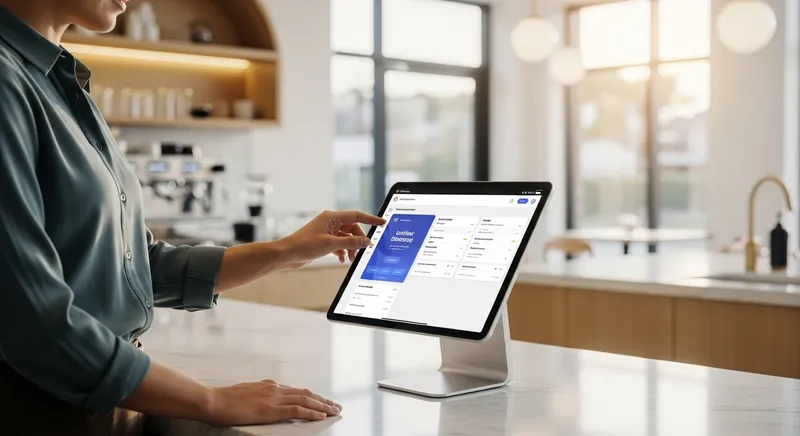
All-in-One POS NZ: The Guide to Unifying Your Business
It's the end of the day. You're tired, but the work isn't over. Now comes the nightly headache: trying to make sense of three different sets of numbers. You have your till receipts, a separate stack from the EFTPOS machine, and a crumpled pile of printouts from your online ordering tablet. Sound familiar?
For busy owners of restaurants, cafes, and salons across New Zealand, this chaotic process is a major source of stress and a huge drain on time. In today's competitive market, where every dollar and minute counts, this operational drag is a liability. The good news is that there is a better way. Adopting digital tools is no longer a luxury; it's a core strategy for growth, a fact supported by government initiatives like Digital Boost, which encourages Kiwi businesses to enhance their digital capabilities.
This guide provides a clear, actionable roadmap to unifying your operations with an all-in-one POS system. We'll show you how to trade chaos for control, save countless hours, and unlock a clearer, more profitable future for your business. For many Kiwi businesses, this means choosing a modern, locally-supported system over international options that aren't built for the NZ market, a topic we explore in our comparison of Toast POS and local alternatives.
Why Juggling Multiple Systems Is Costing Your NZ Business
That end-of-day reconciliation stress isn't just an annoyance; it's a symptom of a deeper problem with very real costs. Juggling separate, disconnected systems for your sales, bookings, and inventory creates hidden expenses that eat into your profit margins and can cost you 5-10 hours of admin time every week.
Think about the hours you or your staff spend manually keying in orders or trying to match up sales figures. This lost time is a direct path to human error, leading to incorrect reports and frustrating accounting mistakes. According to data from Xero's Small Business Insights, NZ's small businesses are the backbone of the economy, but they operate under constant pressure where efficiency is paramount.
Furthermore, a disconnected setup directly impacts your customer experience. A customer might order an item online, only to arrive and find it's been sold in-store because your inventory didn't update in real-time. This damages your reputation and loses you a sale. As academic research from institutions like the Boston University School of Hospitality Administration points out, investing in technology is an essential tool for operational efficiency and meeting modern guest expectations.
What is a True 'All-in-One' POS System in New Zealand?
It's a term you hear a lot, but what does it actually mean? A true all-in-one POS system is a single, central platform where every part of your business communicates seamlessly and in real-time. This is fundamentally different from 'interfaced' systems, which are separate programs patched together that only sync data periodically.
| Feature | All-in-One System (Unified) | Patchwork System (Interfaced) |
|---|---|---|
| Data Sync | Real-time, instant updates across all channels | Periodic (e.g., every 15 mins) or manual |
| Logins | One system, one login | Multiple logins for different apps |
| Reporting | A single, accurate source of truth | Multiple reports that need manual combining |
| Support | One point of contact for all issues | Multiple vendors to call for help |
In the New Zealand context, a crucial component is fully integrated EFTPOS. This means the sale amount from your POS appears on the EFTPOS machine automatically, eliminating keying errors and speeding up every single transaction. As the country's payment landscape evolves, a trend confirmed by industry reports from Payments NZ, having a system that can handle modern, integrated payments is non-negotiable. To understand the costs involved, our guide to NZ EFTPOS fees is a great place to start.
The Unified Workflow: A Practical How-To Guide
Let's move from the 'why' to the 'how'. The real magic of an all-in-one system is how it transforms your day-to-day operations.
For Restaurants & Cafes: From Online Order to Kitchen Display
Imagine this Friday night rush. A regular customer books a table online, a family places a large takeaway order through your website, and a group walks in for a meal.
With a unified system, this is a smooth, controlled process:
- The online booking automatically reserves the table in your digital floor plan, preventing double-booking.
- The takeaway order appears instantly on your Kitchen Display System (KDS), with no need for a staff member to re-enter it.
- The walk-in group's order is sent directly to the KDS, and as each dish is sold, your inventory is updated in real-time across both your in-store and online menus.
This single pool of data is invaluable. It allows you to make smarter decisions about your menu and control your costs, a constant challenge highlighted by the Restaurant Association of New Zealand in their industry reports.
For Salons & Spas: Combining Bookings, Service & Retail
An all-in-one system designed for service businesses handles your entire client journey. A client visits your website and books a massage with their preferred therapist.
Here's the unified workflow in action:
- An automatic SMS reminder is sent the day before the appointment, dramatically reducing no-shows.
- After the service, the client decides to buy a bottle of the massage oil you used.
- You process a single payment that covers both the service and the retail product. The system automatically deducts the product from inventory and calculates the therapist's commission on both items.
This creates a seamless client experience and gives you a complete picture of each customer's history, elevating your business from a simple appointment book to a sophisticated client management tool. This journey often starts by learning how to get bookings on Google.
For Food Trucks & Retail: Inventory Sync Across Channels
For a mobile business or a retailer with an online presence, real-time inventory is everything. A cloud-based, all-in-one POS running on an iPad is your command centre.
As you sell a burger at a busy market, the system instantly updates your total stock. If that was your last burger patty, your online store automatically shows 'Sold Out', preventing orders you can't fulfil. For a retail shop, this solves the classic problem of selling the same jumper in-store and online at the same time. This level of control is a must-have, as detailed in our guide to starting a food truck in NZ.
Core Features of a True All-in-One POS
When you're comparing systems, look for a platform that truly integrates these essential components into one package:
- Fully Integrated EFTPOS: Automatically pushes the sale total to the EFTPOS terminal. This prevents keying errors, which can save businesses hundreds of dollars a year, and speeds up service.
- Real-Time Inventory Management: A single source of truth for your stock. When an item is sold online or in-store, the stock level updates instantly everywhere.
- Online Ordering & Bookings: A system that lets customers order food or book appointments directly from your website, with all information flowing straight into your POS and kitchen or appointment calendar.
- Customer Loyalty & Management (CRM): Move beyond paper punch cards and create a powerful digital loyalty programme to reward your best customers and turn first-time visitors into regulars.
- Advanced Modules: Look for features that support your growth, like a Kitchen Display System (KDS), Self-Service Kiosks, Staff Management with different permission levels, and Multi-Location Management for when you expand.
- Robust Reporting & Analytics: Get a clear, accurate picture of your business performance. See your busiest hours, most profitable items, and top-performing staff at a glance to make data-driven decisions.
Pricing Transparency is Key
A modern POS system is an affordable investment. Look for providers with clear, upfront pricing. For example, Lazygrid plans start from just $24/month, with the popular Standard plan offering a complete all-in-one solution for $59/month. Start your free trial.
Your Checklist: How to Choose the Right Integrated POS
Ready to make the switch? Use this checklist to evaluate potential POS providers.
- Does it offer true, fully integrated EFTPOS? Ask which NZ banks and payment providers they are certified with. Good answer: A list of certified NZ payment partners and a clear 'yes' that no manual entry is needed.
- Is the support local and 24/7? When your system goes down during a Saturday dinner rush, you need help immediately. Good answer: NZ-based phone support available during your key operating hours, including weekends.
- What is the total cost of ownership? Look beyond the monthly software fee. Ask about hardware, setup, and payment transaction rates. Red flag: Vague answers or a refusal to provide a complete, itemised quote.
- Is it built for my industry? A system for a cafe has different needs than one for a salon. Good answer: They can show you a live demo of the specific features you need, like a table map or an appointment calendar. Our review of NZ booking systems can help you understand the options.
- Can it grow with my business? Choose a cloud-based system that is scalable. Good answer: You can easily add features, staff members, or locations through your software subscription without needing a major overhaul.
Conclusion: Stop Juggling, Start Unifying
Remember that end-of-day headache we talked about? The nightly juggle of receipts, reports, and reconciliation? Imagine replacing that hour of stress with a two-minute glance at a single, accurate dashboard before closing your laptop and heading home.
That's the difference an all-in-one system makes. For a modern New Zealand restaurant, cafe, or salon, it is the single most impactful step you can take to reduce stress, reclaim your time, and boost your profitability. By unifying your operations, you gain the accuracy, efficiency, and clarity needed to not just survive, but thrive.
Ready to see how a unified system could transform your daily operations? Start your free trial to see how Lazygrid's Standard plan can automate your workflow and give you back your evenings.
Frequently Asked Questions
What is the real cost of an all-in-one POS system in NZ?
The Total Cost of Ownership (TCO) includes three parts:
- Hardware Costs: A one-time cost for iPads, EFTPOS terminals, printers, and cash drawers. Some providers offer leasing.
- Software Fees: A recurring subscription (SaaS) fee for using the software, updates, and support.
- Payment Processing Fees: Per-transaction fees charged as a percentage of the sale. Always ask for a full, transparent quote that breaks down all potential costs to avoid surprises.
Can I use my existing EFTPOS terminal with a new POS system?
Often, no. For a truly integrated experience where the sale amount passes automatically, you need a certified terminal that communicates directly with the POS software. Using an old, non-integrated terminal means manual entry, which reintroduces the risk of keying errors and slows down service-defeating the purpose of an efficient system.
How difficult is it to switch to an all-in-one system?
Reputable providers make this process smooth. They should manage the transition for you, including data migration (importing products and customers), hardware setup, and comprehensive staff training to ensure your team is confident from day one. The long-term time savings far outweigh the short-term effort.
What hardware do I need for a cloud-based POS?
This depends on your business, but a typical setup includes: an Apple iPad or iPhone to run the POS app, a certified and integrated EFTPOS terminal (like those from EFTPOS NZ), a thermal receipt printer (e.g., Epson or Xprinter), and a cash drawer. A good provider will offer hardware bundles or a clear list of compatible equipment.
Which all-in-one POS is best for a cafe vs. a salon?
The 'best' system is one that understands your workflow.
- For a Cafe/Restaurant: Prioritise speed, efficient order-taking, table management, and seamless integration with a Kitchen Display System (KDS).
- For a Salon/Spa: The most critical feature is a robust appointment booking system with a detailed client history, automated reminders, and flexible staff commission management. A good all-in-one platform will offer specialised modules or versions tailored to each business type.