
Best iPhone POS Systems NZ (2026): The Ultimate Guide for Cafes & Retail

Best iPhone POS Systems NZ (2026): The Ultimate Guide for Cafes & Retail
As a New Zealand cafe, restaurant, or retail owner, you've likely heard the buzz. You've seen the slick global ads for 'Tap to Pay on iPhone' and wondered: can I finally ditch my clunky EFTPOS terminal and run my entire business from the phone in my pocket? The promise is alluring, but the reality for Kiwi business owners has been confusing. You're left asking: What actually works here in NZ? What are the real costs? And is a simple app enough, or do I need something more powerful?
This guide is designed to cut through the noise. We'll provide a clear, practical roadmap for using an iPhone as the heart of your payment and point-of-sale system in 2026. We will explore the different levels of solutions available, from simple tap-to-pay apps to fully integrated POS systems, helping you make the best choice for your unique business.
The 'Tap to Pay on iPhone' Revolution in NZ: Myth vs. Reality
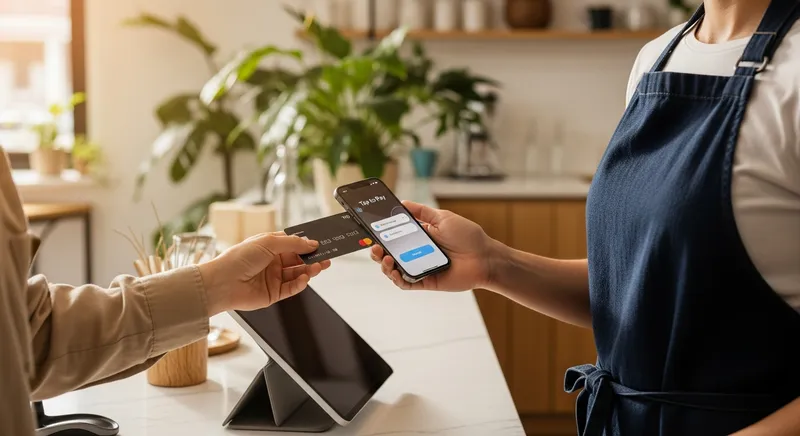
In mid-2023, the landscape of mobile payments in New Zealand changed significantly. In an official announcement, Apple confirmed the launch of Tap to Pay on iPhone in New Zealand. This was a landmark moment, but it's crucial to understand what it actually means for your business.
Myth: Apple has released its own app that turns your iPhone into an EFTPOS machine.
Reality: Apple has provided the underlying technology that allows other app developers to build payment acceptance into their iOS apps. As Apple puts it, merchants can accept contactless payments "using only an iPhone and a partner-enabled iOS app." You can't just download a 'Tap to Pay' app from Apple; you need to use a service that has integrated this feature.
Key platforms like Stripe were announced as enablers of this technology, allowing developers to incorporate it into their own apps. A prominent example is Xero, which now allows NZ businesses with a Stripe account to accept payments directly within the Xero Accounting app.
Actionable Tip: Before signing up for any service promising 'Tap to Pay on iPhone', verify that they are an officially supported partner in New Zealand. Check if their payment processor (like Stripe) is enabled for this feature locally.

Three Levels of iPhone POS Solutions for Your NZ Business
Choosing an iPhone-based POS isn't a one-size-fits-all decision. The best solution depends on your business's complexity, transaction volume, and growth plans. Let's break it down into three tiers.
Good: iPhone-Only (Tap to Pay Apps)
This is the most basic setup, relying solely on an app that uses Apple's Tap to Pay technology.
- How it Works: You use an app (like Xero Accounting via Stripe) on your iPhone to generate a payment request. The customer then taps their contactless card or phone on your iPhone to pay.
- Pros: Minimalist setup with no extra hardware, extremely mobile, low initial cost.
- Cons: Features are often limited to payments and basic invoicing, may not integrate with the national EFTPOS network (relying on more expensive credit card processing), and can be inefficient for high-volume businesses.
- Best For: Mobile service providers (plumbers, beauticians), market stall holders, artists, and businesses with low transaction volumes.
Better: iPhone + Mobile Card Reader
This popular setup, championed by providers like Square, pairs your iPhone with a small, separate Bluetooth card reader.
- How it Works: The POS app on your iPhone manages orders and inventory. When it's time to pay, the app connects to the mobile reader to process the transaction.
- Pros: Accepts a wider range of payments reliably (including chip and swipe), often has better EFTPOS integration, still very portable.
- Cons: Requires carrying and charging a second small device, relies on a stable Bluetooth connection.
- Best For: Food trucks, pop-up shops, cafes with counter service, and businesses that need a robust but mobile payment solution.
Best: Full POS System with iPhone/iPad Terminals
This is the most powerful and scalable solution. Here, iPhones or iPads act as terminals for a comprehensive, cloud-based POS system built specifically for NZ hospitality, like Lazygrid.
- How it Works: Your entire business operation is managed by a central POS software. Staff use iPads as main tills or iPhones for tableside ordering, all seamlessly connected. Unlike basic apps, a system like Lazygrid integrates everything: orders, payments, advanced inventory, bookings, online ordering, and loyalty.
- Pros: Complete business management toolkit, advanced NZ-specific features like EFTPOS NZ certification and Reserve with Google integration, highly scalable, and a professional customer experience. You get one system for everything, often at a better price than bundling separate apps.
- Cons: Involves a monthly subscription fee and a more detailed setup process.
- Best For: Established cafes, full-service restaurants, busy retail stores, and any business serious about growth and operational efficiency. You can find out more in our Best Cloud POS Systems for NZ Restaurants: A 2027 Buyer's Guide.
Why Choose an Integrated System Like Lazygrid?
While simple payment apps are a great start, growing NZ businesses often hit a wall. A dedicated system like Lazygrid is built to solve local challenges.
- Truly All-in-One: Many systems require expensive add-ons. Lazygrid includes commission-free online ordering, QR table ordering, bookings, and loyalty programs in its standard plans.
- Built for New Zealand: With EFTPOS NZ certification, local Wellington-based support, and features tailored to the Kiwi market, it's designed for how you do business.
- Transparent Pricing: No hidden fees or commissions on your online orders. What you see is what you get, helping you control costs as you grow.
Explore Lazygrid's features and see how it compares.
Core Features Your POS System Must Have
Whether you're using a simple app or a full-blown system, your POS is the digital heart of your business. According to government advice from business.govt.nz, offering flexible payment options is key to healthy cash flow. A good POS system facilitates this and much more.
Here are the essential features to look for:
- Point of Sale (POS) Software: An intuitive interface for taking orders, processing payments, and managing transactions. An offline mode is critical for handling internet outages without losing sales.
- Inventory Management: Real-time stock tracking that automatically deducts items when sold. This helps you reduce waste and prevent stockouts. For bars and restaurants, this is key to controlling your beverage cost.
- Reporting & Analytics: A dashboard that gives you instant insights into your sales, best-selling products, and peak hours. This data is invaluable for making smart business decisions and simplifying your NZ hospitality tax obligations.
- Customer Management (CRM) & Loyalty: Tools to build a customer database and run digital loyalty programs. A great system (like Lazygrid's Premium plan) integrates with Apple Wallet and offers tiered VIP rewards to turn visitors into regulars.
- Online and QR Ordering: You need an integrated system for commission-free takeaway and delivery orders. The ability for customers to order via QR codes at the table is also becoming a standard expectation. Explore our guide on the 7 Best QR Ordering Systems for NZ Restaurants.
- Booking System: For restaurants and service businesses, an integrated reservation system that syncs with your POS is essential to manage workflow and reduce no-shows. Look for features like Reserve with Google integration.
Essential Hardware for Your iPhone POS Setup
While the iPhone is the star, it needs a supporting cast to create a complete solution.
- EFTPOS Terminals & Card Readers: For reliable, fast payments, an EFTPOS NZ-certified terminal is the gold standard. Industry bodies like the Restaurant Association of New Zealand often partner with providers, highlighting their importance.
- Receipt Printers: While digital receipts are great, you'll still need a reliable thermal printer. Look for network-connected (Ethernet or Wi-Fi) models.
- Cash Drawer: A secure, printer-kicked cash drawer is non-negotiable for any business handling cash.
- Kitchen Display Systems (KDS): For any food business, a KDS is a game-changer, replacing paper tickets with a digital screen for improved accuracy and speed. For more, see our KDS Setup Guide NZ and guide to KDS Printers in NZ.
The Real Cost of an iPhone POS System in NZ (2026)
Understanding the true cost is one of the biggest challenges. It's rarely just one single fee. Here's a transparent breakdown:
- Software Fees: This is typically a monthly subscription. It can range from ~$25/month for a basic plan (like Lazygrid Lite) to ~$150/month for a premium plan with all features. Be wary of systems that charge extra for essentials like online ordering or loyalty.
- Payment Processing Fees: This is the percentage you pay on every card transaction. These fees are a complex area. The Commerce Commission of New Zealand provides guidance on what's fair. Rates can vary significantly between a flat rate from Stripe versus interchange++ from a bank. The growth of digital wallets is also impacting these costs.
- Hardware Costs: This can be a one-time purchase or a monthly lease. While you can use your existing iPhone, you may need to buy an iPad, printers, and an EFTPOS terminal. These costs can range from a few hundred to several thousand dollars.
Actionable Tip: When comparing providers, create a spreadsheet and calculate the 'Total Cost of Ownership' over one year. Factor in software, estimated payment processing fees, and hardware. Don't be swayed by a 'free software' offer if the processing fees or add-on costs are higher. For a deep dive, read our Restaurant POS Systems NZ Cost & Pricing Guide.
Conclusion: From Simple Payments to Full Business Management
The ability to take payments directly on your iPhone is a powerful tool for any New Zealand entrepreneur. For mobile businesses and those just starting, a simple Tap to Pay app offers unprecedented flexibility.
However, as your business grows, your needs evolve. The limitations of a payment-only app quickly become apparent when you need to manage inventory, track staff performance, and build customer loyalty. The most successful cafes, restaurants, and retailers leverage a complete, integrated POS system.
Think of it as the difference between a simple tool and a complete toolkit. An iPhone is the perfect device for taking an order, but a comprehensive cloud POS is the brain that connects every part of your operation. A system like Lazygrid, designed specifically for NZ hospitality, gives you the control and insight needed to succeed, with all-in-one features and local support, starting from just $24/month.
Ready to see how an integrated POS can transform your business? Book a demo with Lazygrid today.
Frequently Asked Questions
How can I take card payments on my iPhone in NZ?
You have two main options. First, use an app that supports Apple's 'Tap to Pay on iPhone' feature, such as the Xero Accounting app with a Stripe account. This allows contactless payments directly on your iPhone. Second, use a POS app (like Lazygrid or Square) paired with a small, external Bluetooth card reader that accepts tap, chip, and swipe payments.
Can I use my phone as an EFTPOS machine in NZ?
Yes, essentially. Using a 'Tap to Pay on iPhone' enabled app allows your phone to function like an EFTPOS terminal for contactless payments. However, these transactions are often processed over credit card networks (Visa, Mastercard), which can have different fees than the domestic EFTPOS network. A dedicated mobile EFTPOS terminal that pairs with your phone POS can offer more direct integration and potentially lower rates.
Do I need a separate card reader if I have an iPhone?
It depends. If you only need to accept contactless payments and your transaction volume is low, a 'Tap to Pay' app might be enough. However, a separate, certified card reader is recommended if you need to accept chip cards, want the most reliable connection, or prefer the potentially lower transaction rates associated with dedicated EFTPOS integration.
What is the cheapest way to accept card payments in NZ?
For very low volumes, a 'Tap to Pay on iPhone' app with no monthly fee might seem cheapest initially. However, for most small businesses, the 'cheapest' option is the one with the best combination of low software fees and competitive transaction rates. A provider like Lazygrid, with an affordable Lite plan starting at $24/month and transparent pricing, is often more cost-effective in the long run than a 'free' app with higher per-transaction fees and paid add-ons.
What's the difference between Square and Lightspeed for a cafe in NZ?
Square is generally seen as a simple, all-in-one solution for startups and small cafes, with easy hardware and flat-rate pricing. Lightspeed is a powerful system for larger, more complex operations, offering deep inventory and analytics but at a higher cost. An NZ-focused alternative like Lazygrid offers the best of both worlds: powerful, all-in-one features (like commission-free online ordering and loyalty) included in simple, transparent pricing tiers, plus the benefit of local support.
How much does a POS system for a small business cost in NZ?
A complete POS system for a small business in New Zealand typically involves three costs: monthly software fees ($25 - $150/month), hardware costs (a one-time purchase of $500 - $2,000+ for an iPad, printer, and terminal), and payment processing fees (from 1.5% to 2.9% + $0.30 per transaction). Always calculate the total expected cost over a year to compare providers accurately.