
Best KDS for NZ Restaurants & Cafes: A 2026 Guide
Best KDS for NZ Restaurants & Cafes: A 2026 Guide
The Saturday night rush. The docket printer spews out an endless stream of paper. Shouts of "Ordering one flat white, one eggs bene!" echo across the pass. A server desperately searches for a lost ticket, the customer's patience wearing thin. This is the familiar sound of kitchen chaos, a stressful reality for many New Zealand hospitality owners.
Your traditional paper-based system is struggling to keep up. In today's market, you're juggling dine-in customers, a constant flow of online orders, and third-party delivery apps. This complexity leads to mistakes, and those mistakes are costly. In fact, research from the University of Otago found that an astounding 61% of food waste in NZ cafes is avoidable, with preparation errors being a major contributor.
What if you could replace that chaos with calm, clear communication? As we look toward the technology standards of 2026, a Kitchen Display System (KDS) is the modern answer to this painful problem. This in-depth guide will walk you through everything you need to know to choose the best KDS for your restaurant, cafe, or food truck in New Zealand.
From Paper Chaos to Digital Calm: What is a KDS and How Does it Work?
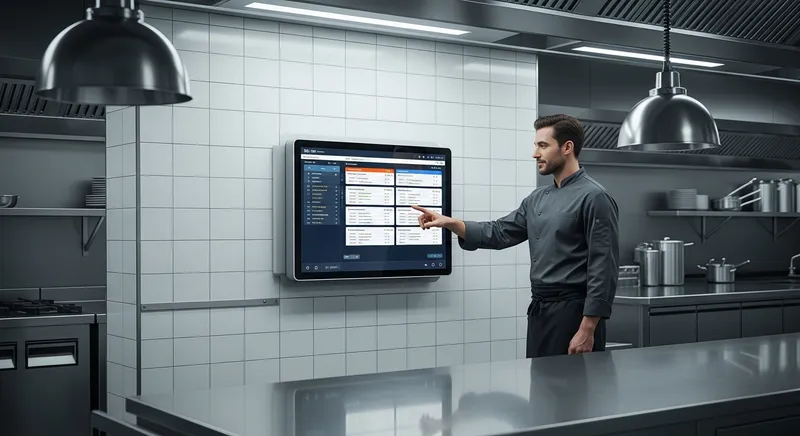
In the simplest terms, a Kitchen Display System is a digital screen that replaces your paper ticket printer. Think of it as upgrading from a paper road map to Google Maps for your kitchen—it's a dynamic, intelligent, and far more efficient way to navigate your orders.
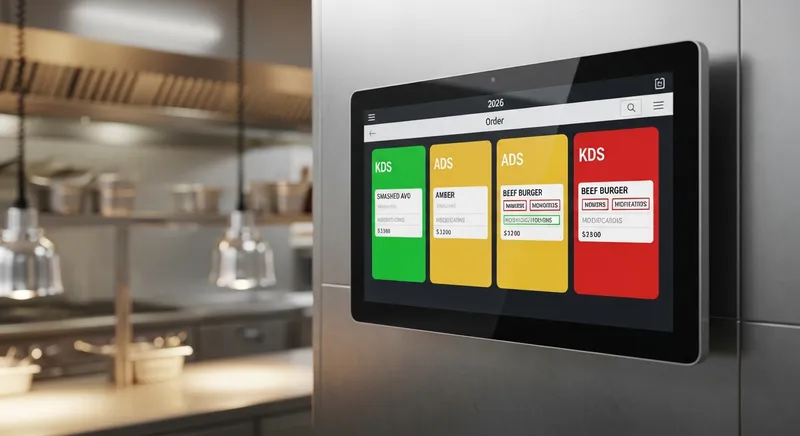
Here's how the workflow transforms:
- Order In: A customer's order is entered into your Point of Sale (POS) system, whether at the counter, from a self-service kiosk, or through your online ordering platform.
- Instant Display: Instead of printing, the order instantly appears as a digital ticket on the KDS screen in the kitchen.
- Action & Complete: Your kitchen staff can see every order in a clear, chronological sequence. They tap the ticket to view details, mark items as they're prepared, and 'bump' the entire order off the screen once it's complete.
The system consists of two core components: the physical KDS screen (hardware) and the KDS software that integrates with your POS. The constant battle between printers and paper tickets is over. As we explore in our KDS vs. Printers: A Data-Backed Guide for NZ Restaurants, the move to digital is a clear win for modern kitchens.
7 Key Benefits of a Kitchen Display System for Your NZ Business
Adopting a KDS is about more than just getting rid of paper. It's a strategic investment in efficiency, accuracy, and profitability. Here are the core benefits NZ businesses experience.
Drastically Reduce Kitchen Errors Illegible handwriting, lost dockets, and sauce-splattered tickets become a thing of the past. A KDS presents every order and its modifications in a clear, standardised format, virtually eliminating guesswork and costly mistakes that lead to food waste.
Improve Ticket Times & Speed of Service KDS screens use colour-coding to show how long an order has been waiting, allowing your team to prioritise at a glance. Research from the Cornell Center for Hospitality Research confirms that kitchen technology directly improves the speed of service, leading to faster table turnover and happier customers.
Enhance FOH & BOH Communication A KDS acts as a silent, single source of truth between your front-of-house and back-of-house teams. There's no more shouting for order updates or confusion about what's been fired. This creates a calmer, more professional atmosphere for everyone.
Cut Operational Costs Think of the recurring costs of thermal paper rolls, printer ink, and maintenance. Now, add the hidden cost of wasted food from incorrect orders. A KDS eliminates the former and significantly reduces the latter, delivering a clear return on investment.
Gain Powerful Insights with Data How long does it really take to prepare your best-selling dish? Which station is the bottleneck during the lunch rush? A KDS tracks preparation times for every single item, giving you invaluable data to optimise your menu, workflow, and staffing. These insights are a core part of a modern POS analytics strategy.
Handle High Volume & Multi-Channel Orders A KDS consolidates orders from every channel—dine-in, online, delivery apps—into one unified queue. This is a game-changer for modern businesses, preventing staff from being overwhelmed by a sea of tablets and manual order entry.
Boost Staff Morale and Retention A chaotic kitchen is a stressful workplace, contributing to staff burnout and high turnover. By creating a more organised and efficient environment, a KDS reduces stress and empowers your team to perform at their best. You can learn more about how to use these insights in our guide on KDS Analytics: Reduce Staff Stress & Boost Retention.
The Top KDS Systems for NZ Restaurants & Cafes in 2026: A Comparison
The KDS market has a mix of major international players and local NZ providers. Choosing the right one depends entirely on your specific needs, POS ecosystem, and budget. As noted by industry publications like Restaurant & Cafe Magazine NZ, technology adoption is a key theme for successful hospitality businesses.
Here's how the leading options stack up:
| Provider | Best For | Pricing Model | Key Features | POS Integration |
|---|---|---|---|---|
| Lazygrid | All-in-one NZ hospitality management | Included in Premium Plan ($149/mo) | Fully integrated with POS, online ordering & bookings; NZ-based support | Seamlessly integrated with Lazygrid POS |
| Lightspeed | Data-heavy restaurants, multi-location | Monthly subscription per screen | Advanced reporting, ingredient management | Tightly integrated with Lightspeed POS |
| Square | Cafes, small restaurants, food trucks | Monthly subscription per device | Simple all-in-one system, easy to use | Works only with Square for Restaurants POS |
| Epos Now | Businesses needing customisation | Monthly subscription | Highly configurable, third-party app market | Integrates with Epos Now POS |
Why Choose Lazygrid KDS?
While international systems offer strong features, Lazygrid is built from the ground up for New Zealand businesses. Instead of buying a KDS as a separate, costly add-on, it's an integrated part of our all-in-one platform.
- One System, One Bill: Our KDS is included in the Lazygrid Premium plan. No separate vendors, no integration headaches, and no surprise fees.
- Truly Local Support: Get help from a team that understands the NZ hospitality scene, time zones, and payment processors.
- Fully Integrated Ecosystem: The KDS works seamlessly with your Lazygrid POS, online ordering, and table booking system for a single source of truth.
- Powerful & Simple: Get all the essential features like multi-station routing, colour-coded timers, and prep time analytics without the overwhelming complexity of some enterprise systems.
How to Choose the Right KDS for Your Business Type
Not all hospitality businesses are the same. The best KDS for a high-volume restaurant is different from the one a boutique cafe needs. Use this as a guide to assess your specific requirements.
KDS for Cafes NZ
For most cafes, the focus is on speed, simplicity, and a small footprint. You need a system that can handle the morning coffee rush without a hiccup. Look for clear displays, easy bump functionality, and seamless integration with your POS for quick order entry. Lazygrid's KDS excels here, allowing you to route drinks to a barista screen and food to the kitchen screen automatically.
KDS for Restaurants
Full-service restaurants require more advanced features. Look for multi-station routing (e.g., sending starters to the pantry station, mains to the grill). Other critical features include course management, the ability to view all items for a single table, and potentially recipe look-up functionality. An integrated system like Lazygrid ensures that table status and order progress are perfectly synced between your front-of-house and kitchen teams.
KDS for Food Trucks NZ
For a food truck, durability, compact size, and offline functionality are paramount. Your KDS hardware needs to withstand the heat and vibrations of a mobile kitchen. Most importantly, since you may operate in areas with spotty internet, a KDS that can continue to function offline is non-negotiable. Lazygrid's KDS includes a robust offline mode, ensuring you can keep taking and processing orders even when the internet drops out. For a full breakdown of what to look for, see our POS Features Checklist 2026.
Understanding Kitchen Display System Cost in NZ
Investing in a KDS involves both upfront hardware costs and ongoing software fees. It's crucial to understand the full picture before committing.
- Hardware Costs: This includes the screens, mounts, and controllers (often called 'bump bars'). A reliable, kitchen-grade screen setup can range from $500 to $1,500 NZD per station. While you can use standard monitors, investing in purpose-built hardware that can handle heat and grease is often wiser in the long run.
- Software Costs: This is where models differ significantly. Most providers charge a separate monthly subscription per screen, typically between $30 and $60 NZD per month. With Lazygrid, the KDS software is included in our all-in-one Premium plan ($149/month), which also covers your POS, online ordering, and more. This bundled approach often provides greater value than paying for each component separately.
- Integration & Setup Fees: Some providers may charge a one-time fee for installation and setup, particularly if on-site support is required.
To justify the investment, frame it against your potential savings. Eliminating paper dockets alone could save a busy cafe over $500 a year. If a KDS helps you prevent just a few costly food errors per week, it can pay for itself very quickly. For more on budgeting, check out our guide to POS System Cost in NZ. As highlighted by Hospitality Business NZ, managing operational costs is vital for profitability.
Ready to see it in action? Curious how a digital pass could look in your kitchen? Explore Lazygrid's integrated KDS features and see how it works.
Conclusion: Is a KDS Worth the Investment for Your NZ Business?
For any modern NZ restaurant, cafe, or food truck, a Kitchen Display System is no longer a luxury—it's an essential tool for survival and growth. The shift from paper chaos to digital calm delivers a powerful return through fewer errors, faster service, lower costs, and a significantly less stressful environment for your team.
The best KDS is the one that seamlessly integrates with your entire operation, matches your specific workflow, and provides the data you need to make smarter business decisions. By choosing an all-in-one platform like Lazygrid, you get a powerful KDS without juggling multiple vendors, ensuring your business is aligned with the goals of the wider industry to build a more productive and sustainable future—a key focus for organisations like the Restaurant Association of New Zealand.
Ready to bring calm and efficiency to your kitchen? See how Lazygrid's integrated POS and KDS solution can transform your operations today.
Frequently Asked Questions
What hardware do I need for a KDS?
To set up a Kitchen Display System, you'll need a KDS screen (a durable, kitchen-grade monitor is recommended), a mounting system, a small computer or controller to run the software, and a 'bump bar'—a rugged keypad that lets staff manage orders without a delicate mouse or touchscreen.
Can a KDS work with my existing POS system?
This is a critical question. Most KDS systems are designed to integrate tightly with a specific POS, often from the same provider. This deep integration is what allows for real-time order syncing and data analysis. To avoid reliability issues and support headaches, it is almost always best to choose a KDS that is part of a unified POS ecosystem like Lazygrid.
How much does a KDS system cost in NZ?
The cost is broken into two parts. First, the one-time hardware cost ($500 - $1,500 per station). Second, the ongoing software fees. Many providers charge $30 - $60 per screen, per month. Lazygrid simplifies this by including the KDS software in our flat-rate Premium plan, offering a more predictable and often more affordable cost structure.
Do KDS systems work offline?
Yes, many modern cloud-based KDS systems, including Lazygrid's, have a built-in offline mode. This is essential for any NZ business, especially food trucks or venues in areas with inconsistent internet. The KDS can still receive orders from local POS terminals, and all data syncs to the cloud once the connection is restored.
How does a KDS help with online and delivery orders?
An integrated KDS is a powerful tool for managing multi-channel ordering. Instead of juggling multiple tablets for your website, Uber Eats, and other partners, a system like Lazygrid consolidates every order onto a single screen. This gives your kitchen one unified queue, eliminating manual re-entry and reducing a major source of errors during busy periods.