
Best POS Systems for NZ Quick Service Restaurants & Food Trucks: A 2026 Guide
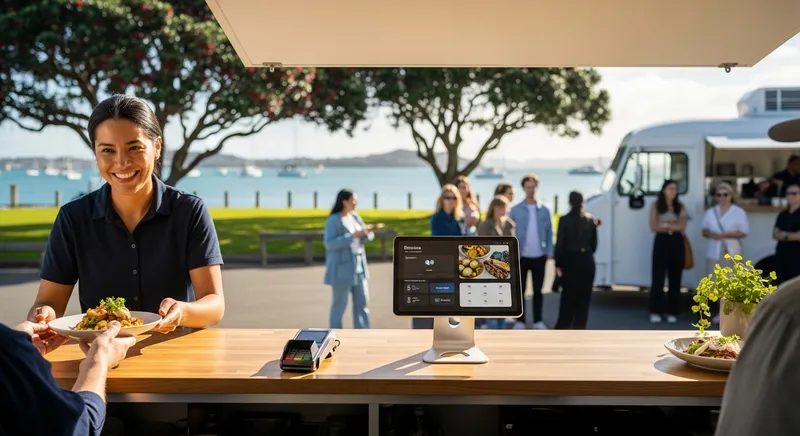
It's the lunch rush. There's a long queue of hungry customers, the sun is shining, and your food is flying out. Then it happens. The EFTPOS terminal goes offline. The frantic feeling in your chest, the sight of customers walking away, the sales disappearing with them - it's the ultimate nightmare for a food truck or quick-service restaurant (QSR) owner. In a business where speed is everything, a technology failure isn't just an inconvenience; it's a direct threat to your bottom line and reputation.
For high-volume, mobile food businesses in New Zealand, the pressures are unique. Space is a premium, the pace is relentless, and reliable internet isn't always a guarantee. Your Point of Sale (POS) system isn't just a till; it's the heart of your operation. This guide will walk you through the essential features a modern QSR or food truck POS needs in 2026 to help you not just survive the rush, but master it.
Why Your Food Truck or QSR Needs a Specialized POS System
A generic retail POS system simply can't handle the demands of a fast-food environment. The challenges of a QSR or food truck are built on three pillars: Speed, Durability, and Connectivity. You need a system designed to process orders and payments in seconds, withstand the rigours of a mobile or busy kitchen environment, and keep working flawlessly, even when the internet doesn't.
The mobile food business sector is a significant part of New Zealand's hospitality landscape. As far back as 2018, an NZ Herald report highlighted hundreds of mobile food vendors in Auckland alone. With this growth comes more competition, making operational efficiency more critical than ever. The right technology isn't a luxury; it's a competitive advantage.
Actionable Tip: Think back to your last peak service. What was the single biggest bottleneck that slowed you down? Was it taking orders, processing payments, or communicating with the kitchen? Identifying this pain point is the first step to finding a POS that solves it.
For more insights on choosing the right system for a fast-paced environment, see our guide on the Best Cafe POS Systems NZ (2026): Your Guide to Speed, Loyalty & Modifiers.
The 7 Must-Have Features for Your 2026 NZ QSR & Food Truck POS
Think of the following as a non-negotiable checklist for your next POS system. The right combination of these features directly tackles the core challenges of queue management, sales reliability, and operational efficiency, turning your POS into your most valuable tool.
1. Rock-Solid Offline Mode: Your Sales Insurance Policy
For any mobile vendor at market stalls, outdoor events, or in areas with spotty internet, this is the single most important feature. With cash use declining rapidly, as noted by the Reserve Bank of New Zealand (RBNZ) following the pandemic, you cannot afford to have your electronic payments fail. A true offline mode means your business keeps running.
It works by securely storing transaction data on your device when the internet drops out. Once connectivity is restored, it processes all the queued payments automatically. You continue making sales, customers are served quickly, and you don't lose a cent.
Actionable Tip: When evaluating a POS, ask vendors these specific questions:
- "What is the transaction limit, in either dollar value or number of transactions, while in offline mode?"
- "For how many hours can the POS operate offline before it absolutely must sync?"
2. Fast, Integrated NZ EFTPOS: Cut Queues and Fees
The difference between a separate EFTPOS terminal and a fully integrated solution is measured in seconds per transaction, which adds up to minutes and hours over a week. Integrated EFTPOS means the sale amount from your POS is sent directly to the card terminal. There's no manual keying, which means no costly errors and significantly faster throughput.
In New Zealand, it's vital that your POS has certified partnerships with local payment gateways like Eftpos NZ, Paymark, or Windcave. According to Payments NZ, the body that governs our payment systems, the infrastructure is constantly evolving, so choosing a POS provider that stays current with these standards is crucial for future-proofing your business.
Actionable Tip: Before you shop for a POS, list your preferred payment providers. Then, visit the POS provider's website to look for direct, certified integrations, not just vague claims of "compatibility." This also helps in understanding compliance around fees, a key topic covered in our NZ Hospitality Compliance 2026: Surcharges, Payroll & GST Guide.
3. Durable & Mobile Hardware: Your Countertop Command Centre
In a cramped food truck or a busy cafe counter, space is gold. Bulky, legacy cash registers are no longer practical. Modern, iPad-based POS systems are compact, powerful, and have an intuitive interface that staff can learn quickly.
For a mobile environment, durability is just as important. Look for hardware with an IP rating (indicating resistance to dust and water) and mobile card readers that have been drop-tested. For a full day of trading at a market, long battery life is non-negotiable. For busy kitchens, consider a Kitchen Display System (KDS). These rugged screens replace paper tickets, improving order accuracy and withstanding the heat and spills of a kitchen far better than a thermal printer.
Actionable Tip: Before you commit, get out a measuring tape. Measure your available counter space and compare it to the physical footprint (dimensions and weight) of the POS hardware bundles you're considering.
4. Online & QR Code Ordering: Bust Queues Before They Form
Why manage queues when you can eliminate them? An integrated online ordering system allows customers to browse your menu, place their order, and pay ahead of time, so all they have to do is pick it up. This can also increase your average order value (AOV), as customers feel less pressure and have more time to browse your full menu.
For food trucks, a simple QR code displayed near your truck can allow customers to order and pay from their phone while they wait. For QSRs with seating, QR table ordering lets diners order and pay at their own pace, freeing up your staff for service and fulfilment.
Actionable Tip: You don't have to go all-in at once. Start by offering an online menu with just your top 5-10 best-selling items. This allows you to test the workflow and demonstrate the value before you roll out your entire menu. For more ideas, check out these 7 Proven Strategies for NZ Hospitality to Increase AOV.
5. Simple Interface, Modifiers & Staff Management
In the hospitality industry, staff turnover is a reality. You need a POS that a new employee can learn in minutes. An intuitive, touch-screen interface is essential for reducing training time and minimizing errors. Research from institutions like Auckland University of Technology (AUT) highlights the competitive labour market, making efficient staff onboarding a key business advantage.
Equally important are easy-to-program modifiers ("no onion," "extra hot sauce") and staff management tools. Individual staff logins with role-based permissions ensure accountability and track performance, while built-in time tracking can simplify payroll.
Actionable Tip: Never buy a POS without a live demonstration. During the demo, insist on taking control and trying to process a complex order yourself. This is the best way to test if the interface is truly as intuitive as the salesperson claims.
6. Self-Service Kiosks: The Ultimate Upsell Tool
For brick-and-mortar QSRs, a self-service kiosk can be a game-changer. By allowing customers to place their own orders, you can dramatically reduce counter congestion and redeploy staff to focus on food preparation and fulfilment.
More importantly, kiosks are proven to increase average order value. They never forget to ask, "Would you like to add a drink to that?" and can visually tempt customers with sides and extras. This automated upselling consistently lifts sales without any extra effort from your team. See how kiosks can Boost Sales & Cut Queues in our dedicated guide.
Actionable Tip: Start small by setting up a single iPad on a stand as a kiosk during your busiest two hours. Track the number of orders it processes and compare the average order value to your counter sales during the same period.
7. All-in-One Reporting & Multi-Location Management
Can you check today's sales from your phone while at the bank? The best cloud-based POS systems give you this power. Real-time reporting allows you to understand your business performance from anywhere, at any time.
Look for an all-in-one system where sales data, inventory, and staff hours are connected. As you grow, this becomes even more critical. A system with multi-location management lets you control menus, pricing, and reporting across multiple food trucks or storefronts from a single dashboard, ensuring consistency and saving administrative time.
Actionable Tip: When looking at POS systems, ask about their integration capabilities with accounting software. A system that syncs automatically with a platform like Xero can save you and your accountant countless hours. Understanding the benefits of a unified system is key, as explored in our All-in-One POS vs. App Integrations Guide.
Curious how these features work together in practice? Book a demo with Lazygrid.
Evaluating Top POS Systems for NZ: A Quick Comparison
While global players like Square and Lightspeed offer powerful platforms, it's crucial to evaluate them through a New Zealand lens. As publications like Restaurant & Café Magazine often highlight, local context matters. An amazing feature is useless if it doesn't work with local systems.
Use this table to score potential providers against the criteria that matter most for NZ QSRs.
| Feature / Criteria | Generic POS | International Giant (e.g., Square) | NZ-Focused Specialist (e.g., Lazygrid) |
|---|---|---|---|
| Offline Mode | Often limited or none | Yes, but check limits | Yes, robust for NZ conditions |
| NZ EFTPOS Integration | No direct certification | May be limited or 3rd party | Certified with major NZ providers |
| NZ-Based Support | Unlikely | Often international call centres | Yes, local team in your time zone |
| NZD Pricing | May be in USD | Yes, but check all fee types | Yes, transparent NZD pricing |
| Hardware Durability | Basic | Varies, often proprietary | Bundles designed for hospitality |
For a direct comparison, see our article: Lightspeed vs Square vs Lazygrid: The Best POS System for NZ Hospitality (2026 Review).
Understanding the True Cost: A 2026 Guide to POS Pricing in NZ
The sticker price of a POS system is rarely the full story. To understand the true cost, you need to look at three components:
- Monthly Software Fees: A recurring subscription for using the POS software.
- One-Off Hardware Costs: The upfront cost for iPads, printers, cash drawers, and card readers.
- Variable Payment Processing Fees: A percentage and/or fixed fee charged on every single transaction.
Payment fees can be complex. As advocated by the Restaurant Association of New Zealand, there is an ongoing push for more transparency. Beware of providers who offer low monthly software fees but charge high transaction rates or have hidden costs for essential features.
For example, some providers charge extra monthly fees for online ordering or advanced reporting, which can add $30-50 each to your bill. A provider like Lazygrid includes these features in its standard plans (starting from $59/month), offering better value.
Actionable Tip: Before signing any contract, demand a complete, written quote that details every potential fee in NZD. Ask about hardware leasing options (e.g., packages from $79/month) to reduce upfront costs. This will help you accurately forecast your costs and improve your NZ Restaurant Profit Margins.
Conclusion: Your POS Should Be Your Most Reliable Employee
For a quick-service restaurant or a food truck, your POS is more than a cash register-it's the central hub of your entire operation. It should be your most dependable, efficient, and hardworking employee.
By prioritizing a rock-solid offline mode, fast integrated EFTPOS, and durable mobile hardware, you can invest in a system that prevents problems instead of causing them. It's what allows operators like Sarah's Food Truck in Wellington to process over 800 transactions during a festival weekend without a single payment failure.
The right technology empowers you to serve more customers, reduce errors, and understand your business better, freeing you to focus on what you truly love: creating amazing food and delivering fantastic service.
Ready to find a POS that can keep up with your busiest day? Explore how Lazygrid is built for NZ's fastest-growing food businesses.
Frequently Asked Questions
What is the best POS system for a market stall with no internet?
The best system is one with a robust and reliable offline mode. This should be your number one priority. Look for modern, iPad-based systems designed to securely store hundreds of transactions on the device itself. When you reconnect to the internet, the system should automatically sync all stored payments, ensuring you never miss a sale.
Can I just use my phone as a POS system?
Yes. Modern providers like Lazygrid offer powerful apps that turn your iPhone or iPad into a complete POS terminal. By pairing the app with a small Bluetooth card reader, you have a low-cost, highly mobile setup perfect for new food trucks, coffee carts, and market stalls with minimal upfront hardware investment.
What's the difference between an 'integrated' and 'interfaced' EFTPOS?
'Integrated' is the gold standard. It means your POS and EFTPOS terminal act as one system, pushing the sale amount directly to the card reader to eliminate manual errors. 'Interfaced' means two separate systems communicate, which can be slower and less reliable. For a fast-paced QSR, always choose an integrated solution.
Is an iPad POS powerful enough to run a busy cafe?
Definitely. Modern iPad POS systems are cloud-based, meaning the heavy data processing happens on secure servers, not the iPad. The iPad acts as a fast, responsive terminal for your staff. These systems are designed to handle thousands of transactions a day and are more than capable of running even the busiest New Zealand cafes without slowing down.