
Menu Psychology NZ: 10 Tips to Boost Restaurant Profit
Introduction: Turn Your Menu From a Price List Into a Profit Machine
As a New Zealand business owner, you're likely feeling the squeeze. Costs for ingredients, energy, and labour are rising, yet the thought of increasing your prices and potentially losing loyal customers is a constant worry. According to recent data from Stats NZ (Tatauranga Aotearoa), the price of restaurant meals continues to climb, putting pressure on your margins. So, how do you protect your profitability without scaring away your regulars?
The answer might be right in front of you: your menu.
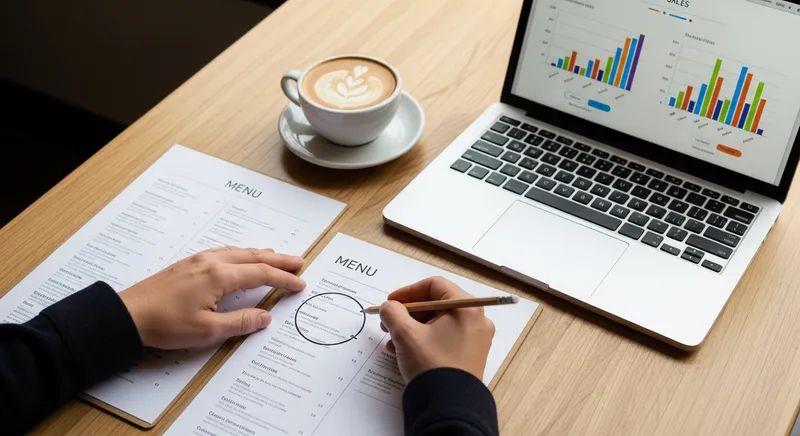
Your menu is the single most powerful marketing and sales tool you own. It's not just a list of items and prices; it's a guide that can influence decisions, increase guest spending, and boost your bottom line. This guide provides 10 actionable tips, blending the art of psychology with the science of data, to help you turn your menu into your hardest-working employee.
Part 1: Menu Psychology Principles - The Art of Influence
Menu psychology is the art of subtly guiding customer choices to increase satisfaction and profitability. These techniques aren't about tricking people; they're about presenting your offerings in the most appealing way, based on decades of research into consumer behaviour.
Tip 1: Guide Customer Eyes to Profitable Items
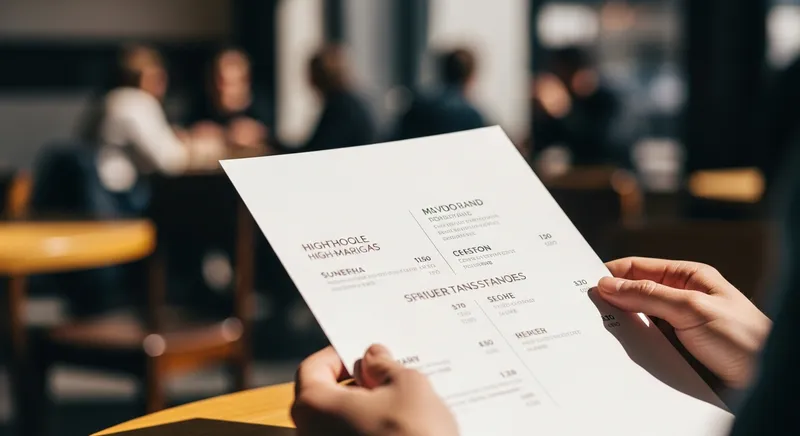
You might have heard of a 'golden triangle' on menus, suggesting a sweet spot where customers look first. However, modern research has shown this is often an oversimplification. A study on menu scanpaths, published in the International Journal of Hospitality Management, found that most diners read a single-page menu sequentially, much like a book: starting at the top-left.
This means the prime real estate on your menu is at the very top. This is where your most profitable, signature dishes should live.
Actionable Tip: Identify your 'Star' items (high profitability, high popularity) and place them in the top-left or top-right position of your menu. Use subtle visual cues like a simple box, an asterisk, or bold text to make them stand out just a little more than the other items.
Tip 2: Write Descriptive Menu Copy That Makes Mouths Water
What sounds more appealing: 'Chicken Burger' or 'Crispy Buttermilk Fried Chicken Burger with Spicy Slaw and House-made Aioli'? The words you use to describe your food have a direct impact on both sales and perceived value.
Groundbreaking research from Cornell University's School of Hotel Administration found that descriptive menu labels can increase sales of an item by as much as 27%. This is because they help the customer imagine the taste, texture, and aroma of the dish.
Actionable Tip: Review your menu and replace generic names with enticing descriptions. Use this formula to get started: [Preparation Method] + [Origin/Quality] + [Base Item] + with [Key Ingredients]. Incorporate words that appeal to the senses or highlight quality and origin.
- Sensory Words: Creamy, zesty, crispy, flaky, succulent, smoky, vibrant.
- Origin Words: 'Line-caught Hoki', 'Hawke's Bay apples', 'Canterbury lamb'.
- Preparation Words: 'Slow-cooked', 'pan-seared', 'wood-fired', 'hand-crafted'.
Tip 3: Price Strategically with Anchors and Decoys
Pricing isn't just about covering costs; it's about shaping perception. Two powerful psychological pricing techniques are anchoring and decoy pricing, both well-documented in publications like the Harvard Business Review as effective business strategies.
- Price Anchoring: Place a very expensive item at the top of a menu section. This 'anchor' makes everything else in that section look more reasonably priced in comparison.
- Decoy Pricing: Offer three versions of an item where the middle option is strategically priced to make the largest, most profitable option seem like the best value. For example: Small Coffee $5.00, Medium Coffee $5.80, Large Coffee $6.00. The medium is the decoy, making the large feel like a bargain for only 20 cents more.
Actionable Tip: Identify a popular category like steaks, burgers, or coffee. Add a premium 'anchor' item at the top, or restructure a popular item into three price tiers to test the decoy effect and nudge customers towards the more profitable choice.
Tip 4: Remove NZD Currency Signs to Soften the 'Pain of Paying'
This is one of the simplest yet most effective changes you can make. The same Cornell University research found that diners on average spent significantly more when menus listed prices as numbers alone, without the dollar sign ($) or currency code (NZD).
The currency symbol constantly reminds customers that they are spending money, which can create a subconscious friction or 'pain of paying'. Removing it makes the price feel less like a transaction and more like a simple number.
Actionable Tip: Go through your menu file and change all prices from '$25.00' or '25.00 NZD' to simply '25'. Ensure the numbers are neatly aligned for a clean, professional look.
Part 2: Data-Driven Menu Psychology - Using Your Sales Data
While psychology provides the 'art' of menu design, your own sales data provides the 'science'. The most profitable menus combine these two forces, using data to make informed decisions rather than relying on guesswork. This process, known as menu engineering, is considered a critical skill by the Restaurant Association of New Zealand.
Understanding your data is one of the 5 Key Restaurant Problems a Cloud POS System Solves for NZ Owners, turning your sales history into a roadmap for future profit.
Tip 5: Calculate Your Food Costing to Know Your True Profit
You cannot have a profitable menu if you don't know the exact cost of every dish you sell. As noted by industry experts in publications like Restaurant & Café Magazine NZ, disciplined cost control is essential for protecting margins in the current climate.
The basic food cost percentage formula is: (Total Cost of Ingredients / Sale Price) x 100 = Food Cost Percentage
Actionable Tip: Choose one of your best-selling dishes and meticulously calculate its cost, right down to the pinch of salt and garnish. Aim for an overall menu food cost between 28-35%. Use this process as a template for costing your entire menu. (Need a hand? Download our free food costing spreadsheet template to get started).
Tip 6: Use Your POS Data to Classify Every Menu Item
A modern POS system is a treasure trove of data. Your sales reports can tell you exactly how many of each item you sell over a given period. Combining this popularity data with your food cost data allows you to classify every item on your menu into one of four categories:
- Stars: High Profitability, High Popularity. (Your winners. Promote them, never run out.)
- Plowhorses: Low Profitability, High Popularity. (Popular but don't make much money. Can you slightly increase the price or reduce the cost?)
- Puzzles: High Profitability, Low Popularity. (Profitable, but nobody's ordering them. Try a better description, a new photo, or train staff to recommend them.)
- Dogs: Low Profitability, Low Popularity. (Why are these on your menu? Consider removing them, unless they serve a strategic purpose.)
Actionable Tip: Use the sales reports from your POS to analyse a month's worth of sales. Better yet, use a system with built-in tools. Lazygrid's menu engineering reports automatically classify your items into Stars, Plowhorses, Puzzles, and Dogs, making this analysis effortless. Integrating your sales data with your accounting software can make this even easier, a topic we cover in our Xero POS Integration Guide.

Part 3: Tailored Menu Strategies for Your NZ Business
Menu psychology isn't just for restaurants. The same principles can be applied to cafes, food trucks, and even service-based businesses like beauty salons or massage studios.
Tip 7: Cafe Menu Design Ideas NZ
For cafes, the goal is often to increase the average spend beyond a single coffee. Your menu should be designed to encourage combos and upselling. Research from New Zealand institutions like the University of Otago's Department of Marketing highlights the importance of the point-of-sale environment in influencing these decisions.
Actionable Tip: Place pastries and cabinet food near the till. On your menu board, use phrases like, "Add a fresh-baked muffin for 4," and feature high-margin add-ons like alternative milks and specialty coffee beans prominently. A modern POS like Lazygrid can track customer preferences, allowing you to suggest their favourite add-ons for a personal touch. For more on optimising your cafe's workflow, see our guide on the 5 Best POS Systems for NZ Cafes.
Tip 8: How to Write a Menu for a Food Truck
A food truck menu has to work extra hard. It needs to be read from a distance, understood in seconds, and processed quickly. Simplicity is key.

Actionable Tip: Use a large, clear font with high contrast. Limit your menu to 5-7 core items to reduce choice paralysis and speed up service. Feature a prominent 'Meal Deal' (e.g., burger, chips, and a drink) to increase the average order value and simplify ordering for customers. Thinking about the right tech for your truck? Explore our guide on POS alternatives for NZ food trucks.
Tip 9: Designing a Service Menu (Beauty, Wellness)
For service businesses, the menu is your service list. The principles are the same: guide choice and increase value. Instead of describing food, you're describing outcomes and experiences.
Actionable Tip: Bundle services into packages ('The Ultimate Relaxation Package: 60-min Massage + Express Facial'). Use benefit-oriented language, for example, 'Rejuvenating Radiance Facial' is much more appealing than '60-minute Facial'. Create tiered service levels (e.g., Express, Classic, Deluxe) to anchor pricing and upsell clients to more comprehensive (and profitable) treatments. Pairing these with digital gift cards can be a powerful sales driver. Lazygrid's integrated gift card and loyalty features make bundling services and creating packages seamless, as detailed in our NZ Gift Card & Loyalty Guide.
Tip 10: Continuously Test and Update Your Menu
Your menu should never be static. It's a living document that should evolve with your business, customer tastes, and ingredient costs. The rise of digital menus and QR codes has made testing easier than ever.
Actionable Tip: Schedule a formal menu review every quarter. Analyse your sales data, re-cost your key ingredients, and get feedback from your staff and customers. Use this information to make small, informed tweaks. With QR code menus, you can test a new description for a 'Puzzle' item for a week and see if sales increase, a great example of how to boost sales with self-service tech.
Conclusion: Your Menu is Your Hardest-Working Employee
In a challenging market, you need to use every tool at your disposal. By combining the art of menu psychology with the science of data analysis, you can transform your menu from a simple price list into a powerful, silent salesperson that works for you 24/7.
Start small. You don't need to do everything at once. Pick one or two tips from this list-like removing dollar signs or rewriting the description of your most profitable dish-and see what happens. A well-engineered menu doesn't just increase profits; it creates a better experience for your customers and gives your business the resilience it needs to thrive. It's a critical component of a successful NZ Restaurant Business Plan.
Put Your Menu to Work with Lazygrid
Ready to put these strategies into action? A powerful POS is the engine behind a profitable menu. Lazygrid provides the real-time sales data, automated menu engineering reports, and customer insights you need to make smart, data-driven decisions. See how our features help NZ restaurants simplify their operations and boost their bottom line.
Learn More About Lazygrid's Features
Frequently Asked Questions
How often should I update my restaurant menu in NZ?
For most New Zealand restaurants and cafes, a two-speed approach is best. Conduct a major menu review and potential redesign once a year to keep the concept fresh and align with long-term trends. However, you should review your pricing and costs on a quarterly basis. This allows you to stay agile and respond to fluctuating food costs from suppliers and ensure your margins remain healthy. Digital tools like QR code menus also give you the flexibility to test small changes, like a new dish or a different description, without the cost of reprinting.
What is the 'Golden Triangle' in menu design?
The 'Golden Triangle' is a classic menu design theory suggesting that a diner's eyes naturally travel to the middle of the page first, then to the top-right corner, and finally to the top-left corner. The idea was to place the most profitable items in this three-point path. While influential for many years, recent eye-tracking studies have shown that most people simply read a single-page menu like a book, starting at the top and working their way down. Therefore, a more modern and effective strategy is to place your high-profit 'Star' items in the prime real estate at the top of your menu.
How do I price a menu item in New Zealand?
Pricing a menu item correctly involves three key steps. First, calculate your exact food cost for the dish using the formula: (Total Cost of Ingredients / Sale Price) x 100. Aim for a food cost percentage between 28-35%. Second, research your local competitors to understand the market price for similar items. You don't have to match them, but you need to know where you stand. Finally, consider the item's perceived value and its strategic role. A popular 'Plowhorse' item might have a higher food cost, but it draws people in, while a high-margin 'Puzzle' might justify a higher price point due to unique ingredients or complex preparation.
Should I use photos on my menu?
This depends entirely on your brand and target audience. For casual dining restaurants, cafes, and especially food trucks, high-quality photos can significantly increase sales of specific items, sometimes by up to 30%. They help customers decide quickly and set clear expectations. However, for fine dining or high-end establishments, photos can cheapen the perceived value and disrupt the elegance of the menu. In these cases, it's far better to rely on rich, evocative language and sensory descriptions to sell your dishes.
What is the most profitable item on a restaurant menu?
There is no single 'most profitable' item that fits every restaurant. However, items with low-cost commodity ingredients tend to have the highest profit margins. These often include pasta dishes, pizzas, potato-based sides, eggs, and most non-alcoholic beverages like fountain soda and specialty coffee. The only way to know for certain what your most profitable items are is to perform a menu engineering analysis. By combining your food cost data with your POS sales data, you can identify your unique 'Star' items-the dishes that are both popular with customers and highly profitable for your business.