
Square for NZ Food Trucks? The 2026 Guide to Better Local POS Alternatives
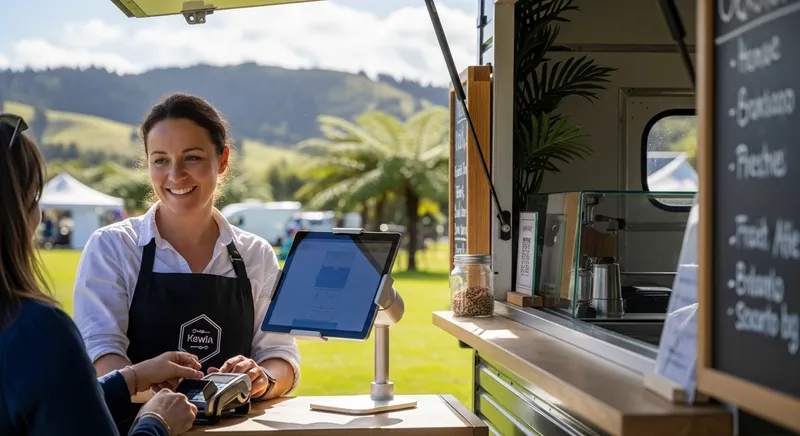
You've seen the slick ads. A stylish, simple white card reader. Promises of taking payments anywhere, anytime. International brands like Square, Toast, and Clover look tempting for your New Zealand food truck, cafe, or market stall. But a nagging question remains: do these global systems truly understand the reality of doing business in Aotearoa?
The core frustration for many NZ business owners is the gap between the polished marketing of international POS systems and the on-the-ground requirements of our market. You need the modern, user-friendly interface of a cloud POS, but you absolutely cannot compromise on reliable EFTPOS integration, a bulletproof offline mode for when you're at a festival in the backblocks, and support that's actually awake when you are.
This guide cuts through the hype. We'll directly compare the international players against NZ-based alternatives, giving you a clear-eyed view of what's best for your mobile business in 2026. We will break down the real costs, highlight the non-negotiable features, and provide a checklist to help you choose a payment solution that won't let you down during the lunch rush.
The Food Trucker's Dilemma: Why International POS Systems Miss the Mark in NZ
Global POS systems offer a compelling vision of simplicity. However, their one-size-fits-all model often clashes with New Zealand's unique payment environment. Before you commit, it's crucial to understand the potential pitfalls.
The EFTPOS Integration Gap
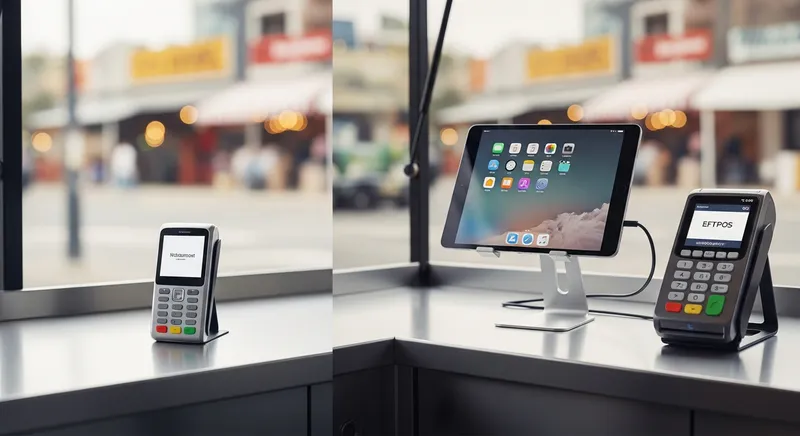
New Zealand's payment landscape is fundamentally different from that of the US or UK. According to data from the Ministry of Business, Innovation & Employment (MBIE), New Zealand has one of the highest rates of electronic card payments per capita in the world, with debit cards being overwhelmingly popular. Our local EFTPOS network is the backbone of this system. Many international POS systems are not built to integrate directly with NZ's primary EFTPOS providers like Worldline and Eftpos NZ. Instead, they process all transactions, including debit, through their own system as more expensive credit card transactions. This can lead to significantly higher fees compared to the low, flat per-transaction fee typical of NZ EFTPOS.
The Realities of "Offline Mode"
The promise of an offline mode is critical for any mobile business that operates at markets, festivals, or remote locations with unreliable internet. While systems like Square offer an offline mode, the risk often falls entirely on you, the business owner. If you accept a payment offline and it's later declined when you reconnect, you bear the full cost of the lost sale. These transactions often have a strict time limit, expiring if not synced within 24 hours. A true offline POS system for NZ conditions should offer more security and reliability.
Surcharging and Customer Perception
Because international systems often process every tap as a credit transaction, you may be tempted to pass this higher cost on to your customers. While Consumer NZ confirms that businesses are allowed to surcharge for credit and contactless payments, it must be reasonable and clearly displayed. Forcing a surcharge on nearly every electronic payment can create friction and negatively impact customer perception, especially when they are used to seamless, free EFTPOS transactions.
What a Food Truck POS Actually Needs to Succeed in New Zealand
A successful food truck or mobile business POS isn't just a payment processor; it's the command centre of your operation. It needs to be tough, flexible, and tailored to the local market. Here are the non-negotiable features to look for.
- Mobile and Compact Operation: Your POS must run efficiently on hardware you already own, like an iPad or iPhone. The core software should be a powerful digital till that allows for fast order entry, product management, and split bills, helping you serve customers in seconds, not minutes.
- Seamless EFTPOS NZ Integration: This is the most critical feature. Your POS must communicate directly with an accredited NZ EFTPOS terminal from providers like Worldline NZ. This ensures you get the low-cost transaction rates for debit payments that are essential for profitability.
- True Offline Reliability: A robust offline mode should allow you to continue processing sales for an extended period during an internet outage and then sync those transactions reliably once you're back online, without placing undue risk on your business.
- Integrated Online and Self-Service Ordering: The ability to take pre-orders through an online ordering system is a game-changer. For even greater efficiency, a system that allows you to use a spare iPad as a self-service kiosk can dramatically reduce wait times during peak periods.
- Real-Time Inventory Management: In a confined space, you can't afford to run out of a key ingredient. A POS with ingredient-level tracking and low-stock alerts helps you manage purchasing and reduce waste. This is a common issue discussed in 5 Key Restaurant Problems a Cloud POS System Solves for NZ Owners.
- Effortless Xero Integration: Your POS must integrate seamlessly with leading accounting software. The Xero App Marketplace lists certified partners, showing how vital this connection is for modern NZ businesses to streamline their financial reporting.
- NZ-Based Support: When your payment system goes down at 12:30 PM on a Saturday, you need to speak to someone in your time zone who understands local payment networks. Waiting for email support from a different hemisphere is not a viable option.
At a Glance: International vs. Local NZ POS
Here's a quick comparison of the key differences that matter most to a mobile New Zealand business.
| Feature | International System (e.g., Square) | Local System (e.g., Lazygrid) |
|---|---|---|
| EFTPOS Integration | ❌ No direct integration. Debit processed as credit. | ✅ Yes, direct integration with certified NZ terminals. |
| Debit Transaction Fees | High (e.g., 1.9% - 2.6% of sale) | Low (e.g., ~$0.05 flat fee per transaction) |
| Offline Mode Risk | 😬 High. Business owner is liable for declined payments. | 👍 Low. More secure sync and backup options. |
| Local Support | 🌏 Limited. Often in a different time zone. | 🇳🇿 Yes. Wellington-based team available during NZ hours. |
| Hardware | Proprietary card readers. | Use your own iPad/iPhone + certified EFTPOS terminal. |
| Accounting | Basic integration available. | ✅ Certified Xero Partner for deep integration. |
The Real Cost of a Food Truck POS: A Transparent NZD Breakdown
Comparing POS systems on price alone can be misleading. It's the total cost of ownership that matters. Let's break down two common scenarios for a food truck processing $10,000 per month, with 70% of that being EFTPOS/debit transactions.
Scenario 1: The International "All-in-One" System
- Hardware Cost: $50 - $400+ for a proprietary card reader.
- Software Fee: Often free or low-cost for the basic plan.
- Transaction Fees: A blended rate, typically around 2.2% on all transactions.
- On $10,000 of sales, a 2.2% blended rate equals $220 in fees.
- Hidden Costs: The financial risk of any offline payments that fail to process.
Scenario 2: The Local Integrated System (Lazygrid)
- Software Fee: Lazygrid Standard Plan - $59/month.
- Hardware Cost: Use your own iPad, plus ~$1,000 for a hardware bundle (printer, cash drawer).
- EFTPOS Terminal Rental: ~$40 per month from a local provider.
- Transaction Fees: The key difference. You pay a low flat fee for EFTPOS/debit.
- $7,000 in EFTPOS transactions (e.g., at $0.05/transaction for 200 transactions) = $10.
- $3,000 in credit card transactions (e.g., at 2.5%) = $75.
- Total monthly cost: $59 (software) + $40 (rental) + $10 (EFTPOS) + $75 (credit) = $184.
In this common scenario, the local integrated system is not only more affordable but also offers greater stability and functionality tailored to the NZ market. For a detailed look at budgeting, check out this guide on NZ Cafe Startup Costs.
Your NZ Food Truck POS Checklist
Before making a final decision, run your potential POS provider through this essential checklist.
- NZ EFTPOS Integration: Does it integrate directly with a standalone, certified NZ EFTPOS terminal? (Yes/No)
- Offline Mode Risk: Who is liable for declined payments taken while offline? (The Business / The Provider)
- Local Support: Is phone and email support based in New Zealand and available during your peak business hours? (Yes/No)
- Transparent Pricing: Can you provide a full breakdown of all fees in NZD, including software, hardware, and separate rates for EFTPOS vs. credit cards? (Yes/No)
- Xero Certified: Is the POS system a certified partner in the Xero App Marketplace? (Yes/No)
- Legal Foundations: Does the provider understand the basic legal framework for food businesses in NZ, such as the need for a Food Control Plan as required by the Ministry for Primary Industries (MPI)?
NZ Food Truck POS: Your Questions Answered
Can I use Square in New Zealand for my food truck? Yes, you can. However, you must weigh the convenience of its setup against the significant drawbacks of higher transaction fees on debit cards, the financial risk of its offline mode, and the lack of direct integration with standard NZ EFTPOS terminals.
What is the best POS for a market stall with bad internet? The best option is a system with a proven, reliable offline mode and a battery-powered setup (iPad + portable printer). Prioritise a provider like Lazygrid that minimises your financial risk for offline transactions and offers strong local support you can call from the event.
What's the difference between a mobile EFTPOS terminal and a POS system? A mobile EFTPOS terminal is the device that processes card payments. A Point of Sale (POS) system is the software you use to run your business-taking orders, managing menus, and tracking sales. An integrated solution, which is the ideal setup, means your POS software (like Lazygrid) automatically sends the sale amount to the EFTPOS terminal, eliminating errors and speeding up service.
How does Xero integration work with a food truck POS? Seamless Xero integration automatically syncs your daily sales data from your POS system directly into your Xero account. Instead of manually entering totals, the integration does it for you. This eliminates human error, saves hours of admin, and makes bank reconciliation and GST filing significantly easier.
Do I need a separate EFTPOS machine if I use a local POS like Lazygrid? Yes, and this is a key advantage. A system like Lazygrid integrates with a dedicated, certified EFTPOS terminal. This setup ensures you get the most reliable processing and the lowest possible transaction rates for New Zealand's dominant payment method, debit cards.
What are the first steps to starting a food truck in NZ? Before choosing a POS, handle the legal requirements. According to business.govt.nz, this includes registering your business, getting an NZBN, registering for GST if you expect to earn over $60,000, and securing a Food Control Plan.
The Final Word: Choose Reliability and Local Expertise
For New Zealand food truck and market stall owners, the choice of a POS system in 2026 comes down to a simple truth: reliability and local integration trump slick international marketing every time. While global brands offer an attractive package, their systems are not built for the nuances of our payment landscape. The higher fees, unreliable offline functionality, and lack of local support create significant headaches and eat into your bottom line.
A modern, cloud-based POS system designed for New Zealand, like Lazygrid, offers the best of both worlds: a user-friendly iPad interface combined with the robust, cost-effective, and reliable payment processing our market demands. By prioritising true EFTPOS integration and local support, you are not just buying a till; you are investing in a stable foundation for your business's success.
Ready to See the Difference?
Stop paying too much in fees and dealing with support in the wrong time zone. See how Lazygrid is built to help NZ food trucks and mobile businesses thrive.