
The Best Cloud POS Systems for NZ Restaurants (2026 Buyer's Guide)
Introduction: Is Your POS System Helping or Hurting Your NZ Restaurant?
It's a familiar scene: a chaotic Friday night, a queue of hungry customers, and your EFTPOS terminal suddenly goes down. Or perhaps it's the constant stream of order mistakes from a clunky, outdated till system that's slowly chipping away at your profits and your patience. As a hospitality owner in New Zealand, you're already navigating a challenging market with ongoing soft sales conditions, as noted by industry reports from Xero. The last thing you need is for your most critical piece of technology to be working against you.
Many business owners see a point-of-sale system as just a necessary cost. But the right technology is one of the most powerful investments you can make in your business's survival and growth. An outdated, inefficient system silently drains your resources through lost sales, wasted time, and staff frustration. A modern, cloud-based POS, on the other hand, becomes the central hub that streamlines every part of your operation.
This guide is designed to cut through the noise. We'll provide a clear, comprehensive overview to help you choose the best cloud POS system for your specific NZ restaurant, cafe, or food truck in 2026.
What is a Cloud-Based POS System (and Why Does it Matter)?
In simple terms, a cloud-based POS system is a point-of-sale where the software and your data live online ("in the cloud") rather than on a physical computer or server in your back office. You access it through an internet connection, typically using common hardware like an iPad or iPhone.
This is a major shift from traditional 'legacy' POS systems, which required you to buy expensive, bulky hardware and a software license. With those older systems, your sales data was trapped on-site, updates were manual and costly, and if the main computer failed, your entire operation could grind to a halt.
The core benefits of the cloud model are transformative for a busy hospitality business:
- Lower Initial Cost: You can often use hardware you already own, like an iPad, avoiding a massive upfront investment.
- Automatic Updates: The software is updated automatically by the provider, so you always have the latest features and security patches without lifting a finger.
- Remote Access: Check your sales reports, manage your menu, or monitor inventory from home or anywhere with an internet connection.
- Greater Security & Reliability: Your data is securely backed up on remote servers, protecting it from on-site hardware failure, theft, or damage.
- Scalability: A cloud system grows with you. Adding a new terminal, a new staff member, or even a new location is simple and doesn't require a massive overhaul.
Actionable Tip: Ask yourself this question: can you access your business's live sales data from your phone right now? If the answer is no, you are likely using a legacy system and missing out on the flexibility that modern cloud solutions provide. This is a key difference when considering an All-in-One POS vs. App Integrations: A 2026 Cost & Complexity Guide for NZ Businesses.
The 5 Key Problems a Modern POS Solves for NZ Hospitality Businesses
A modern POS system does more than just process sales; it solves the most persistent and costly problems that NZ hospitality owners face. According to the Restaurant Association of New Zealand, challenges like workforce turnover and the need for greater efficiency are top of mind for the industry.
Key NZ Hospitality Stats
- Integrated online ordering can increase average ticket value by 20-30%.
- Well-designed loyalty programs can boost customer retention by over 30%.
- When given the option, 65% of customers prefer to use self-service options like kiosks or QR code ordering.
Here's how the right system directly addresses these challenges:
Problem: Inefficient Ordering & Payment Workflows. Long queues, manual double-entry on EFTPOS terminals, and order mistakes during peak hours lead directly to lost sales and frustrated customers.
- Solution: An integrated system with certified NZ EFTPOS terminals, tableside payment options, and features like QR code ordering eliminates errors, reduces queues, and speeds up table turnover.
Problem: High Staff Turnover & Training Costs. The hospitality sector is known for high staff turnover. Training new team members on a complicated, old-fashioned till system is a time-consuming and frustrating process.
- Solution: An intuitive, user-friendly interface on a device like an iPad dramatically reduces training time. New staff can learn the system in hours, not days, allowing you to focus on Smarter NZ Staff Scheduling: A 2026 Guide to Labour Cost Control.
Problem: Disconnected Operations. You have one system for bookings, another for online orders, a separate till, and a paper-based inventory count. Nothing talks to each other, creating chaos, double-bookings, and stockouts.
- Solution: An all-in-one POS system acts as a central hub, syncing your reservations, online orders, in-house sales, and inventory in real-time. A Kitchen Display System (KDS) ensures orders are sent directly to the kitchen, eliminating lost paper tickets.
Problem: Lack of Business Insight. You're making critical business decisions based on gut feel because you have no easy way to see what's really happening. What are your best-selling items? What are your busiest hours? Which dishes have the best profit margin?
- Solution: Real-time dashboards and automated reports give you instant access to this crucial data. You can make informed decisions on everything from menu engineering to staff scheduling.
Problem: Draining Manual Financial Admin. At the end of the day or month, you or your bookkeeper spend hours manually reconciling sales from your till with your bank statements and entering data for GST.
- Solution: A POS with direct, official integration with accounting software like Xero automates this entire process. Sales data flows seamlessly, saving hours of administrative work and reducing the risk of human error.
Must-Have Features: Your 2026 Restaurant & Cafe POS Checklist
When you start comparing systems, the long list of features can be overwhelming. Use this actionable checklist to focus on what truly matters for a modern NZ hospitality business.
Core Operations & Payments
- ✅ NZ EFTPOS & Payment Integration: Is it certified with major NZ networks like Windcave or Smartpay? This is non-negotiable for eliminating keying errors.
- ✅ Table & Order Management: Can it handle common NZ scenarios like split bills, complex coffee modifiers ('trim flat white, extra hot'), and holding orders by course?
- ✅ Kitchen Display System (KDS): Does it offer a digital screen for your kitchen to display orders in real-time, improving accuracy and speed while reducing paper waste?
- ✅ Menu & Inventory Management: Does it offer real-time stock level tracking and recipe costing to control your food costs and prevent you from running out of popular items?
Growth & Customer Experience
- ✅ Integrated Online Ordering & Booking System: Are these features built-in, or are they expensive, third-party add-ons? An integrated system provides a seamless experience for you and your customers.
- ✅ Customer Loyalty & Gift Cards: Can you easily create a digital loyalty program (like a digital coffee card) to encourage repeat business?
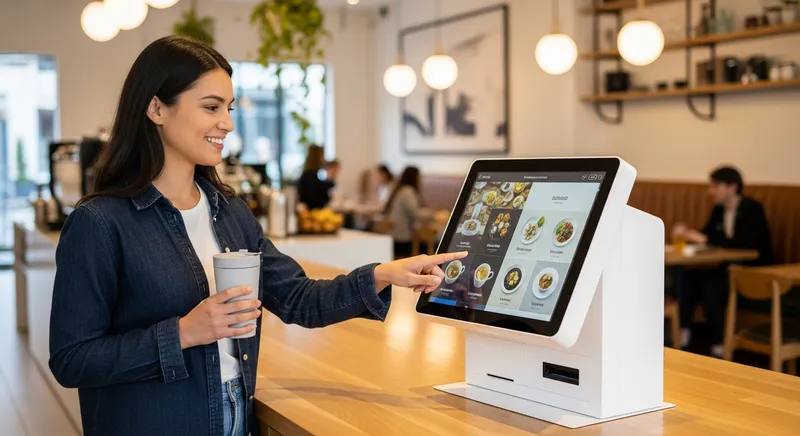
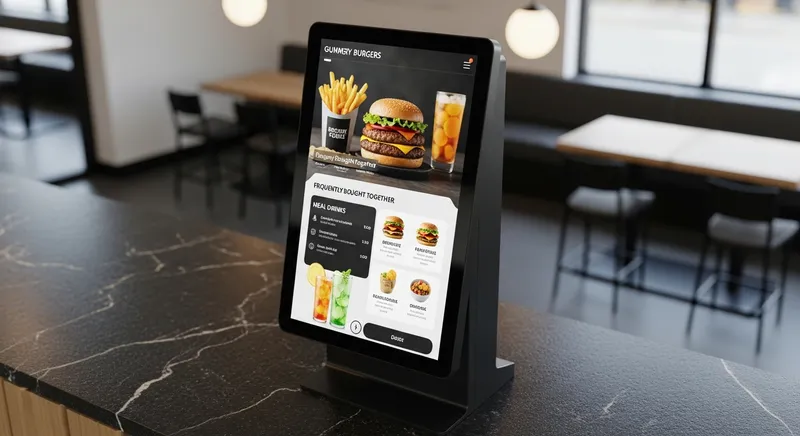
- ✅ QR Code & Kiosk Ordering: Does it offer the ability for customers to order and pay from their table using a QR code, or a self-service kiosk? This is a proven way to increase order size and improve efficiency. For more on this, see our NZ Cafe & QSR Guide (2026).
Business Management & Admin
- ✅ Real-time Reporting & Analytics: Can you access easy-to-understand reports on sales, top-selling products, and peak hours from any device?
- ✅ Deep Xero Integration: Does it have an official, two-way integration with Xero to automate your financial admin? This is a must-have for most NZ small businesses.
- ✅ Multi-location Management: If you plan to expand, can the system manage multiple sites, menus, and staff from a single dashboard?
- ✅ Staff Management: Can you set different permission levels for staff and managers, and track performance?
For a deeper dive into features specifically for cafes, check out our guide on the Best Cafe POS Systems NZ (2026): Your Guide to Speed, Loyalty & Modifiers.
Comparing the Top Cloud POS Systems in New Zealand
The POS market is crowded, but the options generally fall into three categories. Understanding the pros and cons of each type is key to making the right choice.
| Feature | International Giants (e.g., Lightspeed, Square) | Local Resellers (e.g., PosPro, ACR POS) | NZ-Focused Cloud POS (e.g., Lazygrid) |
|---|---|---|---|
| Pricing Model | Often in USD, complex tiers, hidden fees for NZ-specific features. | High upfront hardware/license costs, long-term contracts. | Transparent NZD pricing, often all-in-one with fewer add-on fees. |
| NZ Focus | Generic platform; NZ features like surcharges or EFTPOS can be workarounds. | Software is often older, less adaptable to modern NZ trends (QR codes, online ordering). | Built from the ground up for NZ EFTPOS, GST, surcharges, and workflows. |
| Support | Often based overseas (time zone issues), generic support agents. | Local support is a plus, but may be tied to business hours. | Local, NZ-based support team that understands the hospitality industry. |
| Technology | Modern cloud technology, but can be overly complex. | Often based on older, on-premise 'legacy' systems. | Modern, cloud-native technology (iPad/iPhone based), easy to use. |
Category 1: International Giants (Lightspeed, Square, Toast)
These are powerful, feature-rich platforms that are well-known globally.
- Pros: They offer robust functionality and have large development teams.
- Cons for NZ: Pricing is often in USD, making it hard to budget. More importantly, their systems are not always built with the specific needs of the NZ market in mind, leading to clunky workarounds for things like local EFTPOS integration and holiday surcharges. Customer support is also frequently based overseas, meaning you could be waiting for help during your busiest service hours.
Category 2: Local Resellers (PosPro, ACR POS)
These NZ-based companies offer the benefit of a local presence and support, often selling established systems like SwiftPOS.
- Pros: Having a local team for setup and support can be reassuring.
- Cons for NZ: The underlying software they provide can be based on older technology that is less flexible than a modern cloud-native platform. You may face higher upfront hardware costs and be locked into long-term contracts, with less agility to adapt to new trends like integrated online ordering or QR codes.
Category 3: The Modern NZ-Focused Solution (Lazygrid)
This new breed of provider aims to offer the best of both worlds: modern cloud technology built specifically for the local market.
- Pros: They combine an intuitive interface (like an iPad POS) with features tailored for New Zealand, including transparent NZD pricing, direct integration with NZ EFTPOS providers, built-in compliance for GST and surcharges, and a local support team. Because features like online ordering, bookings, and loyalty are built-in, you get a truly unified system. For a direct comparison, see our Lightspeed vs Square vs Lazygrid: The Best POS System for NZ Hospitality (2026 Review).
- Cons: As newer companies, they may not have the same brand recognition as the international giants, so it's important to check customer reviews and case studies.
Understanding POS System Cost in NZ: A Transparent Breakdown
Cost is one of the biggest concerns when choosing a POS. Research from New Zealand's Ministry of Business, Innovation & Employment (MBIE) shows that cost is a primary barrier preventing small businesses from adopting digital technology.
To make an informed decision, you must look beyond the monthly sticker price and consider the Total Cost of Ownership (TCO). Here's what to look for:
- Software Subscription Fees: The monthly or annual fee for using the software. Does it increase with more staff or more terminals?
- Hardware Costs: This includes iPads, printers, cash drawers, and EFTPOS terminals. Can you use your own hardware, or are you forced to buy proprietary equipment?
- Payment Processing Fees: The percentage or flat fee charged on every single card transaction. Ask for a clear breakdown of rates for EFTPOS, debit, and credit cards.
- Support & Setup Fees: Are you charged extra for initial setup, training, or ongoing customer support?
Lazygrid Pricing: No Surprises
In the spirit of transparency, here's how our pricing works. We offer clear, simple plans in NZD so you always know what you're paying:
- Lite ($24/month): Perfect for food trucks, market stalls, or solo operators who need a simple, mobile POS to take payments.
- Standard ($59/month): Ideal for most cafes and small restaurants. Includes table management, advanced modifiers, and staff accounts.
- Premium ($149/month): The complete all-in-one solution for full-service restaurants. Includes integrated online ordering, bookings, loyalty, and multi-location management.
This transparent approach helps you accurately forecast costs and manage your NZ Restaurant Profit Margins: The 2026 Guide to Boosting Your Profitability.
Conclusion: Your Best Investment for 2026
Choosing a point-of-sale system is one of the most important decisions you'll make. In 2026, a modern, cloud-based restaurant POS system designed specifically for the New Zealand market is no longer a luxury; it's an essential tool for efficiency, growth, and survival.
The right system moves beyond being a simple cash register and becomes the operational heart of your business. It saves you money by reducing errors and automating admin, it reduces your stress by providing reliability and control, and it gives you the data you need to make smarter decisions and thrive in a competitive market.
Don't let outdated technology hold your business back. The best investment you can make is in a solution that understands your challenges and gives you back your most valuable resource: time.
Ready to see the difference an NZ-focused POS can make? Contact our Wellington-based team today and we'll walk you through how it can work for your business.
Frequently Asked Questions
What is the best POS system for a small cafe in NZ?
The best system for a small cafe prioritises speed, ease of use, and strong loyalty features. An iPad-based POS is often ideal because of its small counter footprint and intuitive interface. Look for built-in digital loyalty cards to encourage repeat visits and the ability to handle complex coffee modifiers with a single tap.
How much does a POS system cost in NZ?
Costs vary widely. A basic software-only plan on your own iPad might start from $24-$80 per month. A complete hardware bundle could be $2,000+ upfront or leased. It is critical to evaluate the total cost, which includes the software subscription, hardware, and payment processing fees.
Can I use an iPad as a POS system?
Yes, absolutely. Modern cloud POS systems like Lazygrid are specifically designed to run on iPads and iPhones. This makes them a cost-effective, powerful, and user-friendly solution that your staff will find familiar.
What do I need for a food truck POS system?
For a food truck, the key priorities are mobility, reliability, and a compact setup. Your ideal system should run on a portable device like an iPhone or iPad and have a strong offline mode. This ensures you can keep making sales even with poor internet reception. Integrated mobile payment options are also essential.
Does my POS need to integrate with Xero?
While not mandatory, a direct Xero integration is highly recommended for any serious business in New Zealand. It automates the painful process of manual sales reconciliation, saving you or your bookkeeper countless hours and reducing human error for GST filing.
What's the difference between integrated EFTPOS and using a separate terminal?
An integrated EFTPOS terminal connects directly to your POS. The sale total is pushed automatically to the machine, eliminating keying errors (like typing $10.50 instead of $105.00) and speeding up every transaction. A separate terminal requires manual entry, which is slower, prone to costly mistakes, and a headache to reconcile.