
Best Multi-Location POS Systems NZ (2026): A Guide for Hospitality & Service Chains
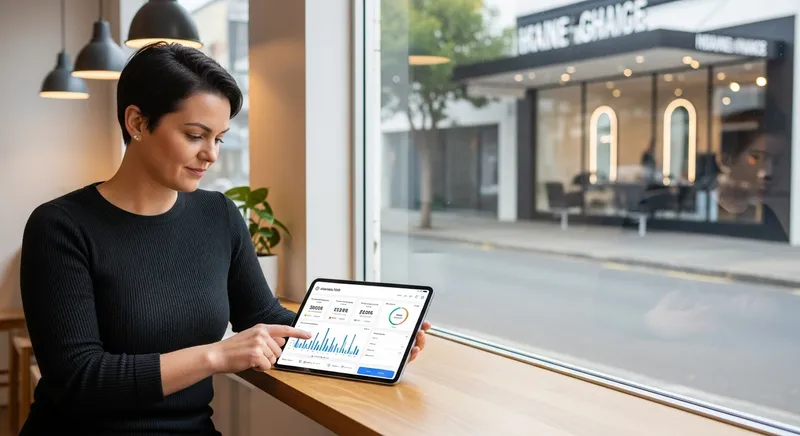
[Screenshot of the Lazygrid multi-location POS dashboard on an iPad, showing a unified sales report for a cafe in Auckland and a salon in Wellington.]
Introduction: The Growing Pains of a Successful NZ Chain
Are you spending your evenings juggling spreadsheets from your Auckland cafe and your Wellington salon just to get a clear picture of your total daily sales? First, congratulations. Expanding your business to multiple locations is a huge achievement and a testament to your hard work. With the New Zealand hospitality sector employing over 193,000 people, you're a vital part of a major industry, according to Hospitality New Zealand.
But this growth brings a new set of headaches. Business owners report saving up to 15 hours per week on administrative tasks after switching to a centralized system. The simple POS that worked for one site starts to break under the pressure of two, three, or more. Suddenly, you're drowning in data silos and operational inefficiencies. This guide provides a clear framework for choosing the right multi-location POS system in NZ, helping you unify your operations and fuel your next stage of growth.
Why Your Old POS Is Holding Your Multi-Site Business Back
If you feel like you're working harder just to keep things running, you're not alone. A standard, single-site POS actively holds back a growing chain by creating frustrating, costly problems:
- Data Fragmentation: You have no single source of truth. To see total sales, you must manually export reports from each location and combine them. You can't see your best-selling product across the entire group without hours of work.
- The Inventory Nightmare: You have no visibility of stock levels across different sites. You can't easily transfer surplus stock from one location to another, leading to waste in one and stockouts in the other. Central purchasing becomes a guessing game.
- Inconsistent Customer Experience: A customer buys a gift card at your Christchurch store but can't use it in Queenstown. Their loyalty points from your cafe don't apply at your salon. This fragmentation damages your brand and frustrates your best customers.
- The Administrative Burden: Your bookkeeper spends hours manually entering sales data from each location into your accounting software. This manual reconciliation is not only time-consuming but also a major source of errors, impacting your ability to calculate costs and maintain healthy profit margins. If this sounds familiar, it's time to review how you're tracking your business's financial health in our NZ Cafe Profit Margins 2026 guide.
Quick Check: Do You Need a Multi-Location POS? It's time to upgrade if you answer 'yes' to any of these:
- Do you manage two or more locations?
- Do you spend more than 5 hours a week manually consolidating reports?
- Can you not see or transfer inventory between your sites?
- Are your customer loyalty programs separate for each location?
- Are you planning to open a new location or franchise your business?
5 Must-Have Features for NZ Multi-Location & Franchise POS Systems
To break free from operational chaos, you need a system built for scale. When evaluating multi-location POS systems, look for these five core pillars. They are the foundation for efficient management and sustainable growth.
1. Centralized Real-Time Reporting & Analytics
Centralized reporting means having a single, powerful dashboard that gives you a bird's-eye view of your entire operation in real-time. You can see total group revenue, and with a single click, drill down into the performance of an individual location, a specific staff member, or a single product.
As experts at Xero point out, having a single source of truth for your data is critical for making smart decisions. With real-time data from a system like Lazygrid, you can instantly see that your Auckland branch is having a record lunch rush and adjust staffing for the next day, or notice a new menu item is selling poorly in Wellington and plan a promotion.
Actionable Tip: During a software demo, ask the provider to show you exactly how you can compare location performance side-by-side for the same time period. You should be able to easily view metrics like revenue, average transaction value, and customer traffic for each site on one screen.
2. Multi-Site Inventory & Menu Management
A true multi-location system lets you manage stock as a single, cohesive pool. This includes central purchasing from suppliers, easy stock transfers between sites, and chain-wide low-stock alerts.
Even more powerfully, it offers central menu management. Imagine launching a new flat white price and pushing that update to all your cafes with a single click. This ensures consistency and saves countless hours. This is especially crucial for tackling food waste, which research from AUT's School of Hospitality and Tourism identifies as a major challenge stemming from poor forecasting-a problem advanced inventory systems help solve.
Actionable Tip: Ask potential providers how their system handles ingredient-level tracking for recipes. For a cafe chain, this is essential for accurately calculating food costs and identifying waste across multiple kitchens. It's a key part of an efficient kitchen, just like having the right kitchen and docket printers.
3. Unified Customer Loyalty & Marketing
In a multi-site business, your brand is the unifying experience. A unified loyalty program allows a customer to earn points for a coffee in Christchurch and redeem them for a massage in Tauranga. This is powered by a centralized customer database, like the one in Lazygrid, which builds a single, powerful list of all your customers across the entire group.
As research in the International Journal of Hospitality Management shows, effective loyalty programs increase repurchase behavior, making this a critical tool for growth.
Actionable Tip: Check if you can create both chain-wide promotions (e.g., '10% off for all loyalty members in May') and location-specific offers. This allows you to maintain brand consistency while empowering local managers to run campaigns that suit their market, whether for a haircut or a dinner reservation from a platform like our Seamless Bookings NZ guide.
4. Robust Franchise Management Tools
Managing a franchise network requires specific tools that respect the independent ownership of your franchisees. As the Franchise Association of New Zealand (FANZ) emphasizes, proven systems and support are essential. Key tools include:
- Automated royalty fee calculations based on sales data.
- Segregated data visibility: The franchisor can see top-line sales for reporting, but the franchisee's detailed business data remains private to them.
- Brand consistency tools: The ability to push mandatory menu items while allowing franchisees to add local specials.
Actionable Tip: Ask the POS provider to demo both the 'franchisor dashboard' and the 'franchisee dashboard'. This will instantly reveal how data is managed. A system like Lazygrid provides this segregated visibility to protect franchisee privacy while ensuring franchisor oversight.
5. Seamless NZ-Specific Integrations (EFTPOS & Xero)
For a New Zealand business, this is non-negotiable. Your POS must have deep, certified integration with local systems.
- EFTPOS NZ: Direct integration with a certified EFTPOS NZ terminal means faster transactions, fewer errors, and simplified reconciliation. 'Certified' means the POS provider has worked directly with the payment company to ensure flawless communication, unlike generic systems that may use less reliable methods.
- Xero: Automatic, nightly syncing of your sales totals, payment types, and other financial data saves hours of manual work and ensures your books are always accurate.
Actionable Tip: When discussing payment integration, ask for their list of certified NZ EFTPOS partners. A generic claim of 'payment integration' is not enough. You need to know they work directly with the providers you use, a key factor when comparing the real cost of systems like we do in our Lightspeed vs Lazygrid analysis.
Hospitality vs. Service Chains: Tailoring Your POS Choice
While the five pillars are universal, the best POS will also have features tailored to your industry. Here's a quick comparison of what to look for.
| Feature Focus | For Restaurant & Cafe Chains | For Salon & Service Chains |
|---|---|---|
| Core Operation | Order & Kitchen Flow | Appointment & Client Management |
| Key Features | • Centralized Online Ordering Menu • Kitchen Display Systems (KDS) • Table Layout Management • Complex Order Modifiers |
• Unified Appointment Book • Shared Client History & Notes • Staff Commission Tracking • Resource & Room Booking |
| Actionable Tip | Ensure the KDS can intelligently route items to different prep stations (e.g., drinks to bar, mains to grill). | Verify the system can handle complex commission rates that vary by staff, service, or location. |
| Recommended Reading | KDS for Small NZ Restaurants | All-in-One Salon Software NZ |
How Lazygrid Specifically Supports NZ Chains
Beyond the generic features, a true multi-location partner offers a solution built for the New Zealand environment. Here's how Lazygrid is designed for scale:
- Flexible Sub-Accounts: Depending on your plan, you can manage 2, 3, or more locations from a single master account, each with its own settings but feeding data into a central report.
- Lightweight Hardware: No expensive, on-site servers are required. Each location runs efficiently on an iPad (5th gen or newer), keeping startup costs low for new sites.
- Dedicated NZ Support: When an issue affects multiple stores, you need immediate help from a team that understands your time zone and the local EFTPOS and accounting landscape.
- All-in-One Platform: Lazygrid combines POS, bookings, staff management, and marketing into one system, eliminating the need to patch together multiple software subscriptions.
Conclusion: Your Foundation for Scalable Growth
Choosing the right technology is one of the most important decisions you'll make as you scale. A true multi-location POS system does more than just process sales; it unifies your data, standardizes your operations, and helps you deliver a consistent brand experience across every site.
For the nearly 31,000 hospitality businesses in New Zealand noted by MBIE, moving from disjointed tools to an integrated platform is the key to unlocking scalable growth. It frees you from daily chaos and empowers you to focus on the big picture.
Your Next Steps:
- Audit Your Pains: Use the 'Quick Check' list above to identify your biggest operational bottlenecks.
- Prioritize Features: Based on your industry (Hospitality vs. Service), list your top three 'must-have' features from our guide.
- Schedule Demos: Ask providers to demonstrate exactly how their system solves your specific problems, from multi-site reporting to franchise management.
Ready to unify your operations and build a scalable foundation for your NZ business? Book a free, no-obligation demo to see how Lazygrid's multi-location dashboard can transform your chain.
Frequently Asked Questions
What is the best POS system for a franchise in New Zealand?
The best system is one specifically designed for franchising. This goes beyond standard multi-location features. Look for automated royalty calculations, strictly segregated data access to ensure franchisee privacy while giving the franchisor oversight, and tools for enforcing brand consistency, like pushing mandatory menu items. The system must support the unique business relationship between franchisor and franchisee.
How much do multi-location POS systems cost in NZ?
They are typically priced on a per-location, per-month subscription. Costs vary based on the number of terminals (iPads) per site, the feature tier you select (e.g., advanced loyalty or reporting), and initial hardware. While it's a larger investment than a single-site system, the efficiency gains from unified management and reduced admin time provide a strong return.
Can I use the same POS system for my cafe and my retail shop?
Yes, but you must choose a 'hybrid' POS designed for both. It needs retail functions like SKUs and barcode scanning alongside hospitality features like table layouts and kitchen printing. Crucially, the software must segment your reporting so you can analyze the performance of your cafe and retail shop as separate business units.
Do cloud-based POS systems work if the internet goes down?
Yes, a well-designed cloud-based POS will feature a robust 'Offline Mode'. If a location loses its internet connection, the POS will continue to take orders and process secure card payments. All data is stored safely on the device and automatically syncs back to the central cloud server once the connection is restored, ensuring no sales data is lost.
How important is local NZ support for a multi-location POS?
It is critical. When an issue could be affecting sales across your entire chain, you cannot wait for a support team in a different time zone. A local support team understands the nuances of the NZ market, such as EFTPOS NZ terminals, GST requirements, and local business hours. This means faster, more relevant problem-solving.