
Best POS System for NZ Cafes: 7 Non-Negotiable Features
Best POS System for NZ Cafes: 7 Non-Negotiable Features
Introduction: Why Your Basic Cash Register is Costing You Money
If you own a hospitality business in New Zealand, you already know the exhaustion that comes from hidden operational bottlenecks. You are likely familiar with the frustration of manual EFTPOS errors holding up the line during a busy lunch rush, the panic of your internet dropping out right when dinner service peaks, and the sting of crippling third-party delivery commissions eating away at your hard-earned profit margins.
These are expensive, time-consuming problems that drain your energy and your bank account. The New Zealand hospitality sector is growing rapidly. In fact, Ministry of Business, Innovation and Employment (MBIE) data shows that the hospitality industry saw annual sales hit $15.7 billion for the year ending March 2024. With that level of demand, relying on an outdated cash register is no longer an option if you want to stay competitive.
Finding the best POS system for NZ cafes and restaurants requires looking beyond basic transaction processing. You need a comprehensive program designed to automate your workflow and protect your bottom line. In this guide, we provide a practical buyer's checklist of seven non-negotiable features you need when upgrading your software, showing you exactly how these tools solve your most painful daily challenges.
1. Seamless EFTPOS Integration to Kill the Queue
The hidden cost of manual EFTPOS entry is staggering. When your staff has to manually type the order total from the point of sale into the payment terminal, three things go wrong. First, it slows down service by adding precious seconds to every single transaction. Second, it opens the door to human error (charging $4.50 instead of $45.00). Third, it creates a highly stressful end-of-day reconciliation process where your till does not match your EFTPOS receipts.
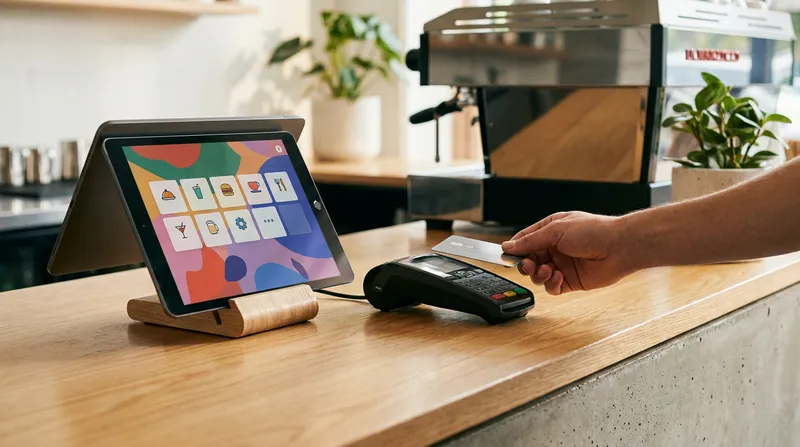
When evaluating EFTPOS integrated POS systems in NZ, you are looking for software that pushes the exact transaction amount directly to the terminal instantly. The customer taps their card, the payment is approved, and the receipt prints automatically. This seamless communication eliminates double-entry entirely.
For high-volume businesses like cafes and quick-service restaurants, shaving just 15 seconds off each transaction can clear a queue significantly faster, allowing you to serve more customers during your peak 60-minute rush.
Actionable Tip: Calculate the true cost of your current setup. Track how many manual entry errors occur in your business over a week, and multiply that by 52 weeks. Add the time you spend trying to find discrepancies during end-of-day cash up. The total dollar amount you lose to these errors will often justify the monthly cost of an integrated POS system immediately.
2. Commission-Free Online Ordering to Protect Margins
One of the most painful realities for modern food businesses is losing up to 30 percent of revenue to third-party delivery apps like UberEats or DoorDash. While these platforms offer visibility, their high commission fees make it incredibly difficult to turn a meaningful profit on takeaway orders.
The solution is finding a commission-free online ordering POS system. A modern cloud POS for NZ restaurants should include a built-in online ordering platform that links directly to your website and social media. With Lazygrid's Standard Plan, for example, you get fully integrated online ordering to help you keep 100 percent of your profits. When customers place an order through your direct link, the order pops up instantly on your kitchen display system exactly like a dine-in order.
Owning your online ordering system also means you own your customer data. You can capture email addresses and phone numbers to send targeted promotions, encouraging repeat business without paying an aggregator for the privilege of reaching your own regular customers.
Actionable Tip: To transition your customers away from third-party apps, start placing printed flyers or QR codes in every takeaway bag. Offer a 10 percent discount on their next order if they use your direct online ordering link. The discount costs you far less than a 30 percent platform commission, and it trains your loyal customers to buy directly from you.
3. Bulletproof Offline Mode for Unreliable Internet
Picture this scenario: It is 12:30 PM on a Friday. Your cafe is packed, the line is out the door, and suddenly, your internet provider experiences an outage. If you are using a purely web-based system that requires constant connectivity, your POS crashes. You cannot take orders, you cannot print dockets, and you are forced to turn customers away or write orders on scrap paper. Industry reports suggest that a single hour of POS downtime during peak service can cost a busy cafe hundreds of dollars in lost revenue.
This is why an offline mode is absolutely critical, especially if you operate a food truck POS system in NZ or run a rural cafe where connectivity is notoriously unreliable.
Modern mobile POS systems in NZ handle this by caching data locally on the device (like an iPad). When the internet drops, the system seamlessly switches to offline mode. You can continue to take orders, print kitchen tickets, and process cash payments without missing a beat. Once your internet connection is restored, the POS automatically syncs all your offline sales data back to the cloud.
Actionable Tip: Before signing a contract for new software, explicitly ask the provider how their offline mode functions. Check out our iPad POS Setup Guide for NZ Businesses (2026) to learn how to configure your local network so your kitchen printers keep working even when the external internet connection fails.
4. Deep Xero Integration for Painless Accounting
After a long, exhausting shift, the last thing any business owner wants to do is sit in the back office manually typing daily sales figures, tax breakdowns, and payment types into their accounting software. Manual data entry is not only tedious, but it is also highly prone to errors that can cause massive headaches during tax season.
According to Xero Small Business Insights, small business owners lose hours every month to manual administrative tasks and data entry. You need automated, real-time data to make smart financial decisions without the busywork.
When you use a POS system with Xero integration in NZ, your daily sales data syncs automatically. At the close of the register, the system pushes a neat, categorized invoice directly into Xero. It separates your cash sales, EFTPOS sales, gift card redemptions, and GST automatically. This deep integration means your accountant gets perfectly clean data, and you get hours of your life back every week.
Actionable Tip: Work with your accountant to map your POS sales categories directly to your Xero chart of accounts. Set up the integration so that food sales, beverage sales, and retail items are tracked separately. This gives you instant visibility into which parts of your business are actually driving revenue.
5. Ingredient-Level Inventory Management
Hospitality businesses are facing unprecedented economic pressures. Recent data from Hospitality Business Magazine NZ reveals that 67 percent of surveyed operators report reduced customer numbers, and 62 percent are dealing with increased fuel and delivery costs. In this environment, you cannot afford to waste a single dollar on spoiled food or untracked stock.
Basic inventory systems just count whole items (like a bottle of wine or a pre-packaged sandwich). The best point of sale software for NZ restaurants goes much deeper by offering ingredient-level tracking.
With restaurant inventory management software, you can attach specific ingredients to menu items. For example, when you sell a Flat White, the system automatically deducts one shot of espresso and 200ml of milk from your master inventory. This allows you to track your true Cost of Goods Sold (COGS) in real-time. You will receive automated alerts when your milk or coffee beans are running low, preventing you from running out of crucial items mid-service.
Actionable Tip: Run a product performance report at the end of every month. Identify your top three high-margin items and your bottom three low-margin items. Use this data to adjust your menu pricing or run promotions that push the highly profitable dishes to your customers.
6. Multi-Industry Flexibility for Cafes, Salons, and Beyond
Modern business models are evolving. Today, it is incredibly common to see businesses blending services to maximize their floor space and revenue. You might run a cafe that also sells retail merchandise, a beauty shop with a coffee counter, or a massage clinic that sells wellness products.
If you buy a system built solely for one specific niche, you will hit a wall as soon as you try to expand your offerings. You need an iPad POS system in New Zealand that is versatile enough to handle diverse revenue streams simultaneously.
The right system should allow you to manage table service for your diners, process retail barcode scans for your merchandise, and even handle appointment bookings for your service-based offerings all from the same iPad interface.
Actionable Tip: Even if you only sell coffee right now, map out your 3-year business plan. If you plan to add branded merchandise, host ticketed events, or offer catering services, make sure the POS you choose today has the features to support those future growth plans. Read our guide on Cloud POS ROI for NZ Cafes, Salons & Restaurants to see how versatile systems generate a faster return on investment.
7. Local New Zealand Support When Things Go Wrong
Technology is wonderful until it stops working. When your receipt printer jams on a busy Saturday morning or your payment terminal loses connection during Friday night dinner service, you do not have time to submit an email ticket and wait 48 hours for a reply.
You also do not want to call an overseas support center where the representative is in a completely different time zone and does not understand the local New Zealand payment infrastructure.
When evaluating restaurant POS software in New Zealand, local support is a non-negotiable feature. You need a team that operates in your time zone, understands the specific requirements of EFTPOS NZ, and can provide immediate troubleshooting when you are in the weeds. Local providers have a vested interest in your success and can often provide tailored advice based on the local market.
Actionable Tip: Before you commit to a new POS provider, test their support channels. Call their support line during your typical busy hours (like Saturday morning or Friday evening) and see how long it takes to reach a human being. Ask them a technical question about EFTPOS integration and gauge the quality of their response.
Conclusion: Upgrade to a True Restaurant POS Program
Upgrading your point of sale is not just about buying a new digital cash register. It is about investing in a comprehensive business management tool designed to solve your most painful operational bottlenecks.
Here is a quick summary of how the right features solve your daily challenges:
| Feature | The Problem it Solves |
|---|---|
| EFTPOS Integration | Eliminates manual entry errors and speeds up the checkout queue. |
| Commission-Free Ordering | Protects your margins from expensive 30% third-party delivery fees. |
| Offline Mode | Keeps your business running and taking payments during internet outages. |
| Xero Integration | Automates end-of-day reconciliation and saves hours of manual data entry. |
| Ingredient-Level Inventory | Tracks exact COGS and prevents you from running out of crucial stock. |
| Multi-Industry Flexibility | Allows you to sell retail, food, and services from one single platform. |
| Local NZ Support | Provides immediate, time-zone-friendly help when hardware issues arise. |
Stop letting outdated technology hold your business back. Plans start from just $24/month, which is often less than the cost of a single delivery commission. If you are ready to explore a platform that is built to handle the unique demands of New Zealand hospitality and service businesses, it is time to make the switch.
See How Lazygrid Works for Your Cafe
Frequently Asked Questions
What is the best POS system for a small cafe in NZ?
The best system for a small cafe is cloud-based, runs on an iPad for flexibility, includes seamless EFTPOS integration, and offers local New Zealand support. Solutions like Lazygrid are tailored specifically for these fast-paced environments, ensuring you can clear queues quickly without expensive upfront hardware costs.
Do I really need Xero integration for my food truck?
Yes. Xero integration eliminates manual data entry at the end of a long shift. It ensures your tax obligations are accurate, separates your GST automatically, and gives you a clear, real-time picture of your cash flow so you can make informed purchasing decisions on the go.
How does offline mode work if the internet drops out?
A robust POS will cache your data locally on the device itself. You can continue taking orders, printing dockets to the kitchen, and processing cash payments. The system safely stores this information and automatically syncs the sales data to the cloud the moment your internet connection is restored.
Can a restaurant POS handle bookings and reservations?
Advanced POS systems offer built-in table management and booking features, keeping all your operations in one place. If you are currently evaluating different reservation platforms to integrate with your workflow, check out our comparison guide: Eveve vs ResDiary: Best NZ Booking System 2026
Is it hard to switch from an old cash register to a cloud POS?
Not at all. Modern iPad POS systems are designed to be highly intuitive, mimicking the apps you already use on your smartphone. With proper onboarding and local support, most hospitality staff can learn the new system in under an hour.