
NZ Cafe & QSR Guide (2026): Boost Sales & Cut Queues with Self-Service Kiosks
The Challenge: Are Rising Costs and Staff Shortages Squeezing Your NZ Business?
If you're running a cafe, restaurant, or food truck in New Zealand, you're likely facing a tough reality. Labour costs are rising, and finding and retaining good staff feels like a constant battle. The Ministry of Business, Innovation & Employment (MBIE) highlights significant workforce challenges in the hospitality sector, a sentiment echoed by Hospitality New Zealand who point to a global battle for talent.
This pressure-cooker environment means long queues, overworked staff, and potentially lost sales during your busiest periods. You need a solution that helps you serve more customers more efficiently without simply throwing more wages at the problem. You need a tool that not only eases the pressure on your team but also actively grows your revenue.
This is where self-service ordering kiosks come in. This comprehensive guide is designed specifically for NZ business owners. We'll cut through the generic sales pitches and give you a transparent look at the real costs, benefits, and return on investment of using kiosk technology to boost sales and cut queues.
What Exactly is a Self-Service Kiosk?
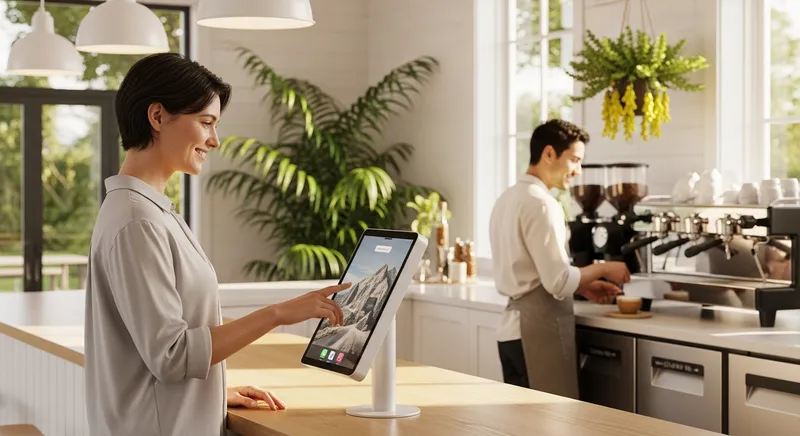
A self-service kiosk is an interactive, touchscreen terminal that allows customers to browse your menu, place their order, customize it, and pay—all without needing to speak to a cashier. Think of it as a dedicated, digital salesperson that never gets tired and never makes a mistake.
Modern systems, like Lazygrid's Self-Service Kiosk, run on familiar hardware like an iPad, making them more accessible and affordable than ever. The process is simple:
- Browse: The customer uses the intuitive touchscreen to look through your full menu, complete with enticing photos.
- Order & Customize: They select their items and add modifiers or extras with a few taps.
- Pay: They complete the transaction securely using EFTPOS, credit card, or digital wallets like Apple Pay and Google Pay.
- Collect: The order is sent directly to your kitchen printer or Kitchen Display System (KDS), and the customer gets a number to wait for their food.
The "Why": Core Benefits for Your NZ Business
Implementing a kiosk isn't just about new technology; it's a strategic move to solve your biggest challenges and directly improve your bottom line.
Boost Average Order Value by 20-30%
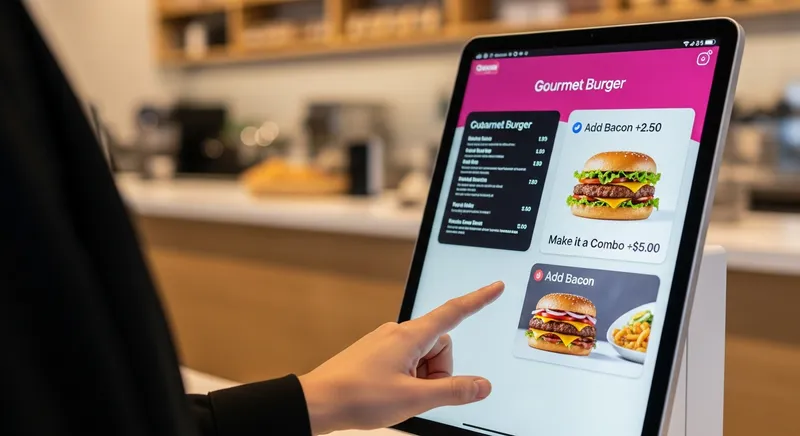
When customers order from a person, they can feel rushed or judged. A kiosk removes this social pressure. Recent research from Universität Hamburg found that customers spend significantly more at kiosks, partly because they feel less social pressure when ordering extra items or high-calorie options. Furthermore, kiosks are programmed to upsell on every single order. A prompt like "Add a hash brown for $2?" or "Make it a large coffee for 50c?" is far more consistent than even your best staff member during a chaotic lunch rush.
Pro-Tip: Use a 'Smart Upsell' feature to suggest specific items at certain times. For example, automatically prompt customers to add oat milk or an extra shot to their coffee orders between 7am and 9am to maximize morning-rush revenue.
- Actionable Tip: Design your kiosk menu to feature high-margin add-ons prominently. Use high-quality photos for your most profitable combos to draw the customer's eye.
Cut Customer Wait Times & Reduce Queues
Long queues are a profit killer. A kiosk acts as an additional cashier, instantly doubling (or tripling) your ordering capacity. Instead of one staff member taking one order at a time, you can have multiple customers ordering simultaneously. This drastically reduces the bottleneck at the counter, leading to faster service, happier customers, and most importantly, more transactions completed during your peak hours.
- Actionable Tip: Place your kiosk near the entrance but away from the main counter. This allows regulars who know what they want to order immediately, while new customers can still approach the counter if they have questions, splitting the queue naturally.
Tackle Labour Shortages & Rising Costs
With the NZ hospitality industry facing record job numbers according to Stats NZ but struggling to fill them, efficiency is paramount. A self-service kiosk isn't about replacing your valuable staff; it's about empowering them. By automating the repetitive task of order-taking and payment processing, you free up your team to focus on what truly matters: creating amazing food, providing excellent customer service, and managing the floor.
This is not just about reallocating tasks; it's about improving the work environment. Your team feels less stressed during rushes and can focus on the more rewarding aspects of hospitality, which boosts morale and staff retention.
- Actionable Tip: Reallocate staff tasks. The team member who was once stuck at the till can now become a host, an expeditor ensuring order accuracy, or a barista focused solely on drink quality. Use your POS system's staff management features to track performance in these new roles.
The Kiwi Cafe Turnaround: A Realistic Cost-Benefit Analysis
Let's move from theory to practice. Meet "Chloe," the fictional owner of a bustling Wellington cafe. She was feeling the pressure, constantly struggling with queues from 8-10 am, rising wage costs, and had to reduce operating hours due to staff shortages.
The Investment: What Does a Kiosk Really Cost in NZ?
This is the question competitors avoid. For a setup like Chloe's, the cost is surprisingly manageable. Unlike traditional systems that require thousands in proprietary hardware, a modern solution uses an iPad.
- Hardware: An iPad (works with 5th gen or newer) and a secure stand. If you already have one, your cost is minimal.
- Software: An affordable, all-in-one subscription like Lazygrid, with plans starting from just $24/month. This includes the POS, kiosk functionality, and online ordering.
- Payment Processing: Standard transaction fees from your provider. It's crucial to understand the difference between EFTPOS vs. Stripe Fees in NZ to manage costs effectively.
A complete setup can be leased or purchased outright, making the entry point accessible even for small businesses.
The Return: Calculating the ROI
Within three months, Chloe's investment pays for itself. Using her POS system's reporting and analytics, she tracks her success:
- Increased Average Order Value (AOV): Her AOV goes from $9.50 to $11.90 (a 25% increase) thanks to automated upselling of syrups, alternative milks, and pastries.
- Increased Throughput: During her 2-hour morning rush, she now processes 100 transactions instead of 70, because the queue moves faster.
- Revenue Boost:
- Before: 70 orders x $9.50 = $665
- After: 100 orders x $11.90 = $1,190
- That's an extra $525 in just one morning rush.
- Improved Profitability: By increasing sales without increasing her wage bill, Chloe has drastically improved her cafe's NZ restaurant profit margins.
Is a Kiosk Right for Your Business Type?
Kiosk technology is flexible and benefits more than just quick-service restaurants.
For the Busy Cafe: A kiosk is the ultimate solution for managing the morning coffee rush. It allows your regulars to quickly order their usual flat white while your barista focuses on drink quality. It's a key component of the best cafe POS systems in NZ.
Food Truck Freedom: For a food truck, space and speed are everything. An iPad-based kiosk mounted on the exterior of your truck creates a second ordering point without taking up precious counter space. It's weatherproof and perfect for festival settings where long lines can deter customers. It's the perfect addition to the best food truck POS setup.
Beauty & Wellness Shops: Salons and spas can use kiosks for client check-in. Clients can confirm their appointment, select service add-ons, and pre-pay for a seamless experience. Premium plans can even integrate with Reserve with Google, allowing clients to book online and check in effortlessly.
Frequently Asked Questions (FAQ)
How much does a self-service kiosk cost in NZ? The cost has dropped significantly. With an iPad-based system like Lazygrid, you avoid huge hardware costs. The main costs are the iPad itself (if you don't have one), a secure stand, and an affordable monthly POS software subscription.
Do customers in NZ actually prefer using them? Yes, especially younger demographics. Research shows a growing demand for technology in hospitality. Kiosks give customers control, time to browse without pressure, and often a faster experience—a combination many now prefer.
What payment options can a kiosk accept in New Zealand? Fully integrated systems accept all major payment methods your customers use, including EFTPOS, Visa, Mastercard, and digital wallets. With digital wallet use on the rise—now preferred by 15% of Kiwis according to 2024 research from Payments NZ—this capability is essential.
Can I really just use an iPad? Absolutely. This is one of the biggest advantages of modern systems. Using an iPad (5th generation or newer) makes the technology affordable, familiar, and easy to set up. It's a core benefit of an iPad POS system.
Will my staff feel like they're being replaced? This is a common concern, but the reality is often the opposite. Kiosks handle the most repetitive parts of the job, freeing up staff to engage in more valuable work like customer service and quality control. It's a tool that helps your team, reduces stress, and allows them to excel at hospitality.
How hard is it to set up the kiosk menu? With a modern, integrated POS system, it's surprisingly easy. The kiosk menu is managed from the same central dashboard where you manage everything else. You can add items, upload photos, and create upselling prompts with a user-friendly interface, no technical skills required.
Your 3-Step Action Plan to Get Started
Feeling ready to explore this for your business? Here's a simple plan.
Analyse Your Bottlenecks. For one week, track your busiest hours. Where do queues form? How many customers do you think you lose because of wait times? This data will build your business case.
Evaluate the Right Setup. Consider your space and needs. Is a single iPad on the counter enough, or would a freestanding kiosk be better? Explore how an All-in-One POS vs. App Integrations can simplify your operations.
Plan Your Kiosk Menu. This is your chance to engineer for profitability. Map out your menu flow, decide which upsells to automate, and take high-quality photos of your key items. A well-designed menu is critical for maximizing your return.
Ready to see it in action? Contact us today.
The Future is Self-Service
In the face of New Zealand's persistent labour challenges and rising operational costs, self-service kiosks are no longer a novelty—they are a strategic necessity. They offer a powerful, practical, and profitable way to enhance efficiency, empower your staff, and significantly boost your average order value.
By embracing accessible technology like an iPad-based kiosk, you can take control of your business, reduce queues, and deliver a modern, seamless experience that will keep your customers coming back. It's the smart investment to not only survive the current climate but to thrive in it.