Control
Approve the account
Authorised team members can activate or suspend a Customer Account and set the customer’s credit limit.


Hospitality POS system NZ
Give your bar or pub a connected setup for order entry, EFTPOS, production printing and sales reporting—without pretending every venue works the same way.
From NZ$24/month
iPad · iPhone · iMac
Supported NZ EFTPOS
Wellington-based support
A practical POS system for bars
Lazygrid brings proven POS, payment, printing and reporting capabilities into one venue setup. For teams comparing a pub POS system, the exact service workflow is mapped during onboarding rather than assumed by a generic feature list.
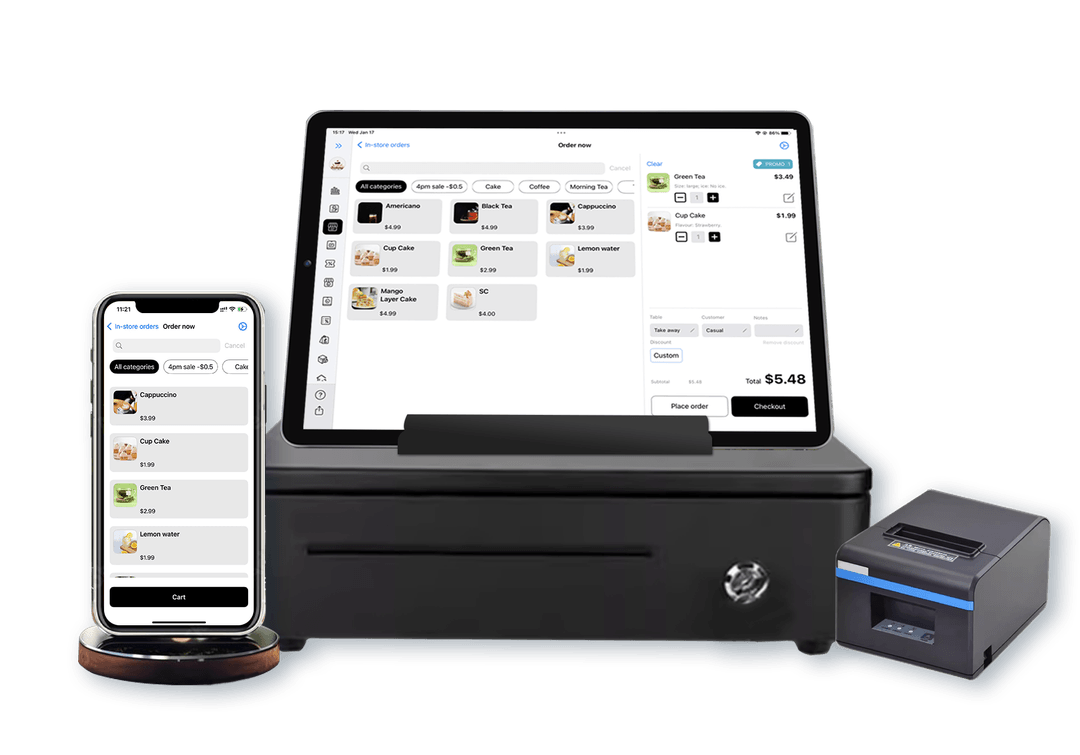
Run the bar point of sale system on iPad or iPhone, organise products into clear categories, and add the modifiers your team actually uses.
Send the exact order total to a supported integrated EFTPOS terminal so staff do not have to key the amount twice.
Use category-group printer routing so drink dockets can reach the bar while food goes to the kitchen.
Review sales and popular items in the same reporting system, with supported online orders feeding the wider operation.
Customer Accounts
For approved regulars, local clubs and business customers, Lazygrid Customer Accounts add a controlled house-account workflow to the POS. It is separate from an open bar tab or card pre-authorisation.
Discuss Customer AccountsControl
Authorised team members can activate or suspend a Customer Account and set the customer’s credit limit.
Checkout
Eligible staff can place a completed order on the active account, with available credit checked before the charge is confirmed.
Balance
See outstanding and available credit, record repayments, and reverse an original Customer Account charge when a refund is needed.
Hardware & EFTPOS
Use compatible Apple devices at the counter or around the venue, then connect the payment and printing equipment your service needs.
Onboarding, training & support
Remote setup assistance is included with every plan. We help turn the venue plan into a tested setup, while your team keeps control of how service should run.
01
Confirm counter locations, Apple devices, receipt and production printers, network coverage and EFTPOS provider.
02
Set up products, prices, categories and modifiers, then map category groups to the required printer destinations.
03
Check ordering, printing, payment and reporting with your team. Remote setup assistance is included with every plan.
Video tutorials and remote setup assistance are available. Tell our Wellington team about shift patterns, devices and staff needs so any additional rollout support can be agreed before launch.
Reporting
Lazygrid keeps sales and popular-item reporting connected to the POS. Supported counter and online ordering workflows can feed the same reporting view.
Explore online orderingSales
Keep completed sales in a consistent reporting workflow for the venue.
Products
Use product-level sales information to understand what guests are buying.
Channels
Counter and connected online orders can share the wider reporting flow.
Scope
Bring your must-have report list to the demo and we will confirm it against the product.
Bar POS system cost
Plans are priced in NZD. Hardware, EFTPOS equipment and payment processing are separate where applicable, so ask for a venue-specific setup estimate before buying devices.
Everything in Lite, plus:
Everything in Standard, plus:
Every plan includes online ordering and printer support. Lite supports 1 compatible printer at a time. Standard adds multiple-printer support, category-based bar and kitchen print routing, staff accounts, reservations, loyalty and gift vouchers; Premium adds unlimited staff accounts, highest-priority support and the custom branded website Lazygrid maintains. Compare bar and pub plans in detail.
Questions from NZ venues
Yes. Staff can hold an open order, add drinks or food as service continues, and take payment when the guest is ready. This is an order workflow; it does not rely on card pre-authorisation.
Yes. Lazygrid supports partial and split-payment workflows so a group can settle one order across more than one payment.
Yes. Customer Account can be enabled for the store. An authorised team member activates the customer account and sets a credit limit; checkout can then charge an order against the available credit, with the outstanding balance repaid later. This is controlled house credit, not a card-preauthorised bar tab.
Lazygrid software plans are NZ$24 per month for Lite, NZ$59 per month for Standard and NZ$149 per month for Premium. Your total setup cost also depends on the Apple devices, printers and EFTPOS equipment you need. Payment-provider processing fees and any separately quoted hardware are additional.
Lazygrid runs on a compatible iPad or iPhone, and on an Apple silicon iMac. For printing, it supports LAN-connected receipt printers that use ESC/POS. You can bring compatible equipment or ask us to plan a complete hardware package for your venue.
Lazygrid supports integrated counter-payment setups with Windcave, EFTPOS NZ using compatible Verifone terminals, and Shift4. A Stripe WisePad 3 is also available as a separate portable-reader option for compatible iPad and iPhone setups. We confirm the exact provider, terminal and connection before installation.
Remote setup assistance is included with every plan, alongside video tutorials. We can help check devices, structure the menu, confirm printer routing and test the payment workflow. Tell us your staff-training needs when you enquire so the rollout can be scoped for your venue.
Support is included with every plan from a Wellington-based team. Urgent operational issues are prioritised, including weekends and public holidays, and non-urgent enquiries receive an initial response within 1 business day. Premium requests are handled at the highest priority. These are initial response times, not guaranteed resolution times. Use the contact page for sales, setup and technical-support questions.
Lazygrid keeps sales and popular-item reporting in the same system, and counter and supported online orders can feed the same reporting view. Bring your must-have report list to the demo so the team can confirm the exact fit.
Plan for a stable internet connection. Cloud sync and online ordering need connectivity, and EFTPOS behaviour depends on the selected provider and terminal configuration. We do not describe Lazygrid as an offline-payment system; confirm your connectivity and fallback requirements with us before choosing hardware.
Tell us about your counters, devices, printers, EFTPOS provider and reporting needs. We will confirm the right Lazygrid setup before you commit to hardware.