
KDS for Small NZ Restaurants: The 2026 Guide to Cost, ROI & Curing Kitchen Stress
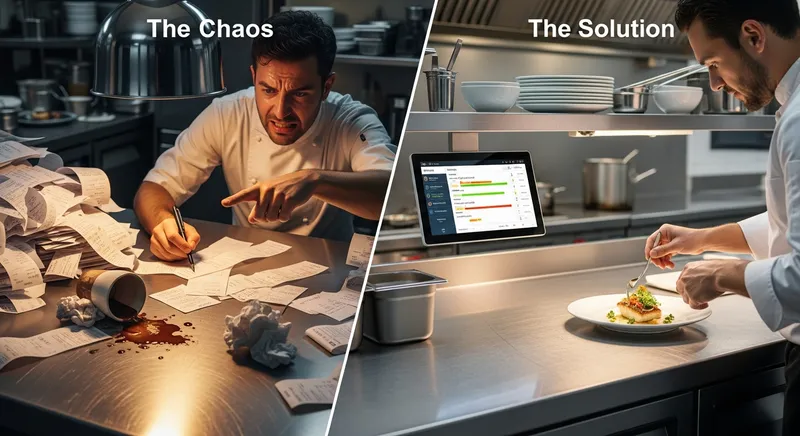
Is this you? It's 8 PM on a Friday. The docket printer is spitting out a continuous stream of paper, the ink is starting to fade, a ticket just got lost, and the chef is yelling about an allergy note they can't read on a crumpled, grease-stained docket. You're feeling the immense pressure of running your small New Zealand business, a feeling driven by financial risk and the daily operational stress of keeping everything afloat. You're worried about cash flow, staff burnout, and whether that new piece of technology you've heard about is just another expense you can't afford.
This is the core anxiety for many owners of cafes, restaurants, and food trucks across NZ. Competitors might sell you features, but what you're desperate for is a solution to the stress. This guide is different. We're not just talking about a Kitchen Display System (KDS) as a piece of tech; we're framing it as a strategic investment in your business's efficiency, your profitability, and most importantly, your peace of mind.
This 2026 guide will walk you through the real NZ-specific costs, the tangible return on investment (ROI), and how a KDS can genuinely reduce the stress in your kitchen. We'll tackle the tough questions head-on, giving you the clarity you need to decide if this is the right move for your business.
What is a Kitchen Display System (And Why Should You Actually Care)?
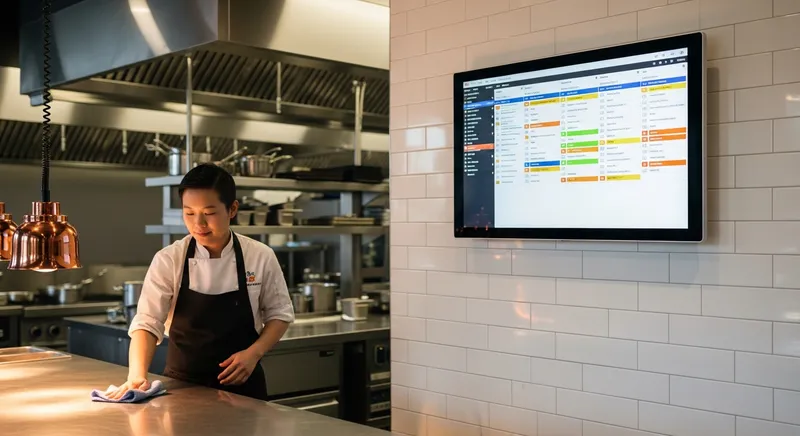
A Kitchen Display System (KDS) is a digital screen that replaces paper dockets and kitchen printers. When an order is placed on your Point of Sale (POS) system, it appears instantly on the KDS screen in the kitchen, organised, legible, and in chronological order. (Lazygrid includes KDS functionality in its Standard plan and above). Chefs can then 'bump' the order to the next stage or mark it as complete with a simple tap.
But it's much more than a fancy TV. It's the central nervous system for your kitchen. Unlike the chaotic, one-way communication of a printer, a KDS is a dynamic tool for workflow management. It tracks order times, highlights modifications, and provides a clear, real-time view of the entire kitchen's workload. While a reliable printer is still a key part of many businesses, as detailed in The Ultimate NZ Buyer's Guide to Kitchen & Docket Printers, a KDS elevates your operation to a new level of efficiency.
The Elephant in the Room: What is the Real Cost of a KDS in NZ for 2026?
Let's cut through the vague pricing and talk real numbers for a New Zealand small business. The cost of a KDS isn't just one number; it's a combination of software, hardware, and setup. This is a significant gap in our competitors' content, who often hide costs behind 'request a quote'.
1. Software Subscription: This is the recurring monthly fee for the KDS software itself. It's often bundled with a modern All-in-One POS NZ system. For example, Lazygrid's Standard plan includes a KDS feature as part of its package, alongside online ordering and a booking system, for a transparent monthly price. Expect to pay anywhere from $30 to $100+ per month, depending on the provider and the features included.
2. Hardware Costs: Good, Better, Best This is where you have the most flexibility. Unlike old-school systems that lock you into expensive proprietary hardware, modern, flexible software (like Lazygrid's) is compatible with a range of devices, including both iPad and Android, so you're not locked into a single ecosystem.
- Good (approx. $0 - $500): Use your own existing tablet (like an iPad). This is a great budget option to get started, but be aware that consumer-grade devices aren't built for the heat, steam, and grease of a commercial kitchen. You'll also need a rugged case and mount.
- Better (approx. $600 - $1,200): A dedicated Android tablet with a ruggedised case. It's more durable than a standard iPad and offers a good balance of cost and resilience.
- Best (approx. $1,500+): Purpose-built KDS hardware. These are designed to withstand the harsh kitchen environment. They are often splash-proof, heat-resistant, and come with a physical 'bump bar' for non-touch use, which is essential when hands are greasy or wet.
3. Installation & Setup: For a simple, single-screen setup, you can often do it yourself in under an hour. For more complex multi-station setups, you might budget a few hundred dollars for a technician to run network cables and ensure everything is configured correctly. However, a key benefit of modern cloud-based systems is the ease of DIY setup.
Calculating the ROI: How a KDS Pays for Itself (and Then Some)
Thinking about the upfront cost is only half the story. A KDS is an investment, and it should provide a return. According to industry research on restaurant technology, determining ROI is a key challenge for operators, so let's break it down for you.
1. Increased Revenue Through Speed & Accuracy:
- Faster Table Turns: Shaving just 5 minutes off each order's journey from till to table can allow you to turn one extra table per night. For a table that spends $100, that's an extra $3,650 in revenue per year, from just one table.
- Increased Order Accuracy: A KDS eliminates errors from illegible handwriting. If you prevent just one $25 mistaken order from being made and wasted per day, you save over $9,000 a year. This is a core strategy in mastering your NZ Restaurant's Food Cost Percentage.
2. Reduced Operational Costs:
- Eliminate Paper & Ink: The cost of docket rolls and printer ribbons adds up. A small but busy cafe can easily spend $500-$1000 per year on paper supplies. A KDS removes this cost entirely.
- Optimised Staffing: By streamlining communication and workflow, your kitchen can handle more orders with the same number of staff, a crucial advantage in a tight labour market.
3. The Invaluable 'Stress ROI': The biggest return might not be on your balance sheet. Research from the Ministry of Business, Innovation & Employment (MBIE) highlights the ongoing challenges of staff wellbeing and retention in NZ's hospitality sector. A calmer, more organised kitchen leads to happier, less stressed staff. This improves retention, reduces costly hiring and training, and creates a better work environment for everyone, including you.
KDS vs. Kitchen Printers: A Head-to-Head for NZ Businesses
| Feature | Kitchen Display System (KDS) | Traditional Kitchen Printer |
|---|---|---|
| Readability | Always clear, bright, and legible. | Can fade, smudge, or be hard to read. |
| Durability | No moving parts, but screen can be fragile if not ruggedised. | Prone to paper jams and mechanical failure. |
| Order Management | Tracks order times, colour-codes for urgency, manages courses. | Just a chronological stack of paper. |
| Updates | Changes (e.g., 'NO TOMATO') appear instantly on the ticket. | Requires a new ticket to be printed and communicated verbally. |
| Cost | Higher upfront hardware cost, ongoing software fee. | Lower upfront hardware cost, ongoing paper/ink cost. |
| Environment | Paperless and eco-friendly. | Creates constant paper waste. |
| Food Safety | Reduces paper handling in food prep areas, supporting food safety standards. | Paper dockets can be unhygienic. |
For a Food Truck: Space is at a premium. While a small printer is compact, a single iPad-based KDS can manage both in-person and online orders from your commission-free online ordering system, which is a huge advantage. It's a key piece of tech for your 2026 Food Truck Success Guide.
For a Small Cafe: Managing complex coffee orders with multiple modifications alongside a food menu is a KDS's strength. It ensures the flat white and the eggs benedict are ready at the same time.
The #1 Benefit No One Talks About: Curing Kitchen Stress
Professional kitchens are inherently stressful environments. Research from Penn State University confirms what every chef knows: the combination of time pressure, dangerous tools, and close-quarters work creates conflict. Academic research has found that a significant percentage of chefs suffer from high stress levels.
This isn't just theory; it's a reality for Kiwi businesses. "After installing our KDS, our kitchen staff turnover dropped by 40% in six months, and the vibe during service is just calmer," says the owner of a busy Auckland bistro (Lazygrid customer, name withheld). "It's the best investment we've made in our team."
A KDS directly attacks the root causes of this stress:
- Clarity over Chaos: It replaces a system of shouting and messy paper with a clear, universally understood visual language. Everyone knows what to cook next.
- Accountability over Blame: Order times are tracked automatically. This isn't for blaming staff, but for identifying bottlenecks. It shifts the conversation from "Who messed up?" to "How can we fix this process?"
- Silent Communication: It drastically reduces the need for shouting between Front of House (FOH) and Back of House (BOH), lowering the overall tension and noise level in your business.
- Empowerment: It gives your kitchen team a tool that shows you respect their craft and are investing in making their demanding job more manageable. As studies from Cornell University's School of Hotel Administration have shown, ergonomic and systematic improvements can drastically reduce staff fatigue.
How to Set Up a KDS in Your Small NZ Business: A Practical Guide
Choose Your POS: A KDS needs to be integrated with your Point of Sale. If your current system doesn't support a good KDS, it might be time to upgrade to an all-in-one platform.
Plan Your Stations:
- Single Screen: A simple setup for a small cafe or food truck, often placed at the 'expo' window where dishes are finished and passed to servers.
- Two Screens: A common setup for restaurants. One screen for hot food prep, another for cold starters or desserts. This sends items only to the relevant station.
- Multi-Station: For larger operations, you might have separate screens for grill, fry, and plating.
Select Your Hardware: Based on the "Good, Better, Best" model, decide what fits your budget and environment. Remember, the kitchen is a hostile place for electronics. Investing in durability pays off.
Configure Your Workflow: In your POS software, you'll set up routing rules (e.g., 'Steak' goes to the 'Grill' KDS) and timing alerts. A good system will let you customise colours, sounds, and layouts.
Train Your Team: This is the most crucial step. Frame it as a tool to make their job easier and reduce stress.
Run a few practice sessions during a quiet time. Modern systems are so intuitive that most staff pick it up in minutes.
Key Takeaways for Busy Owners
- Real Costs: Budget for one-time hardware ($0-$1500+) and a recurring software subscription ($30-$100/month).
- Clear ROI: A KDS pays for itself by reducing expensive food waste from errors and increasing revenue through faster table turnover.
- Stress Reduction: It creates a calmer, more efficient kitchen, which is proven to improve staff wellbeing and retention.
- Hardware Flexibility: Modern KDS software works with common devices like iPads and Android tablets, so you're not locked into expensive proprietary gear.
A Final Word: An Investment in Calm
Choosing technology for your small business in New Zealand is about more than just features. It's about solving real problems. While competitors focus on generic benefits, the truth for a small operator is that a KDS is not just about improving order accuracy or speeding up service times, though it does both exceptionally well.
It's about transforming the chaotic heart of your business into a centre of calm efficiency. It's an investment in a less stressful workday, a happier team, and a more profitable business. It's about giving you, the owner, the peace of mind to focus on what you love: creating great food and experiences for your customers.
Want to see how a KDS could work in your kitchen? Book a free, no-obligation demo with our NZ-based team to discuss your specific setup.
Frequently Asked Questions
What's the real cost of a KDS for a small cafe in NZ in 2026?
For a small NZ cafe, you should budget for two components: a recurring software fee and a one-time hardware cost. The software typically ranges from $30 to $100 per month, often as part of a larger POS plan. For hardware, you can start for under $500 by using an existing iPad with a rugged case, or invest $1,500+ for a professional, kitchen-grade screen. Think of it as an investment that pays for itself through reduced waste and faster service.
Can I just use a cheap iPad or Android tablet for my kitchen?
Yes, absolutely. Using a consumer tablet is a cost-effective way to get started with a KDS. However, you must be aware of the risks. Kitchens are hot, steamy, and greasy environments that can damage devices not built for them. At a minimum, invest in a high-quality rugged and waterproof case. While it works as a starting point, consider it a temporary solution and plan to upgrade to purpose-built hardware as your business grows.
How much physical space do I need to set up a KDS screen?
Surprisingly little. A KDS screen actually saves space compared to a cluttered printer and docket rail. Most KDS screens (typically 15-22 inches) are mounted on a wall or an adjustable arm using a standard VESA mount, meaning they take up zero counter space. For extremely tight spaces like a food truck, a securely mounted iPad is a highly space-efficient solution.
Will a KDS actually make my kitchen faster?
Yes, it measurably improves speed in two key ways. First, by eliminating communication lag-orders appear instantly on screen, so chefs aren't waiting for servers to run paper tickets back. Second, KDS software tracks preparation times for every order. This data allows you to identify and fix bottlenecks in your workflow, leading to significant, sustainable improvements in your overall speed of service.
How hard is it to train my staff to use a KDS?
It's much easier than you think. If your staff can use a smartphone, they can use a modern KDS. These systems are designed to be highly visual and intuitive, using simple colour-coding and one-tap 'bump' functions. Most kitchens find that staff can be fully trained in under 30 minutes during a quiet period. The clear, simple interface is far easier to learn than deciphering messy handwriting on a docket.