
The Ultimate NZ Buyer's Guide to Kitchen & Docket Printers (2026)
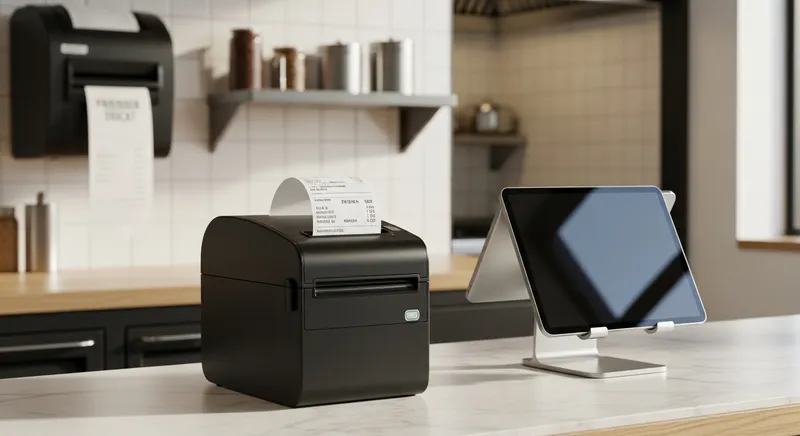
Your Guide to the Best Hospitality Printers in New Zealand
Choosing the right hardware for your New Zealand hospitality business is a constant challenge. You're busy running your cafe, restaurant, or food truck, and you're often sold generic, oversized, or inappropriate equipment by international POS giants or local resellers who fail to explain the real-world pros and cons. You need a durable, cost-effective printer that works flawlessly with your specific POS system, handles the heat of a kitchen, and keeps up with modern workflows like Uber Eats, but finding a single, reliable NZ-focused resource feels impossible.
This guide is designed to solve that exact problem. In an industry that, according to the Ministry of Business, Innovation & Employment, generates billions in sales annually, having the right tools isn't a luxury; it's essential for survival and growth. We'll cut through the jargon and provide a practical, 2026-ready buyer's guide for New Zealand business owners.
Quick Decision Guide:
- Hot Kitchen? → Choose an Impact Printer.
- Front Counter or Bar? → Choose a Thermal Printer.
- Food Truck? → Choose a Bluetooth Thermal Printer.
- Not sure? → Contact Lazygrid for a free hardware consultation.
What is a Kitchen Printer (And Why It's Not a Standard Receipt Printer)?
First, let's clarify a common point of confusion. While they might look similar, a kitchen printer and the receipt printer at your front counter are built for vastly different jobs. A standard receipt printer is designed for a clean, climate-controlled environment. A kitchen or docket printer, however, is a specialized workhorse engineered to survive in a hostile environment of high heat, steam, grease, and potential spills. They also need more robust connectivity and often include audible alerts to be heard over the noise of a busy kitchen.
Integrating these specialized printers into a modern, unified system is key. A well-designed All-in-One POS NZ solution should seamlessly route orders to the correct printer, whether it's a docket for the kitchen, a drink order for the bar, or a receipt for the customer.
The Core Decision: Thermal vs. Impact Printers
The most critical choice you'll make is the type of printing technology. Each has distinct advantages and disadvantages in a hospitality setting. Here's a quick comparison:
| Feature | Impact (Dot-Matrix) Printer | Thermal Printer |
|---|---|---|
| Best Environment | Hot Kitchens (near grills, ovens) | Front-of-House, Bars, Cool Prep Areas |
| Noise Level | Loud (Helpful audible alert) | Near-Silent |
| Print Speed | Slower | Very Fast |
| Heat Resistance | Excellent (unaffected by heat) | Poor (paper is heat-sensitive) |
| Consumables | Paper Rolls & Ink Ribbons | Thermal Paper Rolls Only |
| Print Quality | Good (Text, basic graphics) | Excellent (High-res text, logos, barcodes) |
| Typical Use Case | Main kitchen food orders | Receipts, bar dockets, delivery app orders |
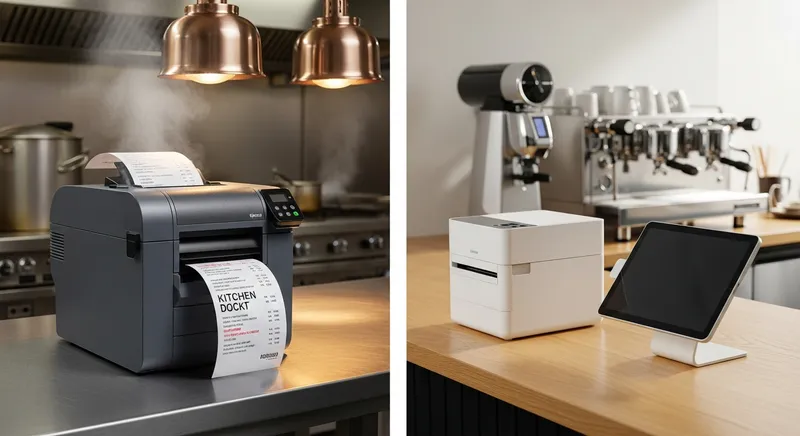
Impact (Dot-Matrix) Printers: The Loud Workhorse
Impact printers use a print head with pins that strike an ink ribbon to create characters on paper. They are the traditional and most reliable choice for hot kitchen environments.
Key Features & Benefits:
- Heat Resistant: This is their biggest advantage. As detailed in research from Business.com, they use regular paper and an ink ribbon, which are unaffected by the high temperatures of a kitchen line.
- Audible Alert: The distinctive, loud printing noise acts as a physical alert for kitchen staff that a new order has arrived.
- Two-Colour Printing: Many models, like the industry-standard Star Micronics SP742, can print in red and black, perfect for highlighting special requests or allergy warnings.
Best For: Hot kitchens, high-volume restaurants, and any environment where a loud, audible confirmation is a benefit.
Actionable Tip: If you choose an impact printer, ensure it's placed where the noise is a helpful alert for chefs, not a disturbance to your front-of-house staff or customers.
Thermal Printers: The Quiet & Fast Operator
Thermal printers use a heated print head to activate special, heat-sensitive paper, creating an image without any ink or toner. They are the standard for front-of-house receipt printing and are increasingly used in cooler kitchen stations.
Key Features & Benefits:
- Speed and Silence: They are incredibly fast and nearly silent. Leading models like the Epson TM-T88VII can print at speeds up to 500mm per second.
- High-Quality Output: They produce crisp, clear text and can easily print logos and barcodes, which is great for receipt marketing.
- Low Maintenance: With no ink ribbons or toner cartridges to replace, the only consumable is the paper itself.
Best For: Front-of-house receipts, bar stations, cafes, food trucks, delivery app dockets (like Uber Eats), and cooler kitchen prep areas.
Actionable Tip: If using a thermal printer for kitchen dockets, ensure it's located away from direct heat sources like ovens or grills to prevent the paper from darkening or becoming illegible.
Key Features to Look For in 2026: A Buyer's Checklist
Beyond the core technology, several features will determine whether a printer is a help or a hindrance to your workflow.
Connectivity: The Unsung Hero of Reliability
How your printer connects to your POS is critical. According to analysis by POS Nation, a wired connection is almost always superior for fixed hardware.
- Ethernet (Wired): The gold standard for reliability in a fixed location like a kitchen. It's immune to the Wi-Fi interference common in environments with lots of metal and electronic devices.
- Wi-Fi: Offers flexibility in placement but can be less reliable. A dropped connection during a Saturday night rush can be disastrous.
- Bluetooth: Ideal for mobile setups like food trucks where a short-range, cable-free connection to a tablet is needed.
Durability & Resistance (Spills, Heat, Grease)
Look for printers specifically marketed as "kitchen printers." They often feature internal power supplies to protect from spills, an IP rating for dust and water resistance, and a design that minimises the entry of grease. This is especially crucial if you're starting a food truck in NZ, where your equipment must withstand constant movement and varying conditions.
POS System & App Compatibility
Your printer is useless if it can't talk to your POS. Before buying, always check the official hardware compatibility list of your POS provider. For delivery apps, it's even more specific. The official Uber Eats help page lists specific, tested models that are guaranteed to work with their platform, such as the Star Micronics TSP143 series.
Future-Proofing Your Operations
To stay competitive into 2026 and beyond, consider these emerging technologies:
- Cloud Printing: Technology like Star Micronics' CloudPRNT allows printers to fetch orders directly from a web server. This means your online ordering system can print directly to your kitchen without needing to pass through your local POS terminal, increasing reliability.
- Linerless "Sticky" Printers: These are a game-changer for online and takeaway orders. As pioneered by brands like BIXOLON, these printers use special adhesive-backed paper without a disposable liner. You can print an order and stick it directly onto a coffee cup, pizza box, or takeaway bag. For busy cafes handling dozens of Uber Eats orders, this dramatically improves order accuracy and speed by ensuring the right docket stays with the right item.
- The Digital Alternative: Kitchen Display Systems (KDS): For high-volume or paper-conscious businesses, a KDS can replace printers entirely. A KDS like the one offered by Lazygrid displays orders on a rugged screen in the kitchen, allowing for real-time updates, item timing, and a complete reduction in paper waste and lost dockets.
How Lazygrid Simplifies Printer Management
Choosing a printer is only half the battle; ensuring it works seamlessly with your POS is what truly matters. This is where an integrated system provides a massive advantage. Lazygrid's POS platform is designed to eliminate hardware headaches by:
- Guaranteeing Compatibility: We only recommend and sell printers that have been rigorously tested with our software, so you know they will work flawlessly from day one.
- Offering Pre-Configured Bundles: You can get a complete hardware package, including the right printers for your setup, that arrives ready to plug in and go. This eliminates the guesswork and saves you hours of setup time.
- Automating Order Routing: Our system intelligently sends food orders to the kitchen printer, drink orders to the bar printer, and delivery dockets to your packing station without any manual intervention.
Best Printers for Your Specific NZ Business Type
There is no single "best" printer; there is only the best printer for your specific need.
For the High-Volume Restaurant or Cafe
A hybrid approach is often best. Use a rugged, loud impact printer like the Star SP742 in the hot kitchen line. For the bar, front counter, and cooler prep stations, use a fast, quiet thermal printer like an Epson TM-T88VII. This gives you the best of both worlds: reliability where it's hot and speed where it's not.
For the Food Truck
Space, power, and mobility are key. A compact Bluetooth thermal printer, such as an Epson TM-m30, paired with an iPad or iPhone POS, is the ideal solution. It's small, requires minimal cabling, and can be powered easily within the truck's limited infrastructure.
For the Beauty Salon or Service Business
This is a unique angle often overlooked. You don't need a heavy-duty kitchen printer. Your priorities are aesthetics, quiet operation, and reliability. A sleek, white thermal printer is perfect for printing receipts and future booking reminders. This integrates perfectly with modern scheduling software; for example, if you're using Lazygrid's integrated online booking system, your appointment confirmations can print automatically for clients.
Top Printer Brands in New Zealand for 2026
While many brands exist, three consistently lead the market in reliability and performance for hospitality.
- Epson: A household name for a reason. Epson New Zealand offers a wide range of industry-leading thermal printers, like the TM-T88 series, known for their incredible speed and reliability.
- Star Micronics: A specialist in the POS printing space. Star Micronics is famous for its SP742 impact printer, the undisputed king of hot kitchens, and its innovative cloud printing technologies.
- BIXOLON: A strong innovator in the field. BIXOLON is particularly noted for its advances in mobile and linerless sticky label printing, which are becoming crucial for businesses embracing online ordering.
Conclusion: Making the Smart Choice for Your Business
Choosing the right kitchen and docket printer is not just an IT decision; it's a critical investment in your business's operational efficiency. The right printer prevents lost orders, reduces errors, and keeps your service running smoothly, while the wrong one can cause chaos during your busiest times.
To recap:
- For hot kitchens: Choose a durable Impact Printer like the Star SP742.
- For front-of-house, bars, and delivery dockets: Choose a fast, quiet Thermal Printer like an Epson TM-T88 series.
- Prioritise reliability: Always opt for a wired Ethernet connection for fixed printers.
- Think future: Consider linerless sticky printers for takeaway efficiency or a KDS to go paperless.
Ready to Simplify Your Hardware Setup?
Stop guessing and get a hardware solution that's guaranteed to work for your New Zealand business. Lazygrid's all-in-one POS system integrates seamlessly with tested, reliable, and cost-effective printers, ensuring your entire operation works in perfect harmony.
→ Book a Free Demo and Get a Custom Hardware Quote Today
Frequently Asked Questions
What's the real difference between a kitchen printer and a receipt printer?
The main differences are durability and environment. A kitchen printer is built to withstand high heat, grease, and humidity. It often has a louder buzzer and more robust casing. A front-of-house receipt printer is designed for speed and quiet operation in a clean environment. Using a standard receipt printer in a hot kitchen is a false economy; it will likely fail quickly.
Can I actually use a thermal printer in my hot kitchen?
You can, but with extreme caution. Thermal printers use heat-sensitive paper, which can be turned black by the ambient heat from a stove or grill, making dockets unreadable. If you must use one, it should be for a 'cold' station (like salads or desserts) and positioned as far from heat sources as possible. For the main cooking line, an impact printer is always the safer, more reliable choice.
What's the best printer for Uber Eats and other delivery dockets?
A fast, reliable thermal printer is best for delivery dockets. The key is compatibility. Always check the official hardware list for the delivery platform you use. For example, Uber Eats officially recommends models like the Star Micronics TSP143IIIBI (Bluetooth) and Epson TM-m30. A thermal printer is ideal because it prints quickly and silently, and the dockets are usually handled in a cooler front-of-house or packing area.
Ethernet, Wi-Fi, or Bluetooth? What connection is best for my cafe?
It depends on the printer's location and job:
- Ethernet (Wired): The undisputed champion for reliability. Use this for your primary kitchen and front-counter printers. It's immune to wireless interference.
- Wi-Fi: Offers placement flexibility but is prone to interference from microwaves, fridges, and other signals, which can cause connection drops during a busy service. Use it only when running a cable is impossible.
- Bluetooth: Best for mobile applications, like a food truck POS or a tableside ordering tablet connecting to a portable printer. Its short range makes it unsuitable for fixed kitchen printers.
Why are impact printers so loud? Is that a good or bad thing?
Impact printers are loud because they use a mechanical process where pins physically strike an ink ribbon against the paper. In a noisy kitchen, this is a major advantage. The distinctive "ch-ch-ch" sound acts as an audible alert that a new order has arrived, cutting through the clatter of pans and extractor fans. It ensures chefs notice new dockets immediately, even when they're not looking at the printer. So, in a kitchen context, loud is good!
What are the most common printer problems and how do I quickly fix them during a rush?
- Printer Offline/Not Responding: This is usually a network issue. The fastest fix is to turn both the printer and your POS terminal off and on again. This resolves 90% of connectivity problems.
- Paper Jam: Open the printer cover, remove any torn pieces of paper (use tweezers if needed), and re-load the paper roll, ensuring it's straight. Most modern printers have a simple drop-in loading mechanism.
- Faded Print (Impact Printer): The ink ribbon is running out. Keep spare ribbons on hand and learn how to swap them quickly. It's a 30-second job once you've done it a couple of times.