
Best QSR POS System NZ: Speed, KDS & Flow (2026)
New Zealand hospitality owners often face a hidden crisis. Your point of sale (POS) system, your local EFTPOS terminal, and your Xero accounting software refuse to communicate properly. This fragmented setup causes slow service during peak hours and massive administrative headaches after closing. Whether you run a bustling Auckland takeaway, a rural food truck, or a hybrid cafe and beauty shop, you need a system that brings everything together seamlessly.
The right QSR POS system NZ businesses need must prioritize three things: speed, kitchen flow, and local integrations. Global platforms often push proprietary payment hardware that ignores local New Zealand EFTPOS standards. They also fail to address the unique needs of hybrid business models and off-grid mobile food vendors.
In this comprehensive guide, we will explore the essential features of a modern cloud-based hospitality POS. We will show you how to eliminate order errors, speed up your service, and integrate your daily operations directly with your accounting software.
What is a Quick Service POS System?
A Quick Service Restaurant (QSR) POS system is specialized software designed for fast-paced hospitality environments. Unlike traditional dine-in restaurant systems that focus heavily on complex table mapping and multi-course pacing, a fast food POS is built for sheer volume and speed. The goal is to process a customer transaction in seconds.
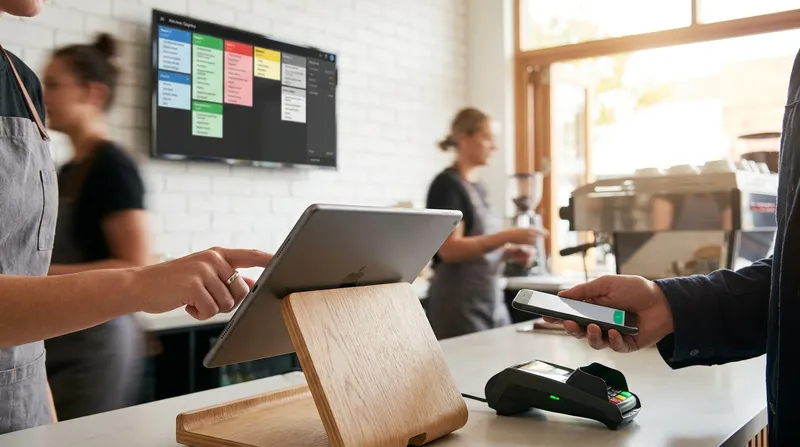
Modern systems have evolved from clunky, expensive cash registers into sleek, iPad-based applications. A high-quality cafe POS software New Zealand operators use today will handle touch-screen order entry, split bills, digital receipts, and real-time inventory tracking. It acts as the central brain of your business.
For many local business owners, the definition of quick service is changing. You might operate a coffee counter inside a retail clothing store, or run a massage shop that sells specialized health drinks. This is the "Hybrid Hustle" model. A standard generic POS cannot handle retail barcodes, service bookings, and food orders simultaneously. You need a versatile platform that adapts to your specific workflow.
Actionable Tip: Evaluate your current order processing time. If it takes your staff more than 45 seconds to ring up an order and process the payment, your POS interface is likely too cluttered. Look for a system that allows you to customize the home screen with your top-selling items for one-touch ordering.
Key Features of a Fast Food POS
To compete in the modern hospitality landscape, your takeaway POS system needs a specific set of tools. Let us break down the core features that drive profitability.
1. Integrated Payments and EFTPOS
Speed at the counter relies entirely on how fast a customer can pay. Manual entry of transaction amounts into a standalone EFTPOS terminal is a recipe for human error and lost revenue. Your POS must integrate directly with local payment providers.
Recent data from Datos Insights reveals that 89% of global payment terminals now accept contactless payments. By 2030, contactless acceptance is projected to be almost universal. If your system cannot process a tap-and-go payment instantly, you are frustrating your customers.
Many overseas POS providers force you to use their proprietary payment processing, which often comes with high flat-rate fees. For a deep dive into how these fees impact your bottom line, read our analysis on Square POS vs EFTPOS for NZ Food Trucks: Are Flat-Rate Fees Killing Your Margins?. A truly localized POS will integrate with certified EFTPOS NZ terminals, giving you the freedom to negotiate the best merchant rates with your bank.
2. Self-Service Kiosk POS
When the lunch rush hits, a single cashier cannot handle a line out the door. A self-service kiosk POS allows customers to browse the menu, customize their orders, and pay without staff assistance. This technology redirects your labor from taking orders to preparing food, drastically increasing your output capacity.
Research from Tillster consistently shows that average order values increase by 20% to 30% when customers use self-service kiosks. The digital interface automatically prompts upselling options like adding an extra shot of coffee or upgrading to a combo meal. If you want to implement this technology without breaking the bank, check out our guide on how to Set Up a Self-Service Kiosk in Your NZ Cafe for Under $1,500.
3. Robust Inventory Management
Running out of a key ingredient mid-service is a nightmare. Your restaurant order management software should include real-time inventory tracking. Every time an order is placed, the system must automatically deduct the components from your stock levels.
This level of detail helps you stop guessing your recipe costs and start cutting food waste. For a complete strategy on managing your stock, read our article on Restaurant Inventory Management NZ: Stop Guessing Recipe Costs & Cut Food Waste.
4. Commission-Free Online Ordering
Paying 15% to 30% commissions to third-party delivery apps is unsustainable for most small cafes and takeaways. A modern POS must include built-in, commission-free online ordering. This allows you to retain your profit margins, own your customer data, and take direct orders through your own website or social media channels without sacrificing revenue to external platforms.
Actionable Tip: Set up automated low-stock alerts for your top five most critical ingredients. This ensures you always have enough coffee beans, milk, or signature sauces to make it through the weekend rush.
Kitchen Display System (KDS) Integration
The bridge between your front-of-house staff and your kitchen is the most critical chokepoint in any restaurant. Relying on handwritten paper tickets or noisy dot-matrix printers often leads to lost orders, illegible modifications, and a chaotic kitchen environment.
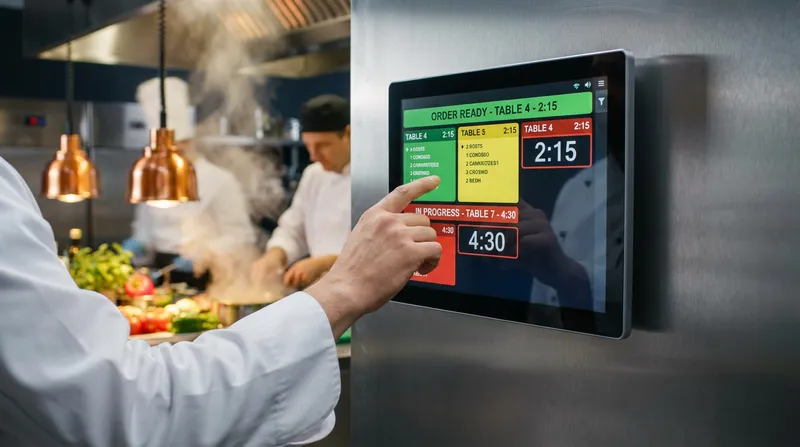
Kitchen display system (KDS) integration solves these problems by replacing paper with digital screens. When a cashier or a self-service kiosk processes an order, it appears instantly on the kitchen screen. Orders are color-coded based on urgency, ensuring that no customer waits too long.
According to research by Euromonitor International, automated systems like KDS and smart POS integrations are no longer optional. They are driving the future of the global foodservice industry. A KDS allows your kitchen staff to track preparation times, bump completed orders, and route specific items to different prep stations automatically.
Actionable Tip: Configure your KDS to highlight allergen warnings in bright red. This simple digital safeguard prevents dangerous cross-contamination and protects your customers.
The NZ-First Approach: Xero Integration and Local Compliance
Global POS providers often treat New Zealand as an afterthought. They offer generic tax settings that require manual adjustments to comply with local GST rules. This creates hours of unnecessary administrative work for business owners and accountants.
A localized cloud-based hospitality POS integrates directly with Xero. This means your daily sales, payment types, and tax liabilities sync automatically to your accounting software at the end of each day. You can learn more about this automated workflow in our detailed post on POS to Xero Integration: Automating Financial Reporting for NZ Hospitality Venues.
Furthermore, managing staff effectively requires strict compliance with local labor laws. Employment New Zealand mandates that employers are legally obligated to keep strict digital or written records of all employee work hours and wage details. Manual paper timesheets are a high-risk compliance strategy. Your POS should include built-in time clocks and staff management features to track shifts accurately.
With high turnover rates and constant onboarding common in the local hospitality sector, you need an intuitive POS that new hires can learn in hours, not days. Relying on complex legacy systems only exacerbates staffing shortages.
Actionable Tip: Use the individual staff login feature on your POS to track sales performance. Reward your fastest and most accurate cashiers to boost team morale and retention.
Managing Multi-Service Venues: The Hybrid Business Model
Many modern New Zealand businesses do not fit neatly into one category. You might own a beauty salon that features a high-end espresso bar in the waiting area. Or perhaps you run a retail boutique that also serves artisanal pastries and requires a Retail POS System NZ with Barcode & Inventory capabilities.
Competitor systems often force you to buy separate software for different parts of your business. This means paying double subscriptions and dealing with fragmented reporting. The best POS for fast food New Zealand operators also needs to handle appointment bookings, digital gift cards, and retail inventory seamlessly.
Lazygrid POS offers an integrated booking system alongside its robust food service tools. These advanced booking and loyalty features are natively integrated within Lazygrid's Standard and Premium plans. This allows a customer to pay for their massage appointment, redeem a digital voucher, and buy their takeaway coffee in a single transaction. If you are currently evaluating reservation tools, you might find our comparison of Eveve vs resOS (2026): Which Restaurant Booking System Wins in NZ? helpful for understanding what features matter most.
Actionable Tip: If you run a hybrid venue, use a unified loyalty program. Loyal customers spend significantly more, so allow them to earn points on retail purchases and redeem them for free coffees or digital gift cards. This cross-promotion drives sales across all your departments.
The Food Truck Festival Scenario: Taking Your POS Off-Grid
Operating a food truck POS system NZ wide presents unique challenges. You are often traveling to remote festivals, rural farmers markets, or crowded events where the cellular networks are completely overloaded.
A cloud-based POS is fantastic for remote management, but what happens when the internet drops out? Many popular systems freeze entirely, leaving you unable to open the cash drawer or process cash sales. This is catastrophic during a busy two-hour festival window.
An iPad POS for food trucks must have a robust offline mode. This feature allows you to continue taking orders, printing kitchen dockets, processing digital vouchers, and accepting cash payments even when your Wi-Fi or 4G connection fails. Once you drive back into cell reception, the system automatically syncs all your offline sales data back to the cloud.
Space is also at a premium in a mobile kitchen. You cannot afford bulky traditional hardware. A sleek iPad mounted on a swivel stand, paired with a compact Bluetooth receipt printer, provides all the processing power you need without eating up valuable counter space. For operators looking to upgrade their mobile setup, exploring the Best Toast POS Alternative NZ: Local Cloud Systems (2026) will guide you toward hardware that actually fits your truck.
Actionable Tip: Always carry a battery-powered 4G mobile hotspot as a backup internet source for your food truck. Connect your iPad and your EFTPOS terminal to this dedicated network to avoid the congestion of public festival Wi-Fi.
Hardware and Software Options
When evaluating a cloud-based hospitality POS, you must consider both the software capabilities and the hardware requirements. Traditional legacy systems require you to purchase thousands of dollars worth of proprietary hardware that becomes obsolete in a few years.
Modern solutions leverage consumer hardware like the Apple iPad. This approach offers lower upfront costs, familiar iOS interfaces that drastically reduce staff training time, and complete mobility allowing you to easily detach the iPad to take orders directly from customers waiting in line. Furthermore, cloud software updates automatically over the internet, ensuring you always have the latest security patches and features without calling an IT technician.
When looking at software plans, ensure the pricing is transparent. Some companies lure you in with a low base rate but charge extra for essential features like inventory tracking or multi-location management. Review the Lazygrid POS Pricing NZ page to see how transparent, all-inclusive pricing can help you budget effectively.
Actionable Tip: Invest in commercial-grade, spill-proof iPad enclosures. A hospitality environment is tough on electronics, and a rugged case will save you from costly hardware replacements.
How to Choose the Best POS for Your Restaurant
Selecting the right system is a crucial decision that will impact your daily operations for years. Use this checklist to evaluate potential providers:
Does it integrate with local EFTPOS? Ensure you are not locked into expensive proprietary payment processing.
Does it offer an offline mode? Verify that you can still trade during internet outages.
Is the Xero integration seamless? Ask for a demonstration of how daily sales map to your accounting ledger.
Does it offer commission-free online ordering? Protect your margins from third-party delivery apps by managing orders directly.
Can it handle your specific workflow? Whether you need a KDS for a busy kitchen or a booking system for a hybrid salon, ensure the features are built-in natively.
Is local support available? When your system goes down on a busy Friday night, you need support in your time zone, not an overseas call center.
For businesses looking to expand their digital footprint, you can explore more digital strategies in our roundup of the 10 Best Online Booking Systems for NZ Small Businesses.
Conclusion
The hospitality industry in New Zealand is fast-paced, highly competitive, and currently facing significant staffing challenges. Clinging to outdated, fragmented technology is no longer a viable strategy. You need a unified system that connects your front counter, your kitchen, your EFTPOS terminal, and your accounting software.
By investing in a modern QSR POS system with KDS integration and robust cloud capabilities, you can eliminate order errors, speed up your service times, and make data-driven decisions that grow your profit margins. Whether you are managing the morning coffee rush, serving hundreds of meals from a food truck, or running a hybrid beauty and retail space, the right technology will transform your daily operations.
Ready to see how a localized, cloud-based system can streamline your business? Book a free demo to see Lazygrid in action and discover how we help New Zealand hospitality owners take control of their operations and their profits.
Frequently Asked Questions
What is the best POS system for a food truck in NZ?
The best POS for a New Zealand food truck must offer a reliable offline mode, compact iPad-based hardware, and direct integration with local EFTPOS NZ terminals. This ensures you can keep trading even when rural festival Wi-Fi drops out, without taking up valuable counter space.
How does a Kitchen Display System (KDS) improve fast food service?
A KDS replaces easily lost paper tickets with digital screens. It instantly routes orders from the front counter to the kitchen, color-codes them by urgency, and allows staff to track prep times. This drastically reduces order errors and speeds up your service during the busy lunch rush.
Can my POS system integrate directly with NZ EFTPOS terminals?
Yes, a localized POS system should integrate seamlessly with certified EFTPOS NZ terminals. This allows you to negotiate the best merchant rates directly with your bank, avoiding the expensive, flat-rate transaction fees forced on you by many global POS providers.
Does cloud-based POS software work offline during internet outages?
High-quality cloud POS systems feature a robust offline mode. If your internet connection drops, the system will still allow you to process cash sales, print kitchen dockets, and open the cash drawer. Once the connection is restored, all offline data automatically syncs back to the cloud.
How do I connect my restaurant POS to Xero for NZ GST?
A modern POS will offer a direct API integration with Xero. Once connected in your software settings, your daily sales totals, payment breakdowns, and GST liabilities will automatically map and sync to your Xero ledger at the end of each trading day, eliminating manual data entry.