
Cafe Office Tabs & Bar House Accounts in NZ: POS Guide

It is 4:45pm on the last Friday of the month. Your counter is finally quiet, and you are flipping through a coffee-stained spiral notebook trying to read a casual barista's handwriting from three weeks ago. Did the law firm upstairs order six scones on the 9th, or was that the physio clinic across the road? Somewhere between Tuesday's morning rush and Friday's catering platter, a few hundred dollars of sales quietly vanished, and now your Sunday evening is booked out manually typing dockets into Xero.
Across New Zealand, cafes near offices, hospitals, and council buildings run daily coffee and catering accounts for corporate teams. Suburban pubs run monthly tabs for local rugby and bowling clubs, food trucks cater regular business parks, and beauty or massage studios manage prepaid corporate wellness credits. With reporting from the Restaurant Association of New Zealand highlighting how venues continue navigating tight margins and cautious household spending, predictable weekday B2B revenue is too valuable to run on guesswork and loose paper.
Moving to structured customer charge accounts on your POS fixes that leak. Below, you will learn how controlled house accounts differ from late-night bar tabs, whether prepaid or postpaid billing suits your venue, how to manage spending caps and staff permissions alongside an iPad POS, how to keep your accounting clean without double-counting revenue, and how to stay compliant with New Zealand's 15% GST rules.
House accounts vs bar tabs: why paper tabs leak cash
Most POS guides talk exclusively about late-night bar tabs: swiping a patron's card behind the bar, pre-authorising $100, and closing the check before last drinks. That workflow protects a busy cocktail bar from Friday-night walkouts, but it does nothing for daytime B2B cafe accounts, recurring club tabs, or weekly catering clients.
Understanding the operational difference between hospitality house accounts vs bar tabs helps you pick the right control mechanism for each customer:
| Feature | Open Bar Tab | Postpaid House Account | Prepaid Account Wallet |
|---|---|---|---|
| Duration | Single visit (closed same night) | Ongoing (weekly, fortnightly, or monthly) | Ongoing until balance reaches $0 |
| Payment Timing | Settled before leaving (card pre-auth) | Invoiced in arrears (Net 7 or 20th of next month) | Paid upfront before ordering |
| Bad-Debt Risk | Low (if pre-authorised) | Moderate to high without credit caps | Zero |
| Authorised Buyers | One cardholder | Approved company or club staff list | Approved staff or club members |
| Best NZ Use Case | Evening diners and bar patrons | Councils, hospitals, law firms, corporate catering | Small offices, sports clubs, salon wellness credits |
If you currently track ongoing accounts in a paper notebook or a spreadsheet pinned behind the till, you face three hidden costs that rarely show up on a profit-and-loss statement:
- Silent revenue leakage: During an 8:15am flat-white rush, staff forget to jot down a muffin or an extra oat milk. Even $18 a day in missed entries adds up to more than $4,500 a year in lost margin.
- Compliance gaps with IRD: Under Inland Revenue's GST record-keeping guidelines, GST-registered New Zealand businesses must retain supporting sales records and taxable supply information for at least seven years. Faded thermal dockets stapled inside an exercise book fail that test quickly.
- Customer privacy exposure: Leaving names, mobile numbers, email addresses, and running dollar balances open on a counter notebook creates avoidable risk under Information Privacy Principle 5 of the Privacy Act 2020, which the Office of the Privacy Commissioner enforces to require reasonable security safeguards over personal information.
Action to take today: Pull your counter notebook from the past 30 days and compare it against your kitchen dockets or coffee tallies for your top three regular offices. Count every unpriced entry, missing buyer name, and the exact hours you spent assembling month-end invoices. That baseline number makes the return on switching to a digital corporate coffee tab system in NZ immediately obvious.
Prepaid vs postpaid accounts: choosing the right model
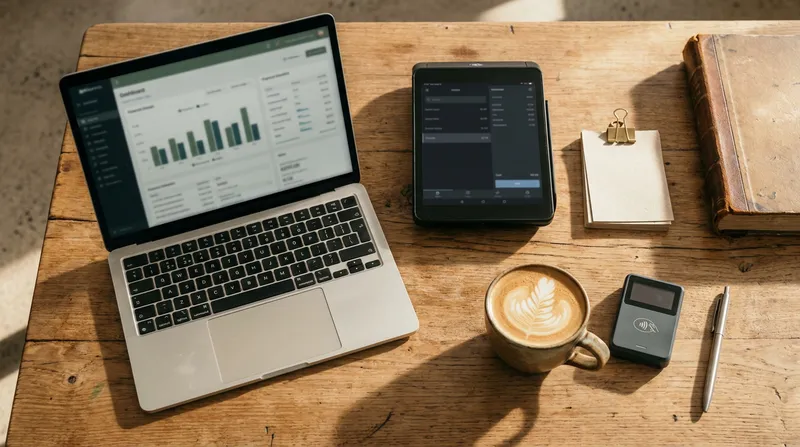
Before switching on customer accounts in your POS, decide whether each client belongs on a prepaid credit balance or a postpaid charge account. Treating every local business like a 30-day credit client is the fastest way to strain your weekly wages and supplier cash flow.
Prepaid customer tabs (zero bad debt, upfront cash flow)
With a prepaid house account, the client deposits an agreed sum upfront, such as $300 or $500, and your team deducts orders against that positive balance until it runs low. When the balance drops below a set threshold (say, $50), you email a top-up invoice.
This model works well across almost every type of New Zealand venue:
- Suburban cafes: Local builders, real estate offices, or small agencies drop $400 on a Friday morning shout account so their team can grab coffees without passing a company card down the street.
- Pubs and sports clubs: Many local taverns let rugby, netball, or bowls teams load match-day credit upfront so the treasurer never gets blindsided by a $1,200 Saturday bar bill.
- Massage shops and beauty clinics: Clinics can sell prepaid corporate wellness balances to neighbouring employers so staff can redeem remedial massages or brow appointments against a single company pool. Pairing this with a structured strategy for selling corporate gift vouchers in NZ brings cash into your bank account weeks before treatments are delivered.
Postpaid charge accounts (higher B2B volume, structured terms)
Postpaid accounts let vetted organisations order throughout the week or month and settle a consolidated statement later, usually on Net 7 days or the standard New Zealand commercial cycle of the 20th of the following month. Larger corporate offices, hospitals, district councils, and regular catering clients almost always expect postpaid billing because their accounts payable department needs an approved invoice to release funds.
Food trucks serving regular corporate campuses or film shoots also use postpaid accounts effectively when the site coordinator signs off a single itemised catering invoice at the end of a five-day block.
One quick legal distinction worth knowing: according to the Commerce Commission New Zealand, consumer credit regulations under the Credit Contracts and Consumer Finance Act (CCCFA) generally apply to personal, domestic, or household credit where interest, credit fees, or security interests are charged. Keeping your house accounts strictly for commercial B2B clients (or interest-free prepaid wallets) keeps you clear of complex consumer lending rules.
Do not confuse a B2B house account with a consumer loyalty scheme either. Everyday coffee regulars earning a free tenth flat white belong in a rewards programme (you can compare dedicated loyalty apps vs native POS loyalty for individual customers), while corporate and club spending belongs in dedicated POS customer accounts.
Action to take today: Split your existing and prospective account customers into two tiers. Put small teams, clubs, and first-time business clients on Tier 1 (Prepaid Wallet), and reserve Tier 2 (Postpaid Credit) for established corporate, council, or medical accounts with verifiable accounts payable details.
How to set up charge accounts on your iPad POS
Technology only stops bad debt and counter mistakes when you wrap clear rules around it. Whether you run a busy CBD espresso bar or a multi-table restaurant, setting up iPad POS house accounts in New Zealand takes four straightforward steps.
Step 1: Collect written credit terms before pouring the first coffee
Never open a postpaid account based on a quick chat at the espresso machine. Official business.govt.nz credit control guidance stresses putting written credit terms in place before supplying goods on account.
Create a clean one-page trade account form (PDF or web form) that captures:
- Registered company or club name and New Zealand Business Number (NZBN)
- Accounts payable email address and phone number (not just the person picking up the muffins)
- Billing frequency and due date (weekly on Mondays, Net 7 days, or 20th of the following month)
- Agreed maximum spending limit
- Named list of authorised buyers (or confirmation that any employee presenting a company ID may charge)
- Your right to pause account charging if an invoice goes more than seven days overdue
Action to take today: Draft your one-page form and save it in a shared folder so managers can email it to any office that asks to open a tab.
Step 2: Set spending caps and manual balance checks
Informal verbal limits fail the moment a manager takes a day off. Documenting a clear dollar limit for every account customer and pairing it with routine balance checks protects your cash flow before balances get out of hand.
One simple approach is to cap a new postpaid account at around 1.5 times its expected monthly spend. If a neighbouring architecture firm expects to spend around $400 a month on coffees and morning tea, set their agreed limit at $600. If a hospital department orders $1,200 of catering every fortnight, set their limit at $2,000 and bill fortnightly.
Record the agreed limit in the customer's profile notes and have a manager check the balance regularly and before charging large orders. Use two clear operational checkpoints:
- 80% soft check: When a manager sees an account approaching 80% of its agreed cap mid-month, send an interim invoice or a quick heads-up email to their office administrator.
- 100% hard stop: Once the running balance reaches the agreed limit, instruct staff to pause further account charges until a payment clears or a manager approves a temporary increase.
Action to take today: Review every customer currently running a tab, agree on a firm dollar cap, and record it in their customer profile notes alongside a weekly manager review reminder so no balance can quietly double over a busy holiday fortnight.
Step 3: Lock down staff permissions, authorised buyers, and PO capture
Most corporate account disputes happen for one simple reason: someone outside the approved team charged a $45 lunch to the company tab, or the finance team cannot tell which department ordered the catering platter.
Use individual staff logins and role-based permissions in your POS so junior team members can tender an order to an existing account, while only owners or duty managers can create new accounts, update account terms, or approve charges above an agreed cap.
Next, store the authorised buyer list in the customer profile notes and make an order reference mandatory on every account sale. As business.govt.nz invoicing guidance notes, including accurate purchase order (PO) numbers and clear references prevents corporate accounts payable teams from rejecting or delaying your invoices. For hospital, council, and enterprise accounts, asking for a PO number or cost centre at the till turns a 45-day payment delay into a smooth payout.
Action to take today: Audit your POS user roles to remove shared passwords, and instruct staff that no corporate order goes on account without a buyer name or PO number noted on the order.
Step 4: Train your team on a 15-second rush-hour checkout routine
If charging an order to an account takes two minutes of hunting through menus, your team will drift straight back to scribbling on paper during the 8:30am rush. Standardise a four-step till routine every front-of-house employee can complete in under 15 seconds:
- Ring up the coffees, cabinet items, or catering items as normal.
- Look up the company or club in your POS customer directory.
- Glance at the profile notes (authorised buyer check and agreed cap) and current balance, then note the buyer's first name or PO number on the order.
- Charge the order to the customer's account (house credit), complete the order, and print or email the itemised receipt.
Coach your staff on what to say if an account hits its cap so nobody feels awkward at a crowded counter. A calm script works every time: "Looks like your office account has hit its monthly cap for this cycle. Would you like to pop this one on EFTPOS today while my manager emails your admin team to top it up?"
Action to take today: Laminate a four-line checkout reminder and tape it discreetly beside the till stand for the first two weeks after rollout.
Keeping your accounting clean without double-counting revenue
Getting sales out of a notebook and onto your POS solves the front-of-house chaos. The next trap often appears at month-end: double-counting revenue in your accounting software.
Here is how the mistake happens. Your POS records $2,000 in daily sales on Tuesday, including $180 charged to corporate house accounts. If you record your full daily takings as sales revenue in your accounting software and then also raise a separate invoice coded to sales for the same on-account orders, you overstate your income and your 15% GST liability by $180.
Following a clean bookkeeping workflow keeps your bookkeeper happy and your GST return accurate:
- Separate your payment tenders: When entering daily POS takings into your accounting software (such as Xero), map Cash to your Cash Clearing account, EFTPOS/Card to your EFTPOS Clearing account, and Charged to Account sales to a dedicated Customer Accounts Clearing (or Accounts Receivable Clearing) asset account.
- Keep revenue recognised once: If your daily takings entry recognises all sales revenue once, ensure your month-end customer invoices clear out that Customer Accounts Clearing balance instead of hitting Sales Revenue a second time. Confirm how your accountant prefers to handle these clearing entries before running your first live month.
- Reconcile lump-sum bank payments cleanly: When an office pays $642.50 via internet banking on the 20th of the month, match that bank feed line directly against their open Accounts Receivable invoice. Never code an account repayment directly to "Sales".
Managing overdue balances in your accounting software is just as important as accurate posting. Research from Xero New Zealand has repeatedly shown how late-paid invoices drain Kiwi small businesses, with late payments costing Kiwi small businesses an estimated $827 million in 2023. Rather than manually emailing slow payers on Sunday night, configure automated invoice reminders in Xero Central (for example, a polite nudge at 7 days overdue, a firm follow-up at 14 days, and an account-hold warning at 21 days) alongside an online payment button so office managers can settle with a corporate card in 30 seconds.
If your cafe, food truck, or catering kitchen supplies local councils, ministries, or hospitals, registering for eInvoicing inside Xero adds a major cash-flow advantage. Under MBIE's NZ eInvoicing framework, New Zealand central government agencies target paying 95% of domestic eInvoices within five business days (from 1 January 2026), compared with 10 business days for standard invoices.
Action to take today: Book a 15-minute call with your bookkeeper or accountant before your next billing run. Process a single $10 test order on a dummy customer account and check with your bookkeeper how it should be recorded in your accounts so you catch any double-counting before scaling up.
15% GST rules for monthly account statements in NZ
Corporate accounts payable teams will not pay a casual summary email that just says "October coffees: $485". To claim their GST back, they need compliant documentation matching New Zealand's current tax rules.
Since 1 April 2023, New Zealand replaced traditional formal tax invoices with Taxable Supply Information (TSI). According to Inland Revenue, the required information on your consolidated monthly statement or catering invoice depends on the value of the supply:
- $200 or less (incl. GST): You do not have to provide taxable supply information, but both you and a GST-registered buyer must keep records (your name, date, description, and total amount).
- Over $200 up to $1,000 (incl. GST): Your business name, the date of supply (or invoice date), a clear description of the goods or services, the total amount, your NZ GST number, and a clear statement of the GST treatment (either the exact 15% GST amount or a clear note that the total includes GST).
- Over $1,000 (incl. GST): Everything above, plus the buyer's name and contact details (such as their business address, email, or phone number).
If a GST-registered corporate customer requests taxable supply information, you must provide it within 28 days (or another mutually agreed timeframe). Because most monthly corporate coffee tabs and catering statements comfortably cross the $200 and $1,000 marks, building every required TSI field into your standard monthly invoice template removes back-and-forth emails completely.
You should also check which GST accounting basis you use before expanding postpaid house accounts. As outlined in Inland Revenue's GST accounting basis guide:
- Payments basis (available if your annual turnover is $2 million or less): You only account for 15% GST to IRD once the customer actually pays their monthly invoice. This protects your cash flow if an office takes until the 20th of next month to settle.
- Invoice basis: You owe IRD 15% GST in the return period when the invoice is issued, even if the customer has not paid you yet. If you are on the invoice basis, keeping shorter Net 7 payment terms or favouring prepaid accounts prevents you from funding GST out of your own pocket.
Action to take today: Pull up your most recent corporate account invoice and check it against all five >$1,000 TSI requirements (your name, your GST number, buyer details, itemised dates/descriptions, and the GST amount or a statement that the total includes GST). Fix any missing field before month-end.
What to look for in an iPad POS for house accounts
If your current till forces you to track corporate balances on paper or bolt together clunky workarounds, use this six-point checklist when weighing up cloud systems (you can also explore our comparison of flexible POS alternatives in New Zealand):
- Native customer accounts on iPad: Staff should view balances, apply charges, and add order notes directly on the main till screen without switching apps.
- Built-in staff login controls: Individual staff accounts with role permissions keep account creation and administrative changes restricted to managers.
- Integrated customer profiles and history: Every corporate coffee run or club order stays attached to the customer's record for clear purchase history tracking.
- Local NZ payment readiness: EFTPOS NZ certified terminal support and straightforward card processing ensure smooth everyday counter service alongside account billing.
- Transparent pricing without hardware lock-in: Cloud software that runs on a compatible iPad avoids five-figure legacy terminal leases (if you need counter kits or receipt printers, always ask for a tailored hardware quote rather than overbuying).
- Clean accounting roadmap: Make sure your POS fits how your bookkeeper handles GST and month-end accounting workflows.
On Lazygrid POS, Customer Accounts (house credit) are included on the Standard plan (NZ$59/month excl. GST, with two staff accounts included and extra staff accounts at NZ$5/month each) and the Premium plan (NZ$149/month excl. GST, with unlimited staff accounts). A native Xero integration for Lazygrid POS is currently on the way, so if automated Xero syncing is on your wish list, talk to the Wellington-based team for the latest rollout timeline.
Once your digital house accounts are running smoothly, turn them into an active growth engine. Walking next door with a coffee sample and a one-page corporate account offer is one of the highest-return low-cost hospitality marketing strategies in NZ, locking in repeat Monday-to-Friday trade without paying a cent in online ad spend.
Moving off paper tabs in five days
You do not need a quiet winter month to retire the counter notebook. Follow this five-day sprint to switch over cleanly:
- Day 1: Total up all open paper balances and send final manual invoices to clear the slate.
- Day 2: Email every regular office, club, or corporate client a friendly note announcing faster itemised monthly GST statements, attaching your one-page account terms form.
- Day 3: Enter approved customer profiles, authorised buyer notes, and staff permissions into your iPad POS.
- Day 4: Walk your bookkeeper through a $10 test account transaction to confirm your GST treatment and how on-account sales are recorded in your books.
- Day 5: Go live at morning opening, run your team through the 15-second till script, and lock the paper notebook in the office.
Want to see how a modern iPad POS simplifies customer management and daily orders for your cafe, pub, food truck, or salon? Start a 7-day free trial of Lazygrid POS (no credit card required, Lite plan features) or reach out to our New Zealand team to walk through Customer Accounts on the Standard plan.
Frequently Asked Questions
Can a corporate account customer pay off part of their balance via EFTPOS at the counter?
Yes, provided your staff do not ring it up as a new menu item. Always record the payment against the customer's account rather than ringing it up as a new sale (check with the Lazygrid team how account payments are recorded). That way, the EFTPOS terminal takes the funds and reduces their outstanding balance without recording a second sale or charging 15% GST twice. In your accounting software, match that portion of your daily EFTPOS settlement against the customer's Accounts Receivable balance rather than daily revenue.
What should I do if an office disputes a coffee or catering charge from three weeks ago?
Pull the order from the customer's purchase history in your POS, along with any buyer name or PO number your staff noted on the order. Often, sending that itemised docket clears up the confusion immediately because the accounts person simply did not recognise a junior colleague's name. If your team genuinely made a till error, issue a formal credit note in your accounting software containing Supply Correction Information so both businesses adjust their GST accurately.
How should I handle NZ public holiday surcharges or tips on corporate house accounts?
State your public holiday surcharge (commonly 15% in New Zealand) explicitly inside your written account terms so corporate clients are never surprised on month-end statements, and display it as a separate itemised line on the docket. For optional tips or staff gratuities on corporate lunches or club bar tabs, require the authorised buyer to confirm the tip amount at the time of ordering rather than adding discretionary gratuities after the fact.
Should I charge interest or late fees on overdue cafe or pub accounts in New Zealand?
For most small and medium hospitality venues, pausing charging privileges once an account hits seven days overdue works far better than trying to collect $4 in late-payment interest. Enforcing small interest charges rarely recovers meaningful money and can sour local relationships. If you do include late-payment or debt-recovery clauses for large catering accounts, disclose them clearly upfront in your signed trade terms and ensure any fee reflects reasonable recovery costs.
Can food trucks and mobile caterers run POS house accounts without internet at corporate sites?
Be careful here: checking live customer balances, recording account charges accurately, and processing card payments require an active internet connection. Many modern cloud iPad POS systems, including Lazygrid POS, need a live internet connection to take orders and payments and do not run full offline selling. For food trucks trading at regular business parks with decent mobile coverage, a dedicated 4G/5G wireless broadband router is the most reliable, affordable setup. For rural sites or crowded events with poor cellular reception, Starlink Business (from NZ$92/month for 50GB, plus NZ$449 one-off hardware) keeps your till and house accounts live, reserving your phone hotspot strictly as a short-term emergency backup.
How do I politely move a long-time regular from an informal paper tab to a formal POS account with a spending cap?
Frame the upgrade around making life easier for them rather than policing their spending. A warm message works wonders: "We're upgrading our till system so all our regular local offices get clean, itemised monthly GST statements your accountant will love, plus faster morning pick-ups. Could you please confirm your accounts email and preferred monthly limit on this quick form so we can set up your digital profile?" Almost every business owner appreciates professional invoicing once they see it saves their own admin team time too.