
iPad POS NZ: Manage Bookings, Sales & Stock (2026)
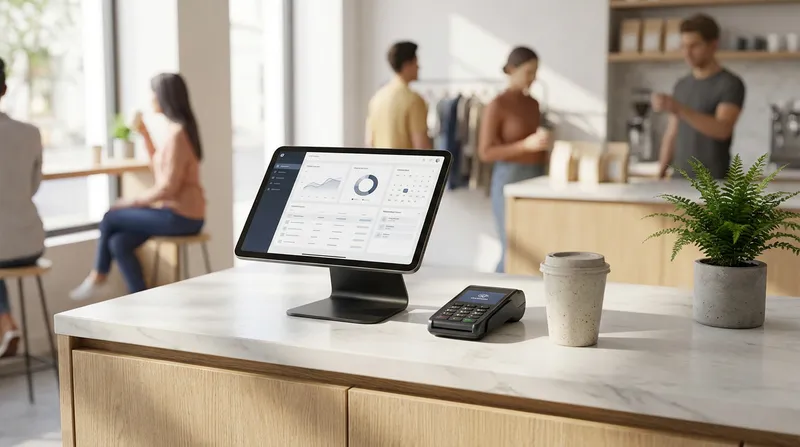
You are running a busy Wellington cafe. The morning rush hits, your paper booking diary is buried under receipts, your stock levels are a guess, and your old cash register is slowing down every transaction. Sound familiar to your business? Whether you run a Ponsonby massage studio or a Christchurch boutique retail shop, this is the core pain point thousands of New Zealand small business owners face every single day: juggling bookings, sales, and stock across systems that were never designed to work together.
The good news is that a modern iPad POS system can replace that tangle of spreadsheets, paper diaries, and disconnected terminals with a single cloud-based platform that runs on hardware you may already own. This guide is written specifically for NZ cafe owners, restaurant operators, massage therapists, beauty salon managers, and food truck entrepreneurs who want a clear, honest picture of what an iPad POS system can do and how to choose the right one for their business.
The Shift to iPad POS in New Zealand
Traditional point-of-sale hardware in New Zealand has always come with a heavy price tag. Proprietary terminals, locked-in software contracts, and expensive on-site servicing made POS technology feel like something only big chains could afford.
According to Retail NZ, small and medium retail businesses make up the backbone of New Zealand commerce, and technology adoption is now a key competitive factor for survival and growth. Meanwhile, Stats NZ data consistently shows that hospitality and retail are among the most active sectors for digital transformation investment.
The businesses that are winning in 2026 are those running a hybrid POS. A hybrid POS is a single platform that combines point-of-sale, bookings, inventory, and loyalty in one system, eliminating the need for separate software subscriptions or manual data transfers.
Here is why the shift to hybrid iPad POS systems is accelerating across NZ:
- Lower upfront cost: Use an iPad you already own or add a complete starter kit, instead of buying proprietary legacy terminals.
- Cloud-based access: Check your sales reports from home, update your menu from your phone, and never lose data if a device breaks.
- Integrated EFTPOS: Integration with supported terminals from providers such as EFTPOS NZ and Windcave sends the sale amount straight to the terminal, so staff never re-key it.
- Automatic updates: No IT visits required. Features improve automatically in the background.
- Works offline: Offline mode means you keep selling even when the internet drops, which is critical for food trucks and rural locations.
For a deeper look at scaling cloud-based systems, see our guide on Multi-Location POS Systems: The NZ Scaling Guide.
Essential iPad POS Features for NZ Businesses

Not every iPad POS system is built for the variety of businesses that exist in New Zealand. A system that works brilliantly for a fast-food joint may be completely wrong for a massage therapist who needs appointment scheduling. Here are the core features to evaluate.
Integrated Booking and Appointment Management
For salons, massage studios, and wellness businesses, bookings are the heartbeat of the operation. A POS system that handles sales but forces you to use a separate booking app creates double-entry errors and frustrated clients. Look for an online booking widget, automated SMS reminders, waitlist management, and Google Reserve integration.
No-shows and last-minute cancellations eat directly into billable time for service businesses. Reminders are one of the simplest ways to reduce them, so check how a system handles them before you commit.
Real-Time Inventory and Stock Management
Running out of oat milk at 8am on a Tuesday costs you money and damages customer trust. Real-time inventory management is essential. A strong iPad POS provides automatic stock deduction, low-stock alerts, supplier management, and ingredient-level tracking.
The New Zealand Food Safety guidelines from the Ministry for Primary Industries reinforce the importance of accurate ingredient tracking for food businesses, particularly around allergen management. A POS with built-in ingredient notes helps you stay compliant while keeping service fast.
Self-Service Kiosk Mode
For busy cafes and quick-service restaurants, a self-service kiosk on a secondary iPad allows customers to order and pay without queuing at the counter. Many operators find kiosks lift average order value, because customers can browse add-ons without a queue building behind them, and regulars who know their order skip the line entirely.
Flexible Payment Processing
New Zealanders are highly contactless-payment-forward. According to Payments NZ, the volume of contactless transactions has grown dramatically. Your iPad POS needs to handle EFTPOS NZ certified terminals, Apple Pay, Google Pay, split payments, surcharge management, and seamless refund processing.
Commission-Free Online Ordering
Third-party delivery platforms charge between 15% and 30% commission on every order. An iPad POS with integrated, commission-free online ordering gives you a direct channel to your customers. Look for menu synchronisation, order scheduling, and SMS notifications. Online orders also give customers time to browse, which can lift average order value.
Customer Loyalty and Retention Tools
Keeping a regular is usually far cheaper than winning a new customer. Look for a digital loyalty programme that accrues points automatically at checkout, so nobody has to remember a paper stamp card.
Reporting and Analytics
According to Xero's Small Business Insights for New Zealand, businesses that regularly review financial and operational data make faster, more confident decisions. Your POS should provide hourly sales patterns to optimise staff scheduling, top product reports, staff performance tracking, and payment method breakdowns.
Tailoring Your POS to Your Business Type
Different industries require different workflows. Here is how a hybrid iPad POS adapts to key New Zealand business models:
- Cafes: The ideal setup includes self-service kiosk mode to manage the morning rush, a Kitchen Display System (KDS) to replace paper tickets, digital loyalty programmes for daily coffee drinkers, and ingredient-level inventory tracking.
- Massage and Beauty Salons: Repeat clients are the engine of a salon business. Essential features include appointment scheduling with automated reminders, client profile management with treatment history, service packages, and staff commission tracking.
- Retail Shops: Retail in New Zealand faces pressure from online competitors. You need barcode scanner compatibility, variant management (sizes and colours), and robust customer CRM. Retail POS customer data enables targeted promotions and identifies your top buyers, helping you build loyalty and compete effectively with e-commerce giants.
- Food Trucks: Food trucks require extreme mobility. Critical features include true offline mode that syncs automatically when internet returns, iPhone compatibility for pocket-sized order taking, and online pre-ordering to reduce queue congestion at events.
Choosing the Right Plan and Hardware
Not every business needs every feature. Using Lazygrid's published plans as an example, here is how business type maps to plan level (NZD, excluding GST):
| Plan Level | Monthly Cost | Best Suited For | Key Features Included |
|---|---|---|---|
| Lite | $24 | Owner-operated counters, food trucks | Counter sales and receipts, integrated EFTPOS, online ordering, 1 printer |
| Standard | $59 | Cafes, restaurants, salons and retail with staff | 2 staff accounts, inventory tracking, barcode scan to cart, print routing, loyalty, gift vouchers, reservations and bookings |
| Premium | $149 | Larger teams, venues wanting a managed website | Unlimited staff accounts, QR table ordering, Reserve with Google, custom branded website |
Hardware does not need to be a massive capital expense. Lazygrid runs on a compatible iPad, iPhone or Apple silicon Mac you may already own, and complete kits (iPad, thermal receipt printer, cash drawer and stand) are available if you need them. See the hardware page for a quote.
Pre-Purchase Checklist for NZ Business Owners
Before you commit to any iPad POS system, work through this checklist:
- Map your current pain points: Prioritise the features that solve your biggest problem first.
- Check payment integration: Confirm the POS integrates with your payment terminal (for example EFTPOS NZ or Windcave) so sale amounts are sent automatically and never re-keyed.
- Assess your hardware: Is your existing iPad on the vendor's supported devices list? If so, your software cost is your primary investment.
- Test offline mode: If you are in a location with variable internet, verify that the system actually continues to record transactions without connectivity.
- Request a tailored demo: Ask to see the specific booking flow, retail inventory, or kitchen display process that matches your industry.
Conclusion
The right iPad POS system does not just process payments. It manages your bookings, tracks your stock, retains your customers, and gives you the data to run a smarter business. For New Zealand cafe owners, salon managers, retail operators, and food truck entrepreneurs, the shift to a unified cloud platform is one of the highest-return investments available in 2026.
Ready to see what a modern iPad POS looks like in action? Explore the Lazygrid Retail POS System for shops, or see our cafe and massage and spa pages to see how we handle bookings, loyalty and ordering for service-based businesses.
Frequently Asked Questions
What is the best iPad POS system for small businesses in New Zealand?
The best iPad POS for NZ small businesses combines EFTPOS NZ certified payment processing, cloud-based access, and industry-specific features. Cafes need kitchen display integration and online ordering. Salons require booking management and client history. Retail needs barcode scanning and inventory tracking. Systems like Lazygrid POS are designed for the NZ market and offer tiered plans to match different business sizes.
Can I use my existing iPad with a NZ POS system?
Yes, in most cases, as long as your iPad is on the vendor's supported devices list. Lazygrid, for example, runs on compatible iPad, iPhone and Apple silicon Mac devices. You will simply need to add a compatible thermal receipt printer, an EFTPOS NZ terminal, and optionally a cash drawer.
How does an iPad POS handle bookings for a massage or beauty salon in NZ?
A hybrid iPad POS allows clients to book appointments online 24/7 through a widget on your website. Many systems can also send reminders before each appointment. Client profiles store treatment history and contact details, eliminating the need for a separate booking app and removing double-entry errors.
Does an iPad POS system work offline in New Zealand?
Yes, quality cloud-based iPad POS systems include an offline mode that allows you to continue processing sales even when your internet connection drops. Transactions recorded offline sync automatically to the cloud when connectivity is restored. This is highly beneficial for food trucks and rural businesses.
What is the difference between a hybrid POS system and a standard POS?
A standard POS system is designed primarily to process transactions. A hybrid POS system combines point-of-sale functionality with additional business management tools in a single platform, including bookings, online ordering, inventory tracking, and loyalty programmes. This eliminates the cost of running multiple disconnected software subscriptions.
How much does an iPad POS system cost in New Zealand?
Software subscription costs for iPad POS in NZ typically range from around $24 per month for a basic plan to $149 per month for a premium plan. Hardware costs depend on what you already own. If you need new equipment, complete starter kits are available from most providers.
Is EFTPOS NZ integration important for a NZ POS system?
Absolutely. A POS that integrates with your EFTPOS terminal (for example EFTPOS NZ or Windcave) ensures your card terminals integrate reliably with your software, so transactions are recorded accurately without manual reconciliation.
Can a food truck use an iPad POS system in New Zealand?
Yes, an iPad POS is an excellent fit for food trucks. The system runs on an iPad or iPhone, requires no fixed counter installation, supports offline mode for locations with poor internet, and processes contactless payments via a portable terminal. Online pre-ordering integration also helps reduce queue pressure during peak windows.