
Multi-Location POS Systems: The NZ Scaling Guide
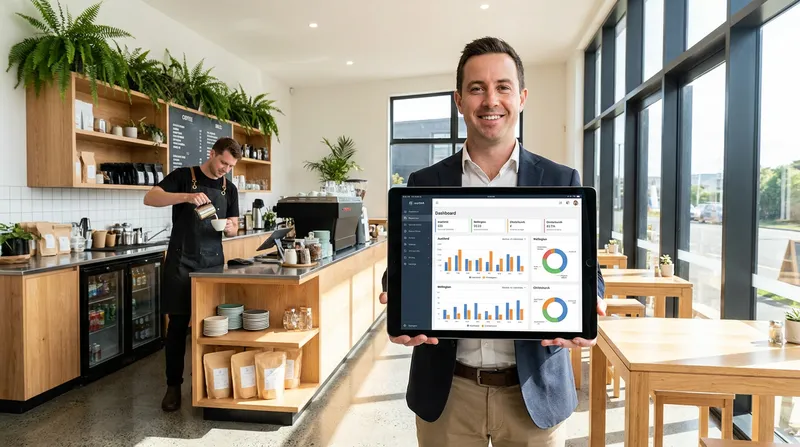
You finally opened your second location. The launch was a success, but the operational reality is starting to set in. You are suddenly dealing with the chaos of manually updating menus across different sites, trying to reconcile fragmented end-of-day reports, and struggling to manage staff permissions across multiple venues. If you are spending your evenings piecing together spreadsheets just to understand your daily profits, a modern multi location POS system is the key to taking back control.
For owners of restaurants, cafes, wellness clinics, and food trucks in New Zealand, scaling up requires a fundamental shift in how you manage operations. Relying on isolated systems for each branch creates blind spots that eat into your profit margins.
This comprehensive guide explores how a cloud based multi store POS can eliminate operational chaos, consolidate your tech stack, and set your hospitality or retail business up for sustainable growth across Aotearoa.
What is a Multi-Location POS System?
A multi location POS system is a centralized network of point-of-sale terminals that connect all your business venues under a single, unified POS dashboard. Instead of treating each store as an isolated entity, an enterprise point of sale system allows you to manage inventory, staff, menus, and reporting from one master account.
Whether you are running a franchise POS system NZ network or managing a small chain of local coffee shops, this technology ensures that a price change made at your headquarters instantly reflects across every terminal in every city. It bridges the gap between front-of-house service and back-office management.
Actionable Tip: Take 15 minutes today to audit your current software subscriptions. List every app you use for online ordering, reservations, loyalty, and staff scheduling across all your locations. You might be surprised by how much you are paying for fragmented tools.
The Kiwi Expansion Playbook: Why Growing Businesses Need a Cloud-Based POS
The transition from a single site to a multi site restaurant management structure is the most challenging phase of business growth. Traditional legacy systems require expensive on-site servers and manual updates, making them entirely unsuited for modern expansion.
Today, the industry standard is in the cloud. According to Strategic Market Research, 78% of SMB retailers and hospitality providers now prefer cloud POS platforms due to lower infrastructure costs and easier multi-site system management.
Tech Stack Consolidation
Many New Zealand business owners fall into the trap of "app fatigue." You might use one system for reservations, another for your loyalty programme, a third for online ordering, and a fourth for your actual POS. When you multiply these subscriptions across three or four locations, your monthly software costs skyrocket.
Some platforms, such as Lazygrid POS, are designed specifically to consolidate these functions for NZ businesses. By bringing online ordering, digital vouchers, table management, and loyalty programmes into one system, you stop paying for fragmented apps and run all venues from a single unified dashboard.
| Business Function | Fragmented Approach | Consolidated Cloud POS |
|---|---|---|
| Point of Sale | Core POS Subscription | Included in base plan |
| Online Ordering | Third-party app (takes 20-30% cut) | Built-in (0% commission) |
| Staff Scheduling | Separate HR software | Built-in role management |
| Loyalty & Vouchers | External loyalty app | Integrated cross-venue tracking |
Key Features to Look For in a Multi-Site POS
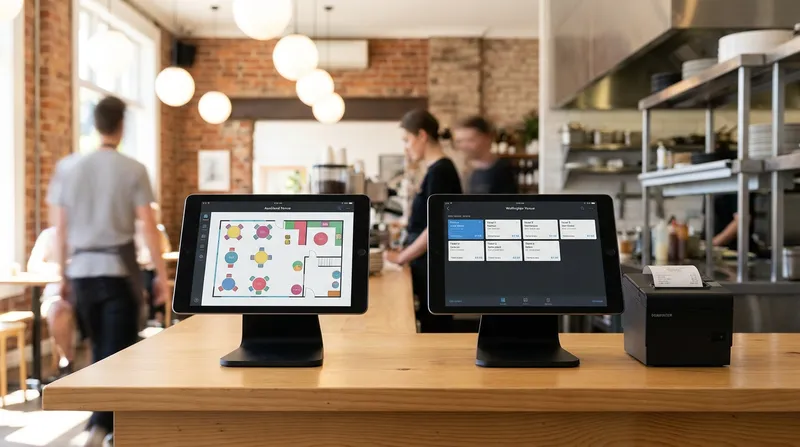
When evaluating multi store management software, you need features specifically designed to handle the complexities of running operations across different regions. Here are the non-negotiable capabilities your system must have.
Robust Offline Functionality
New Zealand is known for its stunning landscapes, but it is also known for spotty internet connectivity in certain regions. If your food truck is operating at a remote festival, or your cafe experiences a local broadband outage, your business cannot afford to stop trading. Your POS must have a reliable offline mode that allows you to continue processing cash sales and syncing data once the connection is restored.
Centralized Menu and Pricing Control
Updating seasonal menus should take minutes, not hours. A master account feature allows you to push menu updates, price changes, and new promotions to all locations simultaneously. Conversely, it should also allow for location-specific pricing, acknowledging that a cup of coffee in central Auckland might carry a different price tag than one in regional Southland.
Integrated Online Ordering and Cross-Venue Loyalty
Third-party delivery apps take a massive cut of your profits. By utilizing a system with built-in, commission-free online ordering, you can increase direct delivery orders for NZ restaurants and keep 100% of your margins.
Furthermore, an integrated loyalty and voucher program is a massive advantage for multi-site operators. A client can buy a $100 gift card at your Ponsonby location and redeem it at your Newmarket branch effortlessly, with the system tracking the balance automatically across your entire network.
Actionable Tip: Test the offline capabilities of your current POS. Turn off your Wi-Fi router during a quiet period and see if you can still open the cash drawer, print a receipt, and save a transaction. If you cannot, you are vulnerable to outages.
Centralized Inventory Management and Revenue Reporting
Managing stock across multiple venues is a logistical nightmare without the right tools. Multi location inventory management allows you to track stock levels in real-time, set up automated low-stock alerts, and facilitate seamless stock transfers between your different branches.
Reducing Waste and Controlling Costs
The financial pressures on local businesses are significant. This is highlighted by the Restaurant Association of New Zealand showing the industry posted record sales of NZD 15.99 billion in 2025, but faces a 40% average labor cost. With labor costs so high, you must protect your margins by reducing food waste and optimizing inventory.
A robust retail POS system NZ tracks ingredients down to the component level. If your central kitchen produces baked goods for three satellite cafes, your centralized POS system will tell you exactly how much flour, butter, and sugar is being consumed across the entire operation.
Unified Reporting and New Zealand Compliance
Fragmented end-of-day reports make it impossible to see the big picture. Centralized revenue reporting gives you a real-time sales dashboard where you can compare location performance side-by-side.
Furthermore, your POS must handle New Zealand specific compliance effortlessly. This includes managing 15% GST seamlessly across different corporate entities and integrating flawlessly with local accounting software like Xero.
Mastering Multi-Site EFTPOS and Local Support
One of the most overlooked aspects of scaling to multiple venues is payment processing. Relying on global POS giants often means you are forced into bundled payment processing rates that scale poorly for high-volume franchises.
The Importance of Local Payment Terminals
Your multi location POS system must integrate seamlessly with EFTPOS NZ certified terminals. Whether you are using Linkly or another local provider, seamless integration prevents double-entry errors and speeds up the checkout process. This efficiency is critical, as data from Hospitality New Zealand reveals productivity in the sector increased by 1.6% per annum over the last decade, driven heavily by faster checkout technology adoption and better operational management.
Why Local Support Matters
When your POS goes down at 7:00 PM on a Friday in Auckland, logging a support ticket with a company based in a different time zone is unacceptable. You need a technology partner with responsive, localized support that understands the unique pressures of the New Zealand hospitality scene during peak trading hours.
Tailoring the Tech to Your Specific Industry
Different business models require different multi-site features. A generic system will not serve the nuanced needs of specialized industries.
Restaurant POS Multiple Locations
For full-service restaurants, visual table management and digital kitchen communication are vital. Implementing a digital screen system can revolutionize your back-of-house operations. You can read more about whether a KDS is worth the ROI in NZ to see how eliminating paper tickets speeds up multi-course service.
Multi Location Salon Software
For wellness clinics and appointment-based service businesses, the focus shifts to schedule management and client retention. Your system needs an integrated booking widget, automated SMS reminders to reduce no-shows, and a centralized customer database.
High-Volume Cafes and Food Trucks
Speed is everything for cafes and food trucks. Features like QR code ordering and self-service kiosks can dramatically reduce counter congestion. If you are looking to handle the morning rush more effectively, you can learn how to set up a self-service kiosk in your NZ cafe to increase your average order value by up to 30% without hiring extra staff.
How to Transition Multiple Venues Without Downtime
Switching your enterprise point of sale system can feel daunting, but delaying the upgrade only compounds your operational inefficiencies. The need for upgraded, scalable infrastructure aligns with broader New Zealand hospitality trends, which focus on modernizing operations and removing barriers to growth.
Here is a practical approach to migrating your venues to a new cloud-based POS:
- Clean Your Data: Before exporting anything, delete discontinued menu items, outdated staff profiles, and obsolete inventory components.
- Run a Pilot Location: Never switch all your venues on the same day. Choose your quietest location to act as the pilot for two weeks.
- Standardize Hardware: Ensure you are using consistent devices across all sites. Modern systems run on standard iPads, meaning you can often utilize hardware you already own.
- Stagger the Rollout: Once the pilot is successful, roll the system out to remaining locations one by one early in the week when trading is slower.
Actionable Tip: Export your current customer database to a CSV file today. Ensure you have clean columns for names, email addresses, and phone numbers. This data is your most valuable asset and must be protected during any system migration.
Conclusion: Scale Without the Chaos
Scaling your hospitality or retail business across New Zealand should be an exciting journey of growth, not a descent into administrative chaos. By moving away from fragmented, single-site legacy software and embracing a centralized, cloud-based multi-location POS system, you regain control over your operations.
From seamless Xero integrations and EFTPOS NZ certification to centralized inventory management and cross-venue loyalty programs, the right technology stack allows you to manage ten venues as easily as you manage one.
Stop letting outdated technology dictate your growth ceiling. Multi-location management and advanced integrations are fully supported on the Lazygrid Premium plan at $149 per month. Start a free trial or book a 15-minute demo today, and explore the Lazygrid POS pricing plans to find a scalable solution built specifically for the demands of the New Zealand market.
Frequently Asked Questions
Can I manage multiple locations from one central dashboard?
Yes, a modern cloud based multi store POS allows you to oversee all your venues from a single unified dashboard. You can update menus, track inventory, and view centralized revenue reporting for every branch without needing to log into separate systems.
How does a multi-location POS handle offline sales during an internet outage?
A robust system includes a dedicated offline mode. If your venue loses internet connectivity, the POS will continue to process cash sales, print receipts, and open the cash drawer. Once the connection is restored, all offline data automatically syncs with your master account.
Will my inventory and stock transfers sync across all my venues in real time?
Yes. Multi location inventory management tracks stock levels down to the ingredient in real time. If you transfer stock from your central kitchen to a satellite cafe, the system immediately updates the inventory counts for both locations, preventing stockouts and reducing food waste.
Can I set different prices or promotions for different store locations?
Absolutely. While you have a master account for centralized control, you can also establish location-specific pricing. This means you can charge different prices for the same item based on regional costs, such as having a different price for coffee in Auckland compared to Invercargill.