
Best Cafe POS NZ: Beat the Morning Rush (2027 Guide)
Best Cafe POS NZ: Beat the Morning Rush (2027 Guide)
Picture this scenario: it is 7:45 AM on a Tuesday. The queue is out the door, your lead barista is frantically steaming oat milk, and a customer just asked for a half-strength, decaf flat white with a pump of sugar-free vanilla. Suddenly, your EFTPOS terminal freezes.
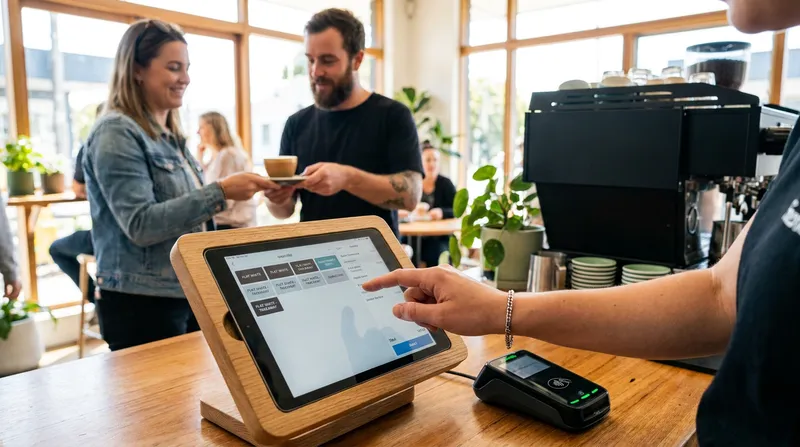
Surviving the brutal morning coffee rush with high staff turnover, complicated custom coffee orders, and clunky EFTPOS integrations is the ultimate test for any New Zealand hospitality owner. When your point of sale system slows down the checkout process, it causes frustrated customers, lost revenue, and reconciliation nightmares at the end of the day.
By 2027, as tap-to-pay mandates and digital ordering become the industry standard, the businesses leading the market will be those that invested in technology built for speed, accuracy, and seamless local integration. Whether you are running a bustling coffee shop or a mobile food truck, this comprehensive guide will walk you through everything you need to know to choose the best cafe POS system in NZ.
What is a Modern Cafe POS System?
A modern cafe POS system in NZ is the digital heartbeat of your daily operations. It has evolved far beyond a simple cash register that just holds money and prints receipts. Today, it is a comprehensive platform running on an iPad or iPhone that handles order entry, payment processing, inventory tracking, staff management, and customer loyalty.
According to the Ministry of Business, Innovation and Employment, the New Zealand hospitality industry saw annual sales hit $15.7 billion for the year ending March 2024. With this much money flowing through the sector, you cannot afford to leak profits through inefficient systems. A modern setup connects your front-of-house staff with your kitchen, your payment terminals, and your accounting software in real-time.
If you are still using legacy hardware, upgrading is the fastest way to improve your profit margins. You can learn more about how an all-in-one platform can cut your operating costs to see the immediate financial benefits of modernization.
The Morning Rush Test: Evaluating POS Speed
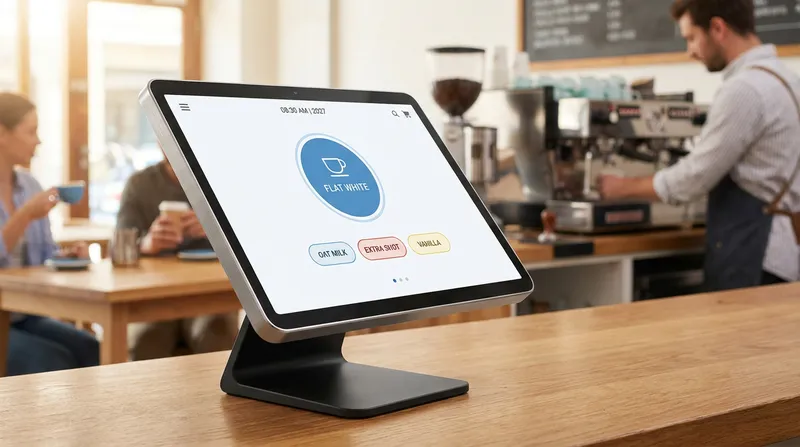
The true measure of a coffee shop POS software is how it handles the morning rush. We call this the "Morning Rush Test." Can your staff punch in a complex, heavily modified coffee order in under three seconds?
New Zealanders are serious about their coffee, and custom orders are the norm, not the exception. If your system requires a barista to navigate through four different screens just to add almond milk and an extra shot of espresso, you have already lost the battle.
The Bad Workflow: Tap coffee, tap milk category, scroll down, tap almond milk, go back to main menu, tap syrups, tap caramel, hit save. (Time taken: 15 seconds).
The Good Workflow: Tap flat white, select almond and caramel from an instant pop-up modifier screen, hit pay. (Time taken: 3 seconds).
Furthermore, the hospitality industry faces notoriously high staff turnover. An intuitive, cloud-based POS means a new hire can jump on the till and start serving customers immediately, with training taking hours instead of days.
Actionable Tip: When demoing a new POS system, ask the sales representative to input your top three most complicated menu items. Time them. If it takes too long for an expert to do it, your weekend staff will struggle even more.
Key Features of a Coffee Shop POS
To run a profitable venue in 2027, your system needs to be equipped with specific tools designed to increase average order value and decrease wait times.
Cloud-Based iPad Mobility
An iPad POS setup gives you the ultimate flexibility. You are no longer tied to a bulky counter terminal. During peak hours, your staff can use handheld devices to take orders directly from people waiting in the queue (known as line-busting). This keeps the line moving and prevents walk-aways.
Self-Service Kiosks
To truly conquer the morning rush, self-service kiosks are a game-changer. Customers can bypass the main counter entirely to punch in their own custom orders and pay via EFTPOS. This acts as an ultimate line-busting tool, freeing up your cashiers to help run food or pull espresso shots.
Kitchen Display System (KDS)
A Kitchen Display System (KDS) eliminates lost paper dockets and illegible handwriting. Orders go straight from the front counter iPad to a digital screen in the kitchen or barista station. They are color-coded by urgency, ensuring no customer waits too long. Discover exactly why NZ venues ditch paper tickets to streamline your back-of-house operations.
QR Code Ordering
Offering QR code ordering is no longer just a gimmick; it is an expectation. By placing a unique QR code on each table, customers can browse your digital menu, order, and pay without ever queuing at the counter. Read more on how self-ordering systems boost NZ restaurant revenue.
Reporting and Analytics
After the rush clears, you need operational intelligence. A modern system provides hourly sales patterns, helping owners optimize staffing for future rushes. You can instantly see which menu items are driving profits and which are slowing down your service.
Built-in Loyalty Programmes and Vouchers
Acquiring a new customer costs five times more than retaining an existing one. Digital stamp cards and points-based loyalty programs keep your regulars coming back. Find out how to float NZ hospitality cash flow with digital gift cards.
Hardware and Software Requirements
The era of spending $5,000 on proprietary, clunky POS hardware is over. Today, the best POS system for a small cafe in NZ runs on standard consumer hardware that you can buy off the shelf.
At Lazygrid, we design our iPad POS system so you can use accessible hardware. For a robust setup, you will need:
- Apple iPad: A standard iPad (9th generation or newer) provides a beautiful, responsive touch screen.
- Thermal Printers: Ethernet or wireless printers like the EPSON TM series or Xprinter models for receipts and backup kitchen tickets.
- Cash Drawer: A standard RJ11/RJ12 connection that triggers automatically when a cash sale is processed.
Using accessible hardware means if a device breaks, you can simply buy a replacement from a local electronics store, download the app, and be back online in minutes. Explore recommended POS Hardware NZ to build your perfect counter.
Payment Processing and EFTPOS Integrations
This is where many international POS providers fail New Zealand businesses. The local payment ecosystem is unique, and your POS must be built to handle it.
As noted by Worldline New Zealand, their infrastructure processes approximately 70 percent of all in-store transactions across the country. Kiwis love using their EFTPOS and debit cards. Therefore, having a POS with native EFTPOS integration in NZ is absolutely non-negotiable.
An integrated system means your POS automatically pushes the exact transaction amount to your EFTPOS terminal (like Windcave, Verifone, or Smartpay). If your system is not integrated, your staff must manually type the total into the terminal for every single sale. This leads to disastrous human errors and drastically slows down the checkout queue.
Actionable Tip: Never sign a contract with a POS provider until they can prove they have native integration with certified New Zealand EFTPOS terminals.
Simplify Your Accounting with Xero Integration
Manual bookkeeping is a waste of your valuable time. Insights from Xero confirm that connecting your POS system directly to your accounting software eliminates manual double-entry and automatically categorises GST.
A true POS with Xero integration will automatically sync your daily sales totals, break down revenue by payment type, and track liabilities like sold gift cards. This means when it is time to do your taxes or pay your staff, the data is already perfectly formatted for your accountant. You get to spend your evenings relaxing instead of hunting down a $20 discrepancy on a spreadsheet.
Inventory Management for Cafes and Food Trucks
You cannot sell what you do not have in stock. Whether you are managing a fixed location or looking for the perfect POS for a food truck in NZ, real-time inventory tracking is crucial.
Data from Statistics New Zealand reveals that the number of cafes and restaurants grew to 9,150 in 2024. With this high level of market saturation, competition is fierce and profit margins are tighter than ever, making precise inventory control essential to survival. A smart POS tracks your milk, coffee beans, and baked goods down to the ingredient level, sending automated alerts when you are running low before the morning rush hits.
For mobile operators, inventory management must work alongside robust offline capabilities. If you are parked at a festival with spotty internet, your system must continue processing sales and sync the inventory data once you are back online. For mobile setups, a Portable Card Reader NZ is an essential companion.
The True Cost of Ownership in NZD
When evaluating restaurant POS software in NZ, you must look beyond the initial monthly subscription price. Many international providers advertise low monthly rates in USD, only to hit you with currency conversion fees, mandatory payment processing surcharges, and expensive add-ons for basic features.
Lazygrid Pricing Snapshot (NZD):
- Basic: $24/month
- Standard: $59/month
- Pro: $149/month
The true cost of ownership includes your software subscription, upfront hardware costs, payment processing fees, and hidden fees for extra staff logins or premium support. You need a provider that offers transparent, flat-rate pricing in New Zealand Dollars. Be sure to read our guide on the 7 Hidden POS Fees NZ Restaurant Owners Must Avoid before signing any long-term contracts.
How to Choose the Best POS for Your Cafe (The 2027 Buyer's Checklist)
Ready to upgrade? Use this actionable checklist to ensure you select the right hospitality POS system for your specific needs. You can also read our deep dive on Best Restaurant POS in NZ: Core Features vs. Upsells for more context.
- Test the Modifier Workflow: Force the sales rep to input a complex order. Count the clicks. It must be fast.
- Verify EFTPOS NZ Certification: Ensure the system integrates directly with local terminals like Windcave or Verifone to prevent manual entry errors.
- Check for Offline Mode: Internet outages happen. Your POS must allow you to continue taking cash and offline card payments without freezing.
- Assess Local Support: Do they have a support team based in New Zealand, or will you be stuck calling an overseas call centre at 6:00 AM?
- Demand Transparent Pricing: Ask for a complete breakdown of costs in NZD, including all hardware, software, and integration fees.
- Confirm Xero Integration: Ensure the system pushes daily sales and GST data directly to Xero without requiring a paid third-party bridging app.
- Review Hardware Flexibility: Ensure you can use standard iPads and network printers rather than being locked into buying proprietary hardware.
Conclusion
Beating the morning rush requires more than just a talented barista; it requires technology that works as fast as you do. By investing in a modern, cloud-based cafe POS system with robust local EFTPOS and Xero integrations, you can eliminate bottlenecks, reduce human error, and take control of your profit margins.
Focus on speed, demand transparent pricing, and prioritize systems built specifically for the New Zealand market.
Book a free demo and see how Lazygrid handles your most complex coffee order in under three seconds.
Frequently Asked Questions
How much does a cafe POS system cost in NZ?
Pricing for a cafe POS system in New Zealand typically falls into two categories: hardware and software subscriptions. Cloud-based software subscriptions usually range from $24 to $149 NZD per month, depending on the features you need, such as loyalty programs or advanced kitchen display systems.
Hardware packages, which generally include an iPad, a thermal receipt printer, a secure stand, and a cash drawer, require an upfront investment of $1,000 to $2,000 NZD. See our full pricing breakdown in NZD on our pricing page.
It is highly recommended to avoid providers that hide mandatory payment processing surcharges or charge exorbitant currency conversion fees by billing in USD. Always demand transparent, flat-rate pricing in New Zealand Dollars.
Can I use an iPad for my cafe POS system?
Yes, an iPad is widely considered the industry standard for modern hospitality POS systems. Using a standard Apple iPad (9th generation or newer) provides a highly responsive, intuitive touch screen that your staff already knows how to use, drastically reducing training time.
iPads take up very little valuable counter space and allow for automatic, seamless cloud software updates. Furthermore, their mobility means you can easily unclip them from their stands to take orders directly from customers in the queue during a busy morning rush.
Does the POS integrate with Xero and local NZ EFTPOS terminals?
The best local POS systems offer native, seamless integrations with both Xero and New Zealand EFTPOS terminals. Direct integration with Xero is vital for automated bookkeeping, as it automatically syncs your daily sales, categorizes GST, and eliminates hours of manual data entry.
Equally important is direct integration with NZ EFTPOS terminals on the Worldline network (such as Windcave or Verifone). This ensures the POS pushes the exact transaction amount directly to the card reader, completely eliminating manual typing errors and significantly speeding up the checkout process.
What is the best POS system for a small coffee shop or food truck?
For small footprint businesses like boutique coffee shops or mobile food trucks, the ideal POS system is highly mobile, functions reliably offline, and requires minimal hardware. A cloud-based iPad system paired with a wireless thermal printer and a portable EFTPOS terminal is the perfect setup.
This configuration keeps your limited counter space clean and organized. Crucially, the system must have a robust offline mode so that if you are operating at a festival or remote location with spotty internet, you can continue processing sales without interruption.
How does QR code ordering work for a cafe?
QR code ordering transforms the way customers interact with your cafe by putting the menu and ordering power directly in their hands. Each table is assigned a unique, scannable QR code.
When customers sit down, they simply scan the code with their smartphone camera, which instantly opens your digital menu in their web browser. They can browse items, customize their coffee orders, and pay securely using Apple Pay, Google Pay, or a credit card, sending the order directly to the kitchen.