
Best Cafe POS Systems NZ (2026): Your Guide to Speed, Loyalty & Modifiers
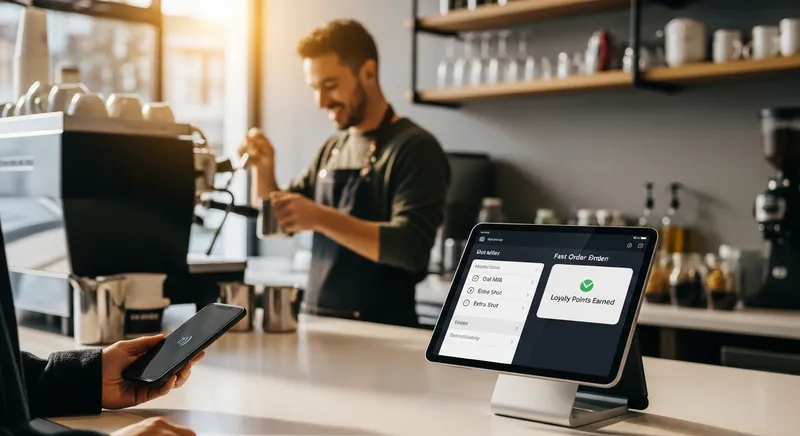
Introduction: That 8 AM Rush is Coming. Is Your POS Ready?
The queue is snaking towards the door. The grinder is whirring, milk is steaming, and your barista is a blur of motion. But everything grinds to a halt at the till. A customer wants to split a payment, another has a complex coffee order, and your point-of-sale system is lagging, turning a smooth operation into a stressful bottleneck.
For a high-volume New Zealand cafe, your POS isn't just a cash register—it's the heart of your entire operation. It dictates the pace of service, the accuracy of orders, and your ability to turn that chaotic morning rush into your most profitable hour. A clunky system doesn't just frustrate staff; it costs you sales and damages your reputation.
This guide, drawing on our experience helping hundreds of Kiwi cafes at Lazygrid, is for owners who know their POS could be doing more. We'll dive into the essential features you need to thrive in 2026, focusing on the three pillars of a superior cafe POS: unmatched speed, effortless modifiers, and smart, integrated loyalty. As the Restaurant Association of New Zealand notes, choosing the right system is a long-term investment in your efficiency and profitability.
Why Standard POS Systems Fail NZ Cafes: The Core Requirements
Many generic retail POS systems are built for selling t-shirts, not flat whites. They don't understand the unique, high-speed workflow of a busy cafe. Simply put, they aren't designed for hospitality. A great cafe POS system must be built on three core pillars: Speed, Modifiers, and Loyalty.
- Speed: In a high-volume environment, every second counts. A fast POS means faster turnover, shorter queues, and happier customers.
- Modifiers: 'Trim, half-shot, extra hot' isn't an edge case; it's a standard order. Your POS must handle complex modifications without slowing your barista down.
- Loyalty: Regulars are the lifeblood of any cafe. Your POS should make it effortless to reward them and keep them coming back.
Adopting the right technology is proven to pay dividends. Research from Xero Small Business Insights shows that businesses that embrace digital tools enjoy higher productivity and revenue. Your POS system is the most critical digital tool in your arsenal.

1. Speed of Service: Winning the Queue with a Fast POS
A slow POS system is a silent revenue killer. When customers see a long queue, they walk away. When transactions take too long, you serve fewer people per hour. The speed of your service is directly tied to an intuitive user interface, quick-add buttons for your most popular items, and, most importantly, a seamless payment flow.
Seamlessly Integrated EFTPOS
This is where integrated EFTPOS becomes non-negotiable. When your POS terminal speaks directly to your EFTPOS machine, there's no need for staff to manually enter the transaction amount. This eliminates keying errors, can cut transaction time by up to 50%, and creates a much smoother, faster experience for both staff and customers.
Actionable Tip: Time your current transaction process during a busy period. From the moment the customer orders a 'large flat white' to the payment being approved, how long does it take? A modern POS should get this done in just a few seconds and a couple of taps. If you're looking to understand the costs involved, our guide on EFTPOS vs. Stripe fees can help.
2. Modifiers Made Easy: From 'Trim Flat White' to 'Half-Strength Oat Latte'
"Can I get a large decaf oat milk latte, extra hot, with one sugar, and a caramel shot?" In a cafe, this isn't a difficult order; it's a daily reality. The difference between a great POS and a frustrating one is how it handles this complexity.
A legacy system might force your staff to use a generic 'notes' field, leading to messy, inconsistent, and often illegible instructions for the barista. This is a recipe for errors, waste, and remakes.
A modern POS designed for cafes handles this with grace. At Lazygrid, we designed our modifier interface to be completely intuitive. Your staff tap 'Coffee', then select from logical, pre-set options:
- Size: Small, Regular, Large
- Milk: Whole, Trim, Soy, Oat, Almond
- Strength: Standard, Half, Double, Decaf
- Temperature: Standard, Warm, Extra Hot
- Syrups: Caramel, Vanilla, Hazelnut
This structured input ensures the order is 100% accurate and instantly appears on the Kitchen Display System (KDS) exactly as intended. As noted by industry publications like Hospitality Business Magazine, this level of accuracy and efficiency is crucial for maintaining quality during peak times.
Actionable Tip: Write down your five most common but complex coffee orders. When you're getting a demo of a new POS system, use these as your test case. See how quickly and intuitively you can enter each one. If it feels clunky or requires workarounds, it will be a nightmare during your morning rush.
3. Integrated Loyalty: Turning One-Time Visitors into Regulars
Those crumpled, ink-smudged paper stamp cards are a liability. They get lost, they don't provide you with any data, and they feel outdated. A modern cafe needs a modern, POS-integrated loyalty program.
When loyalty is built directly into your POS, the benefits are immense. Points or digital stamps are tracked automatically against a customer's name or phone number. There are no cards to lose and no friction at checkout. More importantly, you start building a valuable customer database, allowing you to see who your regulars are and what they buy.
This isn't just a nice-to-have; it's what customers expect. According to loyalty research from The Point of Loyalty, the average New Zealander is a member of multiple loyalty programs and appreciates the convenience of digital integration. With an integrated system, you can offer birthday rewards, run 'double points' days, and create targeted promotions to bring customers back.
Actionable Tip: Look at your sales data. A good POS can help you identify customers who haven't visited in the last 30 or 60 days. With an integrated loyalty and marketing system, you can create a special 'We Miss You' offer and send it directly to that group, turning a lapsed customer into a returning regular. This is a core part of turning repeat customers into your biggest growth driver.
4. The Connected Cafe: Key Integrations & Hardware
A great cafe POS is more than just software; it's the hub that connects your entire business. Here are the integrations and hardware choices that matter most for NZ cafes.
Must-Have: Seamless Xero Integration
In New Zealand, Xero integration is a non-negotiable. However, 'Xero integration' can mean very different things. A basic integration might only allow you to manually export a CSV file. A truly seamless, deep integration will automatically post your daily sales summary directly into Xero as an invoice, with all payment types correctly mapped and reconciled. This alone can save you or your bookkeeper hours of administrative work every single week. As data from Xero consistently shows, this kind of automation is a key driver of small business efficiency.
The Rise of the iPad POS System
Bulky, expensive, server-based tills are a thing of the past. Modern, cloud-based POS systems that run on iPads have become the standard for good reason. They offer a significantly lower upfront cost, take up minimal counter space, and have an intuitive interface that new staff can learn in minutes. This flexibility also allows for queue-busting on the floor or use as a mobile terminal for table-side ordering. For a full breakdown, see our guide on how much a POS system really costs in NZ.
Staff & Table Management
A great POS also simplifies your people management. Look for systems that allow individual staff logins, which helps track performance and secure your system. For cafes with table service, a visual table layout on the POS is a game-changer. It allows staff to see table status at a glance, manage bookings, and assign orders to the correct table, reducing errors and improving service flow.
Multi-Location Capabilities
If you have ambitions to open a second or third cafe, choose a POS that can grow with you. A robust multi-location system allows you to manage menus, pricing, staff, and reporting across all your sites from a single dashboard. This centralised control is essential for maintaining brand consistency and operational efficiency as you scale.
Solutions for Mobile Setups: Food Truck & Coffee Cart POS
If you run a food truck or a mobile coffee cart, you need a system that is compact, battery-efficient, and—most importantly—has a robust offline mode. This ensures you can continue to take orders and process payments even when your mobile data drops out, with all sales syncing automatically once you're back online. As research from sources like Consumer NZ often highlights, reliable service is paramount to customer trust.
Actionable Tip: When evaluating a POS, ask the provider this specific question: "Does your Xero integration automatically create a daily sales invoice with all payment types correctly mapped, or is it manual?" The answer will tell you everything.
Your 2026 Cafe POS System Checklist
Feeling overwhelmed? Use this checklist when evaluating your options. This aligns with advice from business.govt.nz on selecting the right tools for your operation.
Ask yourself and potential providers:
- Speed: Can I process a complex coffee order in under 5 seconds and 3 taps?
- Payments: Is the EFTPOS integration seamless, with no manual entry required?
- Modifiers: Are order modifiers clear, structured, and easy for baristas to read?
- Loyalty: Is the loyalty program built-in, or is it a clunky third-party add-on?
- Accounting: How deep is the Xero integration? Is it automatic?
- Offline Mode: What happens if my internet goes down? Can I still trade effectively?
- Hardware: Is the system based on flexible, modern hardware like an iPad?
- Staff: Does it support individual staff logins and performance tracking?
- Growth: Can the system support multiple locations and KDS screens as my business grows?
- Support: Is your customer support team based in New Zealand and available during my operating hours?
Putting It All Together: Is Lazygrid Right for Your Cafe?
Unlike traditional POS systems that require thousands of dollars in proprietary hardware and complex setup, modern solutions like Lazygrid offer a more flexible and affordable path. Built on the cloud and running on familiar iPads, our system is designed specifically for the fast-paced Kiwi cafe environment.
With transparent monthly pricing, seamless integrations with Xero and leading NZ payment providers, and a dedicated local support team, we provide the tools without the stress. If the pillars of speed, smart modifiers, and built-in loyalty resonate with you, it's worth exploring if Lazygrid is the right partner for your growth.
Conclusion: Your POS Should Reduce Stress, Not Create It
Choosing a point-of-sale system is one of the most important decisions you'll make for your cafe. The right system is a powerful investment in efficiency, customer satisfaction, and long-term growth. It empowers your staff, gives you the data to make smarter decisions, and frees you from the stress of clunky technology.
Remember the three pillars: Speed to conquer the queues, intuitive Modifiers for perfect orders, and integrated Loyalty to build a community of regulars. By prioritizing these features, you'll find a POS that actively helps you build a more successful business. Ready to see how a modern POS can transform your cafe? Explore Lazygrid's features designed for Kiwi cafes.
Frequently Asked Questions
What is the best POS system for a small cafe in NZ?
For a small cafe, the best POS prioritizes affordability, ease of use, and the ability to grow. A cloud-based system running on an iPad, like Lazygrid, is typically the ideal choice. It offers low upfront hardware costs and a clean interface. Key features to look for are integrated EFTPOS, a simple built-in loyalty program, and reliable NZ-based support.
How much does a cafe POS system cost in NZ?
The cost of a cafe POS system in New Zealand is broken into three parts: 1) Monthly Software Subscription: This can range from $50 to over $200 per month, depending on the provider and features. 2) Hardware Costs: A one-time investment in an iPad, cash drawer, printer, and EFTPOS terminal, which can range from $1,000 to $3,000+. 3) Payment Processing Fees: These are charged per transaction. Unlike legacy systems with high upfront costs, modern systems offer more transparent, subscription-based pricing.
Do I need a POS with Xero integration?
Yes, for any modern New Zealand cafe, a deep and seamless Xero integration is essential. A good integration automatically syncs your daily sales totals and payment types directly into Xero, eliminating hours of manual data entry and reducing errors. This provides a real-time, accurate view of your financial health.
Can I use my own iPad for a POS system?
Yes, many modern POS systems, including Lazygrid, allow you to use your own iPad, which can help reduce setup costs. However, the iPad must be a relatively recent model capable of running the latest software smoothly. For reliability, this iPad should be dedicated solely to your POS operations and secured in a sturdy, commercial-grade stand.
What's the difference between a POS and an EFTPOS machine?
Think of it this way: the EFTPOS machine is the payment terminal, while the POS system is the brain of your operation. An EFTPOS terminal's only job is to process card payments. A Point of Sale (POS) system does much more: it's where you take orders, manage tables, track inventory, run loyalty programs, and view sales reports. A modern POS integrates directly with an EFTPOS terminal, so the sale amount flows seamlessly from the POS to the payment device.