
Best POS for NZ Restaurants & Bars: Dual Workflows
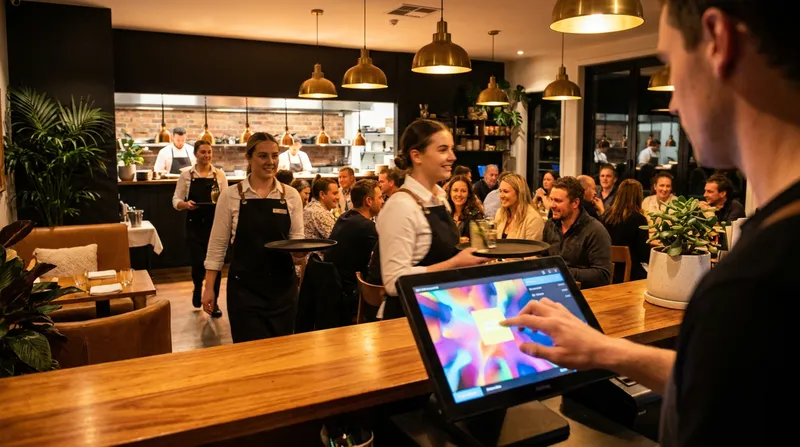
It is 7:00 PM on a Friday. Your bar is packed with customers ordering rounds of drinks, while your dining room is fully seated with guests expecting perfectly timed three-course meals. Suddenly, your point of sale system starts lagging. A bartender accidentally closes a tab that was supposed to be transferred to a table, and the kitchen is overwhelmed with a mix of confusing paper dockets. The result is intense stress for your staff, delayed service for your guests, and lost revenue for your business.
Venues that operate as both a restaurant and a bar face a unique operational dilemma. You need a system that can handle rapid, high-volume drink orders at the bar, while simultaneously managing complex table routing, coursing, and split bills in the dining room. This guide explores how modern hybrid hospitality POS systems solve these exact pain points, helping you choose the right hospitality POS software New Zealand venues rely on to master dual workflows.
The Dual Workflow Dilemma in NZ Hospitality
Running a hybrid venue in New Zealand means managing two completely different speeds of service under one roof. The bar requires speed: bartenders need to punch in drink orders, open tabs, and process payments in seconds. The restaurant requires detail: waitstaff need to assign seat numbers, add allergy modifiers, and fire courses to the kitchen at specific intervals.
When a venue tries to force both of these workflows into a basic, single-speed POS system, bottlenecks are inevitable. Staff get frustrated navigating through unnecessary screens to ring up a simple beer, or they struggle to find the right modifiers for a complex dietary request. Choosing a system built specifically for these dual workflows is the only way to prevent Friday night meltdowns and keep your operations running smoothly.
Why Hybrid Venues Outgrow Standard POS Systems
Standard point of sale software is usually designed for either quick-service (like cafes and fast food) or full-service (traditional dining). When you try to use a quick-service system in a hybrid venue, you lose the ability to manage tables and course food properly. If you use a traditional full-service system at a busy bar, your bartenders will be slowed down by mandatory table selections and clunky menu navigation.
This mismatch leads to severe revenue leakage. When systems cannot bridge the gap between the bar and the dining room, drinks get forgotten, tabs get lost in the transfer, and customers get double-charged. In fact, reports on economic pressures from The Spinoff highlight that the NZ hospitality sector faces tight margins, making it critical to prevent revenue leakage through optimised operations. You simply cannot afford to lose track of inventory or mischarge guests because of software limitations.
Actionable Tip: Audit your current multi-venue POS systems by timing your staff. Use a stopwatch to see exactly how long it takes a bartender to open a tab for four drinks, and then time a waiter entering a three-course meal with modifiers. If either process takes more than 30 seconds, your restaurant and bar point of sale software is costing you money.
Quick Comparison: What to Look for in a Hybrid Venue POS
| Feature | Why It Matters for Bars | Why It Matters for Restaurants |
|---|---|---|
| Fast-Tap Interface | Processes high-volume drink orders in seconds. | Allows quick entry of water or basic beverage requests. |
| Table Management | Keeps track of waiting customers drinking at the bar. | Manages seat assignments, coursing, and reservations. |
| Tab Transfers | Eliminates forcing guests to close out before eating. | Consolidates food and drink into a single, seamless bill. |
| Integrated KDS | Prints or displays drink tickets instantly at the bar. | Routes complex food orders directly to the correct chef. |
5 Non-Negotiable POS Features for Restaurants and Bars
To successfully manage a hybrid venue, your technology stack must adapt to your staff, not the other way around. Finding the best POS system for restaurant and bar NZ operations comes down to a few core technical capabilities. If you are currently evaluating your setup, be sure to review our guide on the Best POS System for NZ Cafes: 7 Non-Negotiable Features to understand the baseline requirements. For hybrid venues specifically, here are the five features you cannot live without.
Seamless Bar Tab to Table Transfers
One of the most common customer journeys in a hybrid venue involves starting at the bar for a drink while waiting for a table, and then moving to the dining room for dinner. In older systems, staff have to cash out the bar tab and start a completely new bill at the table, forcing the customer to pull out their wallet twice.
A modern POS system with bar tabs and table management handles this effortlessly. Waitstaff can digitally drag and drop an open bar tab directly onto a table number on the floor plan. All the drinks are instantly merged with the food orders that follow, resulting in one clean, consolidated bill at the end of the night.
Actionable Tip: Train your host and bar staff on this specific digital hand-off feature. When a table is ready, the host should ask for the name on the bar tab, transfer it in the POS, and tell the customer, "Your drinks have been moved to your table, please follow me." This elevates the guest experience and eliminates the awkward "please pay the bartender first" conversation.
Split Billing That Actually Works
Nothing slows down a busy Friday night checkout like a table of twelve asking to split the bill in complicated ways. Standard systems force staff to pull out calculators, manually figure out the 15 percent GST, and run cards one by one while the rest of the restaurant waits for service.
Advanced split billing POS systems automate this entire headache. Your staff should be able to split the bill evenly by a specific number of people, split by individual items, or split by seat number.
Actionable Tip: Set up your POS to require seat numbers during the initial ordering process. When it comes time to pay, the system already knows exactly what Seat 1 and Seat 2 ordered, making individual checkouts instant and error-free.
Role-Specific User Interfaces
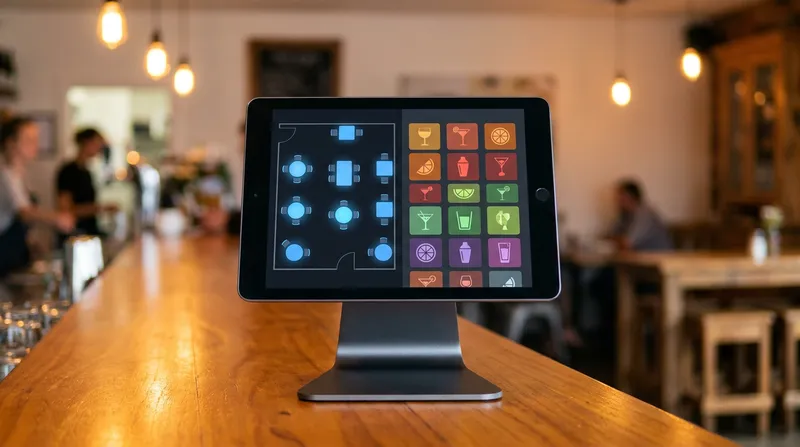
Your bartenders and your waitstaff have entirely different jobs, so they should not be forced to use the exact same screen layout. Bartenders need a fast-tap grid layout featuring top-selling beers, wines, and spirits on the home screen. Waitstaff need a visual floor plan, detailed modifier menus, and coursing options.
The best EPOS system for hospitality NZ venues allows you to customise the interface based on the user's login PIN or the specific terminal location. When a bartender logs into the bar iPad, they see the drinks grid. When a server logs into a handheld device on the floor, they see the table map.
Actionable Tip: Program your physical bar terminals to default immediately to the drinks menu, completely skipping the table selection screen. Saving just three seconds per order at the bar can result in hundreds of extra dollars in revenue during a peak rush.
Integrated Kitchen Display System (KDS) for Course Routing
Paper dockets are the enemy of a smooth hybrid workflow. When food and drink orders are mixed on a single paper ticket, bartenders and chefs have to manually decipher who is making what, leading to missed items and cold food.
An integrated kitchen display system (KDS) solves this by intelligently routing items to the correct preparation station. Drink orders are sent instantly to a screen or printer at the bar, while food orders are routed to the kitchen. Furthermore, a KDS handles complex coursing rules: waitstaff can fire entrees immediately while the system holds the main courses back until the server triggers the "fire mains" button.
Actionable Tip: Configure your digital KDS screens to colour-code tickets based on wait times. Set tickets to turn yellow after 10 minutes and red after 15 minutes, allowing your head chef to instantly identify and prioritise delayed tables.
Local EFTPOS Integrations and Reporting
Operating in New Zealand means you need software that plays nicely with local financial infrastructure. Manually typing totals into an EFTPOS terminal is a massive liability in a busy bar: a staff member accidentally typing $5.00 instead of $50.00 will destroy your profit margins for the night.
Direct EFTPOS integration POS NZ solutions connect your software directly to your payment terminals, pushing the exact total to the machine automatically. Additionally, having a system with end-of-day reporting exports ensures that your daily sales, payment types, and the 15 percent GST are easily synced to your accounting software overnight without manual data entry.
Actionable Tip: When upgrading your software, only shortlist POS providers that explicitly advertise EFTPOS NZ network certification. Not all international POS brands support direct integration with New Zealand hardware.
How Cloud POS Solves the Friday Night Bottleneck
Legacy, server-based POS systems are notorious for crashing during high-volume periods because the local computer simply cannot process the data fast enough. This is where modern cloud POS for cafes and bars completely changes the game.
Cloud-based systems process data securely over the internet, meaning there is no clunky back-office server to maintain or reboot. Changes sync in real-time across all devices. If a bartender updates the "sold out" status of a specific wine, every waitstaff's handheld device updates instantly. This means no more apologizing to a table that just ordered the last bottle. According to Hospitality Business Magazine NZ, upgrading to cloud architecture is a top priority for hospitality executives looking to link front and back-of-house operations seamlessly. For a deeper look at the financial benefits, read our breakdown on Cloud POS ROI for NZ Cafes, Salons & Restaurants.
Actionable Tip: Because cloud systems rely on the internet, always have a 4G backup router installed in your venue. If your local broadband drops out during a Friday rush, the 4G backup automatically kicks in, keeping your POS, KDS, and EFTPOS terminals online without missing a beat.
Hardware Considerations: Mobile POS and Tableside Ordering
The days of staff lining up behind a single, bulky till to enter their orders are over. The modern hybrid venue relies on a mix of fixed terminals and mobile devices. Equipping your floor staff with mobile POS for tableside ordering allows them to send drinks to the bar and food to the kitchen without ever leaving the guest's side.
This mobility drastically increases average spend. When a server can instantly process a request for "another round of drinks" right at the table, the bar starts making the drinks immediately. If the server had to walk across the room to a fixed terminal, they might get stopped by other customers, delaying the order and potentially losing the sale. This flexibility is also why this technology doubles as the perfect POS for food trucks and pop-up bars that operate in tight spaces.
Actionable Tip: For the best of both workflows, keep your hardware setup hybrid as well. Mount large, fixed iPads at the bar for rapid drink entry, and equip your floor staff with handheld iPhones or iPad Minis for tableside ordering. You can learn exactly how to configure this in our iPad POS Setup Guide for NZ Businesses (2026).
Driving Repeat Business with Digital Loyalty
Beyond just taking orders, a powerful POS system acts as a growth engine for your hybrid venue. Implementing a digital loyalty programme encourages casual bar customers to return for a full dining experience. By tracking guest preferences and purchase history across both the bar and the restaurant, you can reward your best customers and significantly increase their lifetime value.
The Financial Impact of Getting Your POS Right
Upgrading to a system that handles dual workflows is not just about reducing staff stress: it is about protecting and growing your bottom line. Faster order entry means faster table turns. Accurate split billing means you never accidentally undercharge a large group. Seamless KDS routing means fewer comped meals due to cold food or missed dietary requirements.
Furthermore, robust inventory management for bars and restaurants prevents stock shrinkage. With the right system, every item sold is deducted from your stock counts in real-time, giving you accurate COGS data and low-stock alerts before you run out mid-service. Data from the Restaurant Association of New Zealand highlights that the restaurant and cafe sector generates nearly $2 billion in quarterly sales, proving that high transaction volumes require serious, reliable technology to capture every dollar.
Actionable Tip: Make it a habit to review your end-of-day void and comp reports. If you notice a high number of voided items specifically when tabs are transferred from the bar to a table, it indicates a staff training gap that you can immediately address to stop revenue leakage.
Conclusion: Upgrading Your Multi-Venue Tech Stack
Managing a venue that operates as both a bustling bar and a refined restaurant does not have to be a logistical nightmare. By choosing a system designed specifically for dual workflows, you empower your staff to work faster, reduce costly ordering errors, and provide a seamless experience for your guests from the moment they order their first drink to the second they split their final bill.
Stop forcing your team to use software that actively works against them during your busiest shifts. The best POS system for restaurant and bar NZ operations will handle the complexity in the background, letting you focus on hospitality. Lazygrid's Standard plan starts from $59/month and includes online ordering, advanced kitchen printing, and booking management: everything a hybrid venue needs to manage dual workflows without enterprise-level costs.
Explore how Lazygrid handles hybrid venue workflows, or book a free 15-minute demo to see tab transfers, split billing, and KDS routing live.
Frequently Asked Questions
What is the best POS system for a restaurant and bar in NZ?
The best systems are cloud-based platforms like Lazygrid that offer specific features for hybrid venues. Look for software that provides seamless tab transfers, role-specific user interfaces, and direct integration with local NZ EFTPOS providers.
How do you transfer a bar tab to a dining table?
Modern POS systems allow staff to digitally merge or transfer a customer's open bar tab directly to their assigned table on the digital floor plan. This combines all drinks from the bar and food from the dining room into one final bill without requiring mid-meal payments.
Can a modern POS system handle split bills easily?
Yes. Advanced POS software allows you to split bills by individual item, by seat number, or in equal fractions. This eliminates manual math, speeds up the checkout process, and prevents delays at the end of a large group meal.
What is a Kitchen Display System (KDS) and do I need one?
A KDS is a digital screen that replaces paper dockets in the kitchen. It is highly recommended for hybrid venues because it automatically routes food orders to the kitchen and drink orders to the bar, tracks preparation times, and manages multi-course timing perfectly.
Does my POS need to integrate with NZ EFTPOS terminals?
Absolutely. Direct integration with NZ EFTPOS providers prevents manual keying errors, speeds up the checkout process during busy shifts, and ensures your venue remains compliant with local payment and security standards.