
How Multilingual Kiosks Boost AOV by 30% in NZ's Tourist Hubs
How Multilingual Kiosks Boost AOV by 30% in NZ's Tourist Hubs
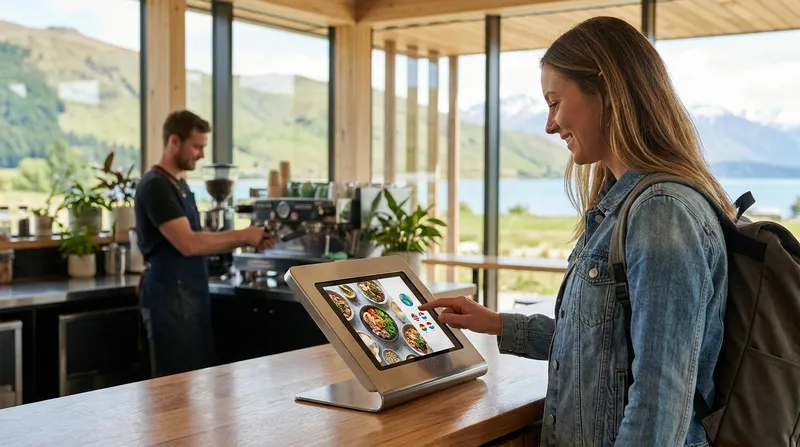
Picture a busy cafe in Queenstown or a bustling restaurant in downtown Auckland. A tourist approaches your counter. They look nervous, point to a basic menu item, hand over their payment, and step away as quickly as possible.
What just happened? You successfully processed a transaction, but you lost a massive revenue opportunity.
Hospitality owners in New Zealand tourist hubs are losing significant amounts of revenue every single day because language barriers cause international customers to feel anxious and rushed at the counter. This friction prevents tourists from asking questions, customising their meals, or accepting verbal upsells. The result is a bare-minimum order and a frustrating experience for both your staff and your guests.
Most competitors focus purely on the labour-saving aspects of self-service technology. This post explores a massive missed opportunity: using a multi-language POS kiosk to break down language barriers for tourists and international students. By making your customers feel comfortable, you can directly increase average order values by 20 to 30 percent.
The Hidden Cost of Language Barriers in NZ Hospitality
Front-of-house staff in places like Auckland, Rotorua, and Queenstown face a daily challenge when trying to serve non-English speaking customers. When a customer cannot easily read the menu or understand the cashier, the ordering process grinds to a halt. Staff must rely on pointing, gesturing, and simplified English, which slows down your queue and creates bottlenecks during your most profitable hours.
However, the operational slowdown is only half the problem. The psychological impact on the customer is where the real financial loss occurs.
Consumer psychology research in the hospitality sector shows that language barriers generate negative emotional and cognitive responses. English as a Second Language (ESL) customers frequently experience anxiety and embarrassment during service encounters.
When people feel embarrassed or rushed, they default to the safest, easiest option. They will not ask if they can add avocado to their toast. They will not inquire about your premium wine pairings. They will simply point to a standard item to end the uncomfortable interaction quickly. This friction leads directly to smaller order sizes and leaves money on the table.
Actionable Tip for Venue Owners: Spend 30 minutes observing your counter during peak tourist hours. Watch the body language of international customers. If they are pointing at items, avoiding eye contact, or rushing away from the register without reviewing the add-on options, language anxiety is actively hurting your profit margins.
How a Multi-Language POS Kiosk Increases Average Order Value
When you implement a multilingual menu ordering system, you fundamentally change the customer's ordering behaviour. Instead of feeling pressured by a queue behind them and a cashier waiting for their response, customers can read your menu in their native language at their own pace.
This introduces the concept of removing "social friction." Removing the human cashier removes the fear of judgment. Industry observations and Lazygrid platform data show that average order values increase by 20 to 30 percent after businesses implement self-service ordering technologies. Customers feel completely free to explore the menu, click on different categories, and build their ideal meal without worrying about pronouncing words correctly or holding up the line.
When a customer is relaxed and fully understands the options presented to them, they are significantly more likely to purchase high-margin add-ons. A multi-language POS kiosk turns a basic transaction into an engaging digital experience.
Furthermore, capturing these larger orders helps you build a database of valuable customer preferences. You can learn more about how to leverage this data in our guide on Restaurant CRM NZ: Turn Walk-Ins into Repeat Diners.
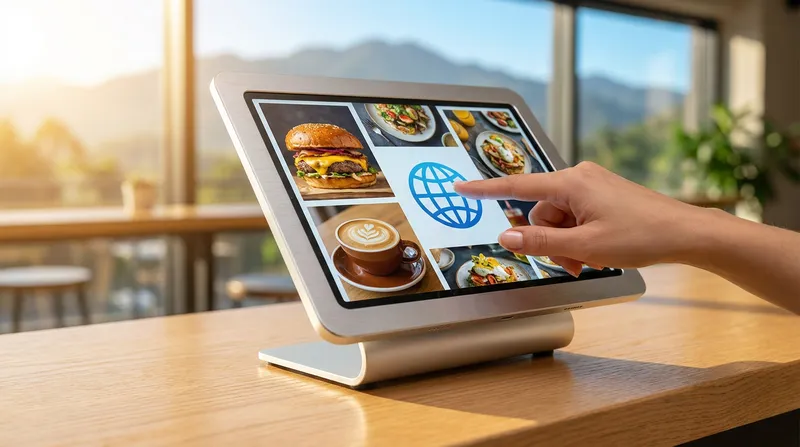
Actionable Tip for Venue Owners: Structure your digital menu visually to highlight high-margin items. Use vibrant, high-quality photos for your most profitable sides and drinks. When a tourist switches the kiosk to their native language, these photos will perfectly complement the translated text, making the upsell irresistible.
Capturing the Tourist and International Student Market in NZ
To understand the scale of this opportunity, we need to look at the numbers. New Zealand relies heavily on international visitors, and these demographics are bouncing back stronger than ever.
Data from Stats NZ shows that overseas visitor arrivals reached 3.67 million in the June 2026 year. This marks a 9 percent increase from the previous year, demonstrating a robust tourism recovery.
Additionally, the international student market is a massive secondary demographic. According to Education New Zealand, the country welcomed over 92,000 international students, with Auckland hosting 55 percent of them.
These hubs desperately need localised ordering solutions. An international student living in Auckland might visit your cafe three times a week if they feel comfortable ordering there. A tourist in Queenstown will happily spend more on a celebratory dinner if they can easily navigate your wine list in their own language.
Actionable Tip for Venue Owners: Identify the top three languages your specific venue should support based on local foot traffic. Here is a quick cheat sheet for major NZ hubs:
- Auckland: Mandarin, Hindi, Korean
- Queenstown: Japanese, Spanish, German
- Rotorua: Mandarin, Japanese, German Do not guess: ask your front-of-house staff which languages they encounter most frequently.
The Mechanics of an Automated Upselling Kiosk
An automated upselling kiosk acts as your absolute best salesperson. It never forgets to ask for the upsell, it never feels awkward suggesting a more expensive item, and it executes the pitch perfectly every single time.
Translating modifier prompts directly boosts your ticket size without any extra staff effort. Imagine a tourist ordering a burger. At a traditional counter, the cashier might simply ring up the burger. On a multilingual kiosk, the customer is immediately presented with a screen in their native language asking: "Would you like to double the meat?" or "Add crispy bacon for $3?"
Because the customer understands the prompt perfectly and can see a mouth-watering photo of the bacon, they are far more likely to tap "Yes."
This technology is also crucial for handling dietary requirements. Letting customers confidently navigate allergens in their own language builds immense trust. When tourists know they can safely order gluten-free or dairy-free items without translation errors, they will spend more and recommend your venue to others. For a deeper dive into managing dietary needs, read our Allergy-Proof Your NZ Kitchen: POS & KDS Integration Guide.
Actionable Tip for Venue Owners: Map out your modifier translations carefully. Do not just translate the item names. Ensure that your upselling prompts (like "Make it a large" or "Add a side of fries") are accurately translated to sound appealing and natural in the target languages.
Implementing iPad Kiosk Software in Your Venue
Historically, self-service kiosks were massive, bulky machines that cost thousands of dollars and took up half of your restaurant's entryway. Today, modern iPad kiosk software NZ venues use is sleek, affordable, and incredibly powerful.
iPad POS systems offer a massive advantage for small to medium hospitality businesses. They use hardware you might already own, take up minimal counter space, and provide a familiar, intuitive interface for customers. Hardware starter packages begin from $999, and monthly software plans start at $24, making this accessible for single-location cafes as well as growing chains.
Furthermore, Lazygrid kiosk software operates in offline mode, so a temporary internet outage during your busiest lunch service will not interrupt orders or payments. You can easily set up two or three iPads during your summer rush and pack them away during the slower winter months.
This flexibility allows you to upgrade your customer experience without a massive capital expenditure. It is part of a broader trend of elevating service through accessible technology, which we explore further in The Michelin Effect: How NZ Venues Are Upgrading Tech to Fine-Dining Standards in 2026.
Step-by-Step: Positioning Your iPad Kiosk for Maximum Impact
Actionable Tip for Venue Owners: Follow this step-by-step guide for placing your iPad kiosks:
- Position the kiosk immediately visible from the entrance, but out of the main walkway.
- Ensure the screen faces away from direct sunlight to prevent glare.
- Place clear, bilingual signage above the kiosk (e.g., "Order Here / 點餐區").
- Keep the kiosk close enough to the counter so staff can offer a friendly greeting or assist if needed.
- Provide a clear path from the kiosk to the pickup area.
Beyond Translation: Contactless Ordering and Bookings
The multilingual experience should not stop at the kiosk. To truly become a tourist-friendly business, you need to extend this localised experience across all customer touchpoints.
QR code table ordering allows tourists to sit down, scan a code, and browse your menu on their smartphones. Integrating these systems with your online reservations creates a seamless ecosystem from booking to payment. A tourist can find your restaurant online, book a table in their language, arrive at your venue, and order via a multilingual kiosk or QR code. This frictionless experience guarantees higher spending and glowing online reviews.
To learn how to capture these tourists right from the search engine, check out our guide on Reserve with Google: Zero-Commission Bookings for NZ Venues.
Actionable Tip for Venue Owners: Promote your contactless and multilingual options on your storefront window. A simple sticker saying "Multi-Language Self-Ordering Available" with flags of the supported languages can be the deciding factor that brings a hesitant tourist group into your restaurant instead of your competitor's.
Scale Your Hospitality Tech with Lazygrid Kiosk Software
Adopting multilingual technology before the next peak tourist season provides a clear competitive edge. Your business will process high-margin, customised orders smoothly and efficiently.
Lazygrid kiosk software makes it simple to deploy and manage multi-language menus. Because it is an all-in-one cloud-based system, any menu change, price update, or new photo you add is instantly synced across your main POS, your kitchen display system, and your customer-facing kiosks.
Whether you run a single busy cafe in Auckland or a chain of burger joints across the South Island, centralizing this technology is key to growth. Discover how to manage this expansion in our NZ Multi-Site POS Playbook: Scale From 1 to 3 Locations.
Do not let language barriers limit your revenue this season. Position your venue to welcome every international guest with confidence. By giving your international customers the tools to order seamlessly, you empower them to spend more, enjoy their experience, and become advocates for your brand.
Ready to see how seamless multilingual ordering can transform your venue? Contact the Lazygrid team today to book a demo and see our translation and upselling features in action.
Frequently Asked Questions
How exactly does a multilingual kiosk increase average order value?
It removes the anxiety and rush associated with language barriers. Customers take their time to browse, understand the menu fully, and are more likely to accept automated upsells like extra toppings or premium drinks when prompted in their native language.
Is iPad kiosk software reliable for busy New Zealand cafes?
Yes, modern iPad POS software is highly reliable, space-saving, and cost-effective compared to traditional bulky kiosks. It easily handles high transaction volumes during peak tourist seasons and can operate offline if your internet connection drops.
Which languages should I include on my self-service kiosk?
This depends on your specific location in New Zealand. Venues in Auckland might prioritise Mandarin and Hindi for international students, while Queenstown businesses might focus on languages common among seasonal tourists like Japanese or Spanish. Always base this on your actual foot traffic.
Do I need separate software for my main POS and my self-ordering kiosk?
No, the best solutions like Lazygrid offer an all-in-one ecosystem where your main POS, kitchen display system, and customer-facing kiosks sync perfectly in real time. You only need to update your menu in one place.
Will self-service kiosks replace my front-of-house staff?
Not at all. Kiosks handle the transactional heavy lifting and overcome language barriers, freeing up your staff to focus on food delivery, table service, and creating a warm, welcoming hospitality experience for every guest.