
iPad POS for NZ Seasonal Businesses: No Lock-In Contracts

If you run a business in a New Zealand tourist hotspot, you already know the drill. Summer in places like Queenstown, the Coromandel, or Waiheke Island brings massive crowds, endless queues, and record-breaking revenue. But when the winter off-season arrives, foot traffic drops off a cliff.
During these quiet months, seasonal business owners face a massive, painful problem. They bleed cash paying for rigid, 12-month hardware leases on point-of-sale terminals that sit completely unused.
You should not have to pay summer operational prices during the winter off-season. In this guide, we will explore how adopting a Bring Your Own (BYO) iPad POS setup with flexible cloud pricing allows you to scale your terminals up in December and scale them down in July, keeping your cash flow healthy all year round.
The Reality of Running a Seasonal Business in New Zealand
Managing a seasonal business in New Zealand is a delicate balancing act. In December and January, you need maximum staff, fully stocked inventory, and multiple registers running simultaneously just to keep up with the demand. By July, you might only need a single staff member and one register to serve the local regulars.
This extreme swing in demand creates severe operational stress. According to an extensive report by UN Tourism, destinations with high fluctuations in seasonality face inadequate infrastructure in peak seasons and a lack of revenue and services in low seasons. This requires business owners to adopt highly proactive mitigation strategies to survive.
Fixed operational costs are the biggest threat to your survival during the off-season. When your revenue drops by 70 percent, your software and hardware expenses need to drop with it. Unfortunately, legacy POS providers are not built for this reality.
Why 12-Month Hardware Leases Hurt Your Cash Flow
Many traditional POS providers lock New Zealand business owners into restrictive 12-month or 24-month hardware leases. These contracts force you to use their proprietary, bulky terminals.
Imagine you lease four terminals to handle your summer rush. Come July, three of those terminals are sitting dormant in your back office, but you are still paying hundreds of dollars a month for them. This creates a severe financial drain. Research from Texas A&M University highlights that seasonality causes intense fluctuations in demand that heavily impact employment, investment, and fixed operational costs.
Action Step: Audit your current POS contract today. Look for hidden lease fees, early termination penalties, and mandatory hardware rental costs. Identifying these expenses is the first step to reclaiming your off-season profit margins.
What is a BYO Hardware POS Setup?
A Bring Your Own (BYO) hardware POS setup is exactly what it sounds like. Instead of renting proprietary hardware from a software company, you purchase off-the-shelf Apple iPads and download a cloud-based POS application.
Unlike a traditional transactional terminal, a cloud POS app gives you real-time visibility into revenue and inventory from any device, and it updates over the air instead of requiring a technician visit. By purchasing your own iPads, you own the asset outright.
To get started with a BYO setup, you only need three basic components:
- A standard Apple iPad (or multiple iPads for busy locations)
- A secure, swivel iPad stand for your counter
- A compatible thermal receipt printer (like an EPSON or Xprinter)
If you need to start from scratch, Lazygrid's Starter Package includes everything you need (an iPad, a secure printer, and a cash drawer) for $999 GST exclusive. Because you own the hardware, you are never locked into a hardware rental contract.
4 Benefits of Flexible POS Pricing for Seasonal Shops
Adopting an iPad POS New Zealand setup pairs perfectly with flexible cloud pricing. Modern POS providers like Lazygrid operate on a month-to-month subscription model. This structure gives power back to the business owner, allowing you to pay only for what you actually use.
1. Scale Terminals Up in December and Down in July
With a flexible cloud POS, adding a new register for the busy season takes minutes, not weeks. As noted by industry experts at RateGain, off-peak seasons see significantly lower demand, making fixed operational costs a major challenge.
If you anticipate a massive rush leading up to Christmas, you can simply purchase a standard iPad, download your POS app, and add a secondary software license to your account. For example, you can run on Lazygrid's Standard plan at $59 per month with online ordering during the summer. When winter arrives and the crowds vanish, you simply downgrade to the Lite plan at $24 per month. This keeps your software costs under $1 a day during your quietest months.
If you want to optimize your workflow further during peak times, check out our guide on how a Coffee Shop POS: Beat the Morning Rush & Boost Sales can transform your counter speed.
2. Drastically Reduce Your POS System Cost in NZ
Let us look at a realistic 3-year Total Cost of Ownership (TCO) comparison for a two-register setup.
| Feature | Legacy POS Lease | BYO iPad POS (Lazygrid) |
|---|---|---|
| Contract Length | 12 to 36 months | Month-to-month |
| Hardware | Rented, never owned | Owned outright ($1,800 one-off) |
| Scalability | Fixed monthly costs | Scale plans up or down |
| 3-Year Cost | ~$9,000 | ~$4,500 |
By switching to a BYO model, you can cut your POS system cost in NZ in half over a three-year period.
3. Perfect for Pop-Up Shops and Food Trucks
If you run a mobile business, bulky legacy registers are a nightmare. They require constant power, take up valuable counter space, and are difficult to pack away at the end of a weekend market.
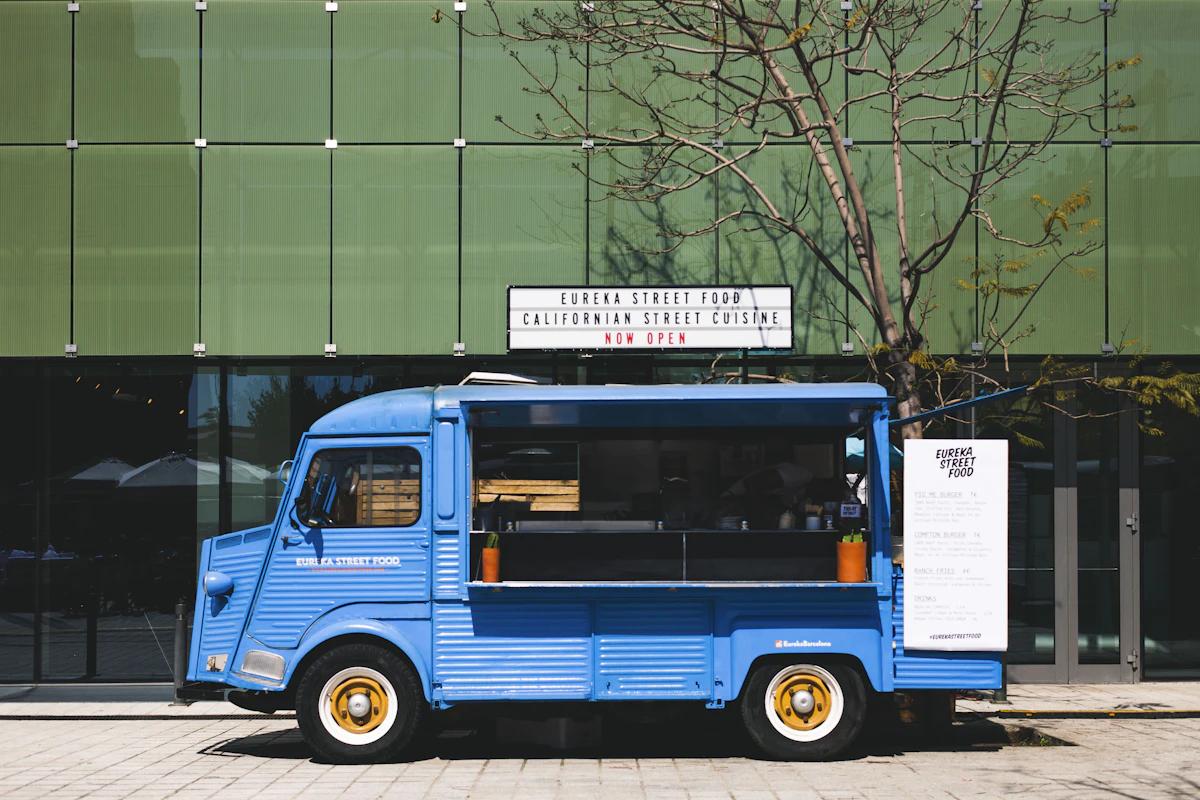
An iPad POS is the ultimate food truck POS system NZ solution. iPads are battery-powered, meaning you can keep taking orders even if your generator temporarily fails. They are compact, lightweight, and easy to secure at the end of the day.
Action Step: Keep your iPads charged by installing high-wattage USB ports directly into your food truck dashboard. Pair this with a robust Takeaway POS System NZ to handle both walk-up orders and online pre-orders seamlessly.
4. Adaptable for Both Hospitality and Salon POS Needs
Seasonal tourist peaks do not just affect cafes and restaurants. Massage shops, wellness retreats, and beauty salons in towns like Rotorua or Hanmer Springs experience the exact same seasonal swings.
Lazygrid's integrated booking system lets massage therapists add temporary appointment slots for summer contractors and remove them in autumn. You manage it all from one dashboard, complete with automated SMS reminders that reduce no-shows.
Additionally, you can use the quiet months to build your loyal customer base. Reward locals with a digital stamp card through Lazygrid's loyalty programme so they return when summer crowds thin out. You can also sell digital gift cards in January to generate cash flow that carries you through the winter.
Must-Have Features for Your Seasonal iPad POS
Flexible pricing means nothing if the software lacks the essential features required to run a busy New Zealand business. When evaluating cloud POS software New Zealand options, ensure they include the following capabilities.
Seamless EFTPOS Integration for NZ Customers
New Zealand is a cashless society. According to payment processor Stripe, cardholders in New Zealand rely heavily on digital payments, with the vast majority of consumers using cards for everyday purchases.
Your iPad POS must integrate flawlessly with local EFTPOS terminals like Windcave or Smartpay. Modern cloud POS systems connect to these terminals wirelessly over your local Wi-Fi network or via Bluetooth. This eliminates messy cables on your counter and prevents manual entry errors, ensuring you never accidentally charge a customer $4.00 instead of $40.00.
Offline POS Capabilities for Remote Tourist Areas
If your business is located in a remote tourist destination like the Coromandel or the West Coast, you know that internet dropouts are a weekly reality. A cloud POS that completely freezes when the Wi-Fi drops will cost you thousands of dollars in lost sales.
Lazygrid features a robust hybrid offline mode. This allows your iPads to continue taking cash orders, printing kitchen dockets, and saving sales data locally on the device until the internet connection is restored.
Action Step: Invest in a high-quality local network router. Even if your external internet goes down, a strong local router ensures your iPads and kitchen printers stay connected to each other. Learn more about how this works in our comprehensive guide to Offline POS System NZ: The Truth About Offline Mode.
How to Switch Your System Before Peak Season
Switching your POS system might feel daunting, but modern cloud software is designed for rapid onboarding. The key is timing. Never switch your system in the middle of December. The best time to migrate is during the shoulder season (October or November), giving your staff plenty of time to learn the new interface before the summer rush hits.
Follow this simple checklist to make the switch:
- Export your data: Download your current customer lists and inventory reports as CSV files.
- Procure your hardware: Purchase your iPads, stands, and compatible receipt printers outright (or grab a Starter Package).
- Build your menu: Upload your products, modifiers, and pricing into the new cloud dashboard.
- Test your network: Ensure your Wi-Fi router is strong enough to handle multiple iPads and EFTPOS terminals.
- Train your team: Run a mock service using the new system for a few hours before going fully live.
For a deeper dive into making a seamless transition, read our step-by-step tutorial on how to Switch Your NZ POS System Without Losing Revenue.
Conclusion
Running a seasonal business in New Zealand is challenging enough without being weighed down by rigid, expensive technology contracts. By moving away from 12-month hardware leases and embracing a BYO iPad POS setup, you regain control over your operational costs.
Flexible POS pricing allows you to scale up seamlessly for the summer rush and scale down instantly when winter arrives. You keep your hard-earned profits in your bank account, rather than handing them over for terminals that sit unused in a storage cupboard.
If you are ready to stop bleeding cash during the off-season, it is time to audit your current system, purchase your own hardware, and switch to a cloud-based solution that respects the reality of your seasonal business.
Ready to see how flexible, no-contract POS can work for you? Book a free demo with the Lazygrid team today to explore a system built for your specific needs.
Frequently Asked Questions
What is the average POS system cost in NZ for a small cafe?
Costs vary widely depending on your setup. Traditional leased systems can cost hundreds per month in hardware fees alone. Conversely, a BYO iPad setup with Lazygrid ranges from $24 to $59 per month for the software subscription, saving you thousands over a few years.
Can I use my own iPad for a food truck POS system in NZ?
Yes, a BYO hardware POS setup allows you to use your existing Apple tablets. You simply download the POS application from the App Store, connect a compatible card reader or EFTPOS terminal, and start selling immediately.
How does EFTPOS integration work with an iPad POS?
Modern cloud POS software connects to NZ EFTPOS terminals (like Windcave or Smartpay) via your local Wi-Fi network or Bluetooth. When you tender an order on the iPad, the total is automatically sent to the terminal, eliminating the need for messy cables and manual amount entry.
What happens to my cloud POS software if the internet goes down?
Top-tier systems feature an offline mode that allows you to continue taking cash orders, printing kitchen dockets, and saving data locally. Once your internet connection is restored, the iPad will automatically sync all the offline transactions back to the cloud.
Are there no contract POS options for NZ pop-up shops?
Yes, flexible cloud POS providers offer month-to-month subscriptions without long-term lock-ins. This allows pop-up shops, weekend market vendors, and seasonal businesses to pay for the software only during the months they are actively trading.