
Offline POS System NZ: The Truth About Offline Mode

Picture this: it is 12:30 PM on a Friday. Your cafe is packed, the ticket printer is running hot, and suddenly, your internet connection drops out. The queue of customers stretches out the door, and nobody has cash.
Regional New Zealand hospitality owners know this stress all too well. Frequent internet dropouts mean losing significant revenue and dealing with frustrated customers who cannot pay for their meals. According to research from Stripe, a massive 81.4 percent of customers prefer card payments over cash. If your POS system goes down, your business grinds to a halt.
To solve this, many global POS providers advertise an "offline mode" to keep your business running. However, what they do not tell you is that this feature often relies on caching credit card details, a risky practice that leaves you, the business owner, entirely liable for declined transactions.
In this guide, we will expose the cached credit card myth, explain how true New Zealand offline payments work, and show you how to pair an offline-capable cloud POS with a cellular 4G EFTPOS terminal to dramatically reduce your risk of downtime during your next outage.
Before diving into the details, here is a quick comparison of how different offline payment methods handle your risk:
| Payment Method | Risk Level | Who Bears the Loss? | Signature Required? |
|---|---|---|---|
| Global POS Cached Mode | High | You (The Merchant) | No |
| NZ EOV Mode | Low | Bank (up to limit) | Yes |
| 4G EFTPOS Terminal | Very Low | None (Live Processing) | No |
The Cached Credit Card Risk: What Global Providers Do Not Tell You
When evaluating a cloud POS offline mode, you must understand exactly how the software handles transactions without an internet connection. Many popular global POS systems use a "store-and-forward" method.
Instead of actually processing the payment, the POS system simply records the customer's credit card details and saves them locally on your iPad or terminal. The system tells the customer the payment is "approved" so they can take their food and leave. Later, when your internet connection is restored, the POS system attempts to process the backlog of saved credit cards.
This creates a massive financial risk for your business.
If that cached credit card declines due to insufficient funds, if the card is expired, or if the customer cancels their card before the internet returns, you do not get paid. As outlined in standard merchant agreements by industry bodies like Retail NZ, the merchant assumes all risk associated with any declined, expired, or disputed transactions when using standard offline cached payments.
In short, the global provider's offline mode is not a true payment solution. It is a delayed processing gamble where you absorb 100 percent of the loss if a transaction fails. For a busy regional cafe processing hundreds of dollars an hour, a two-hour internet outage could result in massive financial losses that you cannot recover.
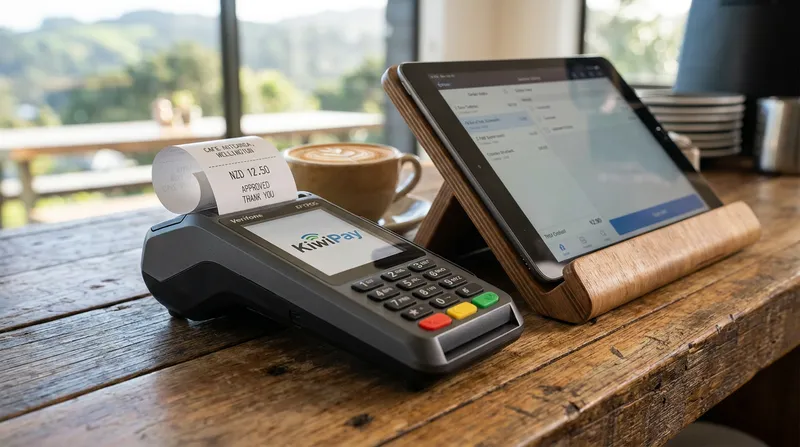
Understanding EOV EFTPOS in New Zealand
New Zealand has a unique and highly robust banking infrastructure. Unlike the risky store-and-forward methods used by overseas software companies, New Zealand banks use a secure, built-in emergency feature called Electronic Offline Vouchers (EOV).
Payments NZ confirms that the New Zealand EFTPOS system is designed to process payments on a 24/7 basis, using the EOV process to securely store transaction details during telecommunication outages.
EOV is a true EFTPOS offline mode for NZ merchants. When your terminal loses connection, it automatically switches to EOV mode. This allows you to continue taking purchase-only transactions safely. However, because the bank is taking on the risk of processing an offline payment, they enforce strict compliance rules that you must follow to ensure you get paid.
Bank of New Zealand (BNZ) explains that EOV allows for the emergency processing of transactions, but card issuers apply strict limits to protect both the merchant and the bank. If you fail to follow these rules, the bank will reject the voucher, and you will lose the money.
While limits vary by bank, most major institutions like Westpac New Zealand mandate several strict requirements for EOV transactions:
- The $300 Limit: The maximum limit for a single EOV transaction is generally $300. Check with your specific bank as limits may vary.
- Signature Verification: You must print the receipt, have the customer sign it, and physically validate that the signature matches the back of their bank card.
- Secure Storage: You must store the signed electronic offline transaction receipt securely for 18 months in case of a dispute.
While EOV is much safer than cached credit cards, it still requires manual work from your staff. During a busy lunch rush, stopping to check signatures slows down your service. This is why the smartest regional cafes use a different strategy altogether.
The Ultimate Fail-Safe: Pairing a Cloud POS with a Cellular 4G EFTPOS Terminal
If you want a true POS internet failover that requires zero manual signature checking and minimises the chance of losing a sale, you need a dual-workflow hardware setup.
The most reliable setup for regional hospitality businesses is pairing a robust cloud POS system with a standalone 4G EFTPOS terminal.
Here is how this setup keeps your business running smoothly:
1. Keep Your POS on a Local Area Network (LAN) Even if your broadband internet drops out, your internal Wi-Fi router still works. The best cafe POS system NZ operators use will feature a dedicated local network mode. For example, Lazygrid's local network mode allows your front-of-house iPads to continue communicating with your kitchen printers completely independent of the external internet. You can continue taking orders, modifying dishes, and printing dockets to the kitchen without missing a beat.
2. Process Payments via Cellular 4G Instead of relying on your cafe's Wi-Fi for your EFTPOS terminal, you lease a compliant, EFTPOS NZ certified terminal with a built-in 4G cellular SIM card. If your broadband goes down, your EFTPOS terminal simply uses the mobile phone network to process payments instantly.
This setup completely bypasses the need for EOV signature checking or risky cached credit cards. To learn more about setting up separate systems for maximum reliability, read our guide on the Best POS for NZ Restaurants & Bars: Dual Workflows - Lazygrid Blog.
Actionable Setup Tips:
- Ask your EFTPOS provider (like Smartpay or Windcave) for a mobile terminal with a 4G SIM backup.
- Ensure your POS router is plugged into a UPS (Uninterruptible Power Supply) battery backup. If the power goes out, your internal network will stay alive long enough to finish serving customers.
- Test your failover monthly by unplugging your main internet cord and ensuring the 4G terminal still processes a $1 test transaction.
The Best POS System Setup for Food Trucks and Mobile Hospitality
Food trucks face an even tougher challenge than regional cafes. They operate with zero fixed internet infrastructure, moving between festivals, rural markets, and corporate parks. For these businesses, mobile EFTPOS with no internet dependency is not just a backup plan: it is a daily requirement.
If you are searching for a POS system for food truck NZ operations, you need a setup built entirely around mobile networks.
Hardware Requirements for Food Trucks:
- Mobile Router: Do not rely on your personal phone's hotspot. Invest in a dedicated 4G/5G mobile broadband router (like a Netgear Nighthawk) with a high-gain antenna to capture weak rural signals.
- Bluetooth or Network Printers: Ensure your receipt and kitchen printers can connect directly to your iPad via Bluetooth or your mobile router, rather than requiring a hardwired internet connection.
- Independent 4G EFTPOS: Your payment terminal must have its own SIM card, completely independent of your POS iPad.
By keeping your POS software and your payment processing on separate cellular connections, you halve the risk of a total system failure. If your POS iPad loses signal, you can still type the dollar amount directly into the EFTPOS terminal to keep the line moving.
For a deep dive into mobile-friendly software features, check out our Takeaway POS System NZ, Counter, Online & Delivery | Lazygrid solutions.
Steps to Protect Your Revenue Before the Next Outage
Do not wait for an Eftpos connection error offline message to appear on a busy Saturday to figure out your backup plan. Take these actionable steps today to audit your restaurant POS offline capabilities.
Step 1: Audit Your Current System Test your system outside of trading hours to avoid disrupting live service. Unplug your internet router and try to put an order through your POS and print it to the kitchen. Then, try to process a payment. If your system completely freezes, you are highly vulnerable to the next local outage.
Step 2: Talk to Your Provider About Liability Call your POS software provider and ask them directly: "If I use your offline mode, and a customer's card declines tomorrow, who covers the loss?" If they say you do, it is time to reconsider your software.
Step 3: Upgrade Your Hardware If you are running a legacy system that relies on a single point of failure, you need to upgrade. Look for rural hospitality tech NZ solutions that support local network printing and standalone 4G payment terminals. Switching systems might seem daunting, but it is the only way to protect your hard-earned revenue. We have created a step-by-step guide to help you Switch Your NZ POS System Without Losing Revenue - Lazygrid Blog.
Step 4: Train Your Staff Technology is only as good as the team using it. Create a simple, laminated checklist for your front-of-house staff outlining exactly what to do during an outage. This should include how to switch the EFTPOS terminal to 4G or EOV mode, how to manually verify a signature if EOV is required, and how to communicate the situation professionally to waiting customers.
Conclusion
Do not fall for the cached credit card myth. Relying on a global POS provider's standard offline mode is a massive financial risk that leaves you liable for declined cards and lost revenue.
For regional cafes, food trucks, and hospitality businesses in New Zealand, the only reliable solution is a robust failover strategy. By pairing an offline-capable cloud POS system with a standalone 4G EFTPOS terminal, you can ensure that your kitchen keeps cooking and your payments keep processing, no matter what happens to your local internet connection.
Protect your business from the next outage. With plans starting from just $24/month, you can explore how Lazygrid's reliable, locally supported POS solutions keep your New Zealand business running smoothly under any conditions.
Frequently Asked Questions
Can you use EFTPOS without an internet connection in NZ?
Yes. You can process payments through Electronic Offline Vouchers (EOV) which stores the transaction for later processing, or by using a standalone terminal equipped with a built-in 4G cellular SIM card as an internet failover.
What happens if a card declines while my POS is in offline mode?
If you are using a global POS provider's standard offline caching, you (the merchant) are fully liable for the lost funds. If you are using compliant NZ EOV through your bank, the bank guarantees the funds up to the $300 limit, provided you followed all signature verification rules.
How do I fix an EFTPOS connection error when offline?
First, restart the terminal. Second, ensure your 4G SIM is active if you have a mobile terminal. If you are completely offline, switch your terminal into EOV mode by following your specific bank's emergency processing instructions (usually involving a manager passcode).
Is a cloud POS system useless during an internet outage?
No. The best cloud POS systems have a local network mode. This allows your iPads to continue communicating with your kitchen printers via your internal Wi-Fi router, allowing you to take orders and print dockets even if the external internet is down.
What is the maximum limit for an offline EFTPOS transaction in New Zealand?
Most major New Zealand banks, including Westpac and BNZ, set the maximum limit for a single Electronic Offline Voucher (EOV) transaction at $300. Transactions above this amount cannot be processed offline.