
POS Lock-In: Why It's Costing NZ Businesses Thousands
POS Lock-In: Why It's Costing NZ Businesses Thousands
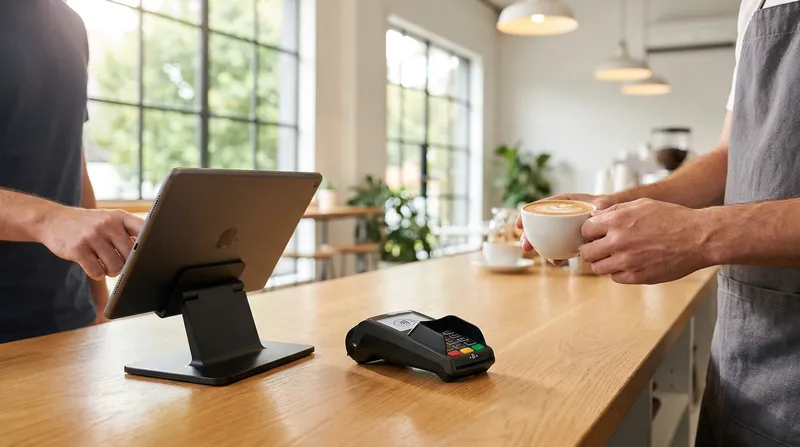
As a hospitality or retail business owner in New Zealand, you are likely feeling the squeeze of rising operational costs. However, one of your biggest financial leaks might be hiding in plain sight. Many New Zealand business owners are unknowingly bleeding thousands of dollars a year because their modern cloud POS system forces them to use a proprietary payment processor.
This forced integration traps merchants into paying high blended transaction rates. Worse still, it prevents you from accessing the financial benefits of New Zealand's free domestic EFTPOS network and recent government interchange fee caps. If you feel frustrated by high merchant fees and lack of transparency, you are not alone. This guide will show you exactly how to identify these hidden costs and regain control over your payment processing fees.
The Hidden Cost in Your Daily Cafe Operations
Running a successful cafe, restaurant, or retail shop in New Zealand requires keeping a close eye on your margins. You already negotiate with food suppliers, monitor staff wages closely, and look for ways to reduce waste. Yet, when it comes to payment processing, many owners simply accept the rates their Point of Sale provider dictates.
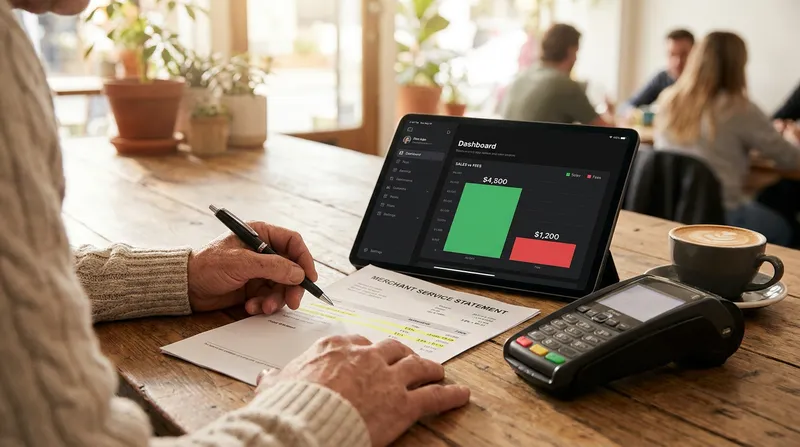
The reality is that your POS system might be secretly inflating your monthly expenses. Global POS providers often advertise low software subscription fees, only to make their real profit by forcing you to process all your payments through their proprietary systems. These POS hidden fees NZ merchants face can add up to thousands of dollars annually, cutting directly into your hard-earned profits.
Actionable Tip: Pull out your last three merchant service fee statements today. Look specifically for the total percentage you are paying relative to your total card sales. If you cannot easily identify what you pay for a standard EFTPOS insert versus a payWave tap, you are likely overpaying. Using a platform like Lazygrid, where the reporting and analytics dashboard provides a clear breakdown of transaction types, makes these fee audits straightforward.
What is POS Payment Processing Lock-In?
Merchant lock-in occurs when a POS software provider mandates the use of their own payment processing service as a condition of using their software. If you want to use their intuitive till system, you must also use their EFTPOS terminals and accept their transaction rates.
Major global POS brands often penalize New Zealand businesses if they try to connect a third-party EFTPOS terminal. They might charge steep monthly penalty fees, or they might completely block the integration, forcing you to manually type every transaction amount into a standalone terminal. This POS payment processing lock-in removes your ability to shop around for better rates from local banks or an independent payment processor.
As venues look to modernize, avoiding these traps is crucial. Upgrading your technology should improve your bottom line, much like the trends discussed in our guide on The Michelin Effect: How NZ Venues Are Upgrading Tech to Fine-Dining Standards in 2026. True modernization means having an alternative to processor-locked POS systems that works for you, not against you.
Actionable Tip: Review your current POS contract terms. Look for clauses mentioning "third-party payment gateway fees" or mandatory processing requirements. Knowing your contract end date is the first step to negotiating better terms or planning a switch to a third-party payment processor POS.
The True Cost of Blended Rates vs Interchange-Plus Pricing
To understand how much money you are losing, you need to understand the difference between blended rates and interchange-plus pricing.
Understanding the Math
A blended rate charges you a flat percentage (often between 1.5% and 2.9%) on every single transaction, regardless of the card type used. Interchange-plus pricing, on the other hand, charges you the actual wholesale cost of the transaction plus a small, transparent markup from the provider.
Here is why this matters specifically in New Zealand. Traditionally, domestic EFTPOS transactions (when a customer inserts or swipes their card and enters a PIN) are free on the New Zealand network. However, if you are on a blended rate with a locked-in POS provider, they charge you that 1.5% fee anyway. They pocket the difference, charging you for a transaction that should cost your business nothing.
For example, a cafe processing $40,000 per month in standard EFTPOS transactions at a 1.7% blended rate pays $680 per month on transactions that should cost $0. That is $8,160 per year going straight to your POS provider.
Comparing the Costs
| Transaction Type | Blended Rate Cost | Interchange-Plus Cost |
|---|---|---|
| EFTPOS Insert/Swipe | 1.5% to 2.9% | $0 (Free local network) |
| Contactless Debit (payWave) | 1.5% to 2.9% | Wholesale rate + small markup |
| Credit Card | 1.5% to 2.9% | Wholesale rate + small markup |
According to advice from Retail NZ, contactless debit transactions have zero interchange fees, making standard EFTPOS highly cost-effective for businesses. If your system charges a flat rate, you are missing out on these savings. This is why understanding your retail POS transaction rates is just as important as knowing how to Automate the 15% Public Holiday Surcharge for NZ Cafes.
Actionable Tip: Request a detailed breakdown of your transaction types (credit, contactless debit, inserted EFTPOS) from your current provider. Calculate how much volume goes through standard EFTPOS. Multiply that volume by your blended rate to see exactly how much you are overpaying each month.
How New Zealand Regulations are Trying to Save You Money
The Impact of Local Regulations
The New Zealand government has recognized the burden of high merchant fees on small businesses. The Retail Payment System Act 2022 was introduced specifically to cap interchange fees for credit and contactless payments, aiming to lower costs for merchants across the country.
Data from the Commerce Commission New Zealand shows that the revised pricing standard is estimated to save New Zealand businesses $260 million in interchange fees annually.
However, if you use a processor-locked POS system on a blended rate, you will likely never see a cent of these savings. The POS providers simply absorb the government-mandated fee reductions to increase their own profit margins, rather than passing the savings on to your business. This makes managing your merchant service fees NZ incredibly frustrating, especially when you are also trying to navigate rules like NZ Surcharge Rules 2026: How to Pass On Paywave Fees Legally.
Actionable Tip: Review your merchant statements from before and after the recent Commerce Commission caps took effect. If your blended rate did not drop, your provider is keeping the savings. Use this information to demand a rate review.
Integrated vs Standalone EFTPOS: Finding the Sweet Spot
For years, business owners faced a difficult choice. They could pay exorbitant fees for a fully integrated POS payment system, or they could use a standalone terminal to get cheaper rates from their bank.
The problem with standalone terminals is the risk of manual entry errors. When staff have to type the amount into the EFTPOS machine during a busy lunch rush, mistakes happen. A $45.00 order accidentally becomes $4.50. This risk of manual error is closely tied to other operational vulnerabilities, such as intentional staff theft, which we discuss further in our guide on how to Stop Cafe Sweethearting with Digital Loyalty Programs.
Today, you no longer have to choose between high fees and manual errors. The modern solution is an open, API-driven POS that provides seamless EFTPOS terminal integration with independent terminals, without dictating your merchant rate. You get the speed and accuracy of an integrated system with the financial freedom of a standalone contract.
Actionable Tip: Calculate the cost of manual entry errors (both accidental typos and potential sweethearting) in your business over a month. Compare this to the monthly cost of your current locked-in payment system. This gives you the true baseline of what your payments are actually costing you.
Why a Processor-Agnostic POS is the Best POS for Cafes in NZ
A "processor-agnostic" POS system is software that gives you the freedom to choose any certified bank or merchant service provider. It does not force you into a proprietary payment gateway. For New Zealand hospitality venues, this is the ultimate financial leverage.
When you use a processor-agnostic POS NZ, you can shop your transaction volume around to different banks (like BNZ, ANZ, or Westpac) and secure the lowest possible interchange-plus rates.
Furthermore, using a Paymark (now Worldline) certified POS ensures your transactions are routed locally. As highlighted by a report from Interest.co.nz, when transactions bypass the domestic payments network and route offshore through international card schemes, your fees increase significantly. Local accreditation keeps costs down and reliability high, making it a critical feature for the best POS for cafes NZ. You can find more strategies for venue optimization in our Practical Business Guides for NZ Hospitality.
Actionable Tip: When shopping for a new POS system, explicitly ask the sales representative: "Can I bring my own bank or payment processor without paying a monthly penalty fee?" If the answer is no, walk away.
How to Avoid Merchant Lock-In and Switch Processors
Breaking free from a locked-in system might seem daunting, but the financial rewards are substantial. With Lazygrid plans starting at just $24 per month, making the switch is more accessible than you might think. Here is a step-by-step guide to help you transition smoothly and avoid merchant lock-in.
- Audit Your Hardware: Check if your current iPads or receipt printers are proprietary. Cloud-based systems like Lazygrid allow you to use standard Apple iPads and EPSON or Xprinter receipt printers, meaning you do not have to buy entirely new hardware.
- Check Contract Dates: Find out exactly when your current POS and payment processing contracts expire.
- Get Independent Quotes: Approach your business bank or an independent payment processor for a quote on standalone EFTPOS machine costs NZ. Ask specifically for interchange-plus pricing.
- Choose an Open POS: Select a cloud POS system that integrates seamlessly with standard New Zealand EFTPOS terminals via the Paymark/Worldline network.
The Ministry of Business, Innovation and Employment (MBIE) notes that recent regulations are designed to promote competition and economic efficiency. You have the right to seek out the best competitive rates for your business. For more tips on optimizing your setup, check out our Payment Processing Guides for NZ Venues.
Actionable Tip: Use your current monthly transaction volume data as leverage. Present this data to three different local banks and ask them to bid for your merchant services using custom interchange-plus rates.
Conclusion
Your Point of Sale system should be a tool that helps you run your business efficiently, not a trap that dictates your financial margins. By understanding the true cost of blended rates and the pitfalls of payment processing lock-in, you can take immediate steps to protect your profits.
New Zealand's free domestic EFTPOS network and recent government fee caps are designed to help your business thrive. Do not let a processor-locked POS system absorb those benefits. By choosing a processor-agnostic POS system, you retain the freedom to negotiate the best possible merchant service fees for your cafe, restaurant, or retail shop.
Are you ready to stop overpaying for your EFTPOS transactions? Book a free demo today to see how Lazygrid's open compatibility integrates with any EFTPOS NZ certified terminal, giving you the freedom to run your business on your terms.
Frequently Asked Questions
What is a processor-agnostic POS system?
A processor-agnostic POS system is point-of-sale software that allows you to connect an EFTPOS terminal from any bank or independent payment processor. This open architecture gives you the freedom to negotiate your own transaction rates directly with the bank, rather than being forced to use the POS software company's expensive payment gateway.
Why are blended payment rates bad for NZ businesses?
Blended rates charge a flat percentage (like 1.7%) on all transactions. This is bad for NZ businesses because domestic inserted EFTPOS transactions are traditionally free on the local network. A blended rate forces you to pay fees on transactions that should cost you nothing, significantly inflating your monthly merchant service fees.
Can I use my own EFTPOS terminal with a cloud POS?
It depends on the POS provider. Some major global brands lock you into their hardware or charge steep penalty fees if you use an outside processor. However, processor-agnostic systems like Lazygrid integrate seamlessly with standard Worldline certified terminals, allowing you to use your own bank's hardware without penalty.
How much does an EFTPOS machine cost per month in NZ?
Typical standalone EFTPOS machine costs in NZ range from $30 to $50 per month for the hardware rental from a local provider. While proprietary integrated terminals from global POS brands might offer "free" hardware, they hide the true cost in inflated transaction percentages that cost you far more than a $40 monthly rental fee.
Will the new Commerce Commission rules lower my POS fees?
While the government has capped interchange fees for credit and contactless payments, you will only see these savings if you are on an interchange-plus pricing model. If your processor-locked POS system charges a flat blended rate, the provider will likely absorb the government savings as extra profit, leaving your fees unchanged.