
POS to Xero Integration: Automating Financial Reporting for NZ Hospitality Venues
POS to Xero Integration: Automating Financial Reporting for NZ Hospitality Venues
If you own a restaurant, cafe, massage shop, beauty salon, or food truck in New Zealand, you already know the end-of-day reconciliation nightmare. You spend hours matching mismatched daily EFTPOS payouts, UberEats deposits, and POS totals in Xero. When the numbers don't line up, it messes up your GST calculations, and you end up paying high accountant fees just to fix the errors.
You didn't start your business to become a part-time bookkeeper. The good news is that a proper POS to Xero integration NZ setup can completely eliminate this administrative headache.
In this comprehensive guide, we will explore exactly how to automate your financial reporting. We will cover the specific pain points that generic software guides ignore, including how to handle third-party delivery apps, manage public holiday surcharges, and ensure perfect New Zealand GST compliance.
How Does the Xero POS Integration Work?
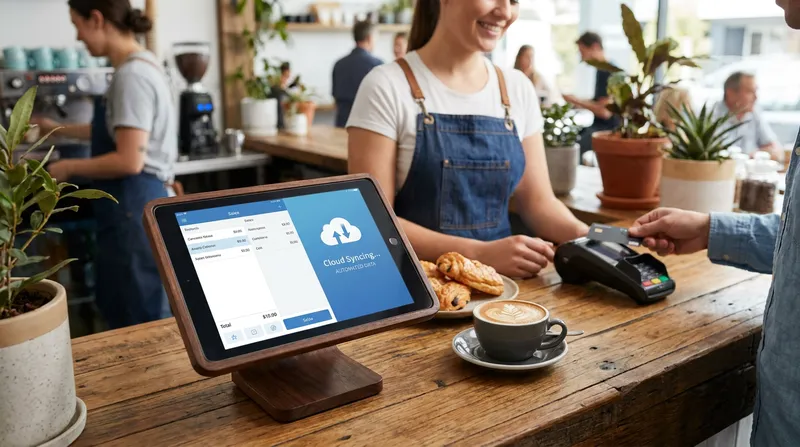
At its core, integrating your point-of-sale system with Xero creates a seamless bridge between your front-of-house operations and your back-office accounting. Instead of manually typing your end-of-day Z-read totals into Xero, the software handles the data transfer automatically.
Research from NetSuite details how POS integration creates a continuous exchange of information between the checkout register and core business systems like accounting and inventory. This automates data sharing between POS systems and accounting platforms, cutting down on costly, error-prone, and repetitive manual work.
When you close your register for the day, a modern cloud POS system packages up all your sales data, categorises it by payment type (cash, EFTPOS, online orders), applies the correct tax codes, and pushes it directly into Xero as a draft invoice or a direct journal entry.
Furthermore, experts at Restaurant365 explain that integrating your POS with accounting software goes beyond simple cash drawer summaries. It automates the creation of daily sales summaries and journal entries for revenue, tenders, and discounts. This means your accountant gets a granular view of your financial health without you having to lift a finger.
The New Zealand Hospitality Reconciliation Playbook
Most POS providers will tell you that their system "syncs with Xero" and leave it at that. But real-world hospitality accounting is rarely that simple. Here is how to handle the specific operational challenges that New Zealand venues face every day.
Handling Third-Party Delivery Apps (UberEats, DoorDash)
One of the biggest accounting headaches for modern restaurants is reconciling third-party delivery platforms. When a customer orders via UberEats, your POS records a $100 gross sale. Your POS then syncs this $100 to your Xero clearing account.
However, UberEats takes a 30% commission and only deposits $70 into your actual bank account. If you simply click "OK" in Xero when that $70 bank feed appears, your clearing account will be out of balance by $30, and your revenue will be understated.
To fix this without double-counting revenue, you must use the "Match" feature in Xero. Select the $100 expected deposit from your POS, and then add an adjustment for a "Bank Fee" or "Commission Expense" of $30. This zeroes out the clearing account, correctly records your gross revenue for GST purposes, and accurately logs your commission expense.
Managing Public Holiday Surcharges in Xero
New Zealand hospitality venues often apply a 15% surcharge on public holidays to cover the cost of time-and-a-half wages and alternative holidays for staff. This surcharge is taxable revenue, but it shouldn't be lumped in with your general food and beverage sales.
Your POS should be configured to map this surcharge to a specific "Surcharge Revenue" account in Xero. By isolating this data, you can easily run a profit and loss report for that specific public holiday. This data-driven approach helps you determine if opening on a public holiday is actually profitable for your business.
Splitting Tips and Gratuities
In New Zealand, customer tips aren't considered business revenue. They are funds held on behalf of your staff. If your POS system accidentally syncs tips as standard revenue, you will end up paying 15% GST on money that doesn't belong to you, artificially inflating your tax bill.
A proper integration maps tips directly to a liability account in Xero (often called "Funds Held for Staff" or "Tips Payable"). When you pay your staff their tips through your payroll system, you code that payment against the liability account, bringing the balance back to zero. If you want to learn more about managing your team effectively, check out our guide on how to Track & Reward Cross-Trained Hospitality Staff in NZ.
Automate Your Daily Sales Sync and GST Compliance
New Zealand has strict rules regarding tax documentation, and making mistakes with your 15% GST can lead to stressful audits and severe financial penalties.
According to Inland Revenue, GST-registered businesses are legally required to keep accurate records that support their income and expense claims for up to seven years. Automated digital synchronisation is a compliance necessity, not just a convenience.
Mastering the 15% GST Mapping
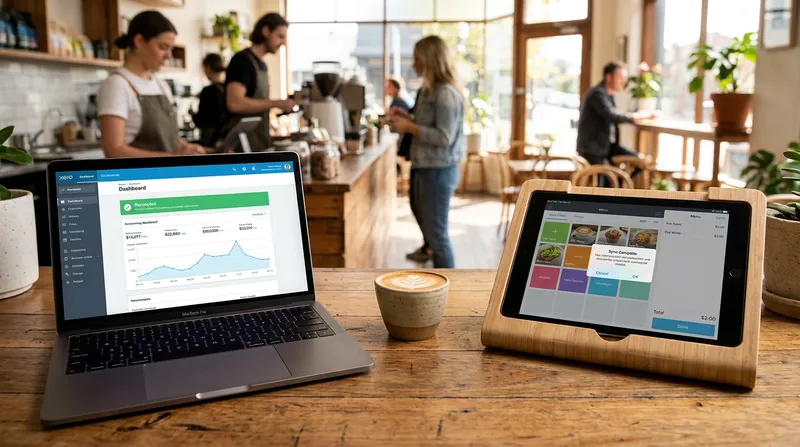
Your POS system must be sophisticated enough to separate GST-applicable sales from GST-free sales (such as certain types of gift card sales or specific wholesale exports, if applicable). When the daily sales sync occurs, the POS pushes the exact GST amounts to Xero, mapping them directly to your GST liability account.
This automation ensures that when it is time to file your GST return, the numbers in Xero are perfectly accurate. You won't ever have to manually calculate 15% out of a gross daily total again.
Benefits of Integrating Your POS with Xero
The shift toward integrated systems is accelerating across the globe. Academic research from the EHL Hospitality Business School notes that the global hospitality market is expected to grow to $5.82 trillion by 2026. This massive volume requires operators to adopt AI-driven automation and cloud integrations to replace manual data entry and protect their margins.
Saving Thousands in Accountant Fees
Bookkeepers and accountants generally charge by the hour. If your accountant has to spend five hours a month manually untangling your EFTPOS payouts, fixing tip allocations, and hunting down missing cash discrepancies, you are paying a premium for data entry.
| Feature | Manual Reconciliation | Automated POS-Xero Sync |
|---|---|---|
| Daily Data Entry | 1 to 2 hours per day | Instant (0 hours) |
| GST Accuracy | Prone to human error | 100% automated mapping |
| Accountant Fees | High (paying for data fixes) | Low (focused on advisory) |
| UberEats & Tips | Complicated manual math | Pre-mapped clearing accounts |
By automating the POS to Xero integration, you eliminate this manual work. Your accountant can then focus on high-value advisory services, such as helping you analyse your Restaurant Inventory Management NZ: Stop Guessing Recipe Costs & Cut Food Waste strategies.
Real-Time Visibility into Profit Margins
When your sales data flows into Xero daily, your financial reports are always up to date. You can log into Xero on a Wednesday morning and see exactly how profitable your Tuesday night service was. This real-time visibility allows you to make fast, data-driven decisions. If you notice a dip in revenue, you can immediately deploy strategies to Beat the NZ Winter Slump: 5 POS & CRM Strategies.
Hospitality Net highlights the shift toward integrated payment systems in hospitality, showing why disconnected systems cause operational friction. Integrated payments improve transaction visibility, reconciliation, and revenue reporting by ensuring that payment data flows directly into operational and accounting workflows rather than sitting in isolated silos.
How to Connect Your POS System to Xero (Step-by-Step)
Setting up your integration correctly from day one is the secret to stress-free accounting. Here is a step-by-step guide to configuring your system.
Step 1: Set Up Your Clearing Accounts
A clearing account is a temporary holding account in your Xero chart of accounts. Think of it as a waiting room for your money. You should create a separate clearing account for each payment type:
- EFTPOS Clearing Account
- Cash Clearing Account
- Online Ordering Clearing Account (for Stripe or PayPal)
When you close your till, the POS tells Xero to expect a specific amount of money in these clearing accounts.
Step 2: Map Your Revenue Categories
Don't dump all your sales into a single "Sales" account. Map your POS categories to specific revenue accounts in Xero. For a cafe, this might look like:
- Food Revenue
- Beverage Revenue
- Merchandise Revenue
- Surcharge Revenue
This detailed mapping allows you to see exactly which parts of your business are driving growth. If you are running a seasonal menu, this data is vital. Learn more about menu tracking in our guide to NZ Farm-to-Table POS: Daily Menus & Recipe Costs.
Step 3: Configure the Daily Sales Sync
Connect your POS to Xero via the integrations dashboard. Choose what time you want the daily sync to occur. For most hospitality venues, scheduling the sync for 3:00 AM ensures that all late-night transactions are captured and the data is ready for you when you wake up.
Step 4: Reconcile the Bank Feed
The next day, your merchant provider will deposit your funds into your actual bank account. When this bank feed appears in Xero, you simply reconcile it against the corresponding clearing account. If the POS recorded $1,000 in EFTPOS sales, and the bank deposited $1,000, the clearing account balances to zero. For more tips on this process, read our guide on POS Reconciliation NZ: Stop Till Errors with 2-Way EFTPOS.
If you are unsure about your current merchant fees during this process, it is worth reviewing our breakdown of EFTPOS in New Zealand 2026: What It Actually Costs, and How to Check You're Not Overpaying.
Conclusion: Streamline Your Accounting with Lazygrid
Automating your POS to Xero integration is one of the highest-return investments you can make for your New Zealand hospitality business. By properly mapping your revenue categories, utilising clearing accounts, and correctly handling third-party commissions, you will save hours of manual data entry every week and ensure strict GST compliance.
If you are struggling with clunky, outdated systems that refuse to talk to your accounting software, it is time for an upgrade. Lazygrid offers a modern, cloud-based POS system designed specifically to eliminate administrative headaches for New Zealand businesses.
Lazygrid scales with you, offering EFTPOS NZ certified integrations for fast, secure, and compliant contactless payment reconciliation. Plans start from just $24/month, and you can use iPads and iPhones you already own, avoiding the need for expensive proprietary hardware. If you are weighing your hardware options, read our analysis on Buy vs Lease POS Hardware NZ: Protect Cash Flow 2026.
Lazygrid isn't just a cash register; it is a complete business management platform featuring:
- Offline Mode: If your internet drops during a busy service, Lazygrid continues processing transactions offline and syncs automatically when connectivity is restored, ensuring your Xero data is never incomplete.
- Kitchen Display Systems (KDS) & Kiosks: Speed up service with Self-Service Kiosks and seamless KDS routing that keeps front and back-of-house perfectly aligned.
- Commission-Free Online Ordering: Keep 100% of your profits and own your customer data. Menu changes sync instantly across all channels.
- Integrated Booking System: Perfect for full-service restaurants or service businesses. Automated reminders help you Cut Salon No-Shows: NZ Automated Booking Guide 2026.
- Digital Loyalty & Vouchers: Replace lost paper cards with digital stamp cards and easily manage gift vouchers.
- Advanced Inventory Management: Track stock levels in real-time, receive low-stock alerts, and understand your true cost of goods sold.
Stop spending your evenings fighting with spreadsheets and bank feeds. Explore how Lazygrid can transform your daily workflows, reduce your accounting fees, and help you focus on delivering exceptional experiences to your customers. For more insights, browse our library of resources on the Lazygrid Blog.
Frequently Asked Questions
How does a POS system integrate with Xero?
A modern POS system integrates with Xero by automatically syncing your daily sales data, categorised by payment type and tax code, directly into your accounting software. This eliminates manual data entry and ensures your end-of-day Z-read totals perfectly match your Xero ledgers.
Does Xero have its own POS system for restaurants and cafes?
No, Xero doesn't have a built-in point-of-sale system. Instead, Xero focuses on being a world-class accounting platform and relies on seamless integrations with specialised third-party POS providers, like Lazygrid, to handle front-of-house operations.
How do I reconcile EFTPOS payouts with Xero sales data in NZ?
The best way to reconcile EFTPOS payouts is by setting up a dedicated clearing account in Xero. Your POS pushes daily EFTPOS totals into this account. The next day, when your merchant provider deposits the funds into your bank account, you match the bank feed to the clearing account, bringing the balance to zero.
Can my POS system handle New Zealand GST automatically in Xero?
Yes, a properly configured POS to Xero integration NZ setup will automatically calculate and separate your 15% GST. It maps GST-applicable and GST-free sales to their respective accounts, ensuring your GST returns are accurate and compliant with Inland Revenue requirements.
How do I track third-party delivery sales in Xero without double-counting revenue?
To track apps like UberEats accurately, sync the gross sales amount from your POS to a clearing account in Xero. When the net payout (minus commissions) hits your bank, use Xero's "Match" feature to add an adjustment for the commission expense. This records your true gross revenue and exact commission costs without double-counting.