
Set Up a Self-Service Kiosk in Your NZ Cafe for Under $1,500
New Zealand hospitality and retail owners are currently drowning in a severe staffing crisis. If you run a cafe, food truck, or salon, you already know the daily struggle. During your peak morning rush, a long queue forms out the door. Because you are short on staff, your team cannot take orders fast enough. Customers look at the line, check their watches, and walk away. You are actively losing walk-in revenue simply because you cannot process transactions quickly enough.
Many business owners look at the massive, automated screens in fast-food chains like McDonald's and wish they had that level of queue-busting automation. The problem? Traditional enterprise self-service kiosks cost anywhere from $5,000 to $15,000 per unit. For an independent New Zealand business, that price tag is completely out of reach.
But what if you could replicate that exact same customer experience and operational efficiency for under $1,500?
In this guide, we will show you exactly how independent NZ businesses are adopting enterprise-level self-service technology without the massive budget. You will learn how a tablet-based restaurant self service kiosk reduces counter bottlenecks, increases your average order value, and frees up your limited staff to focus on what they do best.
The Staffing Crisis Hitting NZ Cafes (And How Technology Can Help)
Running a hospitality business in New Zealand has never been more challenging. The morning coffee rush is a high-stress environment, and when you are down a staff member, the pressure on your remaining team becomes overwhelming.
This is not just an anecdotal feeling. The data shows exactly how severe the situation is. A Restaurant Association of New Zealand survey found that more than eight in 10 restaurant businesses nationwide are understaffed, with 62 percent forced to temporarily close at some point because of staffing shortages. Furthermore, official data from Stats NZ highlights a 2.7 percent decrease in food and accommodation employees across the country, despite an increase in the number of actual enterprises operating.
You cannot simply hire your way out of this problem because the staff are not available. Instead, you must look at how technology can bridge the gap.
This is where a self service kiosk NZ setup becomes your best employee. By automating the order-taking and payment process, you can handle a higher volume of customers without needing an extra person manning the till. You achieve enterprise-level automation on a small business budget, allowing your venue to thrive even during a labor shortage.
What Exactly is a Tablet-Based Self Service Kiosk?
When we talk about self checkout kiosks for cafes, it is important to define the difference between legacy hardware and modern cloud-based solutions.
Legacy enterprise kiosks (like the ones you see in global fast-food chains) are custom-built machines. They feature proprietary hardware, massive built-in touchscreens, and highly specialized software. This is why they cost tens of thousands of dollars and require expensive IT maintenance contracts.
A tablet-based touchscreen ordering system is entirely different. It uses off-the-shelf consumer hardware, typically an Apple iPad, housed in a heavy-duty, theft-proof steel enclosure. This iPad runs a specialized "kiosk mode" via your cloud-based POS software.
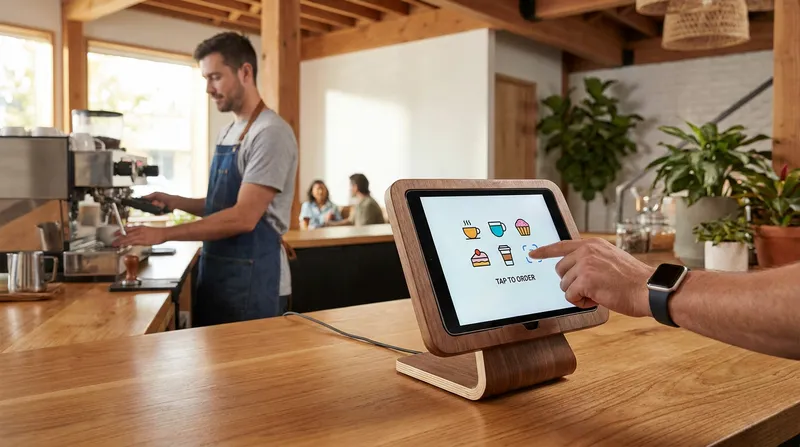
The beauty of an iPad POS kiosk NZ setup is that the customer experience remains identical to the high-end QSR setups. Customers walk up to a beautiful digital screen, tap to browse high-resolution photos of your menu, customize their order, and tap their card to pay. The order is then instantly fired directly to your kitchen display screen or receipt printer.
Actionable Tip: When planning your kiosk, do not buy specialized touchscreens. Purchase a standard 10.2-inch or 10.9-inch iPad. It provides the exact same touch responsiveness as a $10,000 machine for a fraction of the price.
Legacy Kiosk vs. Tablet-Based Kiosk
| Feature | Legacy Enterprise Kiosk | Tablet-Based iPad Kiosk |
|---|---|---|
| Upfront Cost | $5,000 to $15,000+ | Under $1,500 |
| Hardware | Proprietary and bulky | Standard Apple iPad |
| Maintenance | Expensive IT contracts | Simple app updates |
| Setup Time | Weeks to months | Less than an hour |
| Flexibility | Fixed in place | Easily moved or repurposed |
Top Benefits of Self Ordering Kiosks for NZ Businesses
Implementing a QSR self service kiosk is not just about survival during a staffing shortage. It offers multiple benefits: it saves you money on labor, makes you more money through higher sales, and improves overall accuracy.
It is vital to understand that automation does not replace your staff. Instead, it reallocates your team to higher-value tasks, like food preparation, quality control, and actual customer hospitality.
Reduce Labor Costs and Improve Customer Experience
The most immediate benefit of a contactless ordering system is the ability to shift your labor resources. If you have three staff members on a busy morning shift, moving one person from the till to the espresso machine or food prep station drastically speeds up your service times.
A common fear among independent cafe owners is that customers will hate the automation. Many worry that a screen ruins the personal touch of local hospitality. However, the data proves otherwise. Research from Deliverect reveals that 65 percent of consumers actually prefer self-service kiosks over staffed checkouts. Customers enjoy taking their time to browse the menu without feeling rushed by a cashier or the long line of people standing behind them.
Actionable Tip: Once your kiosk is installed, cross-train your former cashier to assist with drink preparation or table service. If you need help managing this transition, read our guide on how to Track & Reward Cross-Trained Hospitality Staff in NZ to ensure your team feels valued in their new roles.
Increase Average Order Value Through Digital Upselling
If you want to increase average order value restaurant metrics, a digital kiosk is your secret weapon. The reason is simple psychology. Human staff often feel awkward asking every single customer if they want an extra shot of coffee, a side of fries, or a pastry. A digital screen has no such hesitation.
Digital menu upselling works because it presents tempting, high-quality images of add-ons at the exact moment the customer is ready to buy. A case study published by Forbes noted that McDonald's experienced a 20 to 30 percent uplift in average check size after implementing self-order kiosks. Furthermore, research from the Harvard Business Review confirms that orders placed via kiosks average 20 percent higher than traditional orders.
Actionable Tip: Set up automated modifier prompts in your POS system. When a customer selects a flat white, the kiosk should instantly pop up a screen asking, "Add a caramel slice for $4?" Make sure every prompt includes a high-quality, mouth-watering photo.
Eliminate Errors and Ensure Compliance
Misheard orders are a massive drain on profitability and customer satisfaction. When customers input their own orders, you eliminate miscommunication and reduce order errors by up to 40 percent.
Additionally, modern kiosks allow you to display clear allergen and dietary information next to every menu item. This builds trust with your customers and ensures your venue meets strict NZ food safety expectations. Advanced systems even offer multi-language support, allowing tourists or non-native English speakers to navigate your menu with absolute confidence.
How Different NZ Businesses Use Self Service Kiosks
While fast food ordering kiosks are the most recognizable, this technology is incredibly versatile. Here is how different New Zealand businesses are utilizing tablet kiosks to solve their unique operational challenges.
Busy Local Cafes
For a neighborhood cafe, the kiosk is the ultimate line-buster. During the critical 7:00 AM to 9:00 AM rush, regular customers who know exactly what they want (like a large oat milk cappuccino) can bypass the main counter entirely. They walk straight to the tablet, tap their order, pay, and wait for their name to be called. This keeps the main till free for customers who need more assistance or want to pay with cash.
Food Trucks and Mobile Vendors
Space is the most valuable commodity in a mobile kitchen. A food truck ordering system using an iPad takes up virtually zero counter space. Operators can mount a weatherproof tablet enclosure directly to the outside of the truck. Customers order from the outside, while the staff inside focus 100 percent on cooking.
Crucially, systems like Lazygrid POS feature an offline mode capability. If your food truck is parked at a remote festival with unreliable internet, the kiosk will continue to take orders seamlessly. If you are setting up a new mobile venture, check out our comprehensive guide on How to Get a Food Truck Licence in NZ (2026 Guide) for more operational tips.
Massage and Beauty Salons
Kiosks are not just for food. A salon self check-in kiosk placed at the front desk transforms the client experience. When a client arrives, they can use the tablet to check in for their appointment. After their massage or haircut, the tablet can display customized retail upselling options (like specialized lotions, hair oils, or gift vouchers). This allows clients to purchase products privately without feeling pressured by a receptionist. To further streamline your wellness business, read our advice on how to Cut Salon No-Shows: NZ Automated Booking Guide 2026.
Breaking Down the True Self Service Kiosk Cost in New Zealand
The biggest myth in hospitality technology is that automation is only for the big players. Let us break down the actual self service kiosk cost for a modern, tablet-based setup in New Zealand.
If you were to buy a legacy enterprise machine, you would be looking at $5,000 to $15,000 for the hardware alone, plus hefty installation fees and ongoing maintenance contracts.
Here is what a modern iPad POS kiosk NZ setup actually costs:
- Apple iPad (9th or 10th Gen): Approximately $550 to $700 NZD.
- Secure Steel Kiosk Enclosure/Stand: $200 to $350 NZD (ensures the iPad cannot be stolen and hides the home button).
- Cloud POS Software Subscription: The Lazygrid POS Standard Plan is just $59 NZD per month and includes full kiosk functionality.
- Integrated EFTPOS Terminal: Varies by provider, usually a small monthly rental fee.
Total Upfront Hardware Cost: Under $1,500 NZD.
When you factor in that a kiosk can increase your daily sales by 20 percent through automated upselling, businesses report recovering their hardware investment within 1 to 3 months through increased order values.
Actionable Tip: Do not overpay for your payment processing. Ensure your kiosk integrates directly with a certified local terminal. Read our breakdown on EFTPOS in New Zealand 2026: What It Actually Costs, and How to Check You're Not Overpaying to secure the best rates.
4 Steps to Build Your Own Restaurant POS System Integration
Setting up your own queue-busting kiosk is easier than you might think. Follow these four practical steps to get your automated ordering system live.
Step 1: Choose Cloud-Based POS Software with Kiosk Mode Your first step is selecting a POS system that natively supports self-service. You do not want a separate, disjointed app. Solutions like Lazygrid POS allow you to take your existing digital menu and instantly flip it into a customer-facing kiosk mode. This ensures all your pricing, inventory, and menu items are perfectly synced.
Step 2: Source Your Hardware and Secure Enclosures Purchase a standard iPad and a commercial-grade kiosk stand. The stand must be heavy-duty and bolted to your counter. Crucially, use Apple's built-in "Guided Access" feature. This locks the iPad screen to your POS app, preventing customers from closing the menu or browsing the internet.
Step 3: Set Up 2-Way EFTPOS Integration A kiosk is useless if a staff member has to manually type the order total into a card machine. You must use a restaurant POS system integration that supports 2-way EFTPOS. This means when a customer finishes their order on the iPad, the exact dollar amount is automatically pushed to the EFTPOS terminal.
Step 4: Sync Digital Orders to Your Kitchen and Accounting Once the payment is approved, the order should fire instantly to your Kitchen Display System (KDS) or receipt printer. Finally, ensure your POS syncs your daily kiosk sales directly to your accounting software. You can learn exactly how to set this up in our guide on POS to Xero Integration: Automating Financial Reporting for NZ Hospitality Venues.
Ready to Automate Your Ordering Process?
You do not need a massive corporate budget to get enterprise-level results in your cafe or restaurant. The staffing crisis in New Zealand is real, but modern technology offers a practical, affordable lifeline.
By implementing a tablet-based self service kiosk, you can immediately reduce counter bottlenecks, speed up your service during the morning rush, and watch your average order value climb through smart digital upselling. Best of all, you free up your valuable staff to focus on crafting great food and building relationships with your customers.
Ready to beat the queue? Discover how Lazygrid POS can transform your counter service. Book a demo with our Wellington-based team today.
Frequently Asked Questions
How much does a self service kiosk cost in NZ?
While enterprise custom kiosks can cost between $5,000 to $15,000 per unit, small businesses can easily build a modern iPad-based kiosk for under $1,500. This budget fully covers a standard Apple iPad, a heavy-duty secure steel stand, and seamless integration with your cloud POS software and payment terminal.
Will a self ordering kiosk integrate with my current EFTPOS terminal?
Yes, provided you use the right software. Modern cloud POS systems offer seamless 2-way integration with major NZ EFTPOS providers. This ensures the exact order total is sent directly to the payment terminal automatically, eliminating manual entry errors and speeding up the checkout process.
Are self checkout kiosks only for fast food restaurants?
Not at all. While quick service restaurants popularized the technology, self-service screens are now heavily utilized by independent cafes, busy food trucks, and even beauty salons. They are perfect for fast check-ins, line busting during peak hours, and encouraging retail product purchases without receptionist pressure.
Do customers actually like using touchscreen ordering systems?
Yes, the data strongly supports this. Research indicates that 65 percent of consumers prefer self-service options over staffed checkouts. A kiosk gives customers the time to browse the menu, look at high-quality photos, and customize their order without feeling rushed by a cashier or a long queue behind them.
How do I prevent theft of my iPad POS kiosk?
Securing your hardware is very simple. You should purchase a commercial-grade, heavy-duty steel enclosure that physically bolts the iPad to your counter. Additionally, you can use built-in software features like Apple's "Guided Access" to lock the screen exclusively to your POS application, ensuring the device cannot be tampered with or used for web browsing.