
Split Bills & Integrated EFTPOS: Speed Up NZ Payments
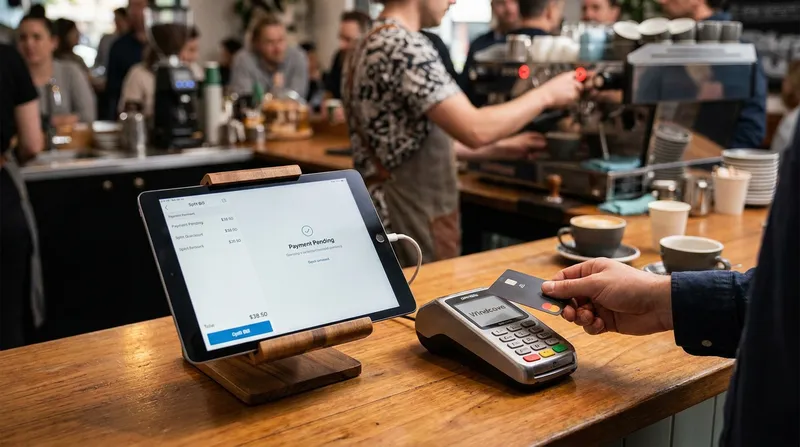
Picture this scenario. It is 12:30 PM on a Friday. Your cafe is packed, the kitchen is firing on all cylinders, and a group of eight colleagues approaches the counter. The dreaded words are spoken: "Can we split the bill, please?"
If your heart rate just spiked, you are not alone. The extreme stress and awkwardness of manually calculating split payments during peak hours is a massive pain point for hospitality owners. It causes long queues, human math errors, and frustrated customers.
A modern restaurant POS system solves this problem entirely. By utilizing a split bill POS feature combined with integrated EFTPOS NZ solutions, you can serve customers in seconds rather than minutes.
In this comprehensive guide, we will explore how seamless payment integration speeds up your checkout process and reduces costly errors. Mastering split payments is the key to operational efficiency for your business.
The Psychology of the Queue: Why Fast Payments Matter
When a customer walks into your venue, their experience is shaped by every interaction. A fantastic meal can be completely overshadowed by a frustrating ten-minute wait at the register.
The psychology of the queue is simple. People hate waiting, especially when they are ready to leave.
According to recent data from Stats NZ, Kiwis make millions of electronic card transactions every month. They are accustomed to fast, tap-and-go efficiency.
When a group holds up the line because your staff has to manually calculate who had what, the customers behind them get impatient. This often leads to walkouts, costing you immediate revenue and future repeat business.
Fast payment processing is not just a convenience. It is a critical component of customer service. When your POS and EFTPOS work together seamlessly, the queue keeps moving, staff remain calm, and customers leave happy.
Actionable Tip: Time your current average checkout for a split bill. If it takes longer than 60 seconds to process a group of four, your payment workflow needs an upgrade. Consider our guide on the Best Cafe POS NZ: Beat the Morning Rush to see how modern systems handle high volume.
How Integrated EFTPOS Works with Your POS System
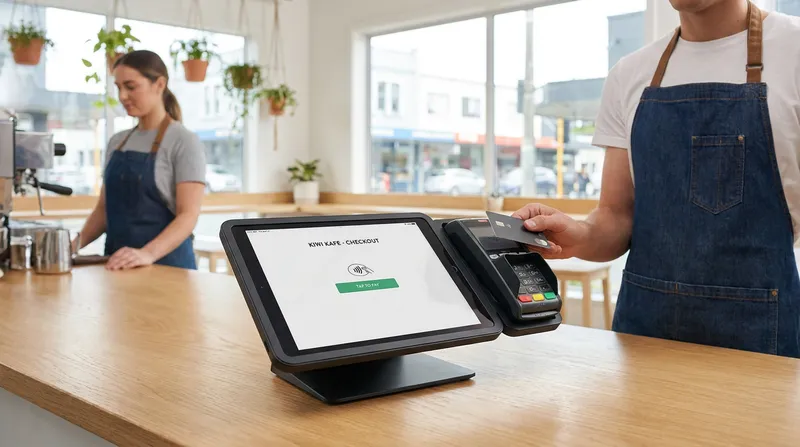
If you are still typing the total amount into your EFTPOS terminal manually, you are wasting valuable time and risking expensive mistakes. Integrated EFTPOS means your point of sale software talks directly to your card reader.
When you hit "Pay" on your iPad POS, the exact amount is instantly sent to the terminal. There is no manual re-keying. This seamless payment integration is a game changer for local businesses.
Industry leaders like Windcave validate the immense technical benefits of integrating payment gateways directly with POS systems. Their technology eliminates manual entry, improves reconciliation accuracy, and allows tips or surcharges to be automatically itemized.
Actionable Tip: Audit your end-of-day reconciliation process. If your staff spends more than ten minutes trying to find a missing $4.50, it is time to switch to a fully integrated solution.
Splitting by Seat vs. Splitting by Item: Ending the Checkout Chaos
Not all split bills are created equal. A robust split bill POS feature must handle different scenarios with ease.
Splitting by Seat: When your staff takes an order, a modern system allows them to assign specific items to specific seats. When paying, the cashier selects "Seat 1" and the exact total for that person is sent to the terminal.
Splitting by Item: Sometimes a group shares a platter and wants to split the cost. Your POS software should divide the cost of a single item evenly across multiple payments with just a few taps.
Splitting by Amount: A customer might want to put $50 on their credit card and pay the rest in cash. Your system needs to handle partial payments flawlessly.
By utilizing advanced table management features, you can track exactly what each guest ordered. Check out the Lazygrid POS features to see how this works in real time.
Step-by-Step: How to Split a Bill on an iPad POS
Lazygrid POS interface showing a split bill by item and seat on an iPad.
To truly understand how effortless this process can be, let us walk through a real-world example using a modern iPad POS interface.
- The customer requests to split the bill. You open their table on your visual floor plan.
- You tap the "Split Payment" button. The screen instantly displays all ordered items.
- You can choose to split equally (divide a $120 total by four people, making it $30 each).
- Alternatively, you can select specific items. You tap "Avocado Toast" and assign it to the first payer.
- You tap "Pay", and the exact amount is pushed to the Windcave terminal. The customer taps their card, and the POS automatically updates the remaining balance.
This step-by-step workflow takes less than fifteen seconds per person. It completely removes the need for calculators, scrap paper, or mental gymnastics.
Actionable Tip: Train your front-of-house staff to ask "Will you be paying together or separately today?" when taking the initial order. Assigning items to seats from the very beginning saves massive amounts of time at the register.
Beyond Hospitality: Salons and Wellness Centers
While we often associate split bills with dining out, the need for flexible payments extends to salons and massage shops. Imagine a bridal party coming in for hair and makeup, where one person wants to pay for their specific treatment and another covers the rest.
Without seamless split payments, receptionists are left scribbling on paper. A premium POS system gives your reception staff the tools to provide a seamless, white-glove checkout experience, easily processing partial payments or redeeming digital gift cards.
Actionable Tip: If you run a service-based business, use your customer management CRM to tag group bookings in advance. This allows your reception staff to prepare the split invoices before the clients reach the counter.
Mobile EFTPOS and Pay-at-Table: The Food Truck Advantage
Mobility is the future of payments. For a busy food truck or a sprawling outdoor cafe, forcing customers to walk to a central register is inefficient.
Mobile EFTPOS pay-at-table solutions allow your staff to take the payment directly to the customer. According to EFTPOS New Zealand, modern Android EFTPOS terminals integrate with over 100 POS systems, enabling advanced features like contactless surcharging.
For food trucks, counter space is a luxury. Using a mobile iPad or iPhone POS paired with a wireless EFTPOS terminal means you can process split payments right from the window. Furthermore, systems with a robust offline mode ensure that even if you are operating at a remote festival with spotty internet, you can still process orders and queue payments securely.
Actionable Tip: If you operate a venue with table service, invest in mobile EFTPOS terminals. Processing payments at the table increases your table turnover rate significantly.
Reducing Checkout Errors with Windcave and EFTPOS NZ
Human error is inevitable when staff are rushing. Typing $4.50 instead of $45.00 into a terminal during a lunch rush might seem like a small mistake. However, those errors add up to thousands of dollars in lost revenue over a year.
Let us talk about the true cost of errors. If your cafe processes 300 transactions a day, and your staff makes a manual entry error on just 1 percent of those transactions, that is 3 mistakes a day.
If the average error costs your business $10, you are losing over $10,000 a year to simple keystroke mistakes.
The recent Hospitality Report from the Restaurant Association of New Zealand highlights the intense cost pressures and staff burnout in the sector. The report emphasizes the urgent need for operational efficiencies to combat these challenges.
When you use a POS and EFTPOS working together natively, you eliminate the risk of manual entry errors. The POS dictates the exact amount to the terminal. If the transaction declines, the POS knows immediately. This synchronization makes end-of-day cash up a breeze.
Actionable Tip: Go into your POS settings today and disable the ability for staff to manually enter amounts on the EFTPOS terminal. Force all transactions to be initiated from the POS software to guarantee 100 percent accuracy.
Taking the Pressure Off the Counter: Self-Service and Loyalty
If your register is constantly bottlenecked by complex split payments, divert traffic away from the counter entirely. By installing an iPad-based self-service kiosk, you allow customers to browse the menu and pay at their own pace. Kiosks naturally handle individual payments, completely bypassing the need for a staff member to split a large group bill. Learn more about the Self-Ordering Kiosk ROI.
A fast checkout does more than save time, it sets the stage for your next sale. Once a smooth payment is complete, prompt the customer to join your digital loyalty programme. Because the process was flawless, they are much more likely to engage. Digital stamp cards and points-based rewards keep your brand in their pocket. Find out how to implement Digital Loyalty Cards NZ.
Actionable Tip: Introduce a QR code ordering system at your tables. Customers can scan the code, view the menu, order, and pay for their own meals independently. This is the ultimate zero-stress split bill solution.
Conclusion
Handling split bills does not have to be a nightmare. By upgrading to a modern restaurant POS system New Zealand operators trust, you can turn a stressful bottleneck into a seamless customer experience.
Integrating your point of sale with local payment gateways like Windcave or EFTPOS NZ ensures that every transaction is fast, accurate, and completely stress-free for your staff. Whether you are running a high-volume cafe, a mobile food truck, or a busy beauty salon, embracing seamless payment integration is the smartest operational upgrade you can make this year.
Want to see how Lazygrid handles split bills in real time? Explore our Lazygrid pricing and features or start a free trial, no commitment required.
Frequently Asked Questions
How does integrated EFTPOS speed up split payments in NZ?
Integrated EFTPOS connects directly to your POS system, eliminating the need for staff to manually type amounts into the card terminal. When you split a bill on the POS, the exact fraction or itemized amount is pushed to the terminal automatically. This prevents math errors, stops double entry, and processes the transaction in seconds.
Can I split a bill by item or seat with my POS system?
Yes, a modern point of sale system provides ultimate flexibility. You can split bills by specific seat (perfect for dine-in restaurants), by individual items (if a group shares a platter), or by custom fractional amounts. This ensures every guest pays exactly what they owe without any manual calculations.
Does splitting bills cause checkout errors?
If done manually, yes. Calculating fractions in your head during a busy lunch rush often leads to keystroke mistakes, which can cost your business thousands of dollars annually in lost revenue. Using an integrated POS system removes the human math element, ensuring 100 percent accuracy during reconciliation.
What is the best POS system for cafes in New Zealand?
The best system is one that offers cloud-based flexibility, integrated online ordering, built-in loyalty programmes, and seamless local payment integrations. Systems that easily connect with local providers like Windcave and EFTPOS NZ are crucial for ensuring fast, reliable service during peak morning rushes.
How does Windcave EFTPOS integration work for restaurants?
Windcave connects securely to your POS software over your local network or via the cloud. It synchronizes transaction data in real time. This means when a payment is approved on the terminal, your POS instantly records it, making end-of-day cash up automatic and completely error-free.
Can food trucks and beauty salons use split payment features?
Absolutely. Food trucks benefit heavily from mobile EFTPOS integration and offline modes for fast group orders in tight spaces. Salons and massage shops use split payments to seamlessly manage group bookings, such as bridal parties or couples treatments, ensuring a professional and relaxing checkout experience.