
NZ Tipping Backlash: How to Disable POS Tip Prompts

Picture this scenario. A regular customer walks into your cafe and orders a $5.50 flat white. You tap the order into your screen, turn the terminal around, and suddenly they are staring at a prompt asking for a 15 percent tip. It is an incredibly awkward moment for both of you. The customer feels pressured, and your staff member feels the need to apologise or hover nearby just to say, "You can just press the red button to skip that."
In New Zealand, hospitality owners are growing increasingly frustrated by this exact situation. American point-of-sale systems are forcing aggressive tipping screens on Kiwi consumers, leading to slower checkout times, embarrassed staff, and a very real fear of 1-star Google reviews from alienated locals. The core problem is that these global systems are built for a completely different culture, and their default settings are actively harming local brands.
This guide will show you exactly how to disable these prompts on popular platforms, explain the cultural shift driving this backlash, and reveal why switching to a culturally aligned POS system might be the best move for your business.
The Growing Backlash Against Tip Prompts in New Zealand
Kiwis do not expect to be prompted for a tip on a standard transaction. When a screen demands an extra 10, 15, or 20 percent before a customer can even tap their card, it creates immediate friction.
The reality of the NZ tipping culture is vastly different from North America. According to Wise, tipping in New Zealand is not expected at all, and a little extra is only given as a genuine thank you for truly exceptional service. It is never an obligation for a simple counter transaction.
When your POS system forces an EFTPOS tip prompt in NZ, it feels less like an opportunity to reward good service and more like a hidden fee or a subtle price hike. Customers who are already dealing with the rising cost of living do not appreciate being guilt-tripped while buying their morning coffee or picking up a takeaway order.
Actionable Tip: Audit your current checkout flow today. Stand on the customer side of the counter and ask a staff member to run a test transaction. If a tip screen appears before the payment processes, you have a friction point that needs immediate addressing.
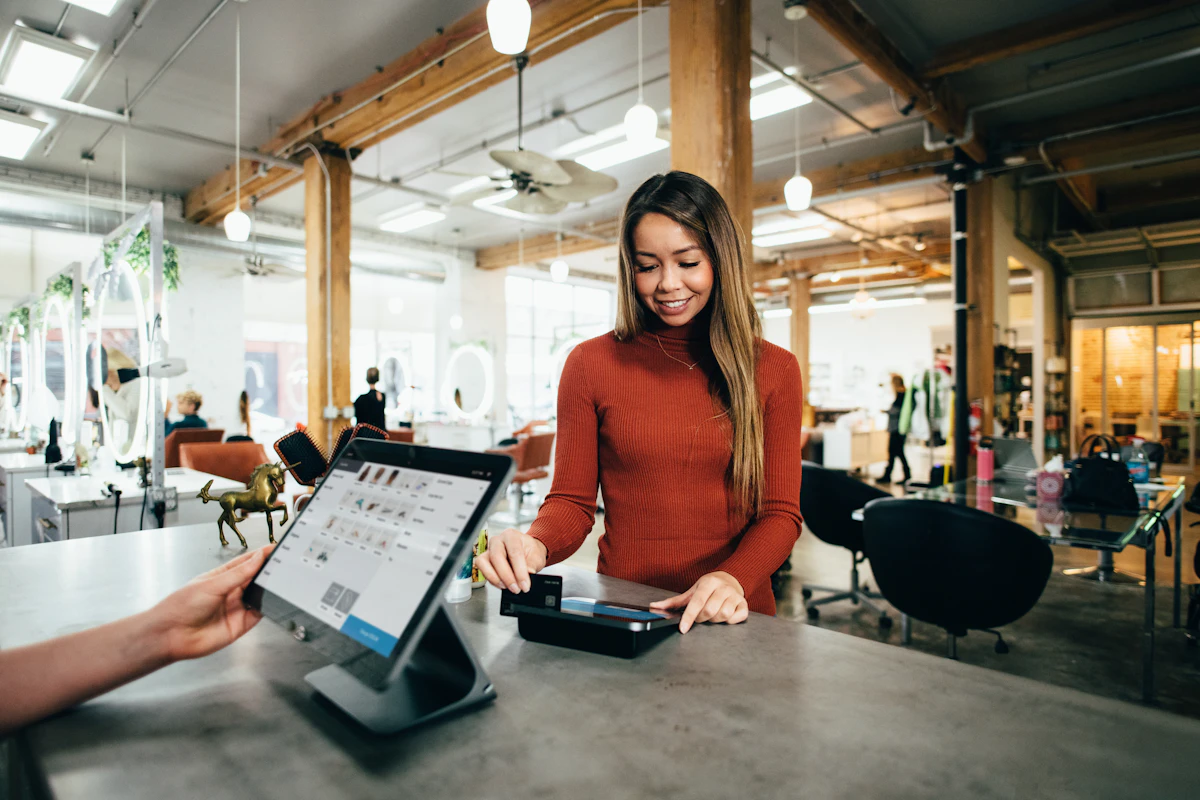
Why American POS Defaults Harm Your Local Brand
When you import US software without customising it, you inadvertently import US culture. Software developers in California build their systems for a market where the tipped minimum wage is notoriously low, and hospitality workers rely heavily on gratuities just to survive.
That economic reality does not exist here. As highlighted by researchers at the University of Auckland, New Zealand's minimum wage provides a robust safety net, making the American justification for tipping completely irrelevant in Aotearoa.
The risk to your reputation is incredibly high. Customers who feel pressured by technology are less likely to return and much more likely to leave negative feedback online. If you are actively trying to figure out How to Get More Google Reviews for Your Business, the last thing you want is a default software setting sabotaging your hard-earned rating. A single review complaining about pushy tipping screens can deter dozens of potential new customers. Conversely, providing a smooth checkout and offering a seamless loyalty programme helps identify and retain your best customers without relying on guilt-driven tipping.
Actionable Tip: Review your recent online feedback on Google and Facebook. Look specifically for mentions of "awkward payment," "expensive," or "pushy service." If you spot these trends, your POS terminal settings might be the hidden culprit.
Why NZ's Fair Wage Model Makes Tipping Unnecessary
Oceania has a proud tradition of paying hospitality workers a fair, livable wage. Travel guides like Lonely Planet frequently remind international visitors that historically, leaving gratuities in Australia and New Zealand has not been standard practice because hospitality staff are assumed to earn a decent living wage.
Despite this well-known cultural norm, global POS giants continue to push aggressive software updates that force tip screens before the payment can even be processed. This creates a massive disconnect between the hospitality you want to provide and the technology you are forced to use. Recognising this cultural mismatch is the first step toward taking back control of your customer experience.
Actionable Tip: Have a brief meeting with your front-of-house staff. Ask them how often customers complain about or seem confused by the EFTPOS machine. Your staff are on the front lines and will give you the most honest assessment of how the technology is impacting the local customer mood.
How to Remove the Tip Prompt on Popular POS Systems
Many small businesses, food trucks, and independent cafes start their journey with global platforms like Square or Lightspeed. While accessible, owners quickly get caught out by default settings that heavily favour American payment flows. Here is how to disable the tip screen on the most common platforms in New Zealand.
Disabling Tips on Square POS
- Log into your Square Dashboard online using a desktop computer.
- Navigate to the "Settings" menu on the left-hand side.
- Click on "Checkout" and then select "Payment."
- Look for the "Tipping" section.
- Toggle off the "Show tip screen at checkout" option.
- Save your changes.
- Crucially, you must restart your POS application on your iPads or mobile devices to ensure the terminal syncs with your new online settings.
Disabling Tips on Lightspeed POS
- Log into your Lightspeed Back Office.
- Navigate to Configuration, then select Settings.
- Click on Payment settings.
- Locate the tipping prompt option and toggle it off.
- Save your changes and refresh your front-of-house devices.
While turning this off is relatively straightforward, there is a catch. Global systems often roll out mandatory software updates that can silently reset your preferences back to their factory defaults. You must remain vigilant to ensure the prompt does not magically reappear during a busy Friday lunch rush.
Actionable Tip: Assign a specific manager to check your terminal settings on the first day of every month, or immediately after your iPads run a major software update. Consistency is key to protecting your customer experience.
The Hidden Cost of Disabling Tips on Global Systems
Turning off the tip screen is often just a temporary band-aid. Global systems are built with the tipping flow deeply integrated into their core architecture. When you remove that piece of the puzzle, you often find that other parts of the checkout experience become clunky and disjointed.
For example, when you disable tips on a rigid platform, the system might still force your staff to click through blank screens or press extra confirmation buttons just to close out a standard sale. This adds unnecessary seconds to every single transaction. During a morning coffee rush, those wasted seconds compound into long queues and frustrated customers.
This rigid, one-size-fits-all approach is exactly why many local operators are exploring All-in-One vs Modular POS options. New Zealand hospitality requires flexibility. You need a system that adapts to your workflow, rather than forcing you to adapt to software designed for a diner in Los Angeles.
Actionable Tip: Time your checkout process. Use a stopwatch to measure exactly how long it takes from the moment a staff member hits "Pay" on the POS to the moment the receipt prints. If it takes longer than five seconds, your software workflow is too bloated.
Seamless Payments with Local EFTPOS Integrations
To truly solve this problem, you need to look beyond software settings. The best POS system for cafes in NZ is one that integrates natively with local payment networks right out of the box.
Instead of fighting American software defaults, modern Kiwi operators are choosing systems like Lazygrid that offer seamless EFTPOS integration, communicating directly with Worldline and Verifone terminals.
With organisations like Eftpos New Zealand supporting over 90,000 businesses nationwide and processing 700 million transactions annually, having a native integration is absolutely crucial for operational success. Culturally aligned POS systems bypass the awkward tip screen entirely. The POS sends the exact, correct amount directly to the terminal screen. The customer taps their card or phone, and the transaction is completed instantly. There are no surprise screens, no awkward hovering, and no friction.
Actionable Tip: Check your current hardware setup. Are your staff manually typing transaction amounts into a standalone EFTPOS terminal? Upgrading to a fully integrated local terminal eliminates human error, stops accidental undercharging, and dramatically speeds up your queue.
Managing Split Bills Without the Awkwardness
Handling large groups who want to pay separately is a daily reality in Kiwi hospitality. Whether it is a corporate lunch or a group of friends catching up for brunch, split bills are unavoidable.
When you use an American POS system with the tip screen enabled, splitting a bill becomes a logistical nightmare. The software expects a single payer, so it forces every single person in the group to navigate the tip prompt individually. This turns a simple checkout into a tedious, five-minute ordeal that holds up the rest of the line.
A purpose-built New Zealand restaurant POS solves this by natively understanding how locals pay. Systems like Lazygrid allow you to split a table's bill by specific items, split the total evenly among a set number of people, or enter custom amounts. Because the system is natively integrated with local terminals, these exact amounts are sent directly to the EFTPOS machine without any interrupting screens.
For more operational strategies on handling peak hours and complex orders, explore our Practical Business Guides for NZ Hospitality.
Actionable Tip: Train your front-of-house team specifically on the "split by item" feature. Set up a role-play scenario during your next staff meeting. When a table of four approaches the counter, your team should be able to separate the coffees and cabinet food in seconds, sending precise amounts to the terminal without a moment of hesitation.
Conclusion: Choose a POS Built for Aotearoa
At the end of the day, you should be in complete control of your customer experience, not a software developer sitting in an office on the other side of the world.
Protecting your local brand means removing unnecessary friction at the counter. Disabling the tip prompt on your current system is a great first step, but it is often just a temporary fix for a deeper problem. Investing in a hospitality POS that New Zealand businesses actually trust, one that understands local culture and integrates seamlessly with local payment networks, is the ultimate solution for long-term growth.
If you are tired of fighting your software, apologising to customers for awkward screens, and dealing with clunky split bills, it might be time to look for a true Square POS alternative. Lazygrid starts at just $24/month, less than the cost of a daily flat white.
Take back control of your counter. Reach out to the Lazygrid team today to see how our locally aligned POS system can speed up your service, eliminate payment friction, and keep your customers coming back for the right reasons.
Frequently Asked Questions
How do I turn off the tipping screen on my EFTPOS machine?
It depends on your POS integration. For systems like Square or Lightspeed, you must log into your dashboard settings online, navigate to the checkout or payment menu, and manually toggle off the tipping option. For integrated local terminals via Lazygrid, the tip prompt is bypassed entirely by default, sending the exact amount directly to the machine without extra screens.
Is tipping legally required or expected in New Zealand?
Tipping is absolutely not expected or required in New Zealand. Hospitality staff are paid a fair minimum wage, which makes automatic tip prompts culturally inappropriate and often frustrating for local customers.
What is the best Square POS alternative in NZ?
Lazygrid is the ideal alternative for New Zealand businesses because it offers native integrations with local payment networks like Worldline and Verifone. This allows you to skip awkward US-centric checkout flows and provide a seamless, culturally aligned payment experience.
Does removing the tip prompt speed up checkout times?
Yes, removing the extra screen saves several seconds per transaction. This dramatically reduces queues during your morning coffee rush or busy lunch hours, helping your staff serve more customers efficiently.
How do I handle split bills if I disable the tip screen?
A purpose-built New Zealand POS like Lazygrid allows you to split bills effortlessly by item or custom amount. It sends exact totals directly to the terminal, allowing each person to tap and pay without unnecessary prompts slowing down the process.