
Offline POS & EFTPOS NZ: Taking Payments Without Internet
Introduction: When 'Comms Error' Hits During Your Friday Rush
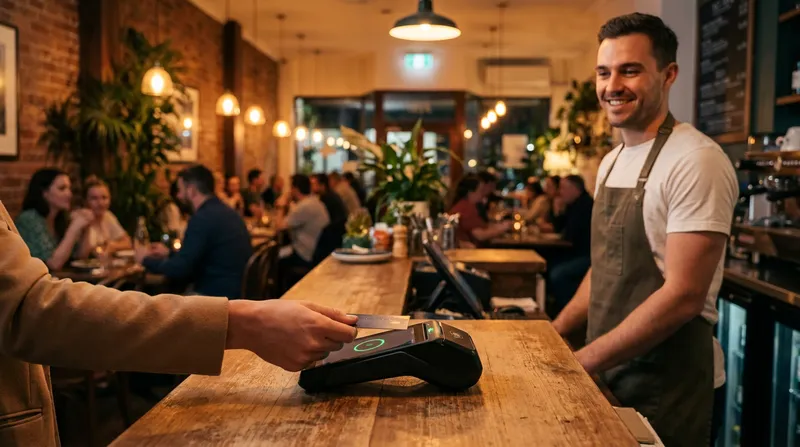
It is 7:00 PM on a Friday dinner rush at your restaurant, or midday at a packed weekend food truck market, and your broadband or mobile data suddenly drops. Your EFTPOS terminal flashes Comms Error, a browser-based till freezes on a spinning wheel, kitchen printers stop firing dockets, and a queue of hungry, frustrated customers starts walking out because nobody carries cash.
In a largely cashless economy, a dead connection brings revenue to an immediate halt. Whether you run a high-volume cafe, a neighbourhood bistro, a mobile food truck, or an appointment-based massage and beauty clinic, losing the ability to accept EFTPOS without internet in NZ is every owner's worst nightmare.
The good news is that an internet outage does not have to mean closing your doors or giving away free food. This practical guide explains how a cloud POS that works offline in NZ pairs local iPad offline capabilities with New Zealand's Electronic Offline Vouchers (EOV) so your team can keep ringing up orders, printing dockets, and taking card payments until your connection returns.
How EFTPOS Offline Mode and Electronic Offline Vouchers (EOV) Work in NZ
To survive an internet outage without losing sales, you need to understand the two separate systems sitting on your counter: your Point of Sale (POS) software (which rings up items, calculates GST, and sends orders to the kitchen) and your EFTPOS terminal (which talks to the banking switch to move money).
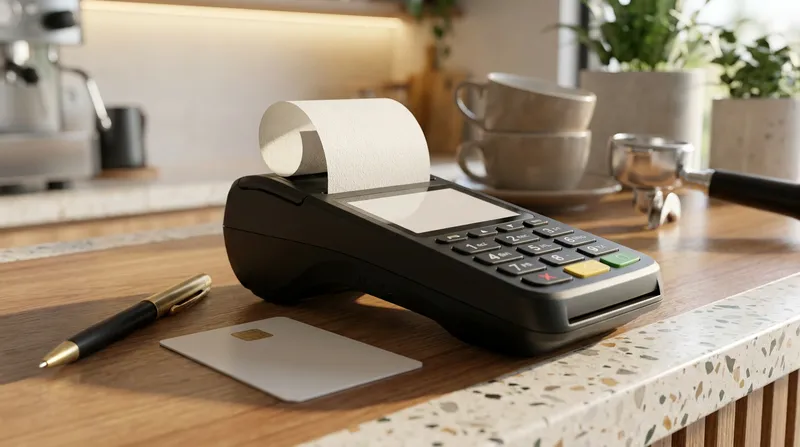
Normally, transaction verification happens in a couple of seconds over your broadband or mobile SIM connection. When that connection drops, New Zealand payment terminals rely on a store-and-forward fallback mechanism known as Electronic Offline Vouchers (EOV). Instead of declining the customer, the terminal captures the card details in its encrypted internal memory and prints a signature voucher, holding the transaction until the internet returns.
As outlined in the Eftpos New Zealand Offline Mode Guide, New Zealand operates two main EFTPOS payment switches: the Verifone network and the Paymark network (note that Paymark traded as Worldline NZ from 2021 until the business was acquired by Cuscal in 2026 and returned to the Paymark name). While both switches support EOV, they trigger and exit offline mode slightly differently.
Triggering Offline Mode: Verifone vs. Paymark (Worldline) Rules
When the internet goes down during service, your staff do not need to hunt for a secret technician password to turn on EOV EFTPOS in NZ. Modern terminals are programmed to enter offline mode automatically once they detect a network failure.
According to Eftpos New Zealand's Offline Mode Support Documentation, here is how each network handles the switch:
- Verifone Network Terminals: Your terminal enters offline mode automatically after two consecutive financial transactions decline due to a communications error. While in offline mode, the Verifone terminal will automatically attempt a background logon every 10 minutes to check if your internet is back and upload stored vouchers.
- Paymark (formerly Worldline NZ) Terminals: Your terminal switches to offline mode after receiving two consecutive
Comms Errormessages, provided the terminal has completed a successful logon within the past 24 hours. Once your connection is back, select LOGON from the main menu. When the terminal returnsAPPROVED, it is back online and any stored EOV transactions upload.
| Feature | Verifone Network | Paymark Network (formerly Worldline) |
|---|---|---|
| Automatic Trigger | After 2 consecutive comms-error declines | After 2 consecutive Comms Error messages |
| Pre-Condition | EOV enabled by acquiring bank | Successful logon within the past 24 hours |
| Reconnection Method | Auto-logon attempt every 10 minutes | Manual LOGON from the main menu once the connection is back |
Actionable Tip for Owners: Do not wait for a storm or a Chorus fibre cut to find out if your terminal is configured for offline sales. If EOV is not set up as a default on your terminal, you must contact your bank's Merchant Services desk to enable EOV functionality and confirm your offline transaction limits.
NZ EFTPOS Offline Transaction Limits, Signatures, and Card Rules
Because an offline terminal cannot check a customer's live bank balance or verify a PIN with the issuing bank, strict guardrails apply the moment your screen displays EFTPOS OFFLINE.
According to Eftpos New Zealand, offline limits depend on your network: Paymark terminals can store up to 99 offline transactions per session, while Verifone network terminals can store up to 200 transactions or $5,000 in total value. The maximum is $300 per transaction, per account, per card. Furthermore, industry guidelines from EFTPOS Central New Zealand specify that on the Paymark network, a terminal can stay in EOV mode for a maximum of 24 hours, and several everyday payment features are completely disabled:
- No Contactless (PayWave, Apple Pay, or Google Pay): Customers cannot tap a card, phone, or smartwatch. They must insert or swipe a physical card.
- Signature Required Instead of PIN: Because magnetic stripe and offline EMV rules bypass live bank PIN verification during an outage, the terminal will print a paper receipt requiring the customer's physical signature.
- Per-Transaction Limits Apply: The maximum offline transaction is $300 per transaction, per account, per card, and total session limits apply. Confirm your exact limits with your bank.
- Restricted Transaction Types: You cannot process cash-out, refunds, UnionPay International cards, or card-not-present (MOTO) transactions while offline.
Many overseas POS providers completely overlook New Zealand's domestic EFTPOS debit card rules and EOV limits, which is one of the main reasons how global POS systems can add hidden costs for NZ cafes in payment friction and lost transactions.
Actionable Tip for Owners: Keep two working ballpoint pens and a spare thermal paper roll Velcro-strapped or stored right next to every EFTPOS terminal. Train your staff to always check the signature on the printed EOV receipt against the back of the customer's card and keep the signed merchant copies in a secure place for at least 12 months (EFTPOS Central recommends 18 months).
Why Your POS Needs Offline Mode (Not Just EFTPOS Backup)
Here is the trap that catches out many venues: your EFTPOS terminal successfully switches into EOV mode, but your POS screen is completely dead.
If your point of sale runs inside a standard web browser that relies on a constant live connection to an overseas cloud server, losing your broadband means losing your till. Staff cannot check prices for menu modifiers, see which table ordered what, calculate split bills, or open the cash drawer. Worse still, when staff resort to scribbling orders on scrap paper during a two-hour outage, your inventory counts, GST reporting, and owned POS data that boosts your NZ hospitality business valuation end up with massive blind spots.
To stay operational, you need a true hybrid architecture: cloud-based management for real-time reporting when you are online, backed by a dedicated offline mode the second your internet drops.
How iPad POS Offline Mode Keeps Orders Moving
With an offline-capable iPad POS, your point of sale runs as a dedicated native application on iPadOS or iOS rather than a fragile webpage. Lazygrid POS includes an offline mode, so your team can keep selling during internet outages.
When your broadband drops mid-rush, here is what your staff can continue doing without interruption:
- Ring up complex orders: Tap through coffee modifiers, dietary notes, and table assignments at full speed with zero lag.
- Split bills and apply discounts: Calculate exact per-person totals at the counter or table without reaching for a calculator.
- Record offline card and cash payments: Process cash (firing the RJ11/RJ12 cash drawer automatically via the receipt printer) or mark card sales as paid via standalone EFTPOS EOV.
- Maintain shift records: Keep your sales records organised on the till so you can continue automating NZ staff tips and commission without deciphering handwritten paper dockets after the shift.
Actionable Tip for Owners: Run a 5-minute "fire drill" before opening on a quiet Tuesday morning. Unplug the WAN cable (internet line) from your modem while leaving your Wi-Fi router turned on, and have your team ring up a test order on the iPad POS so they see firsthand that the screen never freezes.
Keeping Network-Connected Printers Running on Your Local Network (LAN vs. WAN)
A common question from restaurant and cafe owners is: "If the internet is down, how do our local printers communicate with the iPad?"
The answer lies in the difference between WAN (Wide Area Network) and LAN (Local Area Network):
- WAN is your outside internet line (the fibre cable coming from the street into your modem).
- LAN is your internal venue network (your Wi-Fi router and the Ethernet cables running inside your walls to your printers).
When a digger cuts a fibre cable down the street, your WAN goes offline, but your LAN stays 100% alive as long as your building has power. Lazygrid POS supports network-connected EPSON and Xprinter thermal printers over your local network.
Actionable Tip for Owners (Hardware Checklist):
- Use Ethernet for Network Printers: Connect your EPSON or Xprinter thermal printers to your router using physical Ethernet (LAN) cables rather than relying on cloud-print relays.
- Assign Static Local IP Addresses: Set static local IP addresses on your thermal printers so your router never reshuffles printer addresses after a power flicker.
- Add a $150 Mini-UPS: Plug your Wi-Fi router into a small Uninterruptible Power Supply (UPS) battery backup so your local Wi-Fi network stays stable even during brief voltage dips.
Outage Playbooks for NZ Hospitality, Food Trucks, and Wellness Clinics
Having the right technology is half the battle; the other half is making sure your team stays calm under pressure. Good Business Continuity Planning (BCP) means identifying your most critical operational dependencies before an emergency hits and giving staff clear, simple backup procedures.
Here is how to tailor your offline workflow to your specific business model.
Cafes and Restaurants: Surviving the Friday Night Fibre Cut
In a busy dine-in restaurant or morning coffee rush, speed and communication prevent queues from backing up out the door.
- Switch to Standalone Terminal Entry if Needed: If your EFTPOS terminal normally waits for an integrated cloud signal before activating, switch the terminal to standalone mode on the counter so it can trigger EOV after two failed connection attempts, and record the payment on your Lazygrid iPad POS.
- Warn Diners Early About Physical Cards: Because so many Kiwis pay with their phones or watches, ask your host or counter staff to let customers know straight away: "Our local internet line is down tonight, so PayWave and Apple Pay are offline, but we can still take physical EFTPOS and credit cards with a signature." Just as web ordering beats cafe apps for avoiding app fatigue in NZ, clear, low-friction communication at the counter keeps customers happy when tech hiccups happen.
- Actionable Step: Print a laminated A5 counter sign today and tuck it under the till so staff can stand it up in ten seconds if an outage hits.
Food Trucks and Market Stalls: Beating Congested Mobile Towers
If you operate a food truck, trailer, or festival stall, you do not need a fibre cut to lose connectivity. Pulling into a packed weekend night market or summer music festival where attendees are streaming video on the same rural 4G/5G cell tower will routinely choke your mobile data connection.
- Perform Your Terminal Logon Before Leaving Home: Remember that Paymark terminals require a successful logon within the past 24 hours to allow EOV mode. Always turn on your mobile EFTPOS terminal on stable Wi-Fi or 4G at your commissary kitchen before driving to the event site.
- Keep Orders Flowing on iPad or iPhone: Lazygrid POS runs smoothly on both iPad and iPhone in offline mode, letting one team member take orders down the queue while the kitchen preps food. When you are ready to expand from mobile events to a permanent venue, our food truck to cafe POS upgrade guide for NZ walks you through scaling that exact same setup.
- Watch Your Network's Transaction Cap: If you are on the Paymark network, high-volume food trucks can hit the 99-transaction offline cap in a single lunch rush (Verifone terminals allow up to 200). If mobile data is patchy at an event, periodically tether your terminal or move it to a clear signal spot during a quiet five-minute gap so it can complete a logon and clear its stored EOV batch.
Massage Clinics and Beauty Salons: Checking Out Clients Without Stress
In a massage therapy clinic, day spa, or beauty salon, transaction volume is lower than a cafe, but individual treatment packages often involve higher ticket values.
- Check Your Offline Transaction Limit: Offline transactions are capped at $300 per card, so a higher-value treatment package may need to be split or paid another way during an outage. Confirm your limits with your bank's merchant support line.
- Keep Checkout Moving: Choosing the best massage and day spa booking software in NZ gives your reception desk an integrated POS with offline mode so you can continue selling and checking out clients if your broadband drops.
- Verify Gift Card Policies: If a client is paying with a gift voucher, make sure your team is across the NZ gift card expiry law 3-year guide for hospo and wellness when accepting older physical or digital vouchers at reception.
Conclusion: Build an Outage-Proof Venue Before the Next Drop
Network outages rarely happen on a quiet Monday afternoon. They strike during stormy Friday dinner rushes, packed Saturday brunch shifts, and busy summer festivals. By combining an EFTPOS terminal properly configured for Electronic Offline Vouchers (EOV) with a cloud POS that works offline in NZ, you protect your revenue, keep your kitchen calm, and save your staff from counter chaos.
Before your next weekend rush, take 15 minutes to complete three simple steps:
- Call your bank's Merchant Services to confirm EOV is active on your terminals and check your offline transaction and session limits.
- Check your counter kit to ensure your EPSON or Xprinter thermal printers run over local Ethernet (LAN) and you have spare receipt rolls and working pens beside your EFTPOS machine.
- Run a quick staff briefing so everyone knows that two
Comms Errordeclines trigger offline mode, PayWave is disabled offline, and physical cards require a customer signature.
Want a point of sale designed specifically for New Zealand hospitality, food trucks, and wellness businesses that keeps selling whether your internet is online or offline? Plans start at $24/month (Lite). Staff logins, kitchen printer routing, gift cards and bookings are included from the Standard plan at $59/month. Get in touch with our Wellington-based team for a relaxed walkthrough.
Frequently Asked Questions
Does PayWave or Apple Pay work in EFTPOS offline mode in NZ?
No. Contactless payments, including PayWave, Apple Pay, Google Pay, and smartwatches, are completely disabled when a New Zealand EFTPOS terminal enters Electronic Offline Voucher (EOV) mode. Customers must swipe or insert a physical EFTPOS debit or credit card and sign the printed paper receipt to complete the sale.
How many offline transactions can an NZ EFTPOS machine store?
Paymark network terminals can store up to 99 EOV transactions per session and can stay offline for up to 24 hours. Verifone network terminals can store up to 200 transactions or $5,000 in total value. The maximum is $300 per transaction, per card.
How do I put my Verifone or Paymark EFTPOS terminal into offline mode?
You do not need to enter a manual code on most modern terminals. On the Verifone network, the terminal goes offline automatically after two consecutive financial transactions decline because of a communications error. On the Paymark network, it goes offline after two Comms Error messages in a row, provided it has logged on successfully within the past 24 hours. In both cases EOV must be enabled by your bank.
Who takes the financial risk if an offline EFTPOS transaction declines later?
Liability for offline transactions that later decline depends on your merchant agreement. Check the EOV terms with your bank, stay within the offline limits, and always verify the customer's signature.
How should I connect my thermal printers for reliability?
Lazygrid POS supports network-connected EPSON and Xprinter thermal printers. Connecting your printers to your local router via physical Ethernet (LAN) cables and assigning static local IP addresses ensures reliable local network communication without relying on an external cloud printing server.
How does my EFTPOS terminal exit offline mode when the internet comes back?
It depends on your network. On the Verifone network, the terminal attempts an automatic logon and upload every 10 minutes and exits offline mode on its own once either succeeds (you can also do a manual logon). On the Paymark network, select LOGON from the main menu once your connection is restored; when the terminal returns APPROVED, it is back online and stored EOV transactions upload.