
Food Truck to Cafe: POS Upgrade Guide for NZ
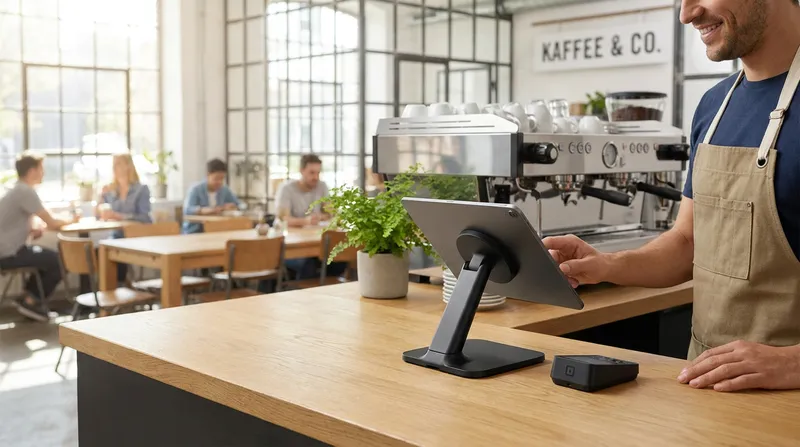
Scaling a food truck business into a physical cafe is a massive milestone. You have spent years perfecting your menu, building a loyal following in the rain and wind, and maxing out the capacity of your mobile kitchen.
However, moving into a brick-and-mortar location brings a serious reality check. Many operators face an overwhelming fear of operational chaos. You might worry that upgrading your tech stack will result in lost customer loyalty data, dropped orders during the transition, and a massive learning curve that disrupts your cash flow when you need it most.
This guide is your strategic roadmap. We will walk you through the exact steps for upgrading your hospitality POS system in New Zealand. You will learn how to transition from simple mobile card readers to managing floor plans, kitchen display systems, and multi-station setups without losing your historical sales data or your sanity.
The Reality Check: Why Mobile Setups Fail in Cafes
Operating a food truck is an exercise in extreme efficiency. You usually have one person taking orders on a mobile card reader, turning around, and handing a handwritten ticket to the chef standing two feet away. It is a simple, linear process.
When you open a physical cafe, the entire dynamic changes. You are no longer dealing with a single line of customers waiting outside a window. You now have a dining room to manage, a dedicated barista station, a larger kitchen, and multiple staff members moving in different directions. Relying on a single mobile app and a basic card reader creates immediate bottlenecks when transaction volumes triple.
Transitioning to a physical restaurant requires a massive shift in the service model. According to the Auguste Escoffier School of Culinary Arts, moving from the close quarters of a food truck to a full traditional kitchen means you must manage complex operations and maintain brand momentum simultaneously. Your technology needs to act as the central nervous system connecting the front of house to the kitchen.
Food Truck vs Cafe Technology Setup
| Feature | Food Truck Setup | Cafe Setup |
|---|---|---|
| Point of Sale | Single mobile card reader | Multi-station iPad POS |
| Kitchen Routing | Handwritten paper tickets | Digital Kitchen Display System (KDS) |
| Ordering Method | Queue-based counter service | Counter, QR table ordering, and kiosks |
| Customer Data | Manual spreadsheets | Integrated digital loyalty programmes |
If you are still in the early planning phases, you might want to review our guide on How to Start a Food Truck in NZ: Business Plan, Costs & Council Requirements to see how far you have come and what foundational elements you should carry forward into your new venture.
Designing Your Cafe Tech Architecture
Building a Multi-Station POS Foundation
To handle the volume of a physical cafe, you need to build a multi-station POS setup. A single point of failure is no longer an option.
In a standard NZ cafe, a multi-station architecture typically includes a main counter POS for taking orders, a secondary screen for the barista to view coffee dockets, and a kitchen terminal for food preparation. The secret to making this work seamlessly is cloud synchronisation. When a customer orders a flat white and a smashed avocado on toast at the front counter, the cloud POS instantly splits that order. The coffee goes directly to the barista screen, and the food goes to the kitchen.
Here are actionable tips for setting up your multi-station hardware:
- Use iPad POS systems: Instead of buying expensive legacy hardware, use iPads. They are cost-effective, take up minimal counter space, and are incredibly intuitive for young staff to learn.
- Create dedicated zones: Place your main ordering terminal close to the entrance to catch takeaway customers quickly.
- Ensure offline capabilities: New Zealand internet connections can drop. Make sure your cloud POS has an offline mode so you can continue taking cash payments and printing tickets during an outage.
For a deeper dive into organising your hardware, read our article on Cloud POS for NZ Restaurants: End Kitchen Chaos & Tablet Hell.
Why a Kitchen Display System (KDS) is Essential
In a food truck, lost paper dockets are rare because the space is so small. In a bustling cafe kitchen, paper dockets are a recipe for disaster. They get wet, they fall off the rail, and handwritten modifications are often misread by busy chefs.
Implementing a Kitchen Display System (KDS) is the single most impactful upgrade you can make during your food truck to restaurant transition. A digital KDS replaces paper tickets with a clear, colour-coded screen. It routes specific items to specific stations automatically. Even if the internet drops, a robust offline mode ensures your KDS keeps routing orders seamlessly.
Furthermore, a KDS tracks preparation times. As your menu expands from a few truck specials to a full all-day breakfast menu, knowing exactly how long a dish takes to prepare helps you optimise your kitchen flow. Implementing better operating habits and technology upgrades in a commercial kitchen leads to compounding daily savings and improved service reliability, as noted by the Restaurant Association of New Zealand.
Actionable steps for KDS success:
- Set up colour warnings: Configure your KDS to turn orders yellow after 10 minutes and red after 15 minutes to keep ticket times low.
- Use digital bumping: Train your chefs to bump items off the screen only when the plate is physically on the pass ready for service.
- Track your ingredients: Connect your KDS to an inventory system. You can learn more about this in our guide on the Best Cafe POS NZ: Track Beans & Milk Down to the Gram.
Using QR Table Ordering & Kiosks
One of the biggest pain points for food truck owners moving to a cafe is the sudden need to manage a dining room. You are used to a queue-based counter service. Hiring, training, and managing a large team of floor staff to take orders at tables can be incredibly overwhelming and expensive in your first few months.
QR table ordering acts as the perfect stepping stone. By placing a custom QR code on every table, customers can sit down, scan the code with their smartphone, browse your menu, and pay instantly. The order goes straight to your KDS and barista screen.
For even higher volumes, adding a self-service kiosk at the counter can reduce queue congestion further. This technology speeds up table turnover and increases the average order value because customers can easily order a second coffee without getting back in line. The Auckland University of Technology (AUT) Hospitality Report states that New Zealand hospitality operators who embrace changing consumer dining trends and developments in technology are best positioned to capture a share of the multibillion-dollar industry growth.
Web-based QR ordering is superior to forcing customers to download a specific app. To understand why, check out our insights on App Fatigue in NZ: Why Web Ordering Beats Cafe Apps.
Protecting Finances and Retaining Customer Loyalty
Integrated EFTPOS and Xero for NZ Cafes
When you run a food truck, keying in a $15 transaction manually into a standalone card reader is manageable. When you are processing 300 transactions a day in a busy cafe, manual entry will result in human error. A staff member accidentally typing $1.50 instead of $15.00 during the morning rush will quietly destroy your profit margins.
Upgrading to an integrated EFTPOS NZ setup is mandatory for a physical location. Integration means your iPad POS automatically pushes the exact transaction amount to the terminal. The customer taps their card, and the POS instantly registers the payment and prints the receipt. This eliminates double-entry and speeds up your queue significantly.
Equally important is a Xero integrated POS. When your transaction volumes triple, doing manual bookkeeping at midnight is no longer sustainable. A cloud POS will automatically sync your daily sales, payment types, and tax data directly to Xero. Linking your point-of-sale solution to accounting software like Xero is critical for measuring business performance and tracking cash flow, according to guidelines from the New Zealand Government.
Checklist for financial integration:
- Verify NZ compliance: Ensure your new POS integrates seamlessly with local providers like Smartpay, Verifone, or Windcave.
- Map your Xero accounts: Take the time during setup to map your POS sales categories (e.g., Food, Beverage, Merchandise) to the correct Xero ledger accounts for accurate reporting.
Migrating Data and Maximising Loyalty Programmes
The biggest fear many food truck operators have is losing their regulars. You likely have a basic loyalty app or a spreadsheet of customers who followed your truck around the city.
Fortunately, migrating customer data is standard practice for modern cloud POS systems. You do not have to start from scratch. Once imported, you can leverage advanced loyalty programmes featuring digital stamp cards, tiered rewards, push notifications, and Apple Wallet integration to keep your regulars engaged.
How to migrate your data safely:
- Export everything to CSV: Go into your current mobile POS and export your entire customer list, including names, email addresses, phone numbers, and loyalty point balances, into a CSV file.
- Clean the data: Open the file in Excel and remove duplicate entries or incomplete profiles.
- Import to your new system: Upload the CSV into your new cafe POS system. Your customers will retain their points and VIP status.
Owning and maintaining this database is incredibly valuable. It is an asset that increases the overall worth of your business. Learn more about this in our article on How Owned POS Data Boosts Your NZ Hospitality Business Valuation.
Budgeting for Growth: The True Cost of a Cafe POS System NZ
Anxiety about high costs and hardware compatibility is a major roadblock for scaling businesses. It is crucial to understand the true cost of a cafe tech upgrade in New Zealand so you can protect your cash flow during the critical opening months.
Many operators get trapped by hidden fees from global POS providers. These international systems often look cheap on the surface but mandate expensive proprietary hardware and lock you into their own high-rate payment processing networks.
To budget effectively, break your costs into three categories:
- Hardware (One-off): iPads, receipt printers, cash drawers, and networking equipment. Opting for iPad-based systems saves thousands compared to traditional legacy terminals. For example, Lazygrid offers hardware packages like the $1,999 (GST exclusive) Standard Dual-iPad bundle, providing everything you need upfront.
- Software (Monthly subscription): Look for a transparent monthly fee that includes all features like KDS, table management, and loyalty programmes without nickel-and-diming you for add-ons. Lazygrid POS offers transparent monthly subscriptions starting at $24, with a popular $59 per month Standard tier.
- Payment Processing (Per transaction): Use an integrated EFTPOS NZ provider that allows you to negotiate your merchant rates directly with your bank.
Additionally, your POS should include features like Vouchers and Gift Cards. Pre-selling gift cards before your opening day is a proven way to generate cash flow, a feature built directly into your Lazygrid subscription. Once you open, built-in reporting and analytics will help you identify peak hours and best-selling items, providing data you likely never had access to in your food truck.
For a detailed breakdown of how to avoid being overcharged, read Why Global POS Systems Cost NZ Cafes Up to 20% More.
Conclusion
Transitioning from a mobile food truck to a physical brick-and-mortar cafe is a thrilling journey. While the operational shift can feel overwhelming, upgrading your technology stack does not have to be a nightmare.
By moving from a single mobile reader to a multi-station iPad POS, implementing a Kitchen Display System, embracing QR table ordering, and securing your data with Xero and EFTPOS integrations, you are building a foundation for sustainable growth. The right technology is an investment in your daily sanity and your long-term profitability.
Ready to see how Lazygrid POS works for NZ cafes? Book a free 15-minute demo today and we will walk you through the exact setup for your new location.
Frequently Asked Questions
Can I keep using my food truck mobile card reader in a physical cafe?
While you can technically use it, a mobile card reader lacks the speed, multi-station connectivity, and integrated EFTPOS features required to handle the high volume and table management of a physical cafe. Relying on it will create massive bottlenecks during your morning rush and frustrate your staff.
What is the best POS system for a new cafe in NZ?
The best POS for a NZ cafe is a cloud-based iPad system that offers local integrated EFTPOS, Xero accounting integration, a Kitchen Display System, and robust inventory management tailored to the local hospitality market. It should be scalable, allowing you to add more terminals easily as your business grows.
How does a Kitchen Display System (KDS) help my cafe?
A KDS replaces easily lost paper dockets with digital screens. It routes orders to specific prep stations instantly, tracks ticket times, and drastically reduces miscommunication between the front of house and the kitchen team. This ensures food goes out faster and with fewer errors.
Will I lose my food truck customer loyalty data when I upgrade my POS?
Not if you plan carefully. Most modern cloud POS systems allow you to export your existing customer lists and sales history via CSV files and import them directly into your new platform. This ensures your regulars keep their rewards and VIP status intact without missing a beat.
Do I need a QR table ordering system right away when opening my cafe?
It is highly recommended. QR ordering bridges the gap between the counter service you are used to and full table service. It allows customers to order and pay from their seats without requiring you to hire a massive floor staff immediately, which protects your cash flow in the crucial opening months.