
Cloud POS for NZ Restaurants: End Kitchen Chaos & Tablet Hell
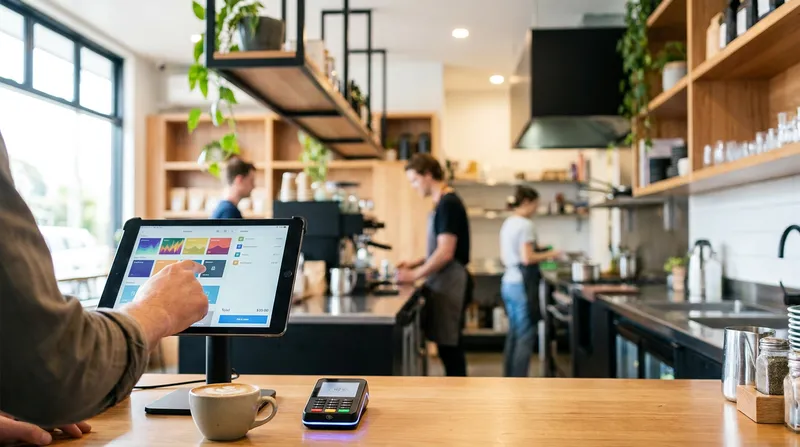
Are you losing customers because of long wait times, missed online orders, or kitchen confusion? If you run a restaurant, cafe, or food truck in New Zealand, you probably know the frustrating feeling of "Tablet Hell." You have one tablet for UberEats, another for a different delivery app, a bulky legacy till for your dine-in customers, and a messy row of paper dockets fading under the heat lamps.
This disjointed setup creates kitchen chaos. Your front-of-house staff are stressed, your chefs are overwhelmed, and your accounting requires hours of manual data entry at the end of every week. It is time to replace your outdated, pieced-together setup.
The solution is a unified, cloud-based POS system that syncs all your multi-channel sales into one single screen. In this comprehensive guide, we will explore how hospitality POS systems in New Zealand can streamline your daily operations, integrate seamlessly with local EFTPOS terminals and Xero, and help you regain your sanity.
What is a Cloud-Based Restaurant POS System?
A modern point of sale system is no longer just a cash register that holds money and prints basic receipts. According to the US Chamber of Commerce, most modern POS systems are cloud-based, meaning the software runs on remote servers and updates automatically, allowing owners to access dashboards from any internet-connected device.
Instead of storing your valuable business data on a clunky back-office computer that is vulnerable to hardware crashes, cloud-based POS systems for NZ restaurants store everything securely online. Whether you are using an iPad POS for NZ hospitality at the front counter or an iPhone to take tableside orders, every transaction syncs in real-time. This setup gives you control over your venue, even when you are working from home or traveling.
Escaping "Tablet Hell" with Omnichannel Restaurant POS
Many restaurant owners struggle to manage multiple delivery apps alongside their regular dine-in orders. When an online order pings on a third-party tablet, a staff member has to manually punch it into the main till and then run a paper ticket to the kitchen. This double-entry method causes order errors and slows down your entire service.
An omnichannel restaurant POS solves this exact problem by offering online food ordering POS sync. When a customer places an order through your branded online ordering website, it flows directly into your main POS system and goes straight to the kitchen display. Every regular you move from a third-party app to your own ordering channel is one less order arriving on a separate tablet.
Actionable Tip to Increase Direct Sales
Stop paying 30 percent commissions to third-party delivery apps. Use your POS system's native online ordering feature to build a commission-free sales channel. You can learn exactly how to do this by reading our guide on how to Increase Direct Delivery Orders for NZ Restaurants - Lazygrid Blog. Keep your customer data and keep 100 percent of your profits.
Kitchen Display System (KDS) Integration: The Kitchen Sanity Angle
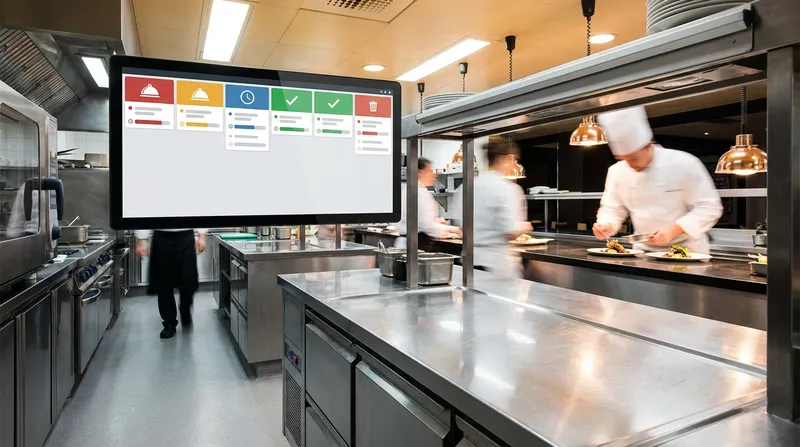
Paper dockets are the enemy of an efficient, calm kitchen. They get lost in the rush, stained with grease, or accidentally thrown away. This leads directly to missed orders, angry customers, and chef burnout.
A kitchen display system (KDS) integration replaces paper tickets with bright, easy-to-read digital screens. Orders appear instantly and are color-coded by urgency. When a front-of-house staff member takes an order on their iPad, the kitchen sees it immediately without anyone having to run back and forth.
How KDS Improves Kitchen Flow
- Color-Coded Urgency: Tickets turn red when they exceed your target prep times, keeping the line moving efficiently.
- Course Management: Chefs can easily manage appetizers, mains, and desserts without shouting across the kitchen.
- Allergen Alerts: Special dietary requirements and modifications are highlighted instantly, reducing the risk of dangerous food mistakes.
If you are wondering whether to make the switch from paper to digital, read our detailed comparison on KDS vs Paper Tickets: Is a KDS Worth the ROI in NZ? - Lazygrid Blog or check out our comprehensive KDS Configuration Guide: Optimise Your NZ Kitchen Flow - Lazygrid Blog.
Key Features of Hospitality POS Software New Zealand
When evaluating the best point of sale software for NZ restaurants, you need a system built specifically for speed and reliability. Here are the core features your business needs to thrive in a competitive market.
1. iPad POS for NZ Hospitality
Using an iPad or iPhone as your primary terminal significantly lowers your upfront hardware costs. You do not need to buy expensive, proprietary terminals that become obsolete in three years. An iPad POS offers touch-screen order entry, intuitive table management, and a robust offline mode so you can continue selling during unexpected internet outages. For a deep dive into device management, see our guide on iPad POS NZ: Manage Bookings, Sales & Stock (2026) - Lazygrid Blog.
2. Self-Service Kiosk POS Integration
During the morning coffee rush, long queues can drive your regular customers away. A self-service kiosk allows customers to browse the menu, customize their orders, and pay without waiting for an available cashier. Studies show that kiosk orders are often 20 to 30 percent larger because customers feel less rushed and are automatically prompted with smart upsells. If you run a quick-service venue, discover the Best QSR POS System NZ: Speed, KDS & Flow (2026) - Lazygrid Blog.
3. QR Code Table Ordering
Customers can scan a QR code at their table to view the digital menu, place their order, and pay instantly. This premium feature reduces wait times, increases order accuracy, and frees up your staff to focus on delivering excellent customer service rather than just taking orders.
4. Integrated Table and Booking Management
Full-service restaurants need visual floor plans to manage reservations and walk-ins smoothly. A modern POS allows you to track table turnover rates and assign specific orders directly to tables. You can optimise your seating strategy by reading how to Improve Table Turnover Rate in NZ (Without Rushing) - Lazygrid Blog. If you manage a bustling pub, you will also benefit greatly from the Best NZ Bar & Pub Booking Systems (2026) | Floor Plans - Lazygrid Blog.
5. Staff Management
Modern POS software includes built-in staff management tools. You can set up role-based logins to restrict access to sensitive data, track employee hours with integrated time clocks, and analyze individual staff performance to identify your best servers and areas where training is needed.
NZ Restaurant Inventory Management Software
Running out of a popular ingredient mid-service is a nightmare for any venue. Over-ordering, on the other hand, leads to food waste and lost profit margins.
Modern NZ restaurant inventory management software provides real-time stock tracking. As Oracle NetSuite points out, modern POS systems equip staff with real-time visibility into inventory, allowing even the smallest cafes to operate much smarter.
Your POS should automatically deduct ingredients as dishes are sold. If a barista sells an oat milk latte, the system instantly updates your oat milk stock levels in the background. You can set up automatic low-stock alerts to notify you before you run out, ensuring you always make data-driven purchasing decisions.
Boosting Revenue with Digital Loyalty Programmes and Vouchers
Acquiring a new customer costs five times more than retaining an existing one. That is why NZ cafe POS systems must include built-in customer retention tools.
Digital Loyalty Programmes
Paper stamp cards are easily lost, forgotten, or destroyed in the wash. A digital loyalty programme integrated directly into your POS changes the game. Customers can store their digital stamp cards in their Apple Wallet or Google Pay. You can track their purchase history, send them push notifications for their birthday, and automatically accrue points. This creates habit formation and can increase repeat visits by 30 to 50 percent.
Digital Vouchers and Gift Cards
Gift cards provide a cash flow boost, especially leading up to the holiday season. A modern POS allows you to create and sell digital gift cards that can be emailed directly to recipients. Because 40 percent of gift card recipients spend more than the card's actual value, this feature is a powerful tool for increasing your average order value and acquiring brand new customers.
Customer Management and Smart Analytics
Making business decisions based on gut feeling is risky. You need hard data to grow your hospitality business.
Integrated CRM Data
An integrated CRM system tracks customer information, purchase history, and unique preferences. When a VIP customer walks in, your staff can easily look up their "usual" order. You can identify your best customers and send targeted SMS or email marketing campaigns to win back inactive diners.
Reporting and Analytics
A comprehensive business intelligence dashboard provides real-time and historical reporting. For example, your hourly sales report might reveal that your Tuesday dinner shift is consistently 40 percent quieter than Wednesday, giving you data to launch a targeted promotion rather than guessing. With custom date range reports and daily emails sent straight to your inbox, you will always know exactly how your business is performing.
The Local Advantage: Xero Integration and Integrated EFTPOS
Global POS giants often gloss over the specific needs of New Zealand businesses. However, local compliance and local payment preferences are non-negotiable for smooth operations.
Restaurant POS with Xero Integration
Manual data entry at the end of the month is tedious, stressful, and prone to human error. A restaurant POS with Xero integration automatically syncs your daily sales, payment types, and tax data directly into your accounting software. This ensures your GST calculations match your sales data automatically and saves you hours of frustrating admin work.
Integrated EFTPOS POS Systems
New Zealand has a unique payment landscape. Your POS must support EFTPOS NZ certified terminals. Integrated EFTPOS POS systems eliminate the need to manually type the total amount into the card reader. This simple integration speeds up the checkout process, prevents costly human errors, and makes end-of-day reconciliation a breeze.
Food Truck POS Software: Mobility and Offline Reliability
Food trucks face unique challenges, such as limited counter space, unreliable internet connections, and the need for lightning-fast service during events.
According to the Indeed Career Guide, current technology allows businesses to build a POS with just a tablet, card reader, and cloud software, making it easier than ever for mobile vendors to accept payments on the go.
Mobile POS for NZ restaurants and food trucks must include a robust offline mode. If you are parked at a busy summer festival and the cellular network drops, your food truck POS software must continue processing cash sales and queuing card payments until the connection is restored.
Additionally, flat-rate payment fees from global providers can eat into your margins. Learn more about protecting your hard-earned profits in our article: Square POS vs EFTPOS for NZ Food Trucks: Are Flat-Rate Fees Killing Your Margins? - Lazygrid Blog.
Multi-Location Management for Growing Brands
If you are expanding from a single local cafe to a multi-site franchise, you need a system that scales effortlessly with you. NZ cafe POS systems should offer centralized multi-location management. This means you can update your menu, change pricing, transfer stock between locations, and view comparative performance reports for all your sites from one single dashboard.
For a complete guide on expanding your operations without losing control, read our Multi-Location POS Systems: The NZ Scaling Guide - Lazygrid Blog.
How to Replace Legacy POS System NZ
Switching from a clunky, on-premise system to a sleek cloud-based solution might feel daunting at first, but the long-term benefits far outweigh the temporary learning curve. Validating this important shift, Record Nations notes that storing everyday business documents and transaction data in the cloud ensures on-demand access, easier tracking, and reliable data recovery in case of sudden hardware failures.
Lazygrid POS Pricing Overview
Before making the switch, it helps to understand the costs. Cloud systems are affordable because you do not need to buy proprietary hardware.
| Plan | Monthly Price | Best For |
|---|---|---|
| Lite | $24/month | Solo operators, small cafes, and food trucks. |
| Standard | $59/month | Growing restaurants needing advanced reporting. |
| Premium | $149/month | Multi-location venues and high-volume operations requiring QR ordering. |
Step-by-Step Migration Guide
- Evaluate Your Current Hardware: Check if you can repurpose your existing iPads or receipt printers. Lazygrid POS works beautifully with standard EPSON and Xprinter thermal ethernet printers.
- Export Your Data: Download your current customer database, loyalty points, and menu items into a simple CSV file.
- Set Up Your New Menu: Import your items into the new cloud system. Take this perfect opportunity to clean up your menu and remove low-margin or low-selling items.
- Train Your Staff: Cloud systems are built to be intuitive. Most staff members can learn the touch-screen interface in less than an hour.
- Go Live During a Slow Shift: Make the final switch on a quiet Tuesday morning rather than right before a busy Friday night dinner rush.
Take Control of Your Restaurant Today
Ending kitchen chaos and escaping tablet hell is entirely possible with the right technology in place. By upgrading to a modern, cloud-based POS system, you empower your staff to serve customers faster, reduce costly manual errors, and build a more profitable business.
Whether you are running a bustling Auckland cafe, a fast-paced Wellington food truck, or a growing multi-location franchise across the country, unifying your sales channels into one intuitive system is the smartest investment you can make for your future.
Ready to end tablet hell? Start your free Lazygrid trial today. Plans start from just $24 per month.
Frequently Asked Questions
How much does a cloud-based POS system cost in NZ?
Pricing for cloud-based POS systems in New Zealand typically ranges from $20 to $150 per month depending on the features you need. Because the software runs on standard devices like iPads, you avoid paying thousands of dollars for clunky, proprietary hardware. For example, Lazygrid offers a Lite plan starting at just $24 per month, making it accessible for food trucks and small cafes.
Can a restaurant POS integrate directly with Xero for GST?
Yes, a top-tier restaurant POS system will feature a seamless, direct integration with Xero. This means your daily sales, payment breakdowns, and GST data are automatically pushed to your accounting software at the end of each day. This eliminates the need for manual data entry and ensures your tax reporting is accurate.
What is the best POS system for a food truck in New Zealand?
The ideal food truck POS must be mobile, space-efficient, and reliable. An iPad or iPhone-based system is best because it takes up very little counter space. Furthermore, the system must have a robust offline mode to process cash sales and queue card payments when you are parked at a festival with a poor cellular connection.
How do I connect my POS to UberEats and online ordering?
Some POS systems offer API integrations with delivery platforms like UberEats and DoorDash, so confirm exactly which platforms a provider supports before you sign up. Lazygrid takes a different approach: a commission-free branded ordering website that syncs with your POS menu and sends orders straight to your Kitchen Display System (KDS), so your direct orders never need a separate tablet.
Do cloud POS systems still work if the internet goes down?
Yes. The best cloud-based POS software includes an offline mode. If your internet connection drops during a busy lunch rush, you can continue to take orders, print tickets to the kitchen, and process cash transactions. Once your connection is restored, the system will automatically sync all offline data to the cloud.
How long does it take to replace a legacy POS system in NZ?
Replacing an outdated legacy till with a modern cloud-based system can be done in just a few days. The setup process involves exporting your old menu data to a CSV file, importing it into the new software, and connecting your existing iPads and ethernet printers. Staff training usually takes less than an hour due to the intuitive touch-screen interfaces of modern systems.