
Offline POS in 2026? NZ Food Trucks & Rural Venues Can Go Online
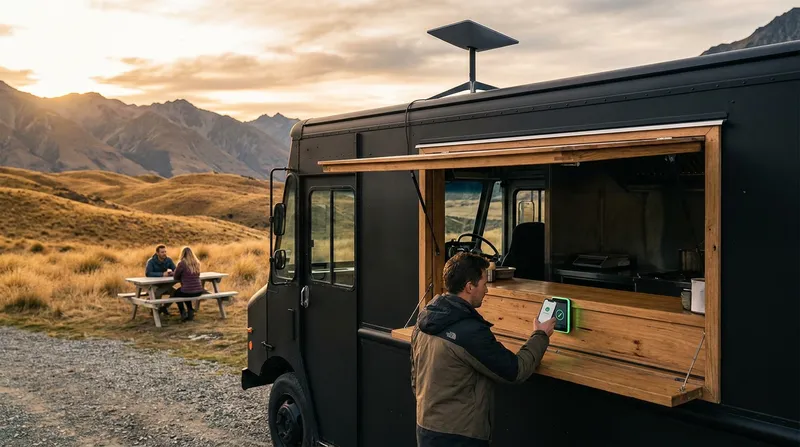
Introduction: Is "There's No Signal Out Here" Still a Reason to Run an Offline POS?
If you run a food truck that moves between weekend markets, country events, and regular weekday pitches—or a café or restaurant tucked somewhere a phone shows zero bars (inside a wildlife park, up a vineyard valley, or at a lodge on the edge of the bush)—you have probably stuck with an offline-only POS for one simple reason:
"There's no reliable internet where I trade."
A few years ago, that was a fair call. In 2026, it isn't. Today, internet is basic infrastructure, like electricity, not an optional extra.
Modern wireless broadband now covers almost anywhere with a mobile signal, and Starlink covers the places that have none at all. Meanwhile, an offline-only POS is quietly costing you hours of admin, exposing you to expensive on-site support call-outs, putting your business data at risk, and locking you out of sales every single week.
This guide is written specifically for New Zealand food trucks and rural hospitality venues. We'll break down what staying offline is really costing your business—and show you the simplest, lowest-cost way to get online for the exact places you trade, while turning a mobile dead zone into a genuine drawcard for paying customers.
Quick reality check before you read on: Count how many hours you spent last month standing at the till or hunched over a back-office PC just checking daily totals, exporting reports, or updating menu prices. That is the time you are about to get back.
The Real Costs of Sticking with an Offline-Only POS
Vendors of legacy, offline POS systems love to claim that a local setup saves you money because there is "no monthly cloud fee".
In practice, an offline-only POS just charges you a different kind of fee. You pay for it in lost evenings, fragile data, avoidable technician bills, and the orders you never get the chance to take.
You Can't See Your Business Unless You're Standing in It
When your sales data lives solely on one tablet inside your truck or one PC box under the counter, your business goes completely dark the moment you walk away.
- No live numbers from afar: You cannot check how the Saturday market or the Sunday lunch rush is tracking unless you are physically standing in front of the till.
- Zero visibility on your days off: Out on a supplier run, prepping in a commissary kitchen for tomorrow's event, or taking a rare Sunday off? You are flying blind until you next log in on-site.
- Price updates done by hand, terminal by terminal: When produce, dairy, or coffee bean prices jump, an offline system forces you to key in menu changes at the venue—often repeating the job on every single device.
- Manual end-of-day reconciliation: Matching up EFTPOS totals and pulling figures together for your accountant remains a late-night manual chore instead of an automatic daily report waiting in your inbox.
One Device Is a Single Point of Failure
An offline POS traps your entire business history inside a single piece of hardware. If that tablet or PC dies mid-service, gets dropped on the concrete, takes a splash of coffee, or gets stolen out of the truck, your sales history, product list, and customer records vanish with it.
- Manual backups get skipped: Nobody wants to mess around with a USB stick at the end of a brutal 12-hour event day. Because backups rely on human memory, they are the first thing to be forgotten.
- Updates are clunky or chargeable: Instead of improvements arriving quietly in the background, legacy systems often demand manual installs, paid version upgrades, or a technician callout just to stay current.
What to check today: When did you last save an off-site backup of your POS data? If you have to stop and think about it, your business data is exposed right now.
The Hidden Cost of Offline: No Remote Support
Here is a cost that almost never gets mentioned until something breaks on a busy weekend: when your POS is offline, nobody can help you remotely.
With a connected cloud POS, your POS provider can diagnose and fix many configuration, printer routing, or software issues remotely. Often, a settings hiccup that looks terrifying at the counter can be sorted out from afar without anyone setting foot in your venue.
With an offline-only system, problems a provider could normally fix remotely in minutes require an on-site visit instead—and that cost always lands on you, the business owner.
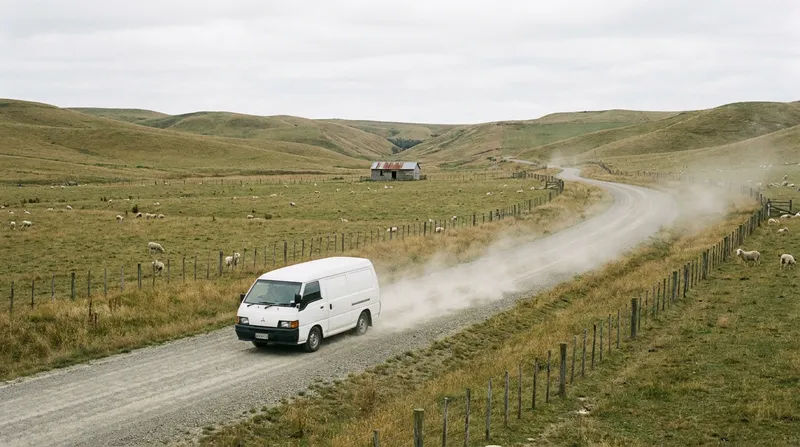
If you trade out in the wop-wops—up a valley, out on a peninsula, or at a rural reserve—someone has to physically drive out to your site to plug in and sort it out. Think about what an electrician charges just to drive an hour and a half to your door before they even pick up a screwdriver. If a technician has to drive an hour and a half to fix a simple POS problem, a call-out like that usually costs well over NZ$200.
As the business owner, do the maths. One single on-site call-out already costs more than an entire month of wireless broadband or Starlink Business (which starts from NZ$92 a month). Saving on an internet bill makes zero financial sense when a single support visit wipes out months of those supposed savings in one afternoon.
You're Locked Out of the Channels Customers Now Expect
Because an offline-only POS cannot talk to the internet, it cannot connect to the tools modern hospitality customers use to find you, book, and order:
- Online ordering: When a queue wraps around your truck or counter, some customers simply walk away. Online ordering lets them order ahead and skip the wait. See our guide to the best online ordering systems for NZ restaurants for how direct ordering compares with third-party delivery apps.
- QR table ordering: For rural cafés and destination restaurants with sprawling indoor or outdoor seating, QR table ordering takes massive pressure off a small front-of-house crew during peak lunch rushes.
- Online bookings and Reserve with Google: Destination venues rely on visitors who plan their trip ahead of time. Letting guests book online 24/7 captures tables while you sleep and stops the phone ringing mid-service.
- Digital loyalty and gift vouchers: Paper coffee cards go through the washing machine; digital loyalty accounts and vouchers stay tied to the customer from market to market and season to season.
The Connection Problem Is Solved: Pick the Option That Fits Where You Trade
Getting your POS online does not require a server rack, an IT consultant, or two separate internet contracts. You only need one stable connection that your iPad, receipt printer, and EFTPOS terminal all share.
In 2026, internet is basic infrastructure, like electricity—not an optional extra you only install if you happen to be on a main town street. And if you think rural New Zealand is still a digital dead zone, look at the numbers. The Commerce Commission reports that Starlink now makes up 27% of rural broadband connections in New Zealand, making it the country's largest rural broadband provider. Rural connectivity hasn't just improved—it has fundamentally changed.
The right setup for your business comes down to where you trade.
Food Truck at Regular Spots with Mobile Coverage: Wireless Broadband
If you trade at the same regular markets, roadside spots, car parks, or event grounds—and your phone gets decent reception there—a dedicated 4G/5G wireless broadband router installed in the truck is your simplest, lowest-cost option.
A proper router creates one dedicated Wi-Fi network inside your truck for your iPad, printer, and EFTPOS terminal. As for speed, the Commerce Commission's Measuring Broadband New Zealand report found that 4G fixed wireless plans in New Zealand averaged 66 Mbps download (and 52 Mbps at peak hours). Because POS orders and EFTPOS payments send tiny packets of text data, that is vastly more bandwidth than a food truck will ever need.
Why not just use a staff phone hotspot? A mobile hotspot is fine as a temporary emergency fallback, never as your everyday setup. Sharing a phone's connection across an iPad, a network receipt printer, and an EFTPOS terminal all day is exactly where connections drop out—and the whole network disappears the moment the phone's owner walks away from the truck.
Food Truck at Events with Poor or No Signal: Starlink Business
If your calendar is packed with rural A&P shows, bush festivals, remote beaches, or paddock events where mobile reception is weak or non-existent, Starlink is the answer.
For commercial operators, Starlink Business starts at NZ$92 a month, with a one-off hardware cost of NZ$449 (starlink.com/nz/business, checked November 2026). Starlink occasionally runs hardware promotions, so it is always worth checking their site before you buy.
Best of all, you do not need an expensive, high-tier data plan just to run your till. Because POS transactions, docket printing, and EFTPOS approvals use very little data, a 50GB monthly allowance is enough for most food trucks running POS, receipt printing, and EFTPOS alone. If a huge festival month pushes you over, you can simply top up extra data for that month rather than paying for a bigger plan all year round.
Rural Restaurant or Café with No Mobile Signal: Broadband First, Starlink If You Can't
If you operate a fixed venue in a mobile blackspot—like a café inside a wildlife park, a bush lodge, or a rural cellar door—follow a simple two-step order:
- Check traditional broadband first. If a fixed-line or local rural wireless provider can connect your building, start there. It is usually the most straightforward, cost-effective setup for a permanent site.
- If broadband can't be installed, use Starlink at your fixed address. As long as you can mount a dish with a clear view of the sky, Starlink will get your venue online. Starlink prices its fixed-site plans by location, so pop your venue's address into starlink.com/nz to see the exact pricing that applies to your spot.
Turn the Dead Zone into a Business Opportunity
Every problem hides an opportunity—and trading in a mobile blackspot is a classic example.
If your café, lodge, or roadside food truck sits in a spot with zero mobile bars, your customers have no reception either. Travellers need to check directions, book their next night's accommodation, or message family; day-trippers want to upload photos; locals and rural tradies want to check messages over a flat white.
When you bring internet into a dead zone, offering free Wi-Fi to paying customers (for example, printing a Wi-Fi code on the receipt or sharing it with any purchase) instantly becomes a reason for people to pull over and stop at your venue for a coffee or a bite to eat. Instead of the lack of mobile coverage being a headache, having the only working connection in the valley becomes a genuine drawcard that gets people through the door and keeps them ordering another round.
To do this properly without ever disrupting your till, keep two practical rules in mind:
- Put guests on a separate guest network: Most modern routers let you set up a separate guest Wi-Fi network. Keep your iPad, receipt printer, and EFTPOS terminal locked to your private staff network, and put customers on the guest network so they are completely separated from your payment and POS hardware.
- Budget extra data beyond the 50GB POS-only figure: While 50GB a month is plenty for POS, receipt printing, and EFTPOS on their own, guest Wi-Fi uses far more data as soon as customers start scrolling social media, loading maps, or backing up holiday photos. If you offer customer Wi-Fi, factor in a bigger monthly data allowance or expect to use data top-ups during busy periods.
What It Costs in Hospitality Terms
Break down that NZ$92 monthly Starlink Business fee and it comes to roughly NZ$3 a day—less than the price of a single flat white. A 4G or 5G wireless broadband plan is usually cheaper still.
Weigh that NZ$3 a day against the cost of one busy event ruined because a dropped tablet wiped your menu and sales data, a single NZ$200+ technician call-out to fix a problem that could have been sorted remotely, or a whole summer of walk-aways from queues you could have cleared with online pre-orders. Add in the travellers who stop specifically because you have coffee and working Wi-Fi in a dead zone, and the numbers aren't even close.
Your 2-minute action step: Write down the three locations you trade at most often and check the mobile signal at each. Good signal at all three? Get a wireless broadband router. Poor or zero signal at one or more? Go with Starlink.
What You Unlock the Day You Switch to an Online POS Like Lazygrid
Once you sort a reliable connection, moving to a modern cloud system like Lazygrid POS transforms how you run service. Instead of a dumb cash register sitting on the counter, you get a complete hospitality system working for your truck, café, or restaurant:
- Real-time sales on your phone: Check live revenue, hourly trading patterns, and top-selling items from home or on the road—backed up by an automated daily email report.
- Remote diagnostics and support: Because your system is online, your POS provider can diagnose and fix many everyday configuration or setup issues remotely—sparing you the wait and the bill for a rural on-site call-out.
- Low-cost online ordering: Let customers pre-order and pay from your own branded ordering page. Lazygrid charges a small commission per order, much lower than third-party delivery apps take, and you can pass it on to the customer if you prefer. Online ordering is included on every Lazygrid plan.
- QR table ordering and self-service kiosks: Seated venues can switch on table-specific QR ordering (included on the Premium plan) or add a Lazygrid Kiosk—a dedicated 21.5-inch Android ordering screen that helps clear queues. Pair either with direct-to-kitchen routing so every order goes straight to the right prep station or printer.
- Online bookings and Reserve with Google: Capture reservations around the clock without answering the phone during a rush; Reserve with Google is included on the Premium plan.
- Built-in loyalty and gift vouchers: Turn casual market visitors and weekend day-trippers into regulars, included from the Standard plan up.
- Runs on iPad and iPhone—no back-office server box: Lazygrid runs on hardware that fits the tightest truck counter. Plans start at NZ$24/month excl. GST on Lite, NZ$59/month on Standard, and NZ$149/month on Premium (see full pricing), with support for EFTPOS NZ certified terminals.
- Automatic cloud backups and updates: Every sale is safely stored in the cloud, and new features arrive automatically. See how this stacks up against bolted-on software in our add-on vs all-in-one POS guide.
5-Minute Checklist: Is It Time to Ditch Your Offline POS?
Ask yourself these five honest questions about your current setup:
- Do you have to be physically at the truck or the till just to check today's takings or change a menu price?
- Would a dropped, drowned, stolen, or dead device take your sales history and product setup down with it?
- Are you turning away extra revenue from online pre-orders, table bookings, digital loyalty, or travellers looking for a coffee spot with guest Wi-Fi because your venue isn't online?
- Do the places you trade have either mobile coverage (for wireless broadband) or a clear view of the sky (for Starlink)? For almost every food truck and rural venue in New Zealand, the answer is yes.
- Would you rather pay a small, predictable monthly fee than gamble on replacement server boxes, paid software upgrades, and NZ$200+ technician call-outs for issues that could have been fixed remotely?
If you answered yes to two or more, staying offline is costing you far more than it saves. Take a look at Lazygrid POS products and plans to see the setup that fits your business.
Frequently Asked Questions
What happens if the connection drops mid-service?
Lazygrid POS is a true cloud POS. Any data already loaded on your device stays viewable, but putting through new orders and taking payments requires an active internet connection. That is why setting up the right network matters: a dedicated wireless broadband router or a Starlink dish shared by your iPad, printer, and EFTPOS terminal is vastly more dependable than running off a phone. Keep a mobile phone hotspot strictly as a short-term emergency fallback, not your daily connection.
Is 50GB of Starlink data really enough for a food truck?
Yes, for most food trucks running POS, receipt printing, and EFTPOS alone, 50GB a month is plenty. Order data and payment authorisations use tiny amounts of data per transaction. Just keep in mind that if you also stream music or video over that same connection all day—or if you open up a separate guest Wi-Fi network for paying customers—your data usage will climb much faster, so you will want to budget a bigger data allowance or top up extra data in busy months.
Do I need Starlink Business, or can I use a residential plan?
For a commercial hospitality operation, Starlink Business is the plan built for the job, starting from NZ$92/month. If you operate a fixed rural café or restaurant, enter your specific street address on starlink.com/nz to check the exact plan options and pricing available at your location.
Is wireless broadband stable enough in a food truck?
At trading spots with solid mobile coverage, yes. A dedicated 4G/5G router inside the truck gives your iPad, receipt printer, and EFTPOS terminal one stable local network to share. If your circuit regularly takes you to rural spots where mobile coverage is patchy or non-existent, that is when Starlink is the smarter choice.
What hardware do I need to run Lazygrid POS?
You don't need a clunky server box or back-office PC. Lazygrid POS runs on iPad (5th generation and later) and iPhone (iPhone 8 and later) running iPadOS/iOS 15 or later, and connects smoothly with network thermal receipt printers (including EPSON and Xprinter models) and EFTPOS NZ certified terminals.