
QR Table Ordering for NZ Cafes: Complete POS Setup Guide
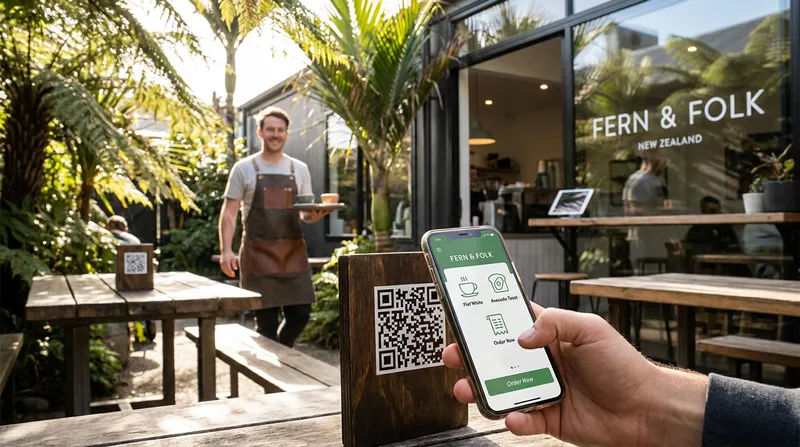
Picture the Saturday morning rush at your cafe, restaurant, or food truck. Six people are standing in a slow-moving queue at the counter just to order a flat white or pay their bill. Outside, two tables sit unbussed with empty plates, a group of diners is trying to wave down a server for a second round of drinks, and your best staff member is trapped behind the till punching oat milk modifiers into an EFTPOS terminal.
If that scene feels painfully familiar, you are not alone. According to the Restaurant Association of New Zealand's 2025 Hospitality Report, national hospitality sales reached a record $15.99 billion in the year to June 2025, while labour costs averaged 40% of revenue, the highest on record, alongside chronic shortages of skilled front-of-house staff. You simply cannot afford to pay someone to stand at a register taking manual orders all day, yet you also cannot afford the walk-aways caused by long queues.
Even worse, many third-party ordering platforms promise to solve this problem, only to take a 15% to 30% commission clip on your orders while making your venue feel transactional.
The solution is a commission-free QR code table ordering system that NZ businesses can run natively through their point of sale. In this guide, you will learn how to set up digital menus, map table numbers, configure direct-to-kitchen routing, and integrate local payments using one connected POS system for your business so you can turn tables faster without ever making your guests feel rushed.
How Browser-Based QR Table Ordering Works (And Speeds Up Service)
One of the biggest mistakes hospitality operators make when launching self-service ordering is choosing a platform that forces customers to download a native app from the App Store or create an account with a password just to buy a scone. Putting that kind of friction in front of a hungry guest encourages them to abandon their cart and walk right back up to the counter.
Modern browser-based QR menu ordering eliminates that friction completely. Here is what the guest journey looks like when your table ordering POS integration is set up properly:
- Scan: The guest sits down at Table 8, opens their smartphone camera, and points it at the QR code on the table stand.
- Browse & Customise: Your branded, mobile-optimised menu opens instantly inside their phone's default web browser (Safari or Chrome). They select their dishes, choose required modifiers (like almond milk or gluten-free bread), and add items to their cart.
- One-Tap Checkout: The guest pays using Apple Pay, Google Pay, or a saved debit/credit card.
- Instant POS & Kitchen Sync: The order bypasses the front counter entirely. It logs into your iPad POS under Table 8 and routes straight to your kitchen display screen or barista printer.
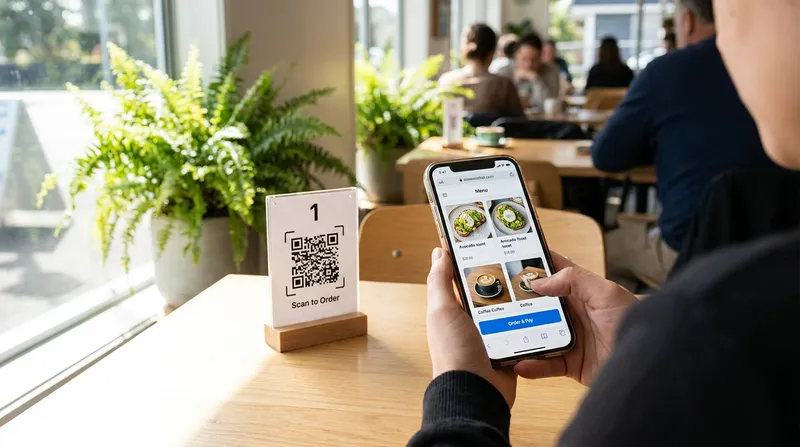
Many Kiwi operators worry that introducing digital menus will strip away the warm, personal service their regulars love. In reality, removing the clerical admin of punching buttons into a till gives your team their hospitality superpowers back. EHL Hospitality Business School notes that self-service kiosks and automated platforms can help free up staff for high-touch guest service.
Speeding Up Table Turnover Without Making Guests Feel Rushed
When restaurant owners think about hospitality table turnover optimization, they often worry about making guests feel like they are being pushed out the door. Nobody wants their neighbourhood bistro to feel like an airport fast-food joint.
Here is the secret: guests love lingering over conversation, food, and wine, but they hate waiting for administrative chores.
Think about the dead time in a traditional dining experience:
- Waiting 7 minutes after sitting down just to receive paper menus.
- Waiting another 8 minutes to catch a busy server's eye to place the order.
- Waiting 12 minutes at the end of the meal for someone to bring the bill and the portable EFTPOS terminal.
That is nearly 27 minutes of frustrating dead time per table where the guest is not eating, drinking, or enjoying themselves. Peer-reviewed research on tabletop technology by Tan and Netessine from the Wharton School and SMU Cox found that tableside ordering technology cuts total meal duration by nearly 10% and lifts overall sales productivity by 11% purely by removing those administrative delays.
Actionable Script for Your Front-of-House Team: Train your staff to introduce the QR code as a perk, not a replacement for service. When seating a table, have your host say:
"Welcome in! Here are some physical menus for the table. If you already know what you would like for coffee or drinks and want to get them started right away, you can scan the code on the table anytime - otherwise, I will be back in just a few minutes to look after you."
This hybrid approach delights busy lunch diners on a 45-minute office break while reassuring relaxed diners that a real human is still taking care of them.
Actionable Setup Tip: When evaluating top Lightspeed POS alternatives in NZ, look for table-specific QR codes that map directly to each table in your POS, so guests never have to look around for a table number sign or type it in manually during checkout.
Step-by-Step Setup: How to Launch QR Code Table Ordering in Your Venue
Rolling out a contactless dining system that New Zealand diners actually enjoy using requires more than printing a few paper codes and taping them to your tables. To prevent kitchen bottlenecks, stock-out headaches, and order errors, follow this four-step architectural setup.
1. Map Your Floor Plan and Generate Dynamic Table QR Codes
Before you touch a digital menu QR code generator, open your POS table management module and build a digital mirror of your physical floor plan. Group your seating into logical service zones (such as Main Dining Tables 1-15, Sunny Courtyard A-F, and Window Bar Leaners).
Once your floor plan is saved in a system like Lazygrid POS (where table-specific QR codes are built right into the Premium plan), generate dynamic QR codes for each table rather than static PDF links.
- Static QR codes point to a fixed PDF file. Every time you change the price of eggs bene or run out of salmon at 12:30 pm, you either have to reprint your codes or apologise to frustrated customers who just ordered an unavailable dish.
- Dynamic POS-linked QR codes pull live data straight from your cloud catalog. Because your online menu syncs with your POS, menu changes and real-time inventory updates sync across channels automatically.
Hardware Durability Checklist for NZ Venues:
- Outdoor Courtyard Tables: NZ's high UV levels can quickly fade paper inserts and thermal labels. Order UV-stabilised, waterproof matte vinyl stickers (matte finishes prevent harsh sun glare when cameras try to scan) or laser-engraved anodised aluminium tags screwed directly into wooden picnic tables.
- Indoor Cafe & Bistro Tables: Use weighted acrylic L-stands or solid timber blocks with recessed codes so staff can wipe down tables rapidly between turns without curling the edges.
- Daily Tamper Check: Have your opening duty manager visually inspect table codes during morning setup to ensure nobody has placed a fraudulent sticker over your legitimate code.
2. Engineer Your Digital Menu for Automated Upselling
When a line is snaking out the door during the 10:00 am coffee rush, your cashier does not have time to ask every single customer if they want to add hash browns, upgrade to a large size, or try your house-made caramel slice. Even if they want to, many staff feel awkward pushing add-ons.
A smartphone screen never forgets to upsell, and it never feels pushy. To set up automated menu upselling workflows that convert:
- Keep Categories Scannable: Create horizontal scrolling category pills at the top of the screen (Coffee & Drinks, All-Day Brunch, Cabinet Treats, Sides) so guests can jump to what they want in one tap.
- Use Mandatory & Optional Modifier Groups: When a guest taps Flat White, trigger a clean pop-up asking for Size (Required: Regular or Large +$1.00) followed by Milk Choice (Optional: Standard, Oat +$1.00, Almond +$1.00) and Syrup Shots.
- Configure One-Tap Pairings: Link high-margin sides to your core mains. If a diner selects the Fried Chicken Burger, display a visual prompt right before they hit 'Add to Order': "Make it a meal? Add Truffle Fries +$6 or a Craft Ginger Beer +$5.50." Lazygrid's recipe management lets you track individual ingredients in prepared dishes, helping you close the variance gap between theoretical and actual food cost.
3. Configure Direct-to-Kitchen (KDS) and Printer Routing
The magic of an integrated QR ordering setup happens behind the scenes in the fractions of a second after a guest taps 'Pay'. If all your QR orders dump onto a single thermal printer by the front till, your counter staff still have to tear off dockets and run them to the kitchen and coffee machine.
Instead, configure your POS to split and route items by preparation station automatically:
- Hot Drinks route directly to the printer or iPad screen beside the espresso machine.
- Cold Drinks & Tap Beer route to the bar station.
- Hot Kitchen Meals appear immediately on your Kitchen Display System (KDS) screen, colour-coded by wait time and sorted by course.
If you want to dive deeper into station splitting and network architecture, read our dedicated guide on direct to kitchen routing for kiosks, KDS, and printers in NZ.
Actionable KDS Formatting Tip: Customise your kitchen ticket templates so dine-in and takeaway orders are clearly labelled at the very top (for example, DINE IN - TABLE 14 versus TAKEAWAY - PICKUP 12:45 PM). This helps staff distinguish service modes from across the kitchen and prevents food runners from accidentally packing a dine-in meal into a cardboard takeaway box.
4. Reduce 'Phantom Orders' with Pre-Payment Rules
A common concern among first-time operators is the dreaded "phantom order" - what happens if a teenager snaps a photo of Table 4's QR code, goes home, and sends 15 burgers to the kitchen as a prank? Or what if a regular accidentally leaves your menu tab open in their browser and orders their morning coffee to Table 4 while they are still sitting on the bus?
You can significantly reduce prank orders by requiring up-front payment on QR orders. When guests must complete Apple Pay, Google Pay, or card verification before the ticket fires to your Epson or Xprinter POS receipt printers, casual prank orders are stopped at the checkout screen.
When evaluating QR ordering systems in general, some venues that offer 'pay later' tabs also look for general industry features like browser geofencing (checking that a device is near the venue) or daily table PINs provided by a server before unlocking a tab.
5. Adapt Self-Service QR Ordering for Food Trucks and Night Markets
While cafes and restaurants were the earliest adopters of QR table ordering, the exact same POS infrastructure works brilliantly for mobile food trucks, trailers, and container cafes across New Zealand.
If you run a food truck, your biggest constraint is physical window space and solo staffing. Every minute you spend leaning out the window taking an order and waiting for a customer to tap their card is a minute you are not flipping burgers, pulling espresso shots, or plating tacos.
Because Stripe New Zealand QR payment workflows require zero extra EFTPOS hardware, you can turn every smartphone on the footpath into a self-service kiosk:
- The 'Skip the Queue' A-Frame: Place a bold corflute A-frame sign three metres away from your truck window with a large QR code reading: "Hungry? Scan Here to Order & Pay From Your Phone - We'll Let You Know When It's Hot!"
- Zero Window Bottlenecks: Customers browse your visual menu on the grass, pay via Apple Pay or Google Pay, and receive an order number. Their ticket prints immediately inside your truck (check out our NZ food truck POS hardware guide for compact iPad and wireless printer setups), freeing up your crew to focus entirely on cooking and service.
(Note: While table-specific QR codes are designed for dine-in hospitality tables, wellness clinics and salons can also use massage and day spa booking software in NZ alongside online ordering to manage client bookings and retail products smoothly.)
NZ Payment Integration: EFTPOS, Stripe & Commission-Free Margins
Let us talk numbers, because payment processing is where many New Zealand hospitality businesses unknowingly bleed profit.
According to the Ministry of Business, Innovation and Employment (MBIE), New Zealand merchants pay approximately $1 billion in merchant service fees every year just to accept Visa and Mastercard credit, debit, and contactless payments. While the Commerce Commission New Zealand has capped domestic online interchange fees at 0.60% for debit networks and 0.70% for credit networks under the Retail Payment System Act, third-party ordering platforms charge 15% to 30% commission on your orders.
Choosing commission-free online ordering software that is built directly into your POS means you pay $0 in per-order commission fees and only cover your standard payment gateway processing rates.
Comparing Your NZ Payment Options
When configuring a pay-at-table system that NZ diners trust, you need fast checkout options that settle reliably into your New Zealand bank account:
- Stripe NZ Integration: Built natively into Lazygrid POS, Stripe New Zealand enables hardware-free QR payments where guests can check out using Apple Pay, Google Pay, or saved cards without typing out a 16-digit card number.
- EFTPOS NZ Counter Hybrid: What about older guests, cash payers, or diners using a traditional magnetic-stripe EFTPOS card that cannot be used online? Never force 100% digital payments. With an EFTPOS NZ certified terminal at your counter, you can let tables self-order and pay on their phones while allowing anyone who prefers traditional EFTPOS or cash to walk up to the counter, where your iPad POS processes their payment seamlessly (even if you need offline POS and EFTPOS NZ capabilities during an internet outage).
Conclusion: Ready to Cut Queues and Keep 100% of Your Margins?
Setting up a QR code table ordering system that NZ guests love does not mean sacrificing the warmth of Kiwi hospitality. When your digital menus, table floor plan, kitchen printers, and payment gateways work together inside a single cloud platform, you eliminate the front-counter bottleneck that slows down your team during peak hours.
By letting technology handle the repetitive admin of taking orders and processing payments, your business benefits from:
- Faster table turnover by cutting out time spent waiting for menus and the bill.
- Higher average order values driven by automated modifier and pairing prompts.
- 100% commission-free margins that keep your hard-earned revenue in your bank account instead of paying third-party platform fees.
You do not even have to change your entire service model overnight. Start by placing QR codes on your outdoor courtyard tables, window leaners, or takeaway queue A-frame during your busiest weekend rush and watch how quickly the pressure lifts off your front counter.
Want to see how easy it is to run table QR codes, kitchen routing, loyalty, and payments on iPads you already own? Explore Lazygrid POS NZ today and discover how one connected system can help your business serve more customers with less stress.
Frequently Asked Questions
How do customers pay with EFTPOS or debit cards on a QR code table ordering system in NZ?
When scanning a QR code on their smartphone, customers can pay online through Lazygrid's Stripe integration using Apple Pay, Google Pay, or Visa/Mastercard debit and credit cards. For guests who prefer to swipe or insert a traditional non-Visa/Mastercard EFTPOS card or pay with cash, your staff can still take their order at the table or let them settle their bill at your main EFTPOS NZ counter terminal.
Do customers need to download an app to use QR code table ordering?
No. A modern browser-based QR menu ordering system opens directly inside the customer's standard mobile web browser (Safari on iPhone or Chrome on Android) the moment they scan the code with their smartphone camera. There are no app store downloads, account registrations, or passwords required.
How much do QR code table ordering systems cost in New Zealand?
Pricing depends on whether you use a third-party platform or a native all-in-one POS. Third-party platforms charge 15% to 30% commission on orders. With an all-in-one platform like Lazygrid POS, online ordering is included on the Standard plan ($59/month) and full table-specific QR code ordering is included on the Premium plan ($149/month) with 0% commission fees, so you only pay your standard payment gateway processing rates.
What happens if an item sells out in the kitchen during a busy rush?
Because your online menu syncs with your POS, menu changes and real-time inventory updates sync across channels automatically. When you update an item's availability in your POS, your digital menu reflects the change so guests see current menu availability.
How does QR code ordering handle group tables and vouchers?
Table-specific QR codes allow diners at a table to scan the code with their own smartphones to browse the menu and place orders linked to that table number. For businesses offering gift cards or loyalty programmes, you can also manage rewards and vouchers through your POS in line with the NZ 3-year gift card expiry law.