
NZ Food Truck POS Hardware Guide: EFTPOS & Offline Rigs
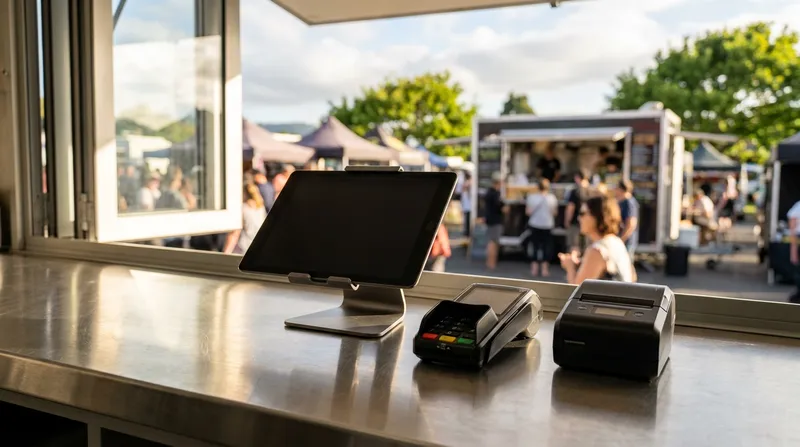
Introduction: why fixed cafe POS hardware fails inside a 3x2m NZ trailer
Picture this: you are 40 customers deep during the Saturday lunch rush at a summer festival or local night market. Suddenly, the overloaded cell tower drops your phone hotspot. Seconds later, your commercial espresso grinder kicks in, causing a voltage dip that trips your inverter breaker and reboots your 240V till. To top it all off, the thermal docket printer sitting next to your deep fryer spits out completely black, unreadable tickets. You are losing hundreds of dollars a minute while hungry customers walk away.
Choosing a reliable food truck POS system NZ operators can trust means looking far beyond software menus. Inside a cramped 3x2m trailer, coffee cart, or mobile wellness pop-up, standard fixed-venue hardware quickly falls apart. Bulky PC touchscreens hog precious prep space, 240V mains printers drain battery banks, and cloud-only tills freeze the moment rural reception dips.
Whether you are fitting out your first trailer or planning an eventual expansion (see our Food Truck to Cafe: POS Upgrade Guide for NZ), your portable POS hardware New Zealand setup needs to survive heat, grease, tight power budgets, and dead cell zones. In this practical hardware blueprint, we cover 12V battery setups, Bluetooth vs LAN printers, heat-proof kitchen dockets, integrated 4G EFTPOS, and true offline networks.
1. Solving the power puzzle: 12V battery and USB setups vs 240V inverters
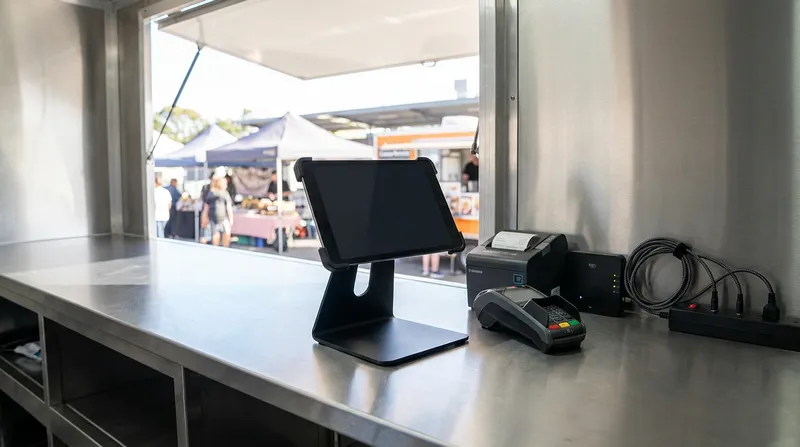
In a fixed brick-and-mortar restaurant, wall sockets are unlimited. In a mobile food truck or coffee cart, every watt of electricity is precious. One of the biggest hardware mistakes mobile operators make is plugging a traditional 240V desktop POS terminal, a 240V thermal printer, and a home Wi-Fi router into a pure sine wave inverter.
Inverters are notoriously inefficient. Converting 12V or 24V DC battery power up to 240V AC only for your POS power bricks to step it right back down to DC wastes your auxiliary battery capacity as heat. Worse still, when high-draw appliances like panini presses, deep fryers, or espresso boilers cycle on, generators and inverters experience brief voltage sags. If your POS hardware lacks an internal battery, a brief power dip forces a full system reboot mid-queue.
Strict New Zealand electrical regulations also limit how much 230V/240V gear you can run. According to WorkSafe New Zealand (Energy Safety), food and drink vending vans and trailers are classified as connectable electrical installations that must comply with AS/NZS 3000 and AS/NZS 3001 and hold a current Warrant of Electrical Fitness (WoEF) for systems operating above Extra Low Voltage.
By keeping your entire 12V power setup for mobile POS on Extra Low Voltage (12V DC and USB), you save your valuable 15A or 32A mains load for cooking appliances that actually make you money. Even better, running an offline iPad POS NZ setup gives you a built-in Uninterruptible Power Supply (UPS). Because an iPad houses an internal battery, your screen never flickers if a generator runs dry or a caravan park breaker trips.
Power and space hardware matrix: 240V fixed gear vs 12V mobile setup
Here is how a traditional 240V counter setup compares against a native 12V and battery-powered mobile rig:
| Hardware Component | Traditional 240V Fixed Setup | 12V / Battery Mobile POS Setup |
|---|---|---|
| POS Terminal | 15-inch PC Touchscreen (Requires 240V mains, 60W-90W draw, dies instantly on power cut) | iPad / iPad mini (Charges from a 12V USB socket (USB-C or Lightning, depending on model), 15W-20W draw, internal battery backup) |
| Receipt Printer | 240V AC brick thermal printer (Continuous inverter drain, bulky footprint) | Battery-powered portable printer or 12V/24V DC adapter printer (Zero inverter load) |
| EFTPOS Terminal | Mains-powered countertop terminal + separate Pinpad (Two cables, takes up 30cm of bench) | All-in-one 4G mobile EFTPOS terminal (Internal battery, charges via USB) |
| Network Router | Household 240V modem/router (Reboots for 3 minutes if generator surges) | Compact 12V/USB-C cellular router with mini power-bank backup |
| Total Bench Space | 60cm x 45cm (Leaves almost no service window space) | 25cm x 20cm (Swivel iPad mount + pocket-sized printer) |
Actionable Power Tip: Ask your auto-electrician to wire a dedicated 12V marine-grade fuse block and a dual 12V USB socket directly to your auxiliary deep-cycle leisure battery under the counter. Plug your iPad, printer, and mini 4G router straight into those 12V ports so your POS rig is 100% isolated from your 240V generator and inverter circuit.
2. Choosing your receipt and kitchen docket printers: Bluetooth, LAN, and heat
Once your power is sorted, your next hardware decision is how orders get from your iPad to your prep line and into the customer's hand. When shopping for a Bluetooth receipt printer NZ vendors often grab the cheapest model online without checking how it handles multiple tablets or commercial kitchen heat.
Before you buy, you need to understand the Bluetooth One-to-One Trap. Most standard Bluetooth receipt printers can only maintain an active pairing with one iPad or iPhone at a time. If you work solo in a coffee cart with a single iPad, Bluetooth is effortless. However, if you run a busy festival food truck with two iPads (for example, one staff member out front queue-busting on an iPad mini and another at the window taking payments) plus a customer-facing self-service kiosk, a basic Bluetooth-only printer will cause constant connection conflicts.
For multi-tablet setups, a Wi-Fi or Ethernet (LAN) printer connected to a local router inside your truck allows every iPad to send dockets to the same printer simultaneously. For a deeper dive into the Epson TM-series and Xprinter XP-series printers Lazygrid supports, read our comparison on Epson vs Xprinter: Best NZ POS Receipt Printers (2026). (Note: Lazygrid natively supports Epson TM-series Ethernet thermal printers, Xprinter XP-series wireless and Ethernet printers, and A4 printers with no direct USB connection needed. Other hardware models mentioned below, such as the Epson Mobilink portable series, the TM-U220II impact printer, and USB-C or 12V printers, are general industry examples, so please check compatibility with Lazygrid before buying.)
Actionable Printer Tip: If you plan to scale from one tablet to two during peak summer events, buy a dual-interface printer (such as a Wi-Fi + Bluetooth model, or Ethernet + Bluetooth) from day one so you do not have to replace your hardware later.
Battery-powered portable printers for market stalls and coffee carts
If you run an open-air gazebo at weekend farmers' markets, a vintage coffee van, or even a mobile wellness or beauty pop-up stall (check out our Best Massage & Day Spa Booking Software NZ (2026 Guide) if you manage mobile appointments), running cables across your counter is a hazard.
This is where a dedicated battery powered receipt printer for food trucks shines. Purpose-built portable printers clip onto a belt or sit neatly next to an iPad stand while running all day on a rechargeable lithium-ion battery. According to hardware specifications from Epson (Mobilink Portable Wireless Receipt Printers), their Mobilink portable range features IP54-rated enclosures for water and dust resistance, drop ratings up to 2.1 metres, print speeds up to 100mm/second, and battery life reaching up to 27 hours on the 2-inch TM-P20II and up to 47 hours on the 3-inch TM-P80II.
Why does an IP54 rating matter in New Zealand? Because when a sudden southerly buster blows rain sideways into your service window, or flour and coffee grind dust coats your counter, unsealed office printers jam and corrode.
Actionable Paper Sizing Tip:
- Choose a 58mm (2-inch) compact receipt printer for market stalls if you only print customer tax receipts and mostly email or text digital receipts.
- Choose an 80mm (3-inch) wireless docket printer for food trucks if you print kitchen prep tickets with heavy modifications (like "Burger - Gluten Free Bun, No Onion, Extra Jalapenos"), as the wider paper prevents long modifiers from wrapping onto three confusing lines.
Thermal vs impact kitchen printers: why fryers turn dockets black
If you have ever pulled a fresh docket off your printer in the middle of a summer shift only to find the paper has turned dark grey or jet black, you have experienced the thermal heat trap.
Direct thermal printers do not use ink. Instead, they use chemically treated paper that turns black when exposed to heat above roughly 60°C. In a spacious restaurant kitchen, you can mount a thermal printer on a cool pass shelf. In a 3-metre food trailer, your printer might sit 30 centimetres away from a twin-basket deep fryer, a roaring LPG flat-top griddle, or a pie warmer. Ambient heat and rising steam bake the paper roll inside the printer housing, rendering your tickets unreadable.
When evaluating a thermal vs impact kitchen docket printer, you have three proven ways to solve this inside a hot food truck:
- Switch to an Impact Dot-Matrix Kitchen Printer: Impact printers use an ink ribbon and standard plain bond paper that is completely immune to kitchen heat. According to Epson (TM-U220II Impact Kitchen Printer), their TM-U220II impact printer uses plain paper and two-colour ink ribbons engineered to withstand high kitchen heat and humidity while printing order modifications in bold black and red. (Remember to verify POS software compatibility before purchasing impact printers.)
- Replace Paper with an iPad Kitchen Display System (KDS): Mounting a secondary iPad in a rugged, wipe-clean case on your prep wall eliminates paper rolls altogether. With Lazygrid's built-in KDS, orders appear on screen instantly, colour-coded by wait time, and chefs simply tap to bump orders off the screen.
- Pass the "Receipt Paper Heat Test": Before drilling mounting holes for a thermal printer, tape a blank 20cm strip of thermal receipt paper to that exact wall or shelf spot during a full two-hour cooking session with all fryers and griddles on high. If the paper discolours even slightly, do not mount a thermal printer there.
3. Mobile EFTPOS for food trucks in NZ: 4G terminals, integrated payments, and surcharging
With roughly 80% of all transactions in New Zealand paid via card or contactless digital wallets, speed at the service window is critical. When you only have a tight 90-minute lunch window at a business park or market to make your day's revenue, your choice of mobile EFTPOS for food trucks NZ directly dictates how many customers you can serve.
Many new operators start with a standalone EFTPOS terminal to save a few dollars a month. Here is the hidden cost: on a standalone terminal, your cashier has to ring up the order on the iPad, read the total ($28.50), manually type 2-8-5-0 into the EFTPOS keypad, hand the unit out the window, wait for the customer to tap, wait for the paper receipt to print, and then tap "Paid" on the iPad.
That manual workflow slows down every single order and leads to costly keying mistakes (like charging $2.85 instead of $28.50 during a frantic rush). When you are already working hard to protect your profit margins (as we cover in our guide on Theoretical vs Actual Food Cost: Closing the Variance Gap), one or two mis-keyed family orders can wipe out an hour's profit.
With an integrated EFTPOS NZ certified terminal, your Lazygrid iPad POS pushes the exact dollar amount straight to the terminal screen the instant you tap "Pay".
What about card processing fees? Research from the Ministry of Business, Innovation & Employment (MBIE) highlights that New Zealand merchants pay approximately $1 billion in merchant service fees to their acquirers each year for accepting Visa and Mastercard credit and contactless debit payments. New Zealand has no specific surcharge regulations yet, but Commerce Commission New Zealand guidance says surcharges should be transparent, avoidable and not excessive. The Retail Payment System (Ban on Merchant Surcharges) Amendment Bill would ban most in-store surcharges on EFTPOS, Visa and Mastercard if passed. As of late 2026 it has stalled and surcharging is still legal, so check the current status before relying on surcharges.
Actionable EFTPOS Tip: If you currently use automatic dynamic surcharging on your integrated mobile terminal, stick a clear disclosure sign on your food truck service window so customers know inserting or swiping their domestic EFTPOS card incurs zero fee, and monitor the progress of the pending surcharge ban bill so you are ready to adjust your pricing if in-store surcharges become unenforceable.
Multi-network roaming SIMs vs Wi-Fi hotspots for payment terminals
Should your mobile EFTPOS terminal run on Wi-Fi (connected to your phone hotspot) or its own internal 4G SIM card? Where available, choose a terminal with a multi-network roaming 4G SIM plus Wi-Fi failover.
If you tether both your iPad and your EFTPOS machine to your personal iPhone hotspot, three things go wrong in the field:
- Every time a supplier or customer calls your mobile phone, data throughput can stutter.
- Phones sitting on a sunny food truck dashboard quickly overheat and throttle their hotspot signal.
- Your phone is locked to a single carrier (e.g., only Spark or only One NZ).
Some EFTPOS providers offer multi-network SIMs that can switch between Spark, One NZ and 2degrees. Check with your provider before relying on this. If your terminal has a roaming SIM and you park at a rural A&P show where Spark has no reception, the terminal can automatically latch onto a nearby One NZ or 2degrees tower.
Actionable Comms Tip: In your EFTPOS terminal settings, set 4G Mobile Data as Primary (NZ's 3G networks were switched off by March 2026) and your Truck Wi-Fi Router as Secondary Failover. That way, your payment terminal has two completely independent pathways to the bank.
4. Bulletproof offline setups: surviving rural festivals and overloaded cell towers
Every seasoned Kiwi event vendor knows the "Full Bars, Zero Internet" trap. You arrive at a summer music festival, vineyard concert, or regional showground at 8:00 AM, and your 4G speeds are blazing fast. By 12:30 PM, 15,000 attendees have arrived and are uploading videos to social media. Your iPad still shows four bars of 4G, but the local cell tower is completely congested. Browser-based POS systems freeze on a spinning loading wheel.
With Lazygrid POS offline mode, you can keep selling during internet outages.
Of course, when you do have solid reception at urban markets or permanent food truck parks, you can use that connectivity to let customers skip the line. Instead of forcing hungry festival-goers to download a bloated app, you can stick a QR code on your A-frame sign so customers can order and pay straight from their mobile browser (learn why this converts better in our post on App Fatigue in NZ: Why Web Ordering Beats Cafe Apps).
The local 12V router trick: keeping kitchen dockets printing without internet
Here is a technical catch that trips up many mobile vendors: "Local Network" is not the same thing as "Internet."
Many operators connect their iPad POS and their Wi-Fi kitchen printer directly to a smartphone hotspot. When the smartphone loses 4G signal at a rural event, many phones automatically disable or throttle local device-to-device routing on their hotspot. Suddenly, your iPad cannot talk to the printer sitting 1 metre away!
You can prevent this permanently using the Local 12V Router Trick:
- Buy a compact 12V/USB-C 4G Router: Place a pocket-sized travel router or industrial 12V SIM router inside your truck powered off your 12V USB-C hub.
- Connect your POS gear to the router: Connect your iPads (front counter and KDS) to the router's Wi-Fi, and plug your kitchen printer into the router's LAN port using a short Ethernet cable.
- Assign a Static IP: Lock your printer's local IP address (for example,
192.168.1.200) inside the router settings.
Even if you pull the SIM card completely out of the router, the router keeps broadcasting a strong local network inside your trailer. Your counter iPad, your kitchen printer, and your KDS screen will keep talking to each other at lightning speed with zero internet connection.
Pre-event EOV checklist: NZ offline EFTPOS rules you must know
While your iPad POS can continue selling during internet outages, New Zealand's banking network enforces strict security limits on how EFTPOS terminals process offline card payments, known as Electronic Offline Vouchers (EOV).
According to Eftpos New Zealand, Offline Mode activates automatically after two consecutive financial transactions decline due to connectivity failure, encrypting and storing transactions locally until connection is restored. Furthermore, technical documentation from Shift4 New Zealand specifies that terminals in EOV mode can store up to 99 offline transactions, require a customer signature on the merchant receipt instead of a PIN, and cannot process Refunds or Cash Out.
For a full breakdown of floor limits and liability, bookmark our dedicated guide on Offline POS & EFTPOS NZ: Taking Payments Without Internet. Before you tow your trailer out to a rural festival, run through this 4-Step Pre-Departure EOV Checklist:
- Perform a Manual Logon Within 24 Hours: On Paymark-network terminals, offline mode is only available if the terminal has completed a successful logon in the past 24 hours. Always turn on your terminal and run a logon at home or your commissary kitchen the morning of the event before leaving cell coverage.
- Pack Two Pens at the Service Window (and Watch for Foreign Cards): Contactless PayWave and Apple/Google Pay do not work in EOV offline mode. Customers must insert or swipe a physical card and sign the printed merchant slip. Offline mode only accepts card-present purchases on New Zealand-issued debit, Visa and Mastercard cards, so foreign cards can't be processed offline. Keep pens chained or clipped by the window.
- Check Your Paper Rolls: Because EOV requires a signed paper voucher for every transaction to protect your payment guarantee, pack extra thermal paper rolls for your EFTPOS terminal.
- Upload Stored Vouchers Promptly: As soon as you pack down and drive back into 4G coverage, power on your terminal and perform a logon so your stored offline vouchers upload to the bank within the required settlement window.
Conclusion: build a mobile POS rig that works as hard as you do
Running a profitable mobile hospitality business in New Zealand takes grit. When you have spent hours prepping fresh ingredients, towing your rig across town, and building a massive lunchtime queue, your technology should never be the weak link that lets you down.
By shifting your portable POS hardware New Zealand setup off power-hungry 240V inverters onto 12V USB sockets and internal batteries, keeping thermal paper away from fryer heat, and pairing an offline-ready iPad with a local 12V router and integrated 4G EFTPOS, you build a mobile setup that keeps printing and taking payments anywhere in Aotearoa.
Better still, every transaction you capture cleanly across markets, festivals, and catering gigs builds a verified financial track record for your business (see How Owned POS Data Boosts Your NZ Hospitality Business Valuation).
Ready to upgrade your food truck or coffee cart POS? Lazygrid POS is built in New Zealand for Kiwi hospitality operators, offering offline iPad mode, integrated EFTPOS, and commission-free QR web ordering, with plans from $24/month (Lite) and hardware packages from $999 + GST (leasing from $79/month). Online ordering is included from the Standard plan ($59/month). Get in touch with our local team today to test drive a setup tailored to your mobile business.
Frequently asked questions
Can I run a food truck POS system and receipt printer without a 240V generator?
Yes. By pairing an iPad (which runs on its internal battery and charges from a 12V USB socket) with a battery-powered receipt printer (such as the Epson Mobilink TM-P20II or TM-P80II; check POS compatibility before buying) and a battery-powered 4G EFTPOS terminal, your entire POS setup can run for a full trading day without ever touching a 240V inverter or generator. For permanent trailers, wiring a 12V USB hub directly to your auxiliary leisure battery keeps all devices topped up continuously.
Why are my food truck kitchen dockets printing out completely black?
Direct thermal paper is coated with heat-sensitive chemicals that turn black around 60°C. When a thermal printer is mounted close to deep fryers, flat-top griddles, pie warmers, or espresso steam wands inside a compact trailer, ambient heat bakes the paper roll inside the printer. You can fix this by relocating the printer behind an insulated heat shield, switching to an impact dot-matrix kitchen printer that uses heat-proof plain paper and ink ribbons (verify compatibility with your POS provider first), or mounting a secondary iPad as a digital Kitchen Display System (KDS).
Does PayWave work when my NZ EFTPOS terminal goes into offline mode?
No. Under New Zealand's Electronic Offline Voucher (EOV) banking rules, contactless PayWave and mobile digital wallets (Apple Pay and Google Pay) cannot be processed while the terminal is offline. Customers must insert or swipe a physical New Zealand-issued debit, Visa, or Mastercard card, and the terminal will print a merchant receipt that the customer must sign for verification.
Should I buy a Bluetooth or Wi-Fi (LAN) receipt printer for my food truck?
If you only use a single iPad and want the simplest battery-powered setup for a coffee cart, market stall, or mobile pop-up, a Bluetooth receipt printer is ideal. However, if you use two iPads (for example, one staff member taking orders in the queue and one at the window) or want a shared kitchen docket printer, a Wi-Fi or Ethernet (LAN) printer (such as the Epson TM-series or Xprinter XP-series supported by Lazygrid) connected to a compact 12V router inside the truck is far more reliable because standard Bluetooth printers only pair to one tablet at a time.
What is the best EFTPOS setup for a food truck in New Zealand?
The most reliable setup is an integrated 4G mobile terminal (an EFTPOS NZ certified terminal) running a 4G SIM card alongside Wi-Fi failover. Integrated terminals receive the exact sale amount directly from your iPad POS, eliminating manual keying errors and speeding up every transaction during peak festival and lunch rushes.