
Best Online Ordering Systems for NZ Restaurants (2026)
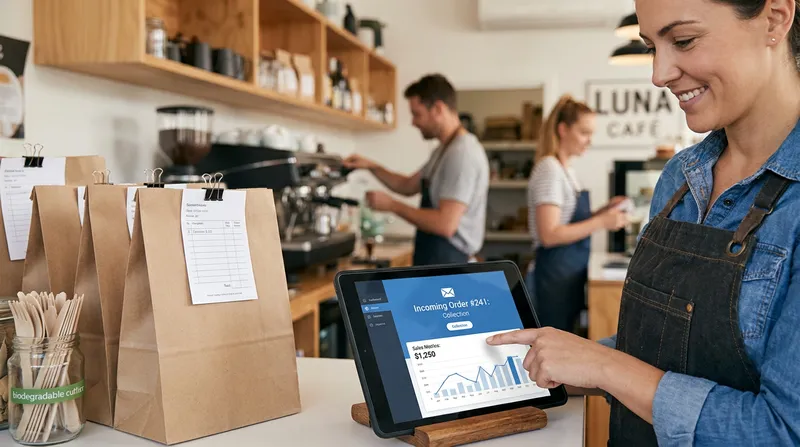
Picture a packed Friday night service in your kitchen. The docket printer is running non-stop, your chefs are working flat out for four hours straight, and bags of hot food are flying out the door. Yet when you sit down with your bookkeeper at the end of the month, your bank account barely reflects the 60-hour weeks you just put in.
If you rely heavily on third-party delivery apps like Uber Eats, DoorDash, or Delivereasy, you already know where that money went. Handing over 20% to 33% of your gross revenue on every single order is unsustainable. According to the Restaurant Association of New Zealand, while takeaway food services led sector growth at 3.2% ($4.4 billion annually), average hospitality labour costs have hit a record high of 40% of revenue.
When labour and ingredients already consume 70% to 75% of your turnover, a 30% app commission doesn't just trim your profit margin. It wipes it out entirely.
Meanwhile, your front-of-house staff are stuck in "Friday Night Tablet Hell", juggling three or four different delivery tablets pinging simultaneously, manually punching orders into an unconnected till, and losing control of your hard-earned customer database.
In this guide, we compare high-commission delivery apps, standalone ordering widgets, and POS-integrated, commission-free online ordering systems in New Zealand so you can reclaim your margins, own your customer relationships, and streamline your kitchen workflow.
Commission-Free Direct Ordering vs. Delivery Apps: The Real NZD Maths
To choose the right cafe and takeaway ordering system in New Zealand, you first need to separate the three main pricing models operating today:
- Third-Party Delivery Marketplaces (Uber Eats, DoorDash, Delivereasy): These apps list your venue alongside dozens of local competitors. They handle the courier logistics or pickup marketplace, but charge roughly 6% to 14% for pickup and 30% to 33% for delivery (Uber Eats NZ lists 30% delivery, 16% self-delivery and 6% pickup; DoorDash NZ lists 30% delivery, 33% DashPass and 14% pickup) of the total order value, plus GST.
- Low-Commission Local Aggregators (Order Meal, Pump'd): These platforms position themselves as cheaper alternatives, often charging the restaurant a 5% to 7% commission clip per order or passing a platform fee onto the diner.
- Direct Commission-Free Ordering (Integrated POS Websites): Customers order directly from your own branded website or QR link. You pay 0% commission on the food. Your only transaction cost is the standard online card processing fee (such as Stripe at roughly 2.7% + $0.30 per transaction).
Payment processing fees are under intense scrutiny in Aotearoa. Releases from the New Zealand Government Beehive highlight that Kiwi businesses pay roughly $1 billion in merchant service fees every year to accept Visa and Mastercard payments. The Government has proposed banning in-store card surcharges through the Retail Payment System (Ban on Merchant Surcharges) Amendment Bill, originally targeted for May 2026, but the Bill has stalled in Parliament and in-store surcharging remains legal for now. Online transactions would be excluded from the proposed ban. Even so, rising costs make protecting every single percentage point on your digital sales more critical than ever.
Let's look at the exact NZD maths on a typical $45.00 Kiwi takeaway order (assuming a standard 30% food and packaging cost of $13.50):
| Ordering Channel | Gross Order Value | Commission / Gateway Fee | Food & Packaging Cost (30%) | Net Contribution to Labour & Profit | Annual Loss on 15 Orders/Day vs. Direct |
|---|---|---|---|---|---|
| Uber Eats / DoorDash (30% Cut) | $45.00 | -$13.50 (plus GST on fee) | -$13.50 | $18.00 | -$65,645 / year |
| Delivereasy (20% Cut) | $45.00 | -$9.00 | -$13.50 | $22.50 | -$41,007 / year |
| Order Meal (~7% Cut + Gateway) | $45.00 | -$4.37 | -$13.50 | $27.13 | -$15,658 / year |
| Direct POS Ordering (0% Commission) | $45.00 | -$1.51 (Stripe ~2.7% + 30c) | -$13.50 | $29.99 | $0 (You keep 100%) |
When you closely track your theoretical vs actual food cost and close the variance gap, you quickly realise that losing $13.50 per order to an app is the equivalent of throwing away a full main meal on every ticket.
Action Step: Pull your last 30 days of settlement statements from Uber Eats, DoorDash, and Delivereasy. Subtract the net payout deposited into your ANZ, BNZ, or ASB account from your gross food sales on those platforms. Multiply that gap by 12 to see your annual "Commission Tax".
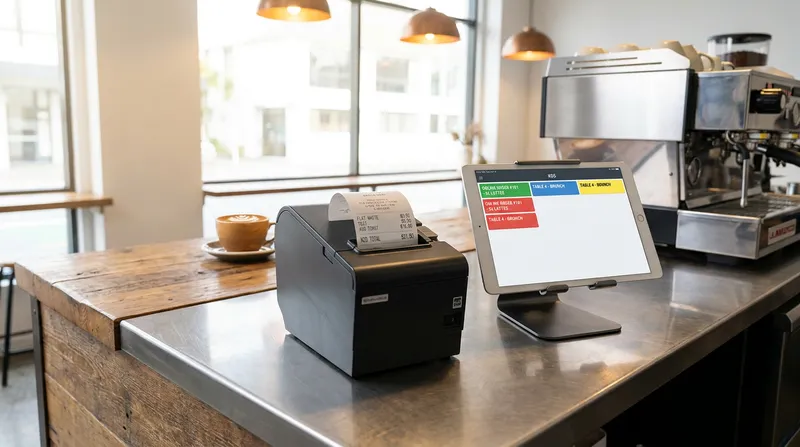
How POS Integration Eliminates 'Friday Night Tablet Hell'
High commissions are only half the problem. The other half is operational chaos during your busiest 90 minutes of the day.
Kiwi households rely heavily on ready-to-eat meals. Peer-reviewed New Zealand research found Kiwi households spent around 27% of their food budget on takeaways and restaurant meals in 2020, and Stats NZ's 2023 Household Economic Survey puts restaurant meals and ready-to-eat food at roughly 28.5% of household food spending. Most of that demand hits your kitchen in compressed lunch and dinner waves.
If your online ordering system does not talk directly to your Point of Sale (POS), every online order triggers a chain of costly manual steps:
- Double-handling at the counter: A front-of-house staff member has to stop serving walk-in customers, walk over to a separate tablet, read the incoming web order, and manually punch every item and modifier into the main POS terminal.
- Costly kitchen mistakes: When staff re-key orders under pressure, "gluten-free bun" or "no dairy" notes get missed, leading to remakes, food waste, and angry reviews.
- Menu desynchronisation: You sell out of your Friday night lamb shank special at 7:15 PM and mark it out of stock on your till. Because your standalone website isn't connected, three online customers buy it at 7:30 PM, forcing your manager to make awkward apology phone calls and process partial refunds.
- End-of-night reconciliation headaches: Your POS total doesn't match your kitchen dockets or your bank payouts, leaving you spending an extra 30 minutes every night manually balancing your accounts.
When you switch to an online food ordering system with native POS integration, that friction disappears. The moment a customer pays on their smartphone, the order is injected directly into your POS and routed straight to the right station via direct to kitchen routing with KDS screens and printers.
Better still, your inventory updates in real time across every channel. If you only have 12 portions of house-made tiramisu left in the chiller, your POS counts them down across dine-in, counter walk-ins, and your click-and-collect ordering system simultaneously.
Action Step: Stand at your front counter for 15 minutes this Friday at 6:30 PM. Count how many seconds your staff spend looking at secondary tablets and re-typing orders into your main register. If they touch an online order more than once before it reaches the chef, you need native POS integration.
Tailoring Direct Ordering to Your NZ Hospitality Setup
Where and how Kiwis dine has shifted permanently. The Restaurant Association's 2025 Hospitality Report noted that Auckland and Wellington city centres continue to see office occupancy 35% to 40% below pre-pandemic levels, with Auckland's modest growth driven mostly by suburban rather than CBD venues. Because of these shifts, hospitality venues need ordering workflows tailored to their specific service style.
Suburban Cafes & Dine-In Restaurants: QR Table Ordering (Premium Plan)
When minimum wage rises and experienced floor staff are hard to find, a QR code table ordering system (available on Lazygrid's Premium plan) acts as an extra server during the weekend brunch rush. Instead of waiting 10 minutes in a queue at the counter just to order a second flat white or a side of hash browns, diners scan the table-specific QR code on their phone, customise their order, and pay via Apple Pay or Google Pay in 20 seconds.
- Higher average ticket size: Online orders typically carry higher average ticket values than counter orders, because visual prompts make it effortless to add extras like halloumi, oat milk, or a cabinet pastry.
- Faster table turnover: Guests don't have to flag down a busy waiter for the bill; they pay on their phone and free up the table for the next group.
Keep your friendly counter service for regulars who want a chat, and place branded QR table talkers on your outdoor and back-room tables. Follow our QR table ordering setup guide for NZ cafes to configure table-specific codes on the Premium plan that route drinks to the barista and food to the kitchen automatically.
NZ Food Trucks & Coffee Carts: Queue-Busting Pre-Orders
If you run a food truck at a busy night market, brewery, or summer festival, physical queues are your biggest revenue bottleneck. Once a line stretches past 10 or 12 people, hungry customers walk away to a competitor. Using food truck online ordering software built into your mobile iPad POS solves this immediately:
- Place an A-Frame QR Sign 5 Metres from Your Window: Customers waiting or walking past scan the sign to browse your menu, customise their burger or taco order, and pay on their phone without standing in line to talk to a cashier.
- Eliminate the Counter Cashier Role: Instead of one person taking orders and one person cooking, both staff members can focus 100% on cooking and plating food.
- Send Automated SMS 'Order Ready' Alerts: Customers can grab a seat or browse the market while you cook, then walk up to your pickup window the second their phone buzzes.
For mobile setups where 4G reception can get patchy, make sure your truck is equipped with the right kit by checking our NZ food truck POS hardware and offline EFTPOS guide.
Comparing the 4 Types of Online Ordering Systems in New Zealand (2026)
Not all hospitality online ordering platforms in New Zealand are built the same. When evaluating systems in 2026, judge every provider against four strict criteria:
- Zero Commission: Do they charge a percentage of your sales, or a flat, predictable monthly software fee?
- Native POS & Kitchen Sync: Do orders flow directly to your kitchen printers and Kitchen Display System (KDS) without paid third-party middleware?
- Local NZ Payment Compatibility: Does the system support EFTPOS NZ certified terminals in-store alongside instant online payouts?
- First-Party Data Ownership: Do you get full access to your customers' names, email addresses, and order histories for loyalty marketing?
Here is how the four main categories stack up for Kiwi operators.
1. All-in-One Cloud POS + Direct Ordering (Best for Margin & Workflow)
For independent restaurants, cafes, and food trucks, an all-in-one cloud system is the gold standard. Rather than bolting a separate website onto an ageing till, one connected POS system for your business like Lazygrid POS runs your in-store iPad register, EFTPOS NZ terminal integration, QR table ordering (Premium plan), and commission-free online store from a single dashboard.
Because Lazygrid is built specifically for New Zealand businesses, you avoid the common traps of overseas software:
- Overseas POS Systems (Square, Toast, Clover): Some overseas POS platforms are not offered to NZ merchants or do not integrate with EFTPOS NZ certified terminals, so check local payment compatibility before you commit.
- Complex Enterprise Systems (Lightspeed, Epos Now): Larger global systems often lock online ordering or advanced table features behind expensive enterprise tiers or require paid middleware (like Deliverect) just to sync menus. If you are weighing up these enterprise options, read our breakdown of the best Lightspeed POS alternatives in NZ for hospitality.
With Lazygrid's Standard plan ($59/month), commission-free online ordering, table bookings, and kitchen printer routing are included out of the box, running on iPads you already own.
2. Standalone Local Ordering Widgets (Mobi2Go, Bopple, Book N Order)
Standalone ordering platforms focus purely on the customer-facing digital storefront. They offer polished web menus and click-and-collect flows, and many have strong roots in the Australasian cafe scene.
However, because they are not a Point of Sale system, they create two challenges for small-to-medium venues:
- Double Software Subscriptions: You have to pay a monthly fee (or per-order transaction clip) for the ordering widget on top of your existing POS software subscription.
- Hardware & Printer Friction: If the widget does not have a deep, two-way integration with your specific POS brand, you are forced to put another dedicated tablet and printer on your counter. If you are upgrading your thermal hardware to handle high-volume web dockets, check our comparison of Epson vs Xprinter POS receipt printers in NZ.
3. Legacy Free Widgets & The Urgent GloriaFood Shutdown (April 2027)
For years, hundreds of Kiwi fish and chip shops, pizzerias, and suburban takeaways relied on GloriaFood because it offered a basic, free online ordering widget.
If your restaurant still uses GloriaFood, you need a migration plan now. Oracle has notified GloriaFood users through in-app notices and emails that GloriaFood will permanently shut down on April 30, 2027, and that Oracle does not offer a direct replacement for its free ordering system or POS add-ons.
When searching for alternatives to GloriaFood in New Zealand, don't wait until the final weeks when your regular diners suddenly hit a dead link. Follow this 3-step migration checklist today:
- Export your customer list and menu: Log into your GloriaFood admin panel and download your full customer CSV file and high-performing menu items.
- Switch to a unified POS + Online Store: Set up a cloud POS with built-in commission-free ordering so you replace GloriaFood's standalone order-taking app with direct kitchen printing.
- Redirect your website and Facebook buttons: Update the "Order Now" link on your Google Business Profile, Instagram bio, and website, and email your exported customer list a $5 welcome voucher to test your new store.
4. Third-Party Delivery Marketplaces (Uber Eats, DoorDash, Delivereasy)
Should you delete Uber Eats and Delivereasy completely? Not necessarily. The smartest Kiwi operators stop treating delivery apps as their primary ordering system and start treating them strictly as a paid marketing billboard.
List a streamlined, high-margin menu on the apps, price it appropriately to cover their commission, and use every single delivery bag as an opportunity to convert that first-time diner into a direct, commission-free regular on your own website.
The Hybrid Playbook: 4 Steps to Convert App Customers Into Direct Regulars
You don't have to choose between customer discovery and healthy profit margins. Research from the EHL Hospitality Business School recommends a hybrid model: using third-party marketplaces strictly for initial visibility while systematically shifting repeat orders to your own first-party digital channel.
Use this 4-step playbook to migrate your customers:
- Protect Your Margins with Tiered Menu Pricing: Never offer the exact same price on a 30% commission app that you offer on your own website. Mark up your third-party delivery app menu by 15% to 20% to offset their commission, and promote your direct website as having the "Best Local Price Guaranteed".
- Run the 'Bag Stuffer' Flyer Campaign: Staple a vibrant postcard or stick a QR fridge magnet onto every single Uber Eats and Delivereasy bag that leaves your kitchen. Use a clear hook: "Paid too much on the apps? Scan here to order direct from our kitchen next time for Dine-In Prices + Free Garlic Bread on your first order." On Lazygrid's Premium plan, the built-in promotions engine lets you set up that discount code.
- Capture Search Traffic with Google & Social Links: When locals search your restaurant name on Google Maps or Instagram, make sure your own commission-free ordering link is the very first button they see. With Lazygrid's Premium plan, you can also enable Reserve with Google so diners can book a table directly from Google Search or Maps.
- Lock In Retention with Digital Loyalty: Third-party apps hide customer contact details from you so they can market your competitors to them tomorrow. When customers order through your own POS website, their profile is saved in your Customer Management database. On Lazygrid's Premium plan, invite them to join the digital loyalty programme (with Apple Wallet and Google Pay integration) so they earn points automatically when ordering direct or dining in. And if the internet ever drops when they come in to redeem those points, our guide on offline POS and EFTPOS in NZ shows how you can keep trading without missing a beat.
Take Back Control of Your Margins and Customer Data
You don't need to work harder to make your restaurant, cafe, or food truck more profitable in 2026. You simply need to stop giving away a third of your hard-earned revenue to middleman apps.
By switching to a commission-free online ordering system that is natively connected to your POS, shifting just 15 orders a day away from a 30% delivery app puts over $65,000 a year straight back into your bank account. At the same time, you eliminate Friday night tablet chaos, stop double-handling orders at the counter, and build a loyal database of local regulars that you actually own.
Want to see how easy it is to run your in-store till, kitchen printers, QR table codes (Premium), and commission-free online store from one iPad? Explore Lazygrid POS today and get your complete hospitality system up and running for a fraction of what you currently pay in weekly app commissions.
Frequently Asked Questions
How much commission do Uber Eats, DoorDash, and Delivereasy charge NZ restaurants?
Uber Eats NZ currently lists a 30% marketplace fee for Uber Delivery, 16% for self-delivery and 6% for pickup; DoorDash NZ lists 30% for delivery, 33% for DashPass delivery and 14% for pickup (plus GST). Delivereasy's reported rates are around 20% to 25%, depending on the agreement. In contrast, a direct POS-integrated online ordering system like Lazygrid charges 0% commission, meaning you only pay a flat monthly software fee and standard online card processing rates (roughly 2.7% + $0.30).
Is GloriaFood shutting down in New Zealand, and what is the best alternative?
Yes. Oracle has officially confirmed that GloriaFood will reach end-of-life and permanently shut down on April 30, 2027, with no direct replacement offered for its free ordering widgets or POS add-ons. The best GloriaFood alternative for NZ cafes and takeaways is an all-in-one cloud POS like Lazygrid POS, which gives you a branded, commission-free online ordering website that routes orders directly to your kitchen printers or KDS without needing a separate order-taking tablet.
How can my restaurant offer delivery without paying 30% app commissions?
You have three practical ways to offer zero-commission food delivery in New Zealand: focus primarily on high-margin Click-and-Collect pickup orders for local regulars driving home; use an in-house staff driver during peak Friday and Saturday dinner windows within a tight 3km to 5km suburban radius; or use white-label on-demand courier dispatches where the customer pays a flat $7 to $9 delivery fee at checkout on your website rather than you sacrificing 30% of the total food value.
Can I charge a payment surcharge on online food orders in New Zealand in 2026?
The proposed Retail Payment System (Ban on Merchant Surcharges) Amendment Bill would ban surcharges on in-store EFTPOS, Visa and Mastercard payments, but it has stalled and is not yet law; online orders are excluded from the proposed ban. For online orders, rather than adding surprise card surcharges at checkout that increase cart abandonment, best practice for Kiwi venues is to build the small ~2.7% Stripe gateway fee into your base menu pricing or apply a transparent $1.50 online packaging and service fee.
Why shouldn't I use a US-based POS system like Square or Toast for my NZ cafe?
Many overseas POS systems are built around US payment networks and do not integrate natively with accredited New Zealand EFTPOS terminals (EFTPOS NZ certified terminals) or local NZ bank settlement rules. Choosing a locally focused platform like Lazygrid gives you EFTPOS NZ certified terminal compatibility, menu sync between your POS and online store, reports you can export to Excel/PDF for your accountant, and Wellington-based support.