
Stop COGS Leakage: Multi-Site Stock Transfers for NZ Cafes
If you run a flagship cafe in Auckland, Wellington, or Christchurch that preps cabinet food for two smaller espresso bars or a mobile coffee cart, your Sunday-night Profit and Loss (P&L) statement is probably lying to you.
On paper, your main cafe looks like a financial sinkhole with a 44% food cost and alarming stock shrinkage. Meanwhile, your satellite kiosk or food truck looks like a goldmine running an impossible 16% Cost of Goods Sold (COGS).
Neither figure is real. When your head baker preps 200 cheese scones at the main kitchen and sends 80 down the road to your second branch on the back of a clipboard note, or when a barista grabs three crates of oat milk from Branch A to cover a weekend rush at Branch B without logging it, your venue-level accounting breaks down. Multi-site New Zealand hospitality and service owners are flying blind on venue profitability because informal stock transfers and central kitchen prep distort their numbers.
With margins tighter than ever, guessing where your inventory goes is no longer an option. According to Stats NZ (Tatauranga Aotearoa), annual food prices in New Zealand rose 4.5% in the 12 months to February 2026. When raw ingredient prices move that quickly, you need multi-venue stock control NZ operators can rely on to track every gram from delivery dock to customer plate.
In this guide, we will break down how to structure central kitchen prep, eliminate inter-branch stock variance, set accurate internal transfer pricing, and keep real-time stock depletion accurate across all your locations.
What is Multi-Venue Stock Control (And Why the NZ Hub-and-Spoke Model Breaks Spreadsheets)?
In New Zealand, very few independent hospitality groups operate massive industrial factories. Instead, many local operators use a hub-and-spoke model.
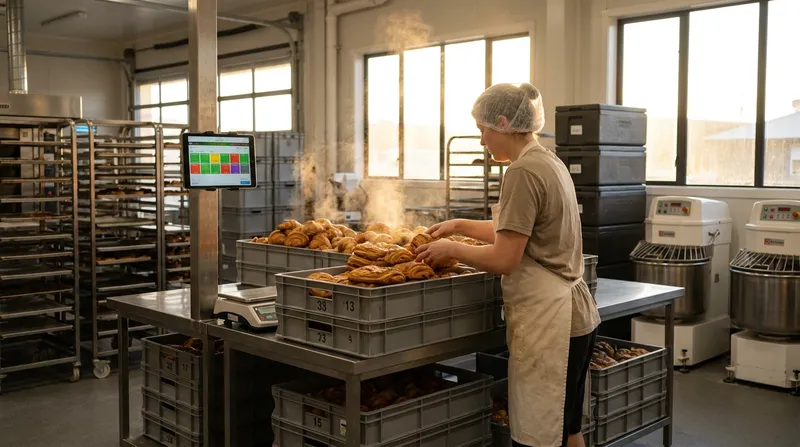
You sign a lease on one flagship venue with a full commercial kitchen, heavy extraction, and dry storage (the hub). From that kitchen, your prep team bakes pastries, simmers sauces, portions meats, and preps cabinet salads to supply one to four low-rent satellite sites (the spokes), such as:
- Compact CBD espresso bars with zero kitchen extraction.
- Hole-in-the-wall takeaway lunch counters.
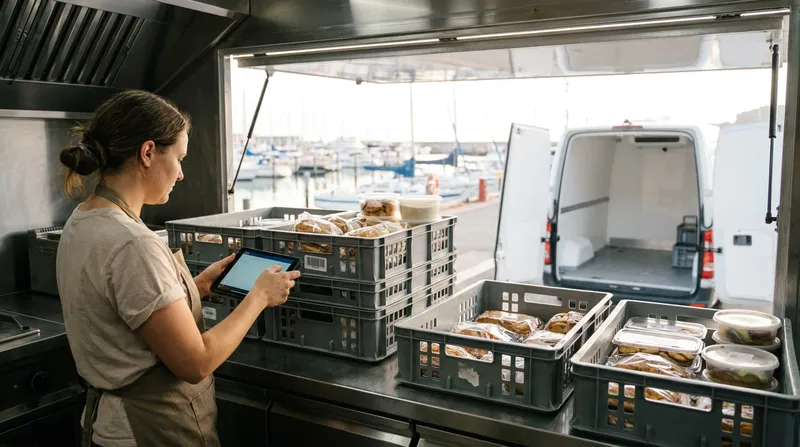
- Mobile coffee carts and weekend market food trucks.
- Even multi-site massage clinics and beauty salons, where a central flagship clinic mixes bulk back-bar essential oils, scrubs, and treatment kits before distributing them to smaller suburban branches.
While the hub-and-spoke setup can save on commercial rent and kitchen fit-outs, it creates two fatal accounting traps when managed on spreadsheets or basic single-site registers.
1. The "Ghost Discrepancy" Problem
When Branch A buys all the flour, butter, coffee beans, and packaging, its inwards goods invoices skyrocket. If stock is sent to Branch B via a quick WhatsApp message rather than dedicated hospitality stock transfer software, Branch A takes 100% of the cost hit and records zero revenue for those items. Worse, when you run a physical stocktake at Branch A, the missing crates look identical to staff theft or unrecorded kitchen waste. If you are trying to separate genuine transfer errors from till shrinkage, see our guide on stopping POS fraud and mate's rates in NZ.
2. The "Double-Counted COGS" Trap
To fix the Ghost Discrepancy, some owners tell their satellite branch managers to enter incoming central kitchen trays as a standard supplier invoice in the branch POS. This creates the opposite disaster: you record the purchase of raw ingredients at the central kitchen, and then you record a second "purchase" of the finished cabinet food at the receiving branch. Your consolidated group COGS is suddenly double-counted, and your inventory valuation is completely skewed.
Actionable Step: Stop treating inter-branch movements like supplier purchases. Audit every item that moves between your sites this week and separate external inwards goods and purchase orders (which increase total company stock) from internal stock transfers (which simply shift stock ownership and cost value from Location A to Location B).
How Central Kitchen (Commissary) Inventory Works: From Raw Ingredients to Final Portions
Most entry-level retail POS systems treat stock transfers as moving a finished barcode from Shop 1 to Shop 2. That works if you are moving bottled fizzy drinks, retail shampoo bottles in a salon, or bagged retail coffee beans.
Hospitality is more complex because commissary kitchen inventory workflows must account for how raw ingredients become prepped items and final menu portions:
- Stage 1: Inwards Goods (Raw Materials): Your flagship kitchen receives a supplier delivery via a digital Purchase Order (PO): 20kg of high-grade flour, 10kg of NZ unsalted butter, and 5 trays of free-range eggs. Your raw ingredient stock increases.
- Stage 2: Central Prep (Recipes & Components): Your pastry chef preps par-baked croissants or house hollandaise from those raw materials. In Lazygrid, recipe/component management (Premium) lets you track ingredients inside prepared dishes; check with our team how batch items and cost updates are handled across locations.
- Stage 3: Inter-Branch Stock Transfer: The central kitchen dispatches 80 croissants to your CBD espresso bar and 40 to your mobile food truck. A stock transfer shifts those 120 units out of the central kitchen and into the satellite branches.
- Stage 4: Real-Time Stock Depletion at the POS: When a customer at the espresso bar orders a ham and cheese croissant, or orders ahead via your order pacing and scheduled pickup POS workflow, your real-time stock depletion POS deducts the recipe components (such as 1 croissant, 40g of sliced ham, and 30g of cheddar) from the espresso bar's local stock.
Actionable Step: Map out your top 10 central prep items, such as house bircher muesli, savoury mince, brioche buns, or blended massage oils. Document their exact ingredient quantities and unit yields so you can transfer consistent portions by the tray, tub, or bottle without manually counting individual raw ingredients at the satellite site.
Setting Internal Transfer Pricing to Protect Your True COGS
Why does accurate recipe-level costing matter so much right now? Because industry benchmarks leave very little room for sloppy maths.
According to the US National Restaurant Association's 2025 Restaurant Operations Data Abstract (based on more than 900 American restaurants, 2024 data), median food and non-alcoholic beverage costs were 32.4% of sales for limited-service venues and 32.0% for full-service restaurants. NZ figures will differ, but it is a useful benchmark. If unrecorded transfers or supplier price creeps push a branch's true COGS from 32% to 36%, that 4-point swing can take a big bite out of already thin net margins.
To get an accurate P&L for each location, choose an internal transfer pricing methodology for your central kitchen and apply it consistently across your group:
| Transfer Pricing Method | How It Works | Best For | Pros & Cons |
|---|---|---|---|
| At-Cost (Raw Ingredient Cost Only) | Transfers batch items at the exact landed cost of the raw ingredients (e.g., $1.45 per pastry). | 2-to-3 site family-owned cafes under a single legal entity. | Simple to reconcile; however, the main cafe still absorbs 100% of the prep chef's wages and oven power. |
| Absorbed Cost (Ingredients + Prep Labour + Packaging) | Adds a fixed labour/overhead factor to the batch recipe cost (e.g., $1.45 ingredients + $0.65 prep labour = $2.10 transfer cost). | Multi-site cafes, food trucks, and salons comparing true branch efficiency. | Gives the truest picture of satellite branch profitability. |
| Cost-Plus Markup (Internal Wholesale) | Central kitchen acts as a profit centre and adds a 10% to 15% margin on transfers. | Franchise models or branches with different shareholding partners. | Covers central kitchen waste and transport costs, but requires inter-company elimination at tax time. |
Actionable Step: If you operate all branches under one NZ company, consider using the Absorbed Cost model for central kitchen prep items and the At-Cost model for raw pass-through items (like milk crates or napkins). When a supplier increases the price of butter by 8%, make sure you update your raw ingredient costs on your purchase orders and review your recipe costs so unit COGS stays accurate at every branch.
How to Track Inter-Branch Stock Transfers in Real Time (A 3-Step Routine)
The biggest operational failure in multi-site restaurant inventory tracking happens inside the delivery van between 6:00 AM and 7:30 AM.
If the central kitchen marks 50 muffins as "transferred" the moment they leave the kitchen, and the satellite cafe simply accepts that number without checking, where do the 4 muffins go that got squashed in the van, dropped on the footpath, or eaten by the driver?
To eliminate transit black holes, build a 3-step transfer process into your routine:
Step 1: Requisition & Dispatch (Central Kitchen)
The satellite branch requests stock (or the kitchen sets a standing par-level order). The central kitchen packs the crates and logs the Dispatched Quantity (e.g., 50 Savoury Muffins, 10L Oat Milk, 2kg Espresso Beans).
Step 2: Transit Check
While the delivery is on the road, treat the crate sheet or transfer log as pending until the receiving team sights the stock. That keeps both teams accountable for what actually left the kitchen bench versus what arrived at the counter.
Step 3: Verified Receipt & Discrepancy Logging (Receiving Branch)
When the van arrives at the satellite cafe or food truck, the Duty Manager counts the crates before confirming the transfer.
- What if only 46 muffins arrived intact and 4 were crushed?
- The receiving manager records 46 Received for the branch stock and logs the 4 Damaged in Transit items under a dedicated transit wastage code.
- The satellite cafe only carries the cost of the 46 sellable units, protecting the branch manager's KPIs, while the 4 crushed units are tracked as waste rather than vanishing into thin air.
Actionable Step: Never let staff wave deliveries through sight unseen. Require the receiving barista, food truck operator, or salon manager to physically verify incoming crates within 30 minutes of delivery.
Preventing Stock Variance and Wastage Across Locations (Including Food Trucks & Salons)
Counting every single lemon, sugar sachet, and napkin across three sites every week will burn out your staff and lead to sloppy data entry.
Instead, Business.govt.nz suggests grouping stock by value: roughly 20% of items generate about 80% of sales, 30% about 15%, and 50% about 5%. You can use the same grouping to decide how often to count:
- High-Value Items (Top 20% of stock lines generating ~80% of sales): Coffee beans, proteins (bacon, chicken, salmon), dairy/alt-milks, high-end cabinet pastries, and retail/back-bar serums. Count these daily or weekly and track every transfer to the single unit.
- Medium-Value Items (30% of stock lines generating ~15% of sales): Dry goods, sauces, syrups, and bread loaves. Count these fortnightly.
- Low-Value Items (50% of stock lines generating ~5% of sales): Napkins, wooden stirrers, salt, and takeaway cup lids. Count these monthly and transfer them in sealed bulk sleeves rather than loose units.
Special Workflow: Food Trucks and Mobile Coffee Carts
Mobile operators face a unique challenge: a food truck or coffee cart is effectively a micro-branch that reloads from your central kitchen every morning and returns unsold stock every afternoon.
- Morning Load-Out: Transfer the day's par stock from
Central CommissarytoFood Truck 1before departure. - Live Cloud Depletion on the Road: Using a food truck and mobile coffee cart POS like Lazygrid on an iPad or iPhone lets every sale deplete the truck's inventory in real time. You can also run a self-service iPad kiosk on the counter or accept low-commission online pre-orders, where you can pass the small per-order fee on to the customer instead of paying third-party apps 15-30% margins. For a full comparison, see our all-in-one POS vs third-party ordering cost breakdown.
- Connectivity for Mobile Sites: Lazygrid requires an active internet connection to process orders, payments, and live stock updates (cached data stays viewable during an outage, but transactions cannot be made offline), so make sure your mobile setup has reliable connectivity. If your truck trades at regular city spots with good mobile coverage, a dedicated 4G/5G wireless broadband router is the cheapest, most reliable choice. If you work rural A&P shows, vineyards, or festivals with poor cell reception, Starlink Business (starting from NZ$92/month for 50GB, which is plenty for POS data, plus NZ$449 one-off hardware that is sometimes free during promotions) keeps your till and inventory connected in remote locations. Keep phone hotspots purely for temporary emergencies.
- Evening Load-In & Spoilage: At the end of service, anything with a multi-day shelf life (like unopened cans or sealed cold brew) is transferred back to the central coolroom. Unsold perishable cabinet food is logged under
End-of-Day Wastageon the truck's iPad before closing the shift.
Special Workflow: Multi-Site Massage & Beauty Clinics
If you run two or three wellness clinics or beauty salons, you face the exact same COGS leakage as a cafe. When therapists pump bulk massage oil into smaller treatment room bottles or take retail skincare products off the front shelf for back-bar facials without scanning them out, your stock variance explodes.
Using a unified POS system with inventory tracking alongside your appointment calendar lets you transfer bulk clinic consumables accurately between branches and track exact cost-per-treatment. In Lazygrid, appointment bookings carry a flat fee of just NZ$0.50 or NZ$1.00 per booking, a major saving detailed in our NZ salon POS cost comparison.
Actionable Step: Create three distinct wastage reason codes in your workflow (Prep Spoilage, Transit Damage, and End-of-Day Cabinet Waste). Review your stock variance and wastage reporting every Monday morning to compare Theoretical Stock (what your POS recipes say should be on the shelf) against Actual Stock (what your staff physically counted).
Centralised Menu Management POS: Updating Recipes, Allergens & Pricing Across Sites
Managing inventory across multiple locations is impossible if Branch A calls an item Flat White - Lrg (Oat) while Branch B calls it Large Oat FW with different recipe depletion quantities.
A centralised menu management POS locks down your product catalogue, modifier groups, and ingredient recipes from a single head-office dashboard:
- One Recipe, Instant Ripple Effect: If you adjust your house granola portion from 120g to 100g to combat rising ingredient costs, you change the master recipe once. Every branch POS, self-service kiosk, and online ordering menu updates automatically.
- Consistent Modifiers Across Branches: In NZ cafes, modifiers like alternative milks, extra espresso shots, or gluten-free bread quickly eat into margins if priced inconsistently. Centralising your modifier groups ensures every site charges the right add-on price, and when evaluating any POS vendor, it is worth asking how they track stock for high-cost modifiers.
- Allergen & Surcharge Consistency: When your central kitchen swaps a sesame-seed bun supplier or changes a sauce ingredient, centralised menu management ensures allergen flags update simultaneously across all branch KDS screens and customer kiosks. Read our NZ allergen compliance POS & KDS setup guide and our guide on syncing public holiday surcharges across your POS for step-by-step workflows.
Actionable Step: Lock down staff permissions in your POS so branch supervisors can mark an item as "86'd / Out of Stock" for the day, but cannot create ad-hoc menu buttons or alter recipe ingredient ratios without head-office approval.
Accounting, IRD Rules & POS Xero Inventory Integration in NZ
When your bookkeeper or accountant reconciles your accounts, sloppy stock transfers create costly headaches with both your P&L and the Inland Revenue Department (IRD).
First, understand how COGS interacts with your balance sheet. As Xero's official guide to calculating Cost of Goods Sold (COGS) explains, the fundamental formula (Beginning Inventory + Purchases - Ending Inventory = COGS) requires that inventory sits on your balance sheet as an asset until the item is actually sold or written off as waste. Moving stock from your central kitchen to Branch B does not trigger a COGS expense or a GST event (assuming both branches operate under the same NZ GST registration). It simply moves the asset value from Location A to Location B.
Second, you must stay compliant with New Zealand tax law at year-end. Under Inland Revenue (IRD) trading stock valuation rules, trading stock includes raw materials kept for production as well as partly completed work (such as frozen batch prep in your central kitchen). If your annual sales are under $1.3 million and you can reasonably estimate your closing stock at under $10,000, IRD lets you use your opening stock value as your closing value without a year-end stocktake. Otherwise you must value closing stock using one of IRD's approved methods (such as cost, which includes purchase price, manufacturing costs and inwards freight), and businesses with sales under $3 million can use low-turnover concessions. Check with your accountant which method suits you.
When evaluating POS Xero inventory integration NZ workflows, make sure your POS separates external supplier purchases from internal branch transfers so your accountant gets clean location-by-location COGS figures without duplicated supplier bills. (Note: At Lazygrid, our native Xero integration is currently on the way as it completes final testing and Xero App Store listing.)
Actionable Step: Ask your accountant to set up location tracking categories in your accounting ledger for each branch (plus a dedicated category for your Central Kitchen). At the end of each month, adjust each branch's COGS using your stocktake and transfer records.
Frequently Asked Questions (FAQ)
How do you calculate COGS when transferring food from a central kitchen to multiple cafe branches?
Calculate each branch's COGS individually using the formula: Branch Opening Stock + Direct Supplier Purchases + Transfers In (at batch cost) - Transfers Out - Branch Closing Stock = Branch COGS. This prevents the central kitchen from absorbing the food costs of items sold at satellite kiosks.
What is the difference between an internal stock transfer and a purchase order in a hospitality POS?
A Purchase Order (PO) records goods bought from an external supplier (like Bidfood, Service Foods, or a local roaster), which increases your company's total inventory and creates an accounts payable bill. An Internal Stock Transfer moves existing raw ingredients or prepped items from one of your locations to another without creating a supplier bill or changing total company stock.
How do I track inventory between my main cafe kitchen and a mobile coffee cart or food truck?
Set up your mobile coffee cart or food truck as a separate location inside your multi-location POS. Each morning, execute a digital stock transfer from the main cafe to the truck for milk, beans, cups, and cabinet food. Every customer sale on the truck's iPad depletes the truck's local stock in real time, and unsold items are either transferred back or logged as wastage at the end of the shift.
How do you handle damaged stock or quantity discrepancies during an inter-branch transfer?
Use a two-step verification routine. If the central kitchen dispatches 40 pies and 3 are damaged in transit, the receiving cafe records 37 received and logs 3 under a Transit Damage wastage code. That way, neither branch has unexplained stock variance at stocktake.
Does transferring stock between branches affect GST in New Zealand?
If all of your cafe branches, food trucks, and central kitchens operate under the same legal company and NZBN/GST number, internal stock transfers are internal movements of assets and do not trigger GST. Only if your central kitchen is registered as a separate legal company selling wholesale to differently owned branch entities would tax invoices and GST apply.
Can recipe-level stock management handle both raw ingredients and prepped central kitchen items?
Yes. Modern recipe-level stock management systems let you track the ingredients used inside prepared dishes. In Lazygrid, recipe and component management is available on the Premium plan; check with our team on the best way to structure your central kitchen prep items and transfers across locations.
How do you stop informal stock borrowing between nearby cafe branches or salons?
Eliminate WhatsApp and verbal "IOUs" by requiring a quick digital stock transfer on the POS iPad before any crate of milk, bag of coffee beans, or bottle of salon back-bar product leaves the building. Assign individual staff PIN logins so every transfer has a clear audit trail, and compare theoretical vs. actual stock levels weekly on your top 20% highest-value items.
Should a central kitchen include prep labour in its internal transfer pricing to satellite branches?
Yes, if you want an honest view of venue-level profitability. Using an Absorbed Cost model (raw ingredients + direct prep labour + packaging) ensures your flagship cafe does not get unfairly penalised for the chef wages used to feed your satellite espresso bars or food trucks.
How often should multi-site NZ hospitality venues perform a physical stocktake?
Group stock by value (the 80/20 approach Business.govt.nz describes) rather than counting your entire storeroom at once. Count your top 20% high-value items (coffee beans, proteins, dairy, cabinet pastries, and premium retail stock) daily or weekly, count medium-value dry goods fortnightly, and count low-value packaging and consumables once a month.
What happens if a supplier increases ingredient prices mid-month in a multi-venue POS?
When you log an inwards goods delivery against a Purchase Order with updated supplier pricing, make sure your ingredient costs are updated so your POS can calculate accurate COGS for the dishes using those components. Contact our team to confirm how cost updates and batch items are handled across your locations.
How do mobile food trucks and coffee carts keep live stock transfers synced on the road in NZ?
Cloud-based iPad POS systems like Lazygrid sync stock depletions and transfers in real time over an active internet connection. For trucks trading at regular urban spots with reliable cell coverage, use a dedicated 4G/5G wireless broadband router. For rural festivals, vineyards, or A&P shows with poor mobile reception, use Starlink Business (from NZ$92/month for 50GB) so your POS stays connected to process orders, payments and stock updates in areas with poor mobile coverage.
How do multi-site massage clinics and beauty salons track back-bar consumables vs. retail stock?
Set up bulk treatment consumables (such as carrier oils, scrubs, and professional facial serums) as internal recipe components or back-bar stock lines separate from boxed front-of-house retail items. When your main clinic decants or sends supplies to a satellite branch, record an internal stock transfer so each clinic's cost-per-treatment remains accurate.
Take Control of Your Multi-Site Margins
Scaling from one buzzing venue to a multi-site operation should multiply your profit, not your stocktake headaches. By replacing clipboard notes and informal borrowing with structured central kitchen costing, a verified transfer routine, and real-time POS recipe depletion, you will see the true gross margin of every single venue you own.
Ready to unify your kitchens, branches, and mobile carts on one dashboard? Lazygrid offers Multi-Location Management, Inventory Management (with ingredient-level recipe management on Premium), Kitchen Display Systems (KDS) and EFTPOS NZ certified payment processing on iPads you already own. Plans are $24/month (Lite), $59/month (Standard) and $149/month (Premium); contact our team to confirm which plan covers multi-site inventory. Explore the Lazygrid Blog for more local operational guides or get in touch with our Wellington-based team to see how Lazygrid can protect your COGS across every location.