
Order Pacing & Scheduled Pickup POS: Crush the NZ Rush
Introduction: why turning on online ordering breaks small NZ kitchens
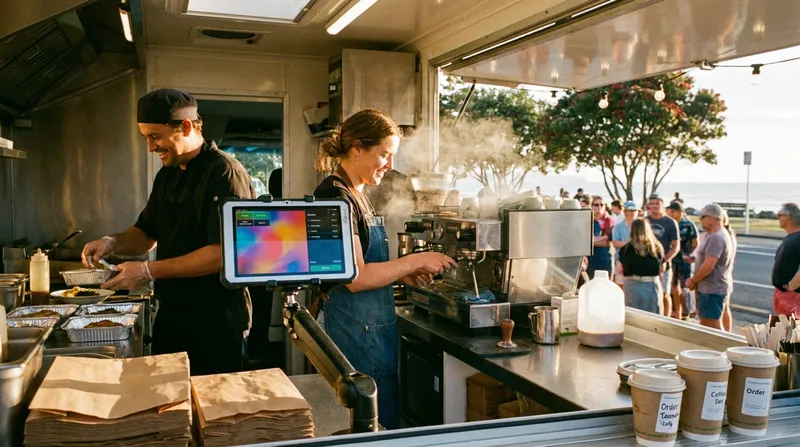
Picture 12:15 PM at a busy Wellington waterfront food truck, or 8:00 AM inside a compact Auckland espresso bar. You have 20 hungry customers queuing in the rain outside your window. Suddenly, your thermal printer starts screaming, spitting out a two-metre ribbon of 25 click-and-collect web orders at the exact same minute.
When you search for a food truck POS system in NZ or a cafe click-and-collect setup, almost every software guide gives you the same surface-level advice: buy a durable tablet and turn on contactless payments. Any Kiwi operator working in a one-to-two-person prep space knows that taking payments is rarely the problem. The real nightmare is the "Double-Queue Meltdown" that happens when unrestricted online orders collide head-on with your walk-up queue.
Stats NZ's Retail Trade Survey for the June 2026 quarter shows food and beverage services sales volumes fell 2.8% on the previous quarter, so making every peak-hour sale count matters more than ever. If you want to capture that revenue without burning out your team, you need a POS workflow built to manage the takeaway rush. In our guide to the best online ordering systems for NZ restaurants, we explored how direct digital channels protect your margins; in this guide, we will walk you through the step-by-step blueprint for using order pacing, scheduled future ordering, and real-time inventory updates to flatten your peak rush before you even open the window.
How order throttling and scheduled pickups prevent the 'Double-Queue' bottleneck
The Double-Queue bottleneck happens when your counter till and your online store operate in separate silos with zero awareness of your kitchen's physical limits. A solo barista can only pull so many shots of espresso per minute, and a two-person burger trailer only has so much flat-top grill space.
When you turn on basic, unpaced online ordering, your website promises every single digital customer that their food will be ready in 15 minutes, regardless of whether you have two orders on the board or forty. According to the US National Restaurant Association's Off-Premises Restaurant Trends 2025 report, off-premises orders made up 83% of traffic at limited-service restaurants in 2024, and 58% of limited-service operators say off-premises now makes up a larger share of their sales than in 2019. When that wave of digital demand hits an unprotected prep station, both your online buyers and your physical queue suffer.
Worst of all, walk-up customers standing at your counter cannot see the 25 digital tickets ahead of them. They just see your chef frantically plating food while the physical line hasn't moved in 20 minutes. When actual wait times exceed quoted expectations during crowded peak periods, customer frustration spikes quickly.
In the wider hospitality industry, order pacing and scheduled pickup strategies solve this by acting as a buffer between your online checkout and your prep bench. Instead of letting every order pile into an immediate "ASAP" rush, hospitality teams track pre-order capacity limits and use scheduled ordering to space out pickup promises across service. Just as dine-in venues use smart pacing to boost table turnover without rushing guests, takeaway and mobile operators can pace their grill and espresso machine so every customer gets an accurate pickup window.
The mechanics of capacity planning and scheduled ordering
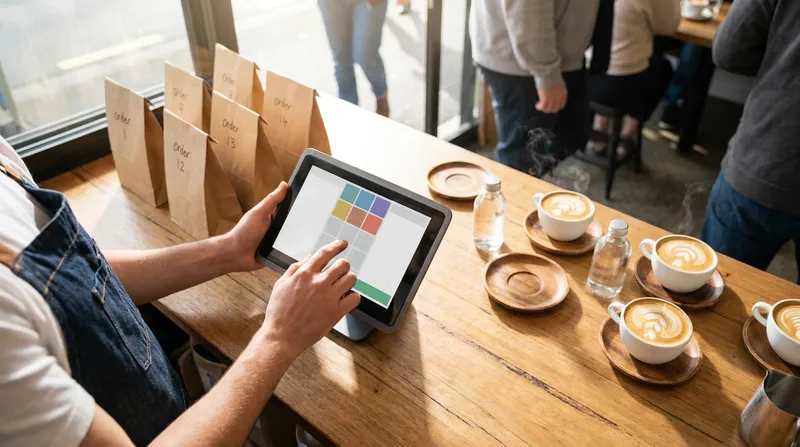
Across the foodservice industry, enterprise capacity systems often use automated throttling to push guests to later pickup windows once a time block hits a set threshold, protecting in-store guests from invisible digital backlogs. Even without complex enterprise rules, small food trucks and cafes can apply the same capacity-planning logic by understanding how kitchen ceilings work and encouraging scheduled future orders.
When planning your online ordering capacity, it helps to understand the common ways kitchens measure and manage peak load:
- Orders-per-window targets: Tracking the total number of separate transactions your kitchen can realistically handle in a 10-to-15-minute block (for example, aiming for around 6 online orders between 12:15 PM and 12:30 PM).
- Item-count targets: Accounting for the total number of individual items prepared per window (for example, 16 burgers or 20 coffees per 15 minutes), since a single large office lunch order of 15 items takes just as much grill space as five smaller orders.
- Scheduled future ordering: Allowing customers to select a future pickup time rather than ordering everything "ASAP", spreading prep demand more evenly across your trading hours.
Actionable step: calculate your 50/50 prep ceiling today
- Time your peak output: Count the maximum number of items your team can comfortably cook, plate, and bag in 15 minutes without sacrificing quality (say, 24 items).
- Apply the 50/50 split: Reserve 50% of that capacity (12 items) strictly for walk-up counter orders so your physical line always keeps moving.
- Plan your online pacing: Use this number as your target for how many online orders to accept per 15 minutes, and use scheduled (future) ordering to spread pickups across your service.
How to use scheduled online ordering for NZ food trucks, cafes, and pop-ups
Once you know your kitchen's capacity ceiling, you can flip from playing defence during the rush to playing offence before your doors even open. By enabling scheduled future orders on your POS, you allow customers to pre-order and pay during your quiet off-peak hours for a set pickup time.
The operational impact of thoughtful capacity planning is backed by hospitality research. Cornell research by Professor Sheryl E. Kimes found that optimising a busy restaurant's table mix could let it serve about 30% more customers during peak periods without longer waits, which shows how much capacity planning can matter.
Whether you are setting up QR table ordering for NZ cafes or running a weekend street-food trailer, here is how to use scheduled ordering for your specific business model.
Pre-selling the Friday rush at night markets and food trucks
If you run a stall at the Auckland Night Markets, Christchurch's Riverside precinct, or a Friday evening suburban food truck pop-up, much of your revenue can land in a frantic 90-minute window between 6:00 PM and 7:30 PM. A smart night market POS setup lets you monetise the afternoon build-up:
- Open pre-orders at 2:00 PM: Set your Lazygrid online ordering menu to accept scheduled future orders starting at 2:00 PM for evening pickup between 5:30 PM and 8:30 PM.
- Drop your link on Instagram and Facebook: Post a story of your afternoon prep ("Brisket is coming off the smoker at 5:30 PM, pre-order now for a set pickup time").
- Share your ordering link along the queue: Put a sign with your online ordering link (or a QR code pointing to it) along the queue so customers can pre-order for a later pickup time, wander the market stalls, and return to your window when their food is ready.
Because live online ordering requires an active internet connection (Lazygrid POS needs internet connectivity to process orders and payments, with no offline transaction mode), make sure your mobile connectivity is solid. If your truck trades at regular suburban spots with good mobile reception, a dedicated 4G/5G wireless broadband router inside the truck is the most cost-effective choice. If you trade at rural A&P shows or dense festival grounds with poor cell towers, look into Starlink Business (from NZ$92/month for 50GB, which is plenty for POS data) rather than relying on a phone hotspot. Check out our complete breakdown on connectivity setups for NZ food trucks and rural venues to get your router sorted before your next big event.
Pacing morning espresso runs and bakery pickups
Scheduled future orders aren't just for street food; they also help suburban cafes and bakeries manage tight counter turnarounds:
- Suburban cafes (7:30 AM - 9:00 AM commuter rush): Let regulars place scheduled morning orders from the train or driveway for a set pickup time, helping your barista pull shots in predictable batches alongside walk-in orders.
- Artisan bakeries and weekend pop-ups: Allow pre-orders from Wednesday to Friday for Saturday morning box pickups, spreading collections across the morning so a compact shopfront doesn't clog the footpath.
What about appointment-based service businesses? Solo massage clinics, beauty salons, and wellness studios face a similar front-desk bottleneck when a client checking out, a walk-in retail buyer, and a new arrival all hit the counter at once. Combining scheduled retail click-and-collect orders with our Reserve with Google direct booking integration in NZ (which operates on a tiny flat fee of just NZ$0.50 to NZ$1.00 per booking rather than percentage commissions) helps stagger appointment check-ins and retail pickups so therapists aren't interrupted mid-session.
Real-time POS inventory updates and KDS workflows for tiny prep spaces
Even well-paced service runs into trouble if you lose track of what is left in the chiller. Imagine you have four portions of slow-cooked lamb shoulder left at 1:15 PM, and walk-up and online orders are both coming in fast.
Without real-time inventory visibility across your POS, it is easy for a busy kitchen to lose count during the peak rush, forcing someone to stop cooking, walk out to the window or call the customer, apologise, and sort out a replacement or refund.
Business.govt.nz notes that selling on your own website gives you total control over your business and brand, and its guide on building your website or online store suggests choosing a platform with a good point-of-sale solution and easy customer data collection. When your counter POS tracks inventory in real time, your team stays on top of daily batch counts:
- Enter your daily prep count before service: Type
40into your POS stock count for your daily special or limited-batch pastry. - Track sales from a single pool: Every sale deducts from that stock count automatically.
- Watch for low stock: Low stock alerts and the live count show your team when an item is running low.
Once orders are flowing in, how do you stop paper dockets from cluttering a cramped food truck bench? Replace fluttering paper dockets with a kitchen display system (KDS) built for small kitchens. As we detail in our guide to direct-to-kitchen routing with KDS and printers in NZ, a mounted iPad KDS displays orders in real time, colour-codes them by urgency, and highlights allergen warnings (which also supports your record-keeping and safe food handling practices during a NZ Food Control Plan verification audit).
Why an all-in-one POS beats legacy systems and pricey add-ons
When Kiwi hospitality owners look into online ordering and scheduled pickups, they often run into roadblocks with older setups. Many legacy counter systems weren't designed with online ordering in mind.
Meanwhile, relying on third-party delivery apps to handle your online ordering eats 15% to 30% of your gross revenue on every ticket, and many Kiwi customers prefer ordering directly from the venue. According to the Restaurant Association of New Zealand's 2025 Dining Trends Report, 39% of Kiwi diners prefer ordering takeaway directly through a website or app owned by the establishment, while only 14% favour third-party delivery apps.
Many business owners simply want a way to accept direct web orders without handing a large slice of their turnover to third-party delivery apps or juggling expensive add-on subscriptions (a common frustration we broke down in our comparison of add-on tools vs all-in-one POS systems in NZ). With Lazygrid's Standard ($59/month) and Premium ($149/month) plans, online ordering with scheduled future orders runs on the same system as your counter POS and EFTPOS NZ payments. Instead of paying 30% delivery app fees, Lazygrid charges only a small per-order commission on online orders, which you can choose to pass directly on to the customer at checkout.
Your 3-step checklist to crush your next peak rush:
- Audit your 15-minute ceiling: Calculate your prep station's true 15-minute output and reserve 50% of that capacity for your walk-up queue.
- Open pre-orders 3 hours before service: Let afternoon traffic place scheduled future orders before the physical line forms.
- Track live stock counts: Input your daily batch numbers before opening so your POS automatically deducts stock in real time as sales come through.
Ready to ditch the two-metre ribbon of paper dockets and take control of your peak rush? Explore Lazygrid's all-in-one POS system for NZ hospitality and service businesses and see how easy it is to run counter sales and scheduled online orders on the iPad you already own.
Frequently asked questions
What is order throttling in a restaurant or food truck POS?
In the wider hospitality industry, order throttling refers to limiting the number of online orders or menu items a kitchen accepts within a specific 10-to-15-minute window so the prep station isn't overwhelmed. Even without automated slot caps, small venues can achieve smoother pacing by calculating their 15-minute kitchen capacity and encouraging customers to place scheduled future orders.
How do I stop online orders from overwhelming my walk-up queue during peak rush?
Apply the 50/50 capacity rule to your kitchen output. First, calculate the maximum number of items your team can comfortably prepare in 15 minutes without compromising quality. Reserve 50% of that capacity for walk-up counter customers, use the remaining 50% as your target for online orders per 15-minute window, and use scheduled future ordering to spread pickups across your service.
Can customers pre-order from my food truck or cafe before we open for the day?
Yes. With scheduled online ordering, you can open your online menu in advance so customers can place future orders for pickup during your trading hours. Scheduled orders show their pickup time so staff know when to start each ticket rather than cooking everything at once.
How does real-time inventory tracking help during a busy rush?
When you use a POS with real-time inventory updates, stock levels deduct automatically as sales come through, giving you real-time visibility of what's left so your team can see when a daily special or limited-batch item is running low.
Do I need expensive third-party software to get scheduled online orders in New Zealand?
No. Lazygrid's Standard plan ($59/month) includes integrated online ordering with ASAP or scheduled future orders and menu sync with your POS. Lazygrid charges only a small per-order commission on online orders, which you can pass on to the customer at checkout.