
NZ Hospo Guide: Boost Table Turnover Without Rushing Guests
Introduction: The Saturday Brunch Bottleneck (And Why Full Tables Don't Always Mean Full Margins)
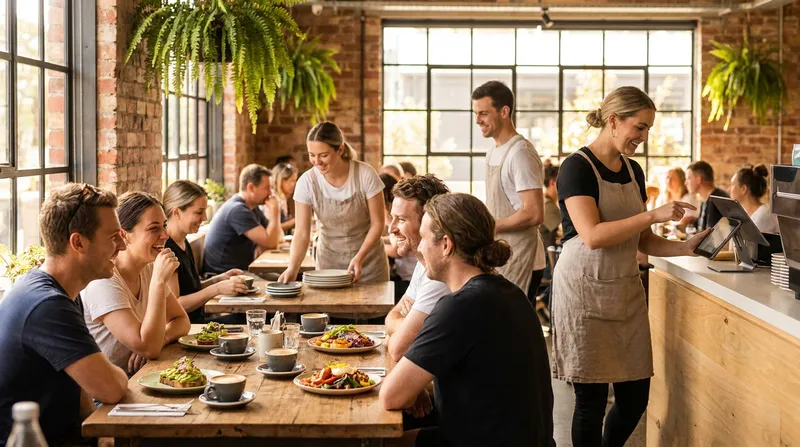
It is 11:15 AM on a sunny Saturday morning. Three groups of hungry walk-ins are hovering by your front door, scanning the room for an empty table. Inside, four tables finished eating their eggs bene twenty minutes ago, their empty plates still sitting in front of them. Meanwhile, your most experienced front-of-house staff member is trapped behind the front register, calculator in hand, splitting a $185 brunch bill six different ways on the EFTPOS terminal.
By the time that queue clears and the tables are wiped down, two of the waiting groups have walked down the road to your competitor. You did not lose those sales because your food was slow or your hospitality was lacking. You lost them to operational friction.
Right now, improving your table turnover rate across your New Zealand restaurant or cafe is one of the fastest ways to protect your bottom line. According to the Restaurant Association of New Zealand's 2025 Hospitality Report, national hospitality sales reached $15.99 billion, yet dine-in cafes and restaurants grew by just 0.3% while average labour costs hit a record high of 40% of revenue. Simply put, you cannot afford to throw two extra floor staff onto the roster just to clear plates and run dockets faster.
The good news is that you do not need to rush your guests while they are eating or chatting. By separating Active Dining Time (the moments guests spend enjoying their meal) from Dead Friction Time (waiting for menus, waiting on delayed kitchen tickets, or queuing to pay), you can cut waiting time from every table turn and potentially fit in an extra seating during peak windows.
Table Turnover Rate vs Seat Turnover Rate: The Metrics That Actually Drive Profit
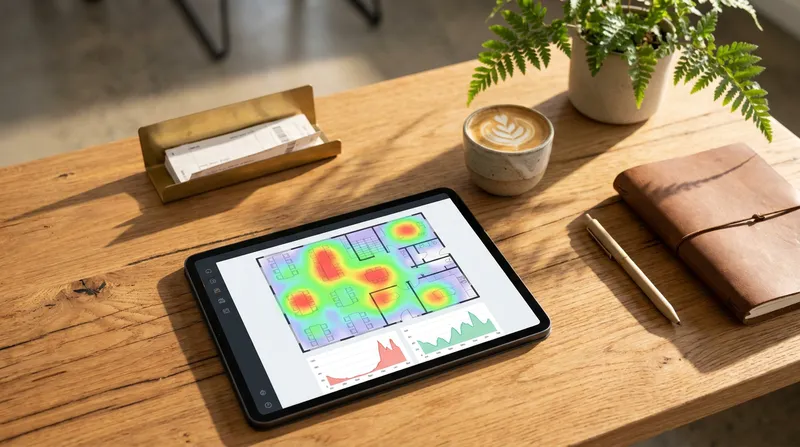
Many Kiwi hospitality owners look out at a busy dining room on a Friday night or Sunday morning and assume they are operating at 100% capacity. Research by Professor Sheryl Kimes of Cornell's School of Hotel Administration (now the Nolan School) shows a restaurant can be operating near capacity and still not make money if check averages are too low, which is why she recommends tracking revenue per available seat hour.
Just as tracking your theoretical vs actual food cost variance protects your kitchen margins, tracking the right front-of-house capacity metrics protects your floor revenue. Let us break down the three numbers you should measure this week.
How to Calculate Table Turnover Rate vs Seat Utilization
Understanding seat turnover rate vs table turnover rate starts with two simple formulas:
- Table Turnover Rate: Divide the total number of parties served by your total number of tables during a specific shift. If your bistro has 10 tables and serves 25 parties over a four-hour dinner service, your table turnover rate is 2.5 turns (25 parties / 10 tables).
- Seat Turnover Rate & Utilisation: Divide the total number of individual guests (covers) served by your total number of physical chairs.
Here is why the distinction matters. As Professor Sheryl (Sherri) Kimes explains in a capacity analysis with SevenRooms, the gap between your average spend per cover and your hourly seat revenue represents the dollars left on the table due to empty chairs and table mismatches. If all 10 of your tables are four-tops (40 chairs total), and every one of those 25 parties is a couple (50 guests total), your dining room looks completely full all night. Yet half of your chairs sat empty, leaving your seat turnover rate at just 1.25.
Actionable Step for This Weekend: Audit your floor layout before Friday service. Convert two or three fixed four-top tables into modular two-tops spaced 30 centimetres apart. You can easily slide them together in ten seconds when a group of four or six arrives, while doubling your usable capacity for solo diners and couples.
Mastering Revenue Per Available Seat Hour (RevPASH)
Table turnover alone does not tell the whole story: turning a table four times for a $5.50 black coffee yields far less profit than turning it twice for a $32 brunch and mimosa. That is where revenue per available seat hour (RevPASH) comes in.
Using the method developed by Professor Sheryl Kimes at Cornell, you calculate RevPASH by dividing your total shift revenue by your available seat-hours:
RevPASH = Total Shift Revenue / (Available Seats x Hours in Shift)
Consider a 40-seat suburban Auckland or Christchurch cafe during a peak 4-hour Saturday brunch window (9:00 AM to 1:00 PM):
- Available Seat-Hours: 40 seats x 4 hours = 160 seat-hours.
- Current Baseline (75-minute average stay, 2.4 turns, $25 spend per guest): You serve 96 guests and generate $2,400 in revenue. Your RevPASH is $15.00 ($2,400 / 160).
- Optimised Workflow (60-minute average stay, 3.0 turns, $26.50 spend per guest): By shaving 15 minutes of dead waiting time and prompting for add-ons, you serve 120 guests and generate $3,180. Your RevPASH jumps to $19.88.
Together, the 15-minute reduction in friction and the higher spend per guest add $780 per Saturday morning, or around $40,500 in extra annual revenue from a single four-hour shift each week, without adding floor space.
Average Dining Time Benchmarks Across NZ Hospitality & Service Venues
Lower weekday CBD office occupancy in cities like Wellington and Auckland has compressed hospitality demand into intense suburban lunch windows, weekend rushes, and regional tourism peaks. Knowing your target average dining time benchmarks helps you spot where your service is dragging. Here are typical ranges we see, though your venue will vary:
- Daytime Cafes & Counter-Service Venues: 25 to 40 minutes per party (Target: 2.5 to 3.5 turns over a 2-hour peak).
- Casual Bistros & Family Restaurants: 55 to 75 minutes per party for groups of 2 to 4 (Target: 2.0 to 2.5 turns per evening service).
- Full-Service & Fine Dining: 90 to 120 minutes per party (Target: 1.0 to 1.5 turns per evening).
- Food Trucks & Coffee Carts: 3 to 5 minutes from window order to handover (Target: 15 to 25 orders per hour per preparation line).
- Massage Clinics & Beauty Salons: 45 to 60 minutes active treatment time, plus under 8 minutes for room reset, client checkout, and rebooking.
Actionable Step: Never calculate your turnover across a whole 8-hour day. Quiet 2:30 PM hours will skew your numbers. Run your POS hourly sales report specifically for your busiest two-hour window (such as 11:30 AM to 1:30 PM) to find your true ceiling.
The 'Active Enjoyment vs. Dead Friction' Framework: Speeding Up Service Without Rushing Guests
Hospitality owners often worry that focusing on table turnover will make their venue feel like a factory. Nobody wants a waiter hovering over a table asking, "Are you still working on that?" while a guest still has a fork in their hand.
The secret is separating the time guests actually spend enjoying their food, coffee, and conversation from the waiting periods they actively dislike. For example, in a 65-minute casual dining visit, roughly 45 minutes might be Active Enjoyment, while 15 to 20 minutes might be Dead Friction Time spread across four common bottlenecks:
- Arrival to Menu (3-5 minutes): Waiting to be handed menus after sitting down.
- Menu to Order Entry (4-6 minutes): Waiting for a busy server to come back and take the order.
- Order Batching Lag (3-4 minutes): The server taking orders from two more tables before keying all three into the main POS register.
- The Checkout & EFTPOS Queue (5-8 minutes): Waiting for the bill or queuing at the front counter behind a group splitting payments.
When you trim this dead friction using a connected QR table ordering setup for NZ cafes and restaurants, your guests actually feel like they had more time to relax, even though they vacate the table sooner.
Shaving Minutes Off the Arrival-to-Order Window with QR Ordering
Think about a pair of office workers on a 45-minute lunch break or parents sitting down with two hungry toddlers. The moment they sit down, they are ready to order drinks or entrees immediately. Making them wait eight minutes for a paper menu and a server adds zero hospitality value.
By placing a clean, table-specific QR code on each table (a core feature in Lazygrid's Premium plan at $149/month), guests can scan with their smartphone camera to view your live visual menu and order immediately. Better still, you can run a hybrid service model:
- Fast First Round: Guests scan and order their flat whites, smoothies, or cabinet snacks within 90 seconds of sitting down.
- Effortless Re-Ordering: Halfway through a meal, if a diner wants a second glass of Pinot Gris or a side of fries, they do not have to crane their neck trying to catch a server's eye. Two taps on their phone sends the extra drink straight to the bar.
- Prompt for Add-ons: Worldline NZ data for 2024 reported by BusinessDesk NZ shows the average New Zealand hospitality transaction sat at $29.51. Showing modifiers and add-ons on screen makes it easy for guests to add extras without a sales pitch (and for counter venues using Lazygrid's Self-Service Kiosk, automated upsell prompts are estimated to lift order values by 20% to 30%). You can see how digital ordering compares across platforms in our guide to the best online ordering systems for NZ restaurants.
Cutting Kitchen Ticket Lag with Direct-to-KDS Routing
Even if your front-of-house team takes orders quickly, traditional paper notepad workflows create an invisible bottleneck called ticket batching. A server takes orders from Table 2, Table 5, and Table 8, walks over to the single counter POS terminal, and punches all three in back-to-back.
Suddenly, the kitchen printer spits out a metre-long ribbon of dockets all at once. Table 2 lost four minutes while the server talked to Tables 5 and 8, and now the chef is buried under a sudden wave of 14 mains.
Enhancing your kitchen display system (KDS) efficiency solves this immediately:
- Use Portable iPad or iPhone POS Terminals: Because Lazygrid runs natively on any modern iPad or iPhone (iOS 15 or later), servers can tap in the order right at the table and fire it before walking to the next table.
- Split Station Routing Automatically: Configure direct-to-kitchen routing across kiosks, KDS screens, and printers (included from Lazygrid's Standard plan at $59/month) so barista coffees fire immediately to the espresso machine printer, cold drinks route to the bar, and hot food appears on the kitchen KDS screen.
- Track Colour-Coded Urgency: A digital KDS colour-codes tickets by urgency, so a simple two-top order never gets stuck behind a complex banquet docket.
Solving the Great Kiwi Counter Bottleneck: EFTPOS and Split Bills
If you read American restaurant management blogs, they will tell you to "drop the check on the table earlier" to speed up turns. Anyone who has worked a shift in New Zealand knows that is not how casual Kiwi dining works. In many New Zealand cafes and casual restaurants, guests walk up to the counter to pay.
And when a group of six friends walks up to your register at 1:00 PM on a Saturday, several of them may ask to pay separately.
Eliminating the Split Bill Queue at the Register
According to a Mordor Intelligence New Zealand Payments Market Analysis, traditional debit card transactions account for 38.52% of the New Zealand payments market, while digital wallets like Apple Pay and Google Pay are surging at a 19.62% compound annual growth rate. That means your payment workflow must handle both mobile wallet payments and traditional domestic EFTPOS debit cards effortlessly.
Here is how to set up a high-speed split bill payment system NZ diners appreciate:
- Let Guests Order from the Table via QR: On Lazygrid's Premium plan, each table gets its own QR code so guests can scan to view the menu and order, cutting the wait for a server.
- Use Integrated EFTPOS NZ Terminals for Fast Split Bills: For guests tapping or inserting their domestic EFTPOS card or mobile wallet at the counter, your POS should push the exact split amount directly to an EFTPOS NZ certified terminal. Staff tap the items the customer is paying for on the iPad screen, and the terminal lights up with the exact dollar figure immediately.
- Keep Printing and Offline Failovers Fast: Pairing your register with a high-speed network thermal printer shaves seconds off every receipt. (If you are upgrading your counter rig, check our comparison of Epson vs Xprinter POS receipt printers in NZ and our guide to offline POS and EFTPOS setups in NZ so an internet drop never freezes your checkout line.)
Pre-Bussing and the 90-Second Table Reset Protocol
Once a table finishes eating and pays, the clock starts ticking on your physical turnaround time. Leaving dirty plates stacked on an empty table for eight minutes during peak service is the equivalent of putting a "Closed" sign on that table.
Implement the pre-bussing tables technique alongside a strict 90-second reset protocol:
- Clear Within Two Minutes of the Last Bite: Train floor staff to remove empty main plates and side dishes within two minutes of the table finishing their meal, even if guests are still sipping their drinks. Psychologically, a clean table subtly signals the end of the main meal stage and gets most of the heavy clearing work out of the way before the guests even stand up.
- The 'Hands Full In, Hands Full Out' Rule: No staff member should ever walk from the dining room floor back toward the kitchen or coffee station empty-handed. Carrying just two empty glasses or plates on every return trip eliminates end-of-meal bussing pile-ups.
- Stage Bussing Caddies for Peak Windows: During your two-hour Saturday and Sunday peak, station a clean sanitiser spray bottle, fresh microfibre cloths, and pre-rolled cutlery napkins at a midpoint station on the floor so staff do not have to walk all the way to the dish pit to reset a two-top.
Front-of-House Playbook: Pacing Reservations and Stopping 'Table Campers' Politely
Technology and bussing workflows solve operational lag, but what happens when all your bookings arrive at once, or a customer orders a single $5.50 flat white and camps at your best four-person window table with a laptop for three hours?
Staggered Reservation Pacing to Prevent Kitchen Choke Points
One of the biggest hidden killers of table turnover is taking six reservations at 6:00 PM and another six reservations at 6:30 PM. When 24 diners sit down at 6:00 PM simultaneously, your bar and kitchen get slammed at 6:12 PM. Food delivery times blow out from 15 minutes to 35 minutes, which pushes the first seating past 7:45 PM and ruins your second dinner turn.
By using integrated restaurant table management software and online booking controls (such as Lazygrid's connected POS and booking system, with bookings included from the Standard plan), you can automate staggered reservation pacing:
- Set 15-Minute Arrival Caps: Instead of allowing unlimited bookings on the hour and half-hour, cap online bookings at 8 to 12 covers every 15 minutes (6:00 PM, 6:15 PM, 6:30 PM, 6:45 PM). This feeds a steady, manageable stream of dockets to your kitchen.
- Automate Clear Seating Windows Upfront: Guests rarely get upset about a 90-minute dining window on a busy Friday night if they know about it before they arrive. Configure your automated SMS and email booking confirmations (including bookings coming straight from Reserve with Google, which is included in Lazygrid Premium) to state politely: "We have reserved your table for 90 minutes for groups of 1-4 so we can accommodate all guests this evening. Joining us for a longer celebration? Just contact us to let us know!"
How to Handle Laptop Campers and Lingering Brunch Tables (With Exact Scripts)
Learning how to stop customers camping at tables without sounding harsh is an art form in Kiwi hospitality. You want remote workers and regulars to love your cafe on a quiet Tuesday morning, but you cannot afford to have one laptop occupying four seats at 12:15 PM on a Saturday.
Use these three practical cafe table turnover strategies:
- Create a Designated 'Laptop Zone': Install power points along a high-top window bar or a single large communal table. Place small, friendly wooden table tents on your prime dining four-tops between 11:30 AM and 1:30 PM on weekends reading: "Laptop-free table during peak brunch (11:30am - 1:30pm). Feel free to use our communal bench if you are plugging in!"
- The Polite Check-In & Water Top-Up: When a brunch table has been sitting with empty cups for 20 minutes while walk-ins wait at the door, have a senior staff member clear the last water glasses and use this warm script:
"Hi team, I'll just pop these empty glasses out of your way. Could I grab you one last round of coffees to take away, or are we all wrapped up for today? We have a couple of families waiting by the door so we're just checking in on our tables."
- The Upcoming Reservation Bridge (With a Perk): If a table is lingering right before a confirmed booking arrives, offer a frictionless transition (note that loyalty is included in Lazygrid Premium):
"Thank you so much for dining with us today! We have our 1:15 PM reservation arriving in just a few minutes for this table, so we'll need to give it a quick reset shortly. If you're still finishing your drinks, we'd love to move you over to our sunny bar seats or pop a free loyalty stamp on your digital card at the counter on your way out."
Beyond the Dining Room: Applying Turnover Math to NZ Food Trucks & Appointment Venues
While table turnover is traditionally a restaurant metric, the exact same RevPASH and dead-friction formulas apply if you run a food truck or an appointment-based venue in New Zealand.
Food Trucks & Coffee Carts: Window-to-Handover Turnover
In a food truck, you do not have tables, you have queue space. Your biggest enemy during a busy night market, festival, or weekday lunch spot is a customer standing at your single service window for four minutes asking questions about ingredients and digging through their bag for a card while 12 people wait behind them.
- Separate Ordering from Pickup: Mount an iPad running in Self-Service Kiosk mode on the side of your truck, or display an A-frame board for online ordering (powered by Stripe for online payments). Customers browse visual photos, select their dietary add-ons, and order while standing in line.
- Direct-to-Screen Fulfilment: Orders appear immediately on your interior iPad KDS, allowing your crew to focus 100% on cooking and calling out order numbers at the pickup window. For hardware tips that handle busy outdoor events, read our NZ food truck POS hardware guide for EFTPOS and offline rigs.
Massage Clinics & Beauty Salons: Maximising Treatment Room Turnover
For massage shops, day spas, and beauty salons, your metric is Revenue Per Available Chair or Room Hour. If a therapist is booked for six 60-minute massages in a day, and each appointment suffers from 15 minutes of unpaid buffer friction (client arriving late, filling out paper intake notes, slow room reset, and a 5-minute bottleneck at the front desk paying and rebooking), you lose 90 minutes of billable capacity every single day.
- Automate Reminders & Pre-Arrival Notes: Use an integrated booking system with automated SMS/email reminders and customer CRM profiles so health notes and preferences are logged before the client walks through the door.
- Speed Up Checkout & Voucher Redemptions: When a client steps out of the treatment room, their booking is already linked to the POS. You can redeem a pre-paid digital voucher (included from the Standard plan) or loyalty reward (a Premium feature), process their EFTPOS payment, and book their next appointment quickly from the same system.
Conclusion: Turn Dead Waiting Time Into Effortless Hospitality
Improving table turnover rates across New Zealand restaurants and cafes has nothing to do with hurrying guests through their meals or stripping the warmth out of Kiwi hospitality. Your customers never want less time to enjoy their coffee, kai, and conversation, they simply want less time waiting around for menus, delayed kitchen dockets, and congested EFTPOS queues.
Here are three practical steps you can take before your next weekend rush:
- Run Your Peak RevPASH Math: Pull your POS sales report for your busiest two-hour window from last Saturday and calculate your baseline RevPASH and seat utilisation.
- Audit Your Checkout Queue: Watch your front counter between 12:00 PM and 1:30 PM to see how many minutes your best floor staff spend manually calculating split bills.
- Connect Your Floor to Your Kitchen: Eliminate ticket batching by letting orders flow directly from the table or kiosk to your kitchen KDS and barista printers.
Want to see how an all-in-one New Zealand POS can help you serve more guests on the devices you already own? Explore Lazygrid POS NZ to see how table management, QR ordering, KDS, bookings, and EFTPOS NZ integration work together. Plans start at $24/month for core POS; bookings and kitchen routing are included from the Standard plan ($59/month), and per-table QR codes, Reserve with Google and loyalty are part of Premium ($149/month).
Frequently Asked Questions
What is a good table turnover rate for a New Zealand cafe or restaurant?
A healthy table turnover rate depends on your service style, menu complexity, and average check size. As a rough guide, daytime New Zealand cafes and quick-service venues often aim for 2.5 to 3.5 turns during a peak two-hour brunch or lunch window (averaging 25 to 40 minutes per group). Casual bistros and family restaurants typically target 2.0 to 2.5 turns per evening dinner shift (55 to 75 minutes per sitting), while full-service fine dining restaurants average 1.0 to 1.5 turns per night.
What is the difference between table turnover rate and seat turnover rate?
Table turnover rate tracks how many separate parties occupy a table over a set service period, whereas seat turnover rate (and seat utilisation) tracks how many individual physical chairs are filled by paying guests. For example, if a couple sits at a four-person table for an hour, your table occupancy is 100%, but two chairs sit empty, leaving your actual seat utilisation at only 50%. Converting fixed four-tops into modular two-tops is the easiest way to close this gap.
How do you calculate Revenue Per Available Seat Hour (RevPASH)?
To calculate RevPASH, multiply your total number of available seats by the number of hours in a specific shift to find your Available Seat-Hours, then divide your total shift revenue by that number. For instance, if your 40-seat cafe generates $2,800 across a 4-hour Saturday brunch peak (160 available seat-hours), your RevPASH is $17.50 ($2,800 divided by 160). Tracking RevPASH during peak dayparts shows you whether faster turns and higher average order values are genuinely lifting your profitability.
Does QR code table ordering actually speed up table turnover without hurting service?
Yes, provided it is set up as a hybrid option rather than a forced replacement for friendly hospitality. A QR code ordering system in NZ cuts several minutes of dead friction time from each seating by allowing hungry guests to view the menu and order drinks and entrees within moments of sitting down, or order a second round of drinks without waiting to flag down a busy server. This frees up front-of-house staff to focus on warm table check-ins and faster pre-bussing.
How can NZ restaurants handle split bills faster at the EFTPOS counter?
The most effective way to eliminate counter split-bill bottlenecks is pairing itemised POS bill-splitting with an integrated EFTPOS NZ terminal at the register. With split payments built into your iPad POS, counter staff can tap the items each guest is paying for and send the exact amount to an integrated EFTPOS NZ terminal, no calculator needed. If you are comparing POS platforms that streamline split bills, table management, and kitchen routing, read our guide to the best Lightspeed POS alternatives in NZ.