
Google Business Profile Optimisation NZ: Map Pack Guide

You pour hundreds of perfect flat whites, plate up incredible meals, or deliver deeply relaxing massage and beauty treatments every single week. Your regulars love what you do, say thank you at the counter, and walk straight out the door without ever leaving an online review. Then, one rushed customer has a slight delay on a rainy Tuesday, goes home, and immediately posts a one-star rant on your profile.
For busy New Zealand cafe owners, restaurateurs, food truck operators, massage therapists, and beauty salon owners, this is one of the most frustrating parts of running a local business. You do not have hours to spare for complicated digital marketing, your staff feel awkward asking customers for favours face-to-face at the EFTPOS terminal, and you want to avoid accidentally breaking Google's strict rules or New Zealand consumer laws while trying to outrank the shop down the road.
Mastering Google Business Profile optimisation in NZ is the single highest-return marketing move you can make in 2026. This complete local business SEO guide will show you how to rank in the top three Map Pack spots, automate ethical review collection through your point of sale workflow, and turn local searchers into daily walk-in customers.
What is Local SEO and Why Does It Matter in New Zealand?
Local Search Engine Optimisation (Local SEO) is the process of making your physical venue or mobile service visible the exact moment a nearby customer pulls out their phone and searches for what you sell. Whether someone types "best flat white near me" in Wellington, "Thai massage Newmarket", or "taco food truck Christchurch", Google bypasses standard websites and displays the Local Map Pack: that coveted block of three map pins right at the top of the screen.
According to the Restaurant Association of New Zealand's 2025 Hospitality Report, hospitality sales reached a record $15.99 billion in the year ended June 2025, with 20,040 outlets as at February 2024. However, with wage costs averaging roughly 40% of business spending and ongoing ingredient and supply inflation, Kiwi operators cannot afford to waste margin on expensive ad agencies or high-commission aggregator apps just to get found.
Ranking organically in "near me" hospitality and personal care queries delivers free, high-intent traffic right to your door. According to the BrightLocal Local Consumer Review Survey 2026 (which surveyed 1,002 US adults), 97% of consumers read online reviews for local businesses, and 74% only trust reviews written within the last three months. Even more telling, 47% of consumers will not use a business if it has fewer than 20 reviews. If your profile looks dormant, hungry diners and salon clients simply tap the next pin on the map.
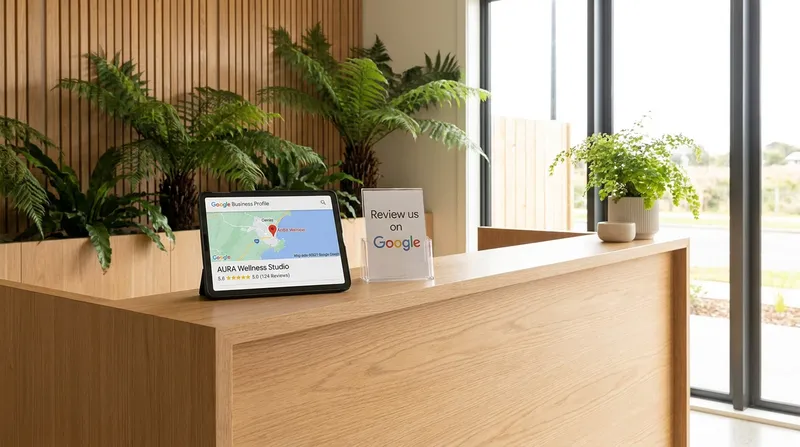
How Google Determines Local Map Pack Rankings (Relevance, Distance, Prominence)
To rank in the Google Local Map Pack consistently, you first need to understand how the algorithm scores your business against local competitors. Official documentation from Google Business Profile Help confirms that there is no way to request or pay for a better organic local ranking. Instead, Google calculates your position using three core pillars:
- Relevance: How closely your profile matches what the user is searching for. If someone searches for "gel manicure Ponsonby" or "gluten-free brunch Hamilton", Google scans your primary and secondary categories, your listed services, your menu items, and the exact words customers use inside your reviews.
- Distance: How close your registered location (or service area) is to the user's smartphone GPS coordinates or the suburb they typed into the search bar.
- Prominence: How well-known and trusted your business is both online and offline. Google measures this through your total review count, your star rating, your review velocity (how often new reviews arrive), local directory citations, and direct booking or ordering links.
Recent benchmark data from the Whitespark 2026 Local Search Ranking Factors Survey breaks down the exact algorithmic weight of these signals. In 2026, Google Business Profile signals account for 32% of your Map Pack ranking power, while Review signals account for 20%. Together, your profile setup and your customer reviews control more than half of your entire ranking potential.
Whitespark's research also revealed two major algorithmic shifts every Kiwi business owner needs to act on immediately:
- "Being open at the time of search" has surged into the top 5 Local Pack ranking factors. If your Google hours say you close at 2:30 PM, your pin often vanishes from the top three at 2:31 PM.
- Predefined GBP Services jumped from 81st place to 22nd place in ranking importance. Leaving your service or menu lists blank hands easy rankings to your competitors.
How to Claim and Optimise Your Google Business Profile: The Multi-Vertical Kiwi Playbook
Most overseas SEO guides assume every local business is a sit-down restaurant with a static menu. In reality, local SEO for cafes and restaurants in NZ looks very different from digital marketing for salons and spas or food truck marketing across New Zealand. According to official guidance from Business.govt.nz, setting up your Google Business Profile is completely free and essential for showing up on Maps, even if your business operates without a traditional physical shopfront.
Warning: Never Keyword-Stuff Your Business Name
Some overseas POS blogs dangerously advise adding keywords to your business title (for example, changing "Koru Massage" to "Koru Massage: Deep Tissue & Thai Spa Auckland"). Do not do this. Google's guidelines for representing your business require your profile name to match the real-world name you use consistently on your signage, website and stationery, and keyword-stuffed names can be edited by Google or reported by competitors, which can lead to suspension.
1. Cafes and Restaurants: Direct Ordering, Menus, and Surcharge Hours
- Stack Your Categories: Set your most specific Primary Category (e.g., Cafe or Thai Restaurant), then add every accurate secondary category (Coffee Shop, Brunch Restaurant, Breakfast Restaurant, Takeaway Restaurant).
- Replace PDF Menus with Structured Items: Google struggles to read flattened PDF uploads on mobile screens. Input your menu items directly into the GBP Menu editor and link to a live HTML online ordering page. With Lazygrid's Online Ordering system (included on Standard and Premium plans), your POS menu syncs directly to your branded ordering website. Instead of losing 15% to 30% margin to third-party delivery apps, Lazygrid charges only a small per-order commission that you can easily pass on to the customer, while keeping your direct ordering link prominently featured on your Google profile. Check out our comparison of MOBI, Bopple, and Order Meal vs all-in-one POS costs to see how much margin direct ordering saves.
- Keep Public Holiday Hours Accurate: Because "open at the time of search" heavily impacts rankings, always log your special hours before Waitangi Day, Easter, ANZAC Day, and Matariki. While updating your profile, make sure your till is ready too by following our guide on NZ public holiday surcharge rules and POS setup.
- Handle Walk-In Queues Smoothly: High Map Pack rankings bring sudden waves of weekend walk-ins. Pair your profile visibility with a smart floor strategy using our no-bookings POS strategy to stop brunch walk-outs.
2. Massage Shops, Beauty Salons, and Wellness Clinics: Predefined Services & Reserve with Google
- Populate Predefined and Custom Services: Because predefined services are now a top-25 ranking factor, tick every relevant option inside your dashboard under Massage Therapist, Beauty Salon, or Nail Salon. Add custom service entries for high-value searches like "remedial deep tissue massage", "pregnancy massage", "lash lift and tint", or "BIAB manicure", complete with clear NZD pricing.
- Activate Reserve with Google: When a client has sore shoulders or needs a last-minute beauty appointment, they want to book immediately without playing phone tag. Lazygrid's Booking/Reservation System integrates directly with Reserve with Google on the Premium plan ($149/month). Clients can tap the blue "Book Online" button right inside Google Search or Maps and lock in an appointment 24/7. Unlike booking platforms that take hefty percentage cuts, Lazygrid charges a flat, small per-booking fee of just NZ$0.50 or NZ$1.00 depending on your industry, and sends automated SMS and email reminders that help reduce no-shows.
3. Roaming NZ Food Trucks: Solving the Map Pin Dilemma
Food trucks face a tricky Google verification challenge: how do you rank on Google Maps when your location changes between weekday street spots, Friday night markets, and weekend festivals?
- Fixed Pitch vs. Roaming Truck: If your food truck parks at a permanent leased site with fixed signage and regular weekly hours, you can verify a standard pinned storefront address. However, if you roam across Auckland, Wellington, or Christchurch, do not create fake pins at public parks or markets, as Google will suspend your account.
- Configure a Service Area Business (SAB): For roaming trucks, verify your profile using your commercial kitchen or home base address. Then, toggle "Show business address to customers" to Off and define your specific Service Areas by city or suburb.
- Post Weekly Schedules & Pre-Order Links: Publish a weekly Google Post every Monday listing your exact pitch locations and hours, and link your GBP "Order Online" button to your Lazygrid Online Ordering page so regulars can pre-order and skip the queue. Because Lazygrid's cloud POS requires an active internet connection to process orders and payments (cached data stays viewable during an outage, but transactions cannot be made offline), keep your truck connected reliably. If you park at regular urban spots with good mobile coverage, a dedicated 4G/5G wireless broadband router in the truck is the most affordable setup. If you work rural A&P shows or remote festivals with poor cell signal, Starlink Business starts from NZ$92/month for 50GB (which is plenty for POS data, with top-ups available if needed) plus NZ$449 one-off hardware (sometimes free during Starlink promotions). Keep your phone hotspot strictly as a temporary emergency backup.
Proven Ways to Get More Google Reviews in NZ (Without Breaking the Law)
If you read overseas POS blogs about how to get more Google reviews, you will frequently see advice telling you to "offer a free coffee or 10% discount in exchange for a positive review" or use software that sends happy customers to Google while diverting unhappy customers to a private form.
In New Zealand, following that advice can land your business in serious legal and financial trouble.
The Legal Reality: Google Policy & The NZ Fair Trading Act
Both Google's review rules and New Zealand consumer law strictly prohibit review manipulation. Google's Fake Engagement Policy prohibits review gating and incentivised reviews, and the Commerce Commission (ComCom) warns that using reviews in a way that misleads consumers is likely to breach the Fair Trading Act 1986:
- No Review Gating: You cannot cherry-pick or filter customers by asking if they had a good experience first and only sending the happy ones to Google.
- No Undisclosed or Conditional Incentives: Offering a discount, freebie, or voucher conditioned on leaving a positive review breaches Google's Fake Engagement Policy (resulting in mass review deletion and profile warning badges) and is likely to mislead consumers under the Fair Trading Act.
- Real Enforcement: The Commerce Commission has prosecuted misleading review practices (for example, Bachcare was fined $117,000 in 2019 for hiding negative reviews). The current maximum Fair Trading Act fine is $600,000 per breach for companies, and a bill before Parliament proposes raising this to at least $5 million.
How to Use a Google Review Link QR Code Generator & Print It on Receipts
The safest, fastest way to get 3 to 5 genuine reviews every week is to remove all friction at the exact moment a customer is happiest. You do not need to pay a third-party agency $30 a month for a Google review link QR code generator. Google gives you one for free right inside your dashboard:
- Log into your Google Business Profile manager directly on Google Search.
- Click the Ask for reviews icon in your management dashboard.
- Copy your official short review link or download the ready-made QR code image.
Once you have that QR code and link, build it directly into your daily service touchpoints so staff never have to awkwardly beg for reviews:
- Thermal POS Receipts: Lazygrid's Advanced Printing feature supports EPSON and Xprinter thermal printers and lets you customise your receipt template with your logo, a custom footer message, and a QR code printed directly on every receipt. Add a friendly Kiwi footer like: "Loved your flat white today? Scan below in 10 seconds to leave us a Google review - it helps our local team immensely!"
- Coffee Cup Stamps & Takeaway Bags: Print a small QR sticker for food truck burger boxes or takeaway bags.
- Salon Station Mirrors & Reception Stands: Place a subtle acrylic QR stand right by the treatment mirror so beauty clients can scan while waiting for their nails to cure or while paying at reception.
- Loyalty & CRM Follow-Ups: When customers join your digital Loyalty Programme or book an appointment, Lazygrid's Customer Management (CRM) captures their contact details and visit history. If you want to compare how native POS rewards stack up against third-party apps for keeping regulars engaged, read our breakdown of Stamp Me vs LoyaltyPass vs native POS loyalty in NZ.
Answer Engine Optimisation (AEO): Getting Recommended by AI Assistants
Search behaviour has changed dramatically. According to the BrightLocal Local Consumer Review Survey 2026, consumer use of generative AI tools like ChatGPT, Google Gemini, and Perplexity to find local business recommendations skyrocketed from 6% to 45% in a single year.
This shift has created Answer Engine Optimisation (AEO) for hospitality and local businesses. When a user asks an AI assistant, "Where is the best place in Mount Maunganui for dairy-free smoothies and a quick lunch?" or "Recommend a highly rated remedial massage clinic in Dunedin with easy online booking," the AI does not just count stars. It reads the actual words inside your reviews, scans your live HTML menu or service list, and checks operational reliability.
Here is how to optimise your venue for both Google's Map Pack snippets and AI Answer Engines:
- Prompt for Specifics, Not Stars: When printing your receipt footer or chatting with a regular, nudge them to mention what they had. Instead of saying "Leave us a review," try: "If you have 10 seconds, let people on Google know what you thought of our cheese scones (or your hot stone massage) today!" When a customer writes "best gluten-free cheese scones in Christchurch", Google bolds those exact words in the Map Pack and AI engines cite your business as the definitive answer.
- Eliminate Operational Bottlenecks That Trigger Bad Reviews: Nothing kills your AEO sentiment faster than reviews complaining about "lost tickets", "30-minute wait at the counter", or "mixed up allergy notes". A Self-Service Kiosk lets customers enter their own orders, and a Kitchen Display System (KDS) replaces paper tickets, so you get fewer lost tickets and order mix-ups. You can also protect customer trust by setting up clear dietary alerts using our NZ allergen compliance POS and KDS setup guide.
How to Respond to Positive and Negative Google Reviews
Your review replies are not just for the person who wrote the review; they are public sales letters read by hundreds of future customers deciding whether to walk through your door.
Replying to Positive Reviews (Without Sounding Like a Robot)
When someone leaves a 5-star review, avoid copying and pasting "Thanks for your review!" ten times in a row. Thank them by name, reference the specific dish, coffee, or treatment they enjoyed, and sign off warmly. This reinforces keyword relevance for local searchers reading your profile.
Replying to Negative Google Reviews: A Practical Framework
Every hospitality and service owner eventually receives a harsh or unfair review. How you handle replying to negative Google reviews determines whether prospective customers forgive the hiccup or avoid your business.
Assigning one calm, dedicated person on your team to manage online feedback ensures replies never sound defensive or emotional. Follow this four-step structure within 24 to 48 hours:
- Acknowledge and Thank: Thank the customer for taking the time to share feedback.
- Apologise Calmly (No Excuses): Express genuine regret that their visit did not meet your usual standards, without blaming staff shortages or busy kitchens in public.
- Investigate Internally: Check your POS transaction logs, KDS prep times, and staff logins to see what actually happened on shift. (If you need tighter visibility over shift accountability, see our NZ till security guide to stop POS fraud and mate's rates).
- Take the Resolution Offline: Provide a direct manager email or phone number and invite them to reach out so you can make it right privately.
Copy-Paste Negative Review Reply Template: "Kia ora [Name], thank you for letting us know about your visit on Saturday. We pride ourselves on fast, friendly service and we are sorry we missed the mark with your wait time during the brunch rush. We have reviewed our kitchen ticket times from that morning with our team to ensure smoother flow next weekend. We would love the chance to put this right for you - please email me directly at [email] so I can follow up personally. Ngā mihi, [Your Name], Owner."
Building Local Citations and Consistent NAP Details in New Zealand
As part of Google's Prominence calculation, the search engine cross-checks your NAP (Name, Address, Phone Number) across the wider web to verify that your business is legitimate and established.
Many US-written SEO guides tell you to spend hours registering on American directories like Yelp, Foursquare, and OpenTable. In New Zealand, those platforms barely register for local cafes, salons, or food trucks. Instead, focus your 30 minutes of citation building on high-authority New Zealand directories and local discovery platforms that Google.co.nz and AI answer engines actually trust:
- Hospitality & Food Discovery: Neat Places, Concrete Playground NZ, Dish Magazine directory, and Restaurant Hub / First Table (if applicable).
- Core NZ Business Directories: Yellow NZ (yellow.co.nz), Finda (finda.co.nz), Neighbourly (neighbourly.co.nz), and Localist (localist.co.nz).
- Tourism & Regional Boards: Tourism New Zealand (newzealand.com) and regional portals like AucklandNZ, WellingtonNZ, or ChristchurchNZ.
Make sure your business name, street address formatting, website URL, and phone number match your Google Business Profile character-for-character across every listing, including your Instagram and Facebook bios. If you operate multiple cafe or salon locations across town, keep each site's inventory, pricing, and branding unified from one central dashboard - learn more in our guide on multi-site stock transfers to stop COGS leakage.
Tracking Your Local Search Performance and Converting Walk-In Traffic
You do not need complex analytics software to see if your Google Maps SEO efforts are paying off. Inside your Google Business Profile Performance tab, review four simple numbers once a month:
- Search Queries: See the exact phrases locals typed before finding your pin.
- Maps vs. Search Views: Track whether commuters are spotting you directly on the Google Maps app.
- Direction Requests: The ultimate indicator specifying how many people tapped "Directions" to walk or drive to your venue.
- Website, Ordering & Booking Clicks: How many searchers converted immediately via your online ordering link or Reserve with Google button.
Driving new customers through the door via the Map Pack is only half the battle; the real profit comes from turning those first-time walk-ins into lifelong regulars. During peak seasonal moments like Christmas, Mother's Day, or corporate gifting season, promote digital Vouchers & Gift Cards (integrated with Apple Wallet and Google Pay) right on your Google Posts and counter displays. You can even tap into local office budgets using our B2B POS guide to selling corporate gift vouchers in NZ.
Frequently Asked Questions (FAQ)
Is it legal to offer a free coffee or discount for a Google review in New Zealand?
No. Offering a reward in exchange for a positive Google review breaches Google's fake engagement policy, and the Commerce Commission considers manipulating reviews likely to mislead consumers under the Fair Trading Act 1986. Instead, ask every customer neutrally using a receipt QR code with zero strings attached.
How can a mobile food truck rank on Google Maps in NZ without a fixed street address?
Verify your Google Business Profile using your registered base or commercial kitchen address, toggle off "Show business address to customers", and set your active suburbs under "Service Areas". Then, post your exact weekly street locations via Google Posts and link your profile to an integrated online pre-ordering page.
How many Google reviews do I need to rank in the top 3 Map Pack in New Zealand?
While the exact number depends on your suburb's competition, BrightLocal's 2026 survey of US consumers shows 47% of customers will not choose a business with fewer than 20 reviews, and 74% only care about reviews from the last three months. Aim to pass the 25-review baseline quickly, then maintain a steady velocity of 2 to 4 fresh reviews every week.
Can I delete an unfair or fake negative Google review on my business profile?
Business owners cannot directly delete a review from their profile. However, if a review is spam, written by a competitor, contains profanity, or was posted for the wrong business, you can click the three dots next to the review and select "Report review" for Google to remove it. For genuine customer complaints, post a calm, professional public reply offering to resolve the issue offline.
Why is my cafe or salon not showing up in 'near me' searches even when people are standing across the street?
If your venue is invisible to nearby searchers, the culprit is usually one of four things: your primary category is too vague, your opening hours are missing or show you as closed at the time of the search, your profile lacks predefined services or HTML menu items, or your business is sharing the same building address category as a competitor (causing Google's Possum filter to hide one listing). Verify your exact map pin placement, fill out every predefined service under your category, and maintain a steady flow of fresh customer reviews to prove local prominence.
How do I generate a direct Google review QR code for my counter or POS receipts?
You can generate an official QR code for free in under 60 seconds without paying for third-party software. Sign into your Google Business Profile on Google Search, click the "Ask for reviews" button in your management panel, and download the official QR code image or copy your short link. From there, upload the QR code into Lazygrid's Advanced Printing settings so it prints automatically at the bottom of every customer's thermal receipt.
Does replying to Google reviews actually help my New Zealand business rank higher on Google Maps?
Yes. Google's official local ranking documentation explicitly encourages owners to respond to reviews to build consumer trust and prominence. Furthermore, when a customer mentions a specific service or item in their review and you reply warmly while referencing your service and neighbourhood, it reinforces local relevance and gives prospective walk-in customers the confidence to choose your business over an unresponsive competitor.
How do AI tools like ChatGPT and Google Gemini decide which local NZ cafes, food trucks, or massage clinics to recommend?
With 45% of consumers now using generative AI assistants for local discovery, Answer Engine Optimisation (AEO) relies heavily on structured data and review sentiment. AI engines scan the recurring phrases inside your Google reviews, check your live HTML online ordering menu or service price list, verify consistent NAP citations on trusted NZ sites like Neat Places and Yellow NZ, and prioritise venues offering direct booking integrations like Reserve with Google.
What happens if I put suburbs or extra keywords into my Google Business Profile name to rank faster?
Adding extra keywords or suburb names to your profile title (unless they are genuinely part of the real-world name you consistently use on your signage and branding) is a direct violation of Google's naming guidelines. While it might temporarily nudge rankings for a few days, competitors can easily submit a public "Suggest an edit" flag, or Google's automated verification sweeps can trigger a suspension that removes your pin from Google Maps.
Can I use Reserve with Google for my NZ restaurant, massage shop, or beauty salon?
Yes. Both hospitality dining venues and appointment-based personal care businesses in New Zealand can activate Reserve with Google through a supported booking partner. With Lazygrid's Premium plan ($149/month), Reserve with Google connects directly to your POS booking calendar, allowing customers to book a table or treatment directly from your Google Search and Maps listing for a flat, small fee of NZ$0.50 or NZ$1.00 per booking.
Turn Local Searchers Into Regulars with Lazygrid POS
Winning at Google Business Profile optimisation in NZ does not require an expensive marketing retainer. By keeping your opening hours and predefined services accurate, printing a direct Google review QR code onto your thermal receipts, and connecting direct online ordering or Reserve with Google bookings, your venue can climb into the top three Map Pack spots and stay there.
Whether you run a solo food truck on Lazygrid's Lite plan ($24/month), a busy neighbourhood cafe on Standard ($59/month), or a full-service restaurant or massage studio using Reserve with Google and native loyalty on Premium ($149/month), Lazygrid gives Kiwi businesses the tools to serve faster and grow organically. Comparing your current till setup? Explore our guide to the best Epos Now alternatives in NZ or browse more local hospitality insights on the Lazygrid Blog.